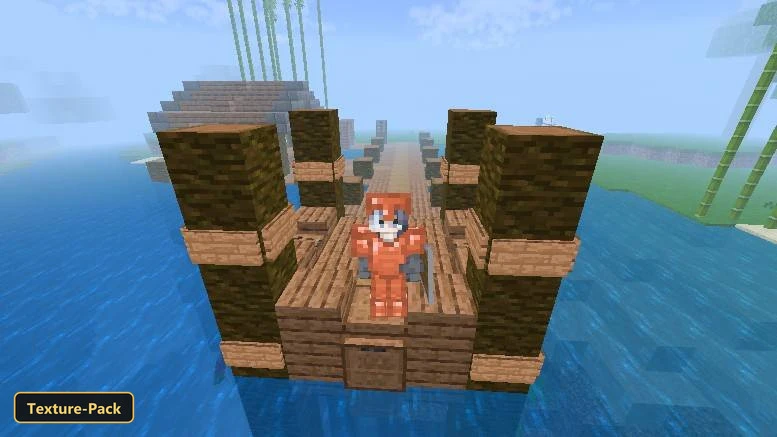
Krypton (26+, 1.21) – MCPE/Bedrock Texture Pack
Smoother frame rates are the main goal of Krypton, a simplistic x16 texture pack that applies many optimizations without changing the visual style much.
⬇ Download
Smoother frame rates are the main goal of Krypton, a simplistic x16 texture pack that applies many optimizations without changing the visual style much. The highest performance settings need the “Default Mode+” option selected in the in-game settings, which can adjust some visuals a little.
The pack retextures many blocks, the sky and the user interface, and it manages particles by reducing or removing the ones that use device resources. Entity animations and block textures are optimized to lighten the load on the GPU and CPU, render distance is adjusted for some entities such as experience orbs and mobs, and water opacity and biome blending are tweaked. Default Mode+ can make water transparent and leaves opaque for the biggest boost, which suits PvP and minigames. It also removes UI distractions and advertising.
Requirements:
- MCPE/Bedrock 1.21 – 26.30
all 45 versions26.30, 26.20, 26.13, 26.12, 26.11, 26.10, 26.3, 26.0.02, 26.0, 1.21.132, 1.21.131, 1.21.130, 1.21.124, 1.21.123, 1.21.122, 1.21.121, 1.21.120, 1.21.114, 1.21.111, 1.21.101, 1.21.100, 1.21.94, 1.21.93, 1.21.92, 1.21.90, 1.21.82, 1.21.81, 1.21.80, 1.21.73, 1.21.72, 1.21.71, 1.21.70, 1.21.61, 1.21.60, 1.21.51, 1.21.50, 1.21.44, 1.21.43, 1.21.41, 1.21.40, 1.21.30, 1.21.21, 1.21.20, 1.21.2, 1.21
Features:
- 1 in-game options: Default Mode+ (high optimizations) High optimization mode, could have a negative impact on your gameplay experience, but it has an bigger performance boost.
- Retextures blocks, the sky, the UI, particles at 1x resolution
- Also includes custom UI tweaks, custom block models, biome color overrides, custom menu splashes
Screenshots:
- Edition: Minecraft Bedrock
- File type: .mcpack
- Minecraft version listed: 1.21
- How to install: Download the .mcpack. → Open it — Minecraft imports it under Resource Packs. → Activate it in Global Resources, or for one world under Resource Packs → Available.
- Where to get it: In MCModsHub, or directly above on this page.
Install steps are the general flow for this file type — How to install Minecraft Bedrock texture packs walks through it step by step.
- Save it as 520929.mcaddon before opening — it downloads as .mcpack, but it is a .mcaddon pack
- Manifest requires Minecraft 1.16.100 or newer
- Complete pack — everything it depends on is inside the file
- Download size: 225 KB
- Download link checked 3 Oct 2026 — working
- Mirrored on our own servers — the download does not depend on the original host
These come from our own check of the pack file, not from the source page.