Enchantment Glint Customizer (26+) – MCPE/Bedrock Texture Pack
Bedrock texture pack listed for Minecraft 26.x. File opened and checked on 6 Oct 2026; installs from the MC Bedrock Mods app on Android.
⬇ Download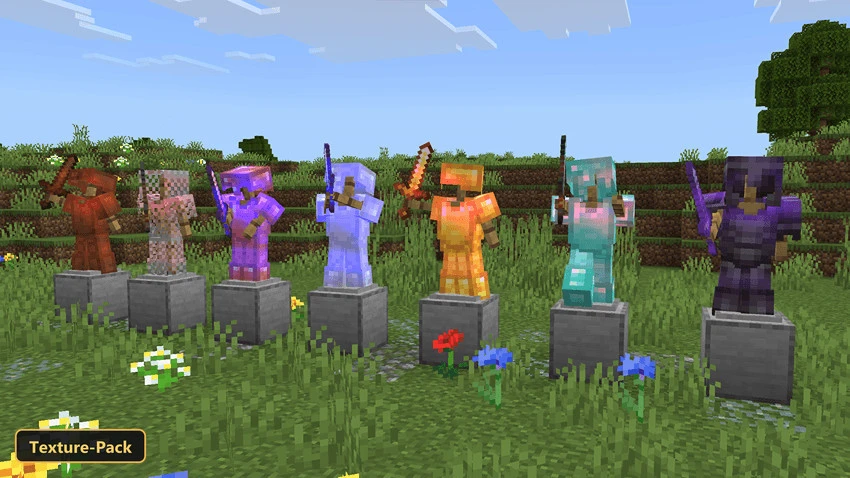

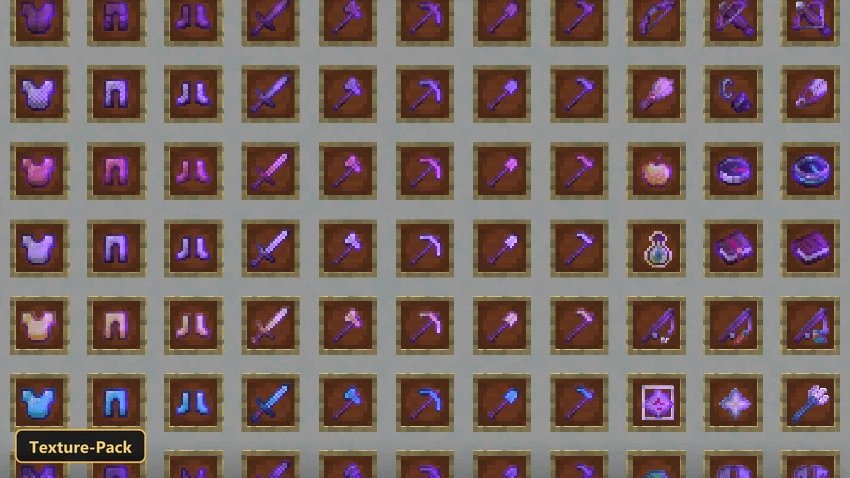
Fifteen in-game options let players recolor and restyle the shimmer on enchanted gear with Enchantment Glint Customizer. Colors on offer are indigo, orange, blue, red and purple, and they apply to every enchanted item and entity.
Each color comes in two styles. By default the glint is smoother on items held by the player, while the other option keeps the original pixelated glint and only changes the hue. Items and entities are retextured at 256x. The pack works alongside other packs that edit item textures, as long as the correct option is selected and this pack sits above the others in the load order in Minecraft Bedrock.
Requirements:
- MCPE/Bedrock 26.20 – 26.30
all 2 versions26.30, 26.20
Features:
- 15 in-game options: Indigo Glint + Classic Textures, Orange Glint + Classic Textures, Blue Glint + Classic Textures, Red Glint + Classic Textures, Purple Glint + Classic Textures, Indigo Glint + Pixelated Glint, Orange Glint + Pixelated Glint, Blue Glint + Pixelated Glint, Red Glint + Pixelated Glint, Purple Glint + Pixelated Glint, Indigo Glint, Orange Glint, Blue Glint, Red Glint, Purple Glint
- Retextures items, entities at 256x resolution
Screenshots:
- Edition: Minecraft Bedrock
- File type: .mcpack
- How to install: Download the .mcpack. → Open it — Minecraft imports it under Resource Packs. → Activate it in Global Resources, or for one world under Resource Packs → Available.
- Where to get it: In MCModsHub, or directly above on this page.
Install steps are the general flow for this file type — How to install Minecraft Bedrock texture packs walks through it step by step.
- Pack type: .mcpack — a single pack
- Manifest requires Minecraft 1.26.30 or newer
- Complete pack — everything it depends on is inside the file
- Download size: 1.2 MB
- Download link checked 6 Oct 2026 — working
- Mirrored on our own servers — the download does not depend on the original host
These come from our own check of the pack file, not from the source page.