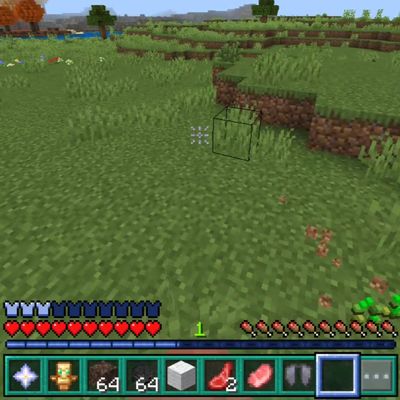
din3's HUD
Bedrock texture pack listed for Minecraft 26.x. Download on the author's site.
⬇ Download on CurseForge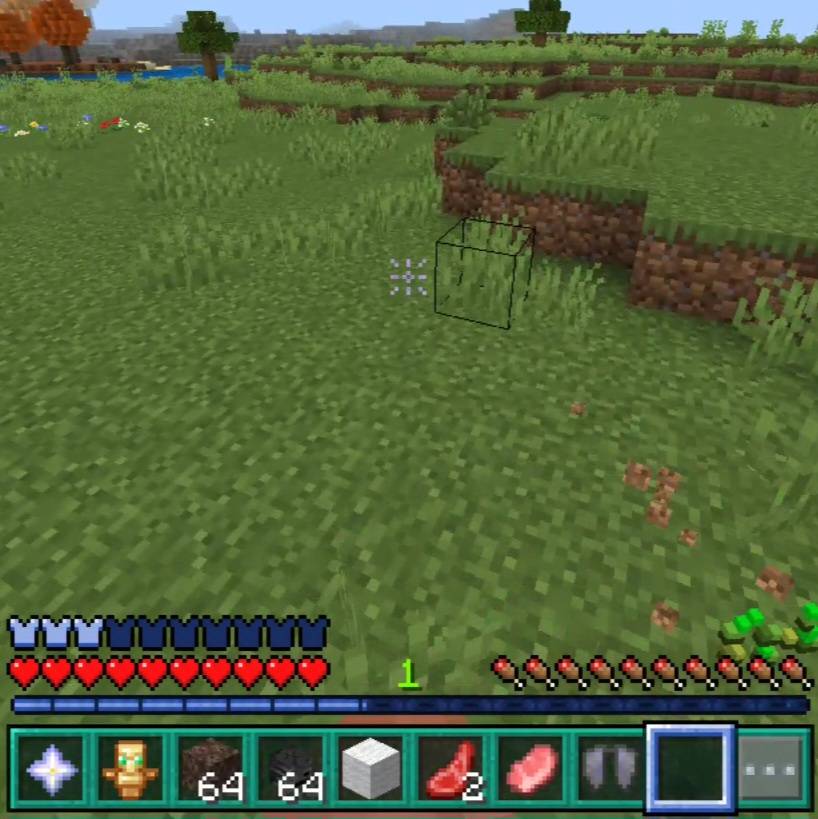
din3's HUD
A custom HUD texture pack that gives Minecraft's interface a cleaner, more personal look. Every element listed below has been restyled to work together as one consistent design.
Features
Redesigned hotbar
Restyled selected slot bar
Custom XP bar
Custom boss bar
Redesigned armor bar
Custom air bubbles
Lightweight texture pack with no performance impact
Only the HUD is changed, so the rest of the game keeps its vanilla look
Installation
Download the file and open it with Minecraft Bedrock Edition (it imports automatically)
Go to Settings, then Global Resources
Activate din3's HUD
Load into your world and check your hotbar, XP bar, and armor bar
Compatibility
Edition: Minecraft Bedrock Edition
Works alongside other texture packs. If another pack changes the HUD, move this one higher in your resource pack list.
- Edition: Minecraft Bedrock
- File type: .mcpack
- Minecraft versions listed: 26.0.02, 26.0, 26.3
- How to install: Download the .mcpack. → Open it — Minecraft imports it under Resource Packs. → Activate it in Global Resources, or for one world under Resource Packs → Available.
- Where to get it: Opens on CurseForge — not every file is mirrored on our own servers.
Install steps are the general flow for this file type — How to install Minecraft Bedrock texture packs walks through it step by step.
din3's HUD is a free Minecraft Bedrock texture pack. Compatible with Minecraft 26.0.02, 26.0, 26.3, 26.10 and newer. Downloaded 10 times (via CurseForge). Download it and open it directly in the game.