BRG Cinematic Atmosphere
Bedrock texture pack listed for Minecraft 1.21–26.x. Installs from the MC Bedrock Mods app on Android.
BRG Cinematic Atmosphere – A polished Vibrant Visuals shader pack with cool cinematic skies, warm golden sunsets, soft volumetric fog, natural lighting…
⬇ Download on CurseForge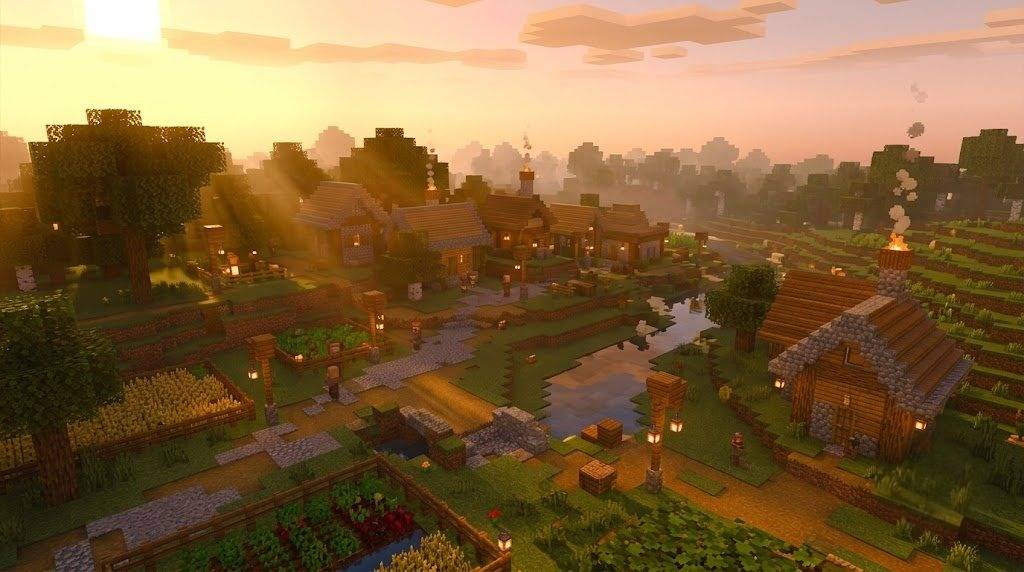
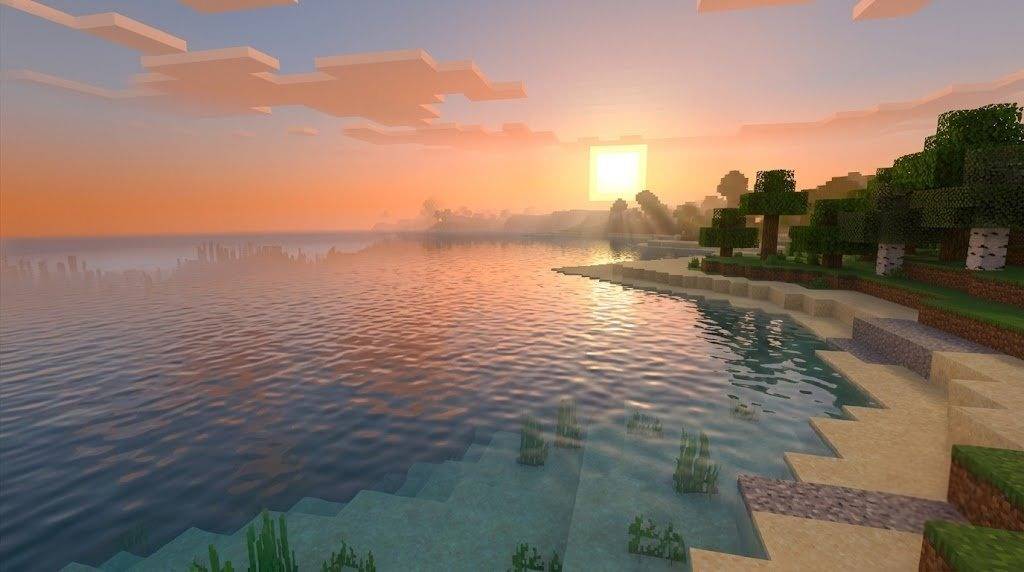
BRGamers Cinematic Atmosphere
A polished cinematic Vibrant Visuals experience for Minecraft Bedrock
Welcome to BRGamers Cinematic Atmosphere — a carefully crafted Vibrant Visuals resource pack designed to give your Minecraft world a clean, immersive, and cinematic look without going overboard. This pack focuses on natural beauty, balanced lighting, soft atmospheric depth, and a cool cinematic identity that feels premium and YouTube-ready.
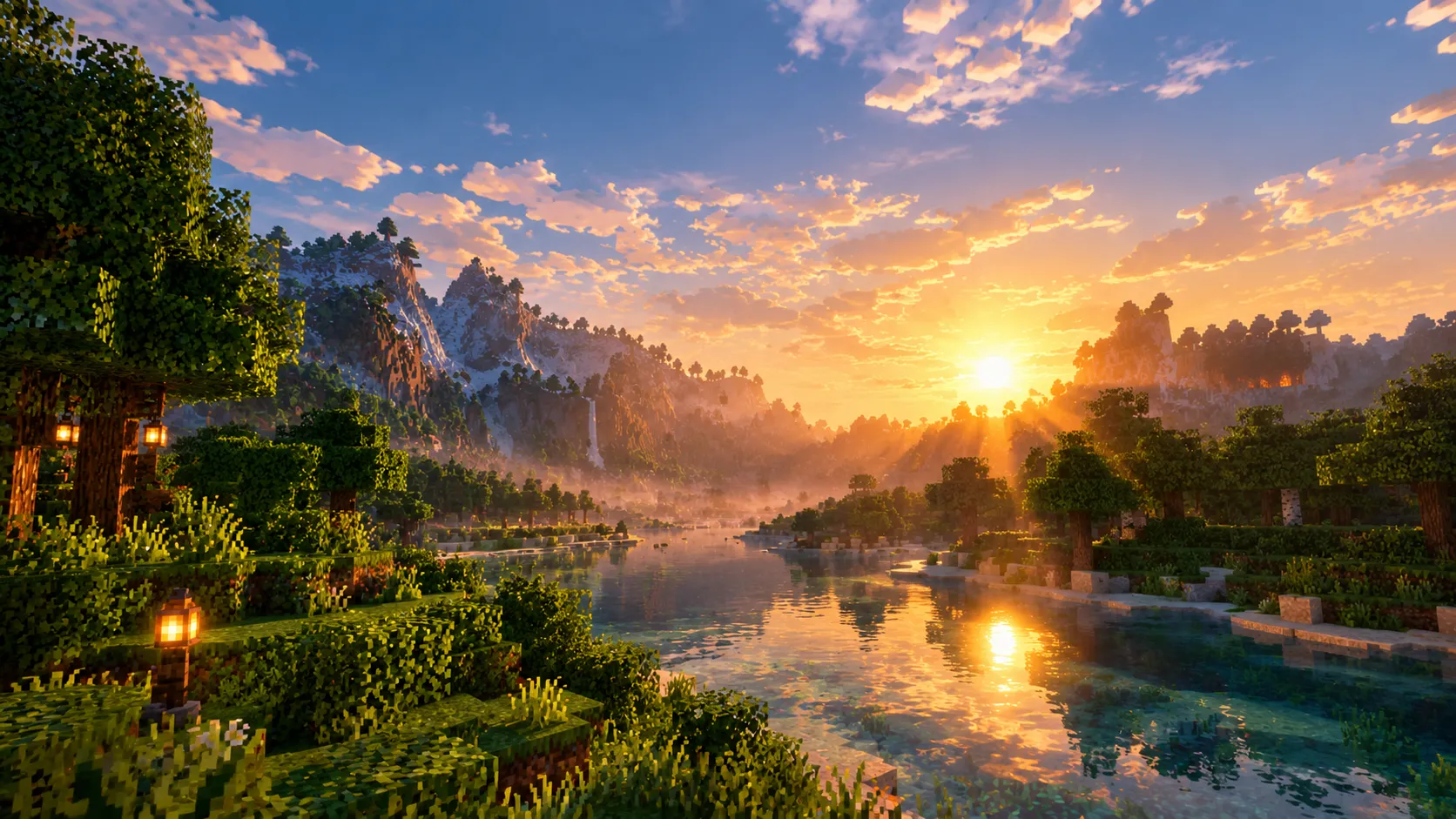
Instead of heavy neon colors or extreme effects, this pack delivers a refined visual style. Soft volumetric fog, warm golden sunsets, cool blue daytime skies, gentle god rays, and natural contrast come together to create an atmosphere that feels alive and realistic while still looking stunning on camera.
✦ What Makes This Pack Special?
Most shader-style packs either go too dark or too saturated. BRGamers Cinematic Atmosphere sits in the perfect middle ground. It keeps the world readable and playable while adding cinematic depth and mood.
- • Clear and natural daytime skies
- • Warm golden-orange sunrises and sunsets
- • Soft volumetric light shafts (god rays)
- • Balanced shadows that don’t crush dark areas
- • Immersive but not overpowering fog
- • Warm amber torch and lantern glow
- • Clean water with better depth and color
- • Smooth day-to-night transitions
✦ Sky & Atmosphere
The sky system has been carefully refined. Daytime features a cool, natural blue zenith with soft horizon blending. As the sun sets, the horizon shifts into warm golden-orange and soft pink tones, creating that classic cinematic golden hour look.
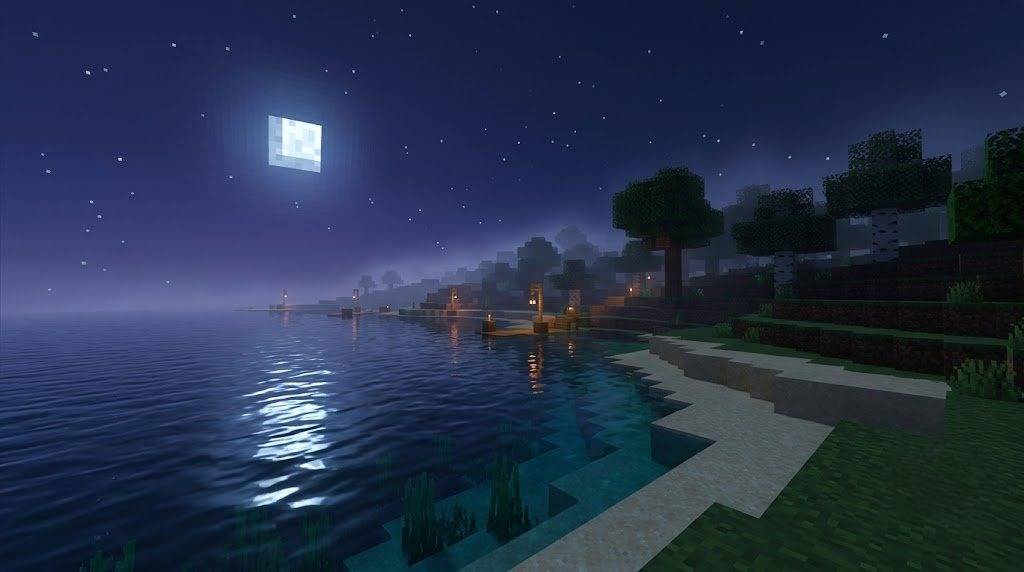
Nights are deeper and more atmospheric with blue-violet tones, while still keeping enough visibility for gameplay. Rayleigh and Mie scattering have been adjusted to produce gentle god rays during sunrise and sunset without making the sky look unnatural or blown out.
✦ Lighting System
Lighting is one of the strongest parts of this pack. The sun has been given a warmer, more natural color curve. Daytime light feels bright and pleasant, while sunset light turns into a beautiful warm gold that bathes the terrain.
Moonlight is cooler and softer, giving nights a calm cinematic mood. Ambient lighting has been carefully balanced so that caves and shaded areas don’t become pure black. Shadows remain soft and dramatic without killing visibility.
Torch, lantern, campfire and other light sources emit a cozy warm amber glow that feels inviting and realistic. Soul-related lights keep their cool cyan identity for contrast.
✦ Fog & Depth
Fog is used as a storytelling tool in this pack. Nearby blocks stay clear and sharp, while distance softly fades into atmospheric depth. This creates a strong sense of scale and immersion.
Different biomes receive their own subtle fog character:
- Forests and jungles feel slightly denser and greener
- Swamps have a thicker, moodier atmosphere
- Snowy regions feel crisp and cold
- Deserts remain clearer with soft heat haze
- Nether and Deep Dark have unique darker atmospheres
✦ Water
Water has been tuned for better clarity and depth. Surfaces look cleaner and more reflective, while underwater areas have a natural blue-green tint. The goal was to make water feel more realistic and cinematic without breaking vanilla visibility.
✦ Color Grading & Tone
The pack uses ACES tonemapping with carefully adjusted contrast, saturation, and white balance. Highlights are controlled, midtones are rich, and shadows are lifted just enough so the world never feels muddy. Colors stay natural — grass, wood, ores and mobs remain recognizable.
✦ Compatibility
- Minecraft Version: 1.21.80 and above
- Required: Vibrant Visuals / Deferred Rendering
- Platform: Android, Windows, iOS (where Vibrant Visuals is supported)
- Resource Pack only — no behavior pack or scripts
✦ Installation
- Download the
.mcpackfile - Open it with Minecraft
- Activate it in Global Resources or World Resources
- Enable Vibrant Visuals in Video Settings
- Enjoy the cinematic look
Created by BRGamers
Inspired by Astralex Visuals (original work by reefycraft)
Personal-use modification — respect original licensing for public redistribution
- Edition: Minecraft Bedrock
- File type: .mcpack
- Minecraft versions listed: 1.21.81, 1.21.93, 1.21.90
- How to install: Download the .mcpack. → Open it — Minecraft imports it under Resource Packs. → Activate it in Global Resources, or for one world under Resource Packs → Available.
- Where to get it: Opens on CurseForge — not every file is mirrored on our own servers.
Install steps are the general flow for this file type — How to install Minecraft Bedrock texture packs walks through it step by step.
- Pack type: .mcpack — a single pack
- Manifest requires Minecraft 1.21.80 or newer
- Complete pack — everything it depends on is inside the file
- Download size: 1.3 MB
- Download link checked 13 Oct 2026 — working
These come from our own check of the pack file, not from the source page.