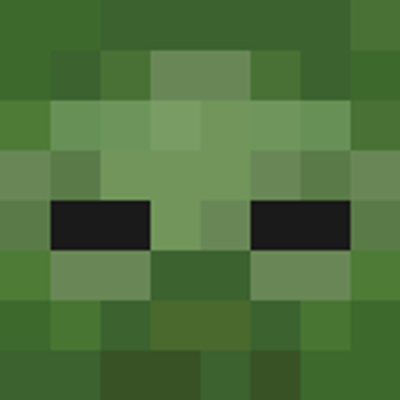
Zombie Mobs
Bedrock skin pack listed for Minecraft 26.x. File opened and checked on 15 Oct 2026; installs from the MC Skins app on Android.
⬇ Download on CurseForge

Zombie Mobs Pack
Optimize your multiplayer presence with the Zombie Mobs Pack! Designed with a clean, vanilla-friendly approach, this skin collection replaces your default player model with high-fidelity, environment-specific undead variants. Perfect for blending into specific biomes or asserting dominance on PvP and roleplay servers.
Included Variants:
- Zombie: The standard, vanilla-optimized baseline undead model.
- Drowned: Specialized deep-water variation featuring water-logged textures for marine environments.
- Husk: Sun-baked desert optimization to seamlessly match arid landscapes.
- Frostbite: High-altitude, sub-zero variant engineered with ice-veined detailing for snowy peaks.
- Golden Zombie: Armored configuration fully equipped with heavy-duty, protective golden plate armor.
- Pumpkin-Headed Zombie: Seasonal festive overlay featuring an integrated, hollowed-out pumpkin.
Features:
- Biome Integration: Choose the perfect variation to organically camouflage into desert, ocean, or snowy coordinates.
- Vanilla Friendly: Seamlessly blends with the game's default aesthetic and works perfectly alongside any active utility or interface resource packs.
IMPORTANT NOTES:
Please read before using this skin pack:
- Multiplayer Realism: Because these variants closely resemble actual hostile mobs, other players in multiplayer worlds or servers may mistake you for an actual monster and attack you on sight. Use caution in survival spaces!
- Golden Zombie Armor Overlay: Equipping armor pieces while using the Golden Zombie variant may cause visual texture clipping ("glitching"), as standard armor models will conflict with the built-in golden plate armor texture.
- Pumpkin-Headed Helmet Overlay: Wearing any item in your helmet/head slot while using the Pumpkin-Headed Zombie variant will overlap with the custom pumpkin helm, resulting in a broken or glitchy appearance.
Installation Instructions:
1. Download the latest version of the skin pack (.mcpack).
2. Open your file explorer and click on the pack to automatically import it into Minecraft.
3. Launch Minecraft, open your Dressing Room, and navigate to Clasic Skins -> Owned Skins.
4. Select the Zombie Mobs Pack from the available list, choose your variant, and activate it!
Notes & Compatibility:
- Multiplayer Ready: Fully compatible with local worlds, Realms, and major multiplayer servers.
- Resource Friendly: Lightweight textures optimized to prevent performance drops during intensive PvP or survival sessions.
- Edition: Minecraft Bedrock
- File type: .mcpack
- Minecraft versions listed: 26.20, 26.30, 26.40
- How to install: Download the .mcpack skin pack. → Open it — Minecraft imports it. → Open the Dressing Room and select the skin.
- Where to get it: Opens on CurseForge — not every file is mirrored on our own servers.
Install steps are the general flow for this file type — How to apply a custom Minecraft skin walks through it step by step.
- Save it as Zombie Mobs Pack.mcaddon before opening — it downloads as .mcpack, but it is a .mcaddon pack
- Complete pack — everything it depends on is inside the file
- Download size: 19 KB
- Download link checked 15 Oct 2026 — working
These come from our own check of the pack file, not from the source page.