
TIAMAT VISUALS
Bedrock texture pack listed for Minecraft 1.21–26.x. File opened and checked on 16 Oct 2026; installs from the MC Bedrock Mods app on Android.
TIAMAT VISUALS brings a vivid Vibrant Visuals atmosphere to Minecraft Bedrock — bright noon skies, glowing golden sunsets, aurora-tinted midnight, glowing…
⬇ Download on CurseForge
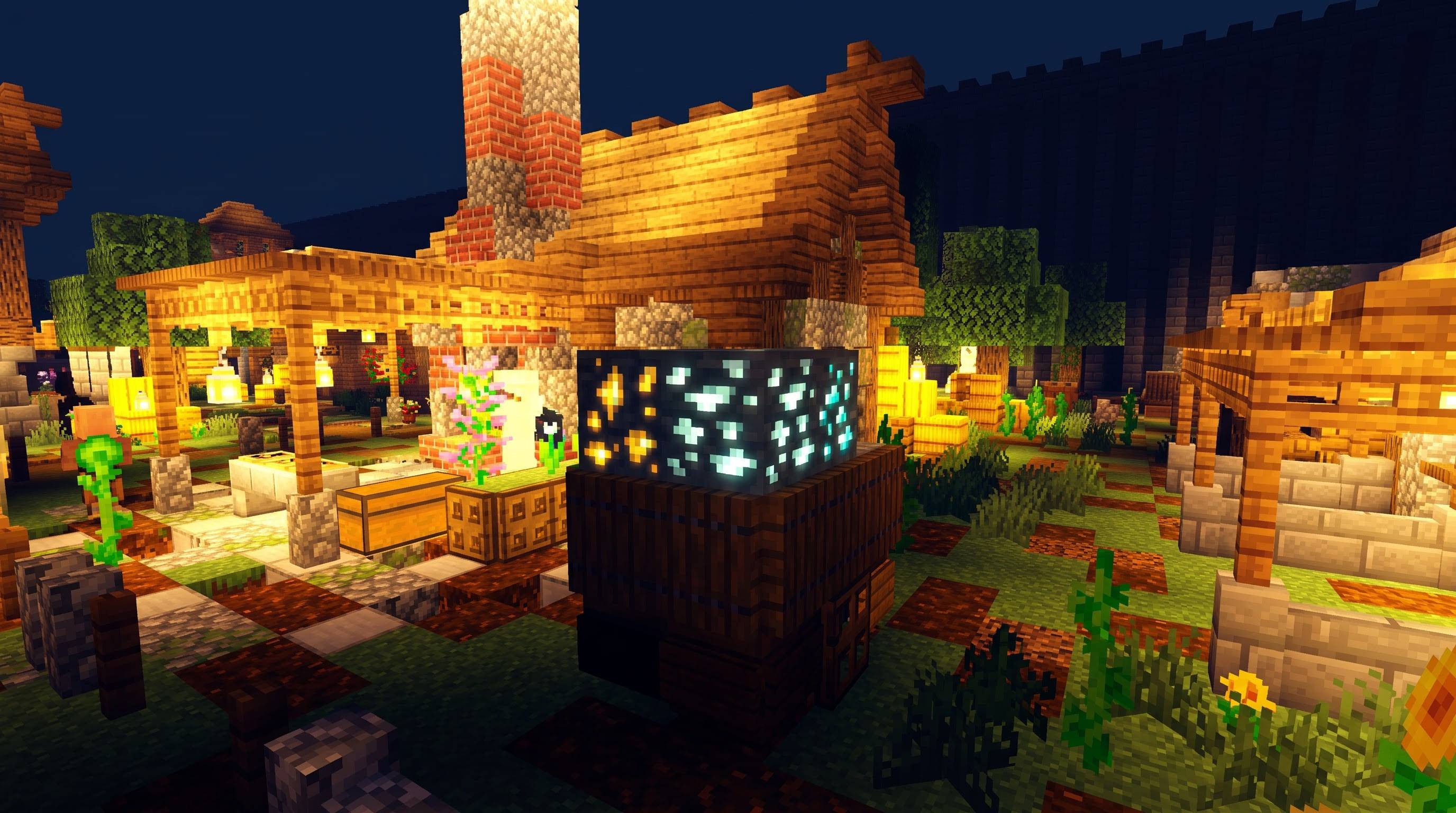
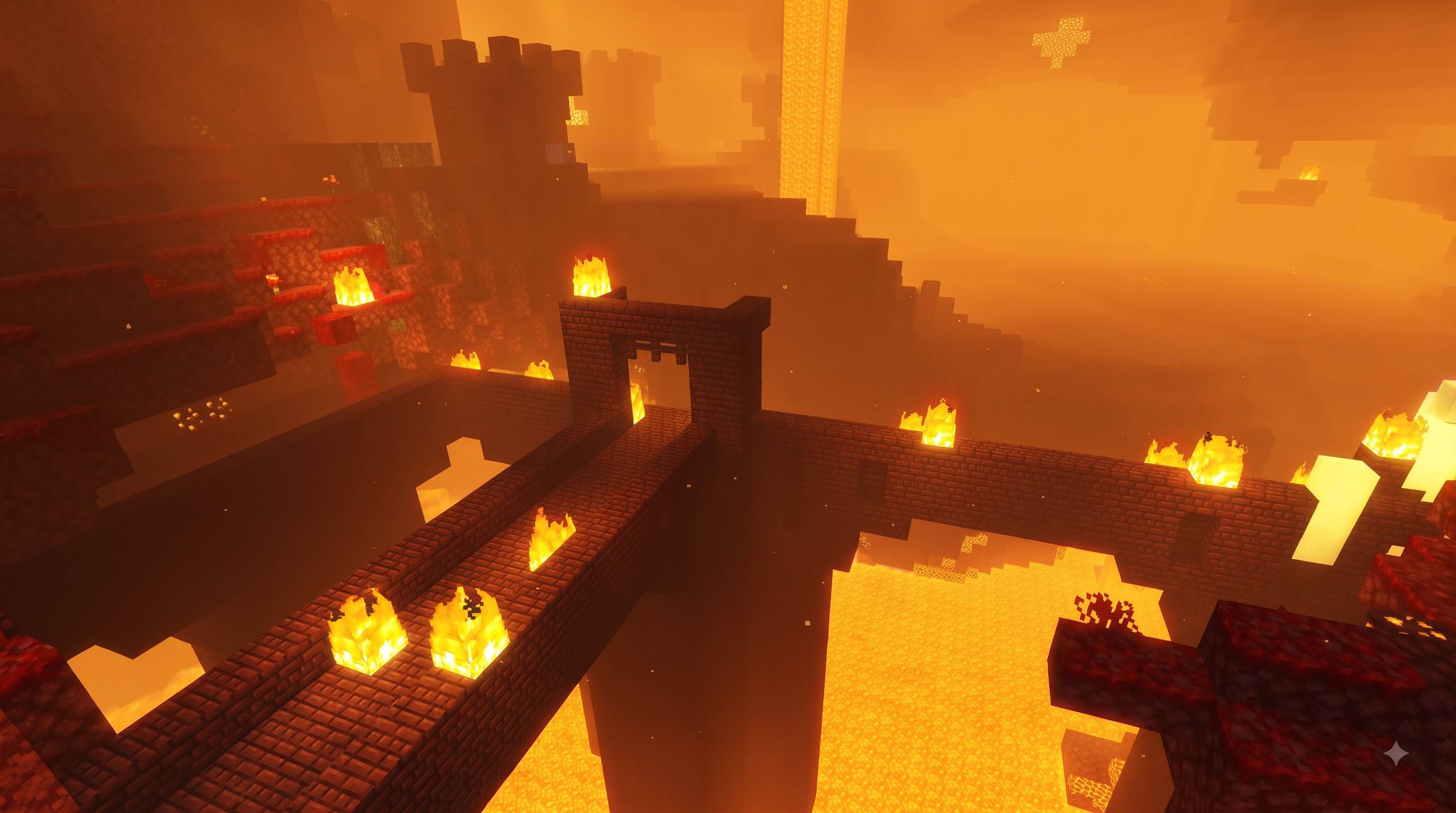
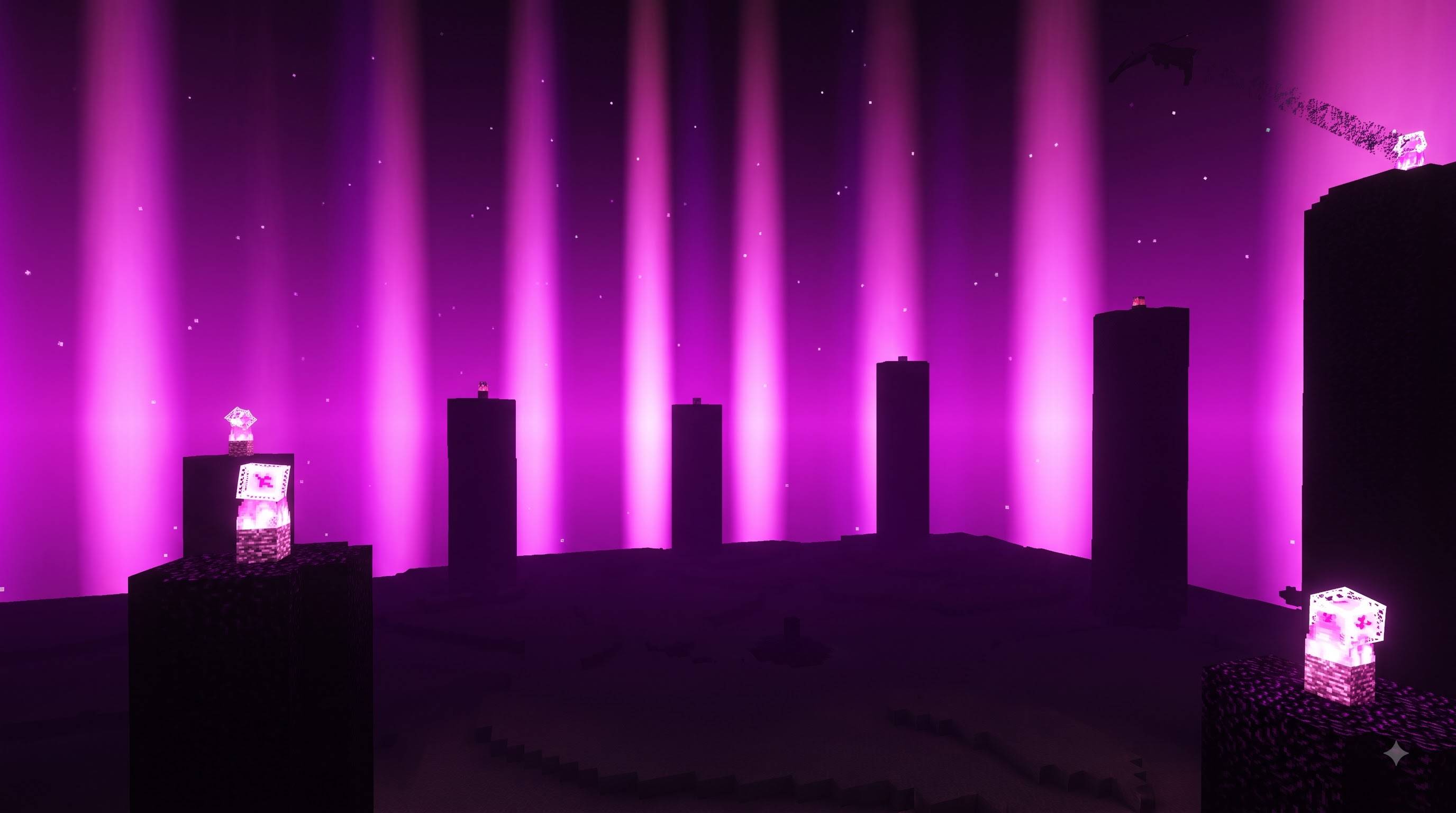
TIAMAT VISUALS is an original Vibrant Visuals atmosphere pack for Minecraft Bedrock Edition, tuned to make every time of day, every weather, and every dimension feel vivid, glowing and alive. It changes only light, sky, fog, water and color — no block models or vanilla textures are touched.
BRIGHT, VIVID NOON
Daytime skies are a deep, clean saturated blue with soft rounded clouds, and sunlight is strong enough to make foliage read as a vivid, almost glowing green. Midday scenes feel crisp and full of contrast rather than flat.
GOLDEN SUNSETS
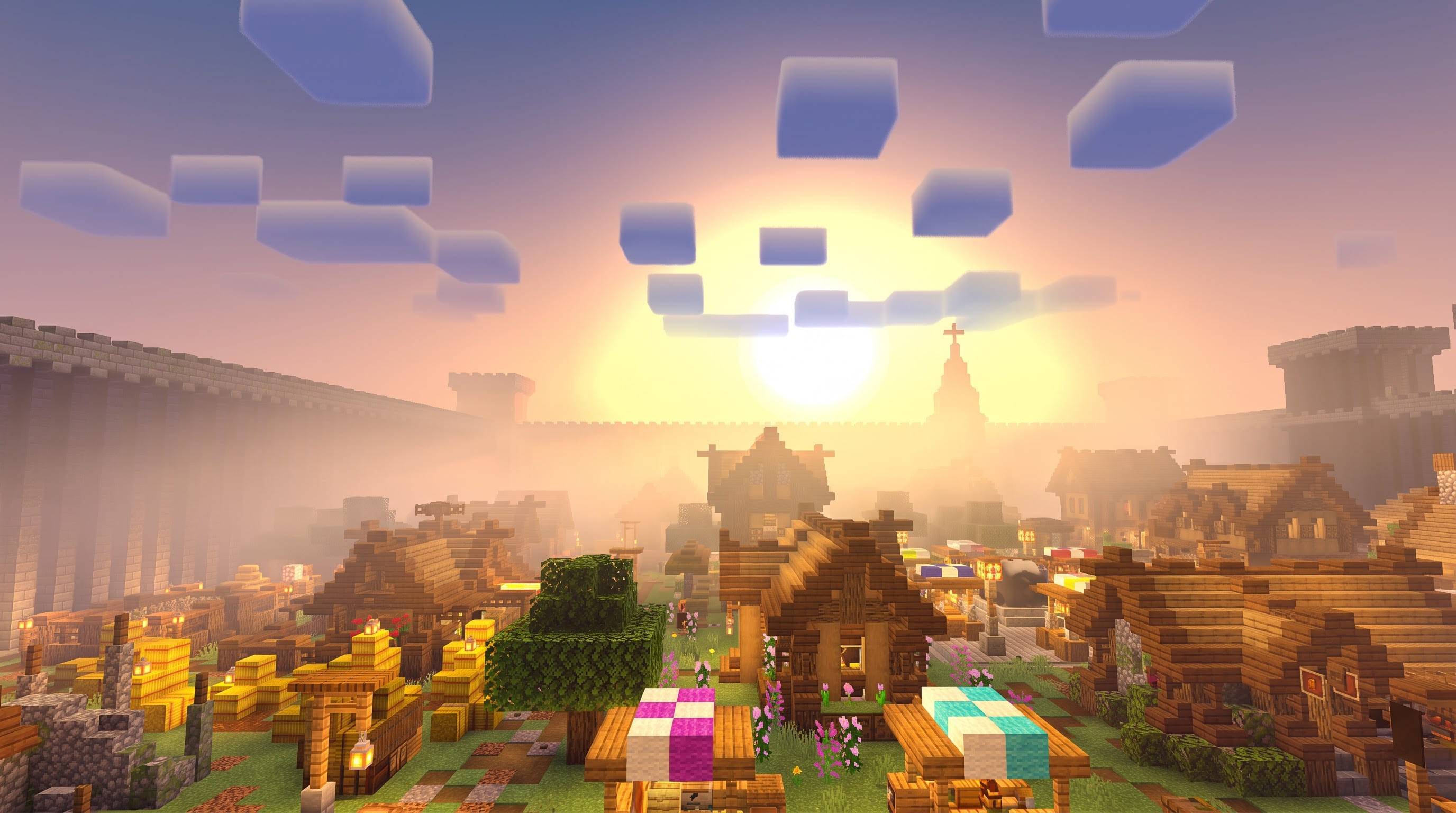
As the sun drops, the whole sky shifts into a wide, glowing gold-white halo around it, fading up into warm lavender-pink and dusky blue. Villages and trees near the horizon pick up that warm light, while colorful blocks and flowers stay vivid rather than washing out.
AURORA-TINTED MIDNIGHT
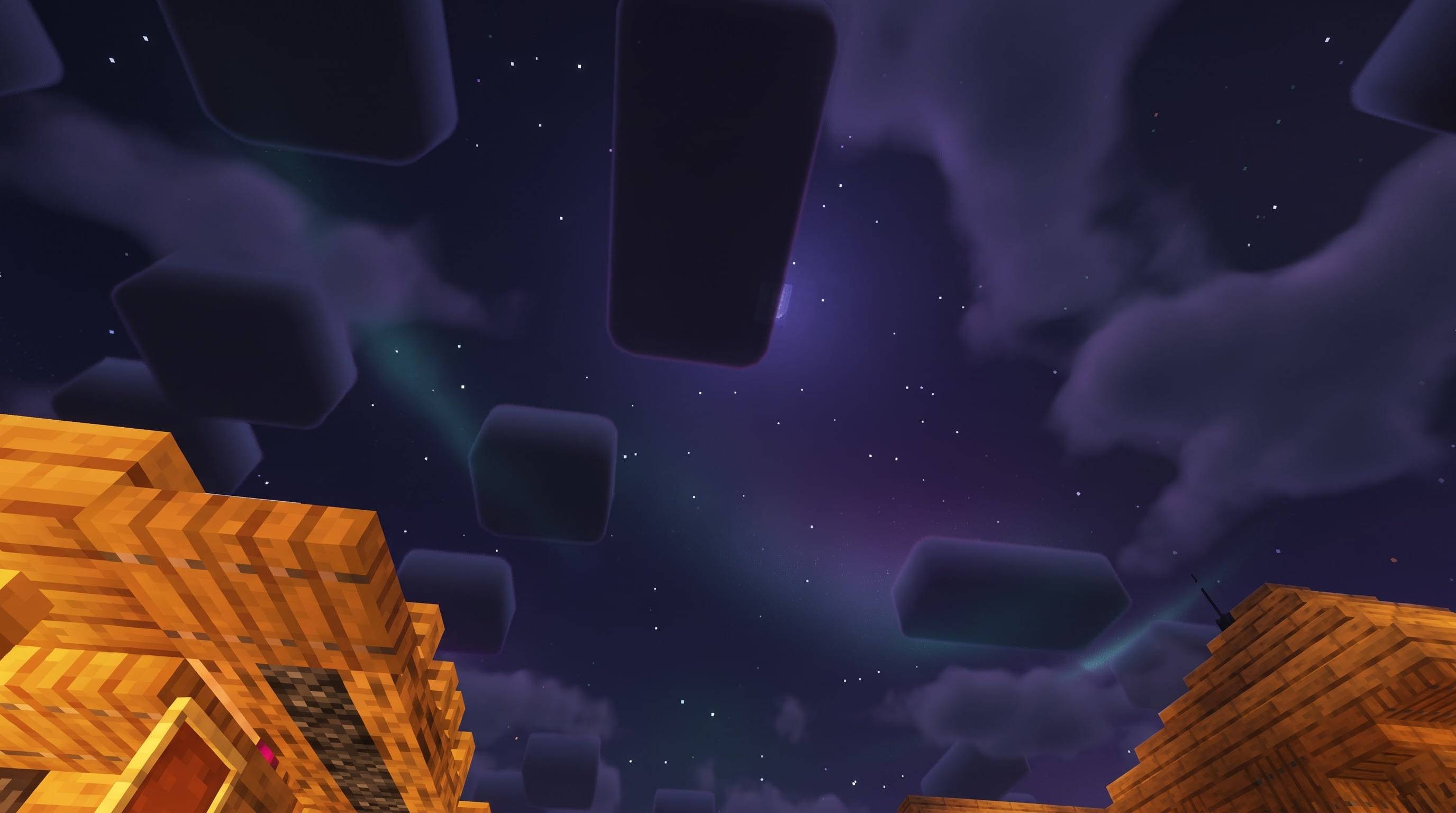
Night skies are a deep indigo-violet with a subtle teal-violet shimmer rather than flat black, so midnight scenes carry a quiet, otherworldly mood. Stars stay crisp and clear against the darker sky.
GLOWING ORES, LANTERNS AND CAVES
Ore and crystal blocks sparkle with bright, saturated highlights at night. Lanterns, torches and campfires glow warm and gold, lighting nearby wood and stone. Lush Caves and Dripstone Caves carry their own warm gold-amber glow from hanging vines, with a few cool cyan-teal accents for contrast.
CLEAR, VIVID WATER
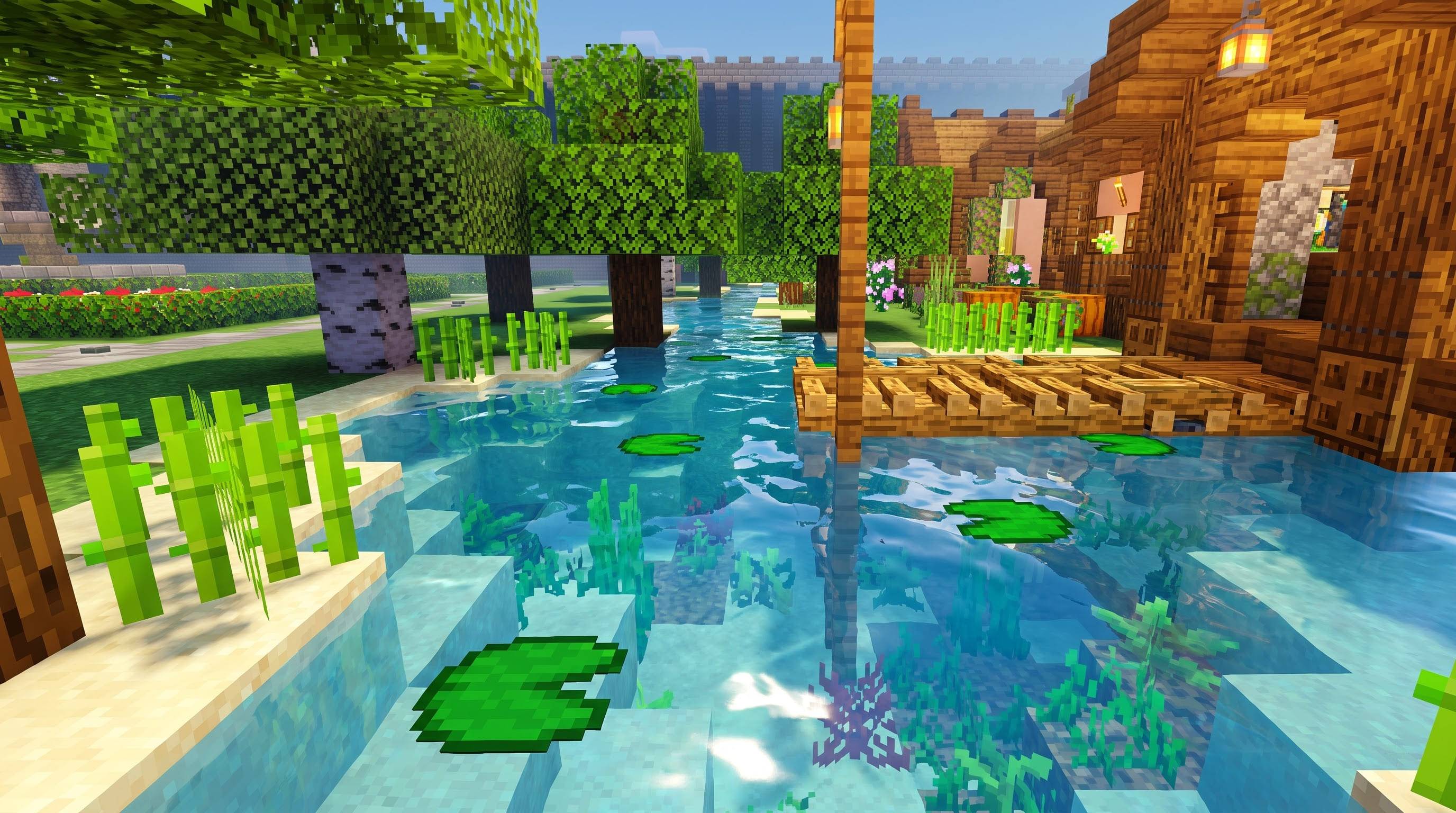
Lakes, rivers and ponds are noticeably clearer and less murky, with visible waves and a brighter, more saturated color per biome — deep blue-cyan lakes, teal-green jungle water, soft violet cherry-grove water — plus a light sun glint on the surface.
BRIGHT DAYTIME RAIN
Sunshower-style rain keeps the sky bright and blue with clear, visible rain streaks and glossy, vivid foliage, while fully overcast rain shifts to a flatter, cooler grey-green mood.
HAZY, GLOWING NETHER
The Nether leans into warm orange-amber haze, with bright glowing lava, flame sconces with a visible glow halo, and distant fortress structures fading softly into the haze.
VIVID MAGENTA END
The End dimension carries a deep, vivid magenta-purple fog and sky, with pillars and ground reading as dramatic dark silhouettes against bright vertical light and a glowing violet-pink void.
RICHER COLOR GRADING THROUGHOUT
On top of every scene above, TIAMAT VISUALS applies its own color grading — strong saturation across highlights, midtones and shadows, a touch more contrast, and a slightly raised exposure — so colors stay vivid and alive everywhere, without tipping into neon or unnatural territory.
WHAT THIS PACK DOES NOT DO
TIAMAT VISUALS works entirely through Minecraft’s documented Vibrant Visuals resource-pack system (sky, fog, lighting, color grading, water). It cannot add camera depth-of-field blur, bloom halos beyond normal emissive glow, film grain, swirling cloud shapes, or any cinematic camera effect — those need a different kind of mod entirely.
REQUIREMENTS
Minimum engine version 1.21.90 (Vibrant Visuals’ actual minimum). Vibrant Visuals must be turned on in both Video settings and your world’s settings.
TIAMAT VISUALS is built entirely from original, self-authored settings — no files, textures or code from any other shader or resource pack are used. Enjoy the glow!
Credits
- TIAMAT VISUALS: created and tuned entirely by yogamerzyt
- Minecraft: Mojang Studios / Microsoft. Not affiliated with or endorsed by Mojang or Microsoft.
- Edition: Minecraft Bedrock
- File type: .mcpack
- Minecraft versions listed: 1.21.100, 1.21.132, 26.0
- How to install: Download the .mcpack. → Open it — Minecraft imports it under Resource Packs. → Activate it in Global Resources, or for one world under Resource Packs → Available.
- Where to get it: Opens on CurseForge — not every file is mirrored on our own servers.
Install steps are the general flow for this file type — How to install Minecraft Bedrock texture packs walks through it step by step.
- Pack type: .mcpack — a single pack
- Manifest requires Minecraft 1.21.90 or newer
- Complete pack — everything it depends on is inside the file
- Download size: 99 KB
- Download link checked 16 Oct 2026 — working
These come from our own check of the pack file, not from the source page.