RELAX VISUALS
Bedrock texture pack listed for Minecraft 1.21–26.x. File opened and checked on 16 Oct 2026; installs from the MC Bedrock Mods app on Android.
RELAX VISUALS is a calm, cinematic lighting and atmosphere pack for Vibrant Visuals. Cool daytime skies, purple dusk with a pale-gold sun, biome-coloured…
⬇ Download on CurseForge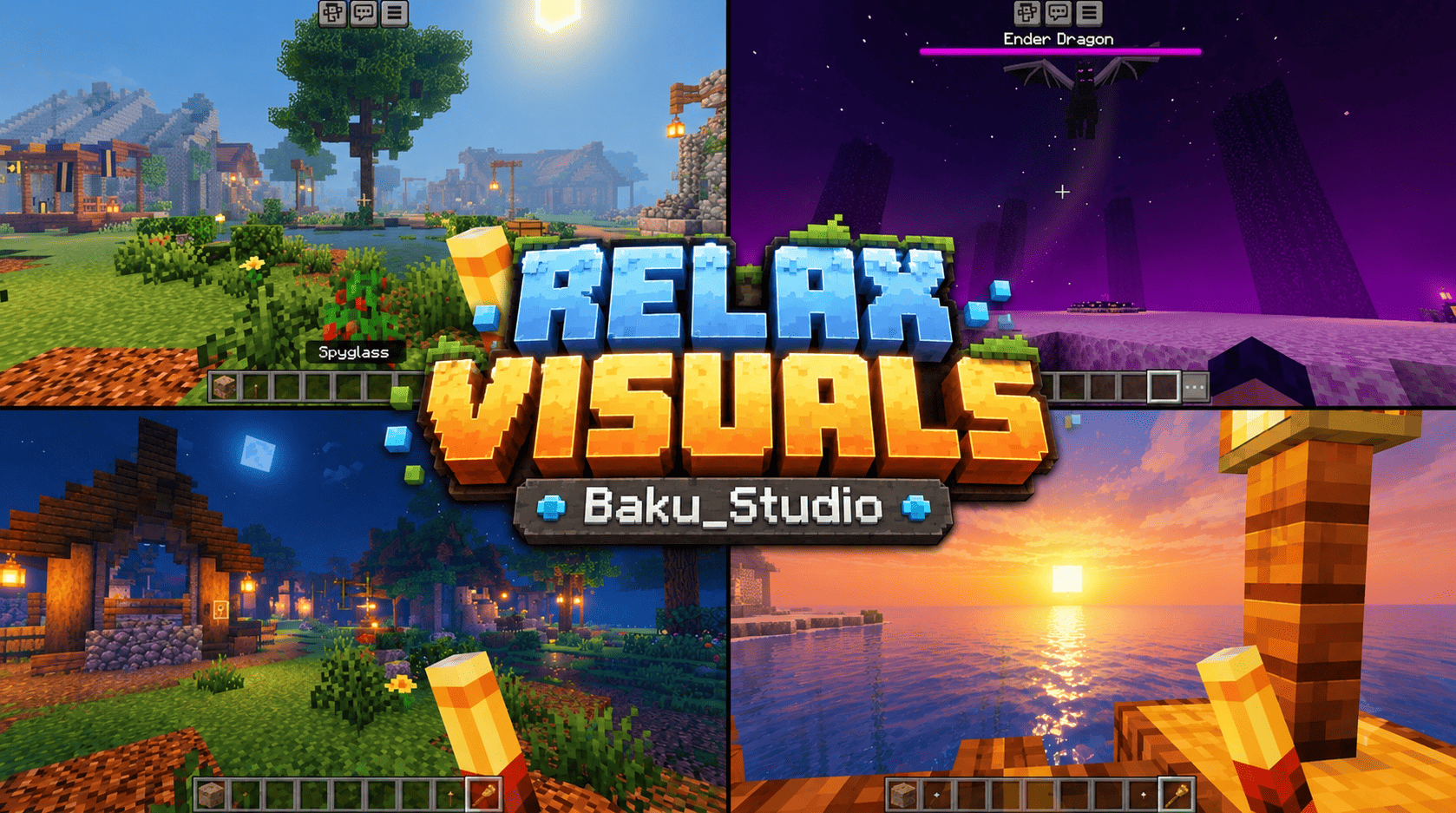
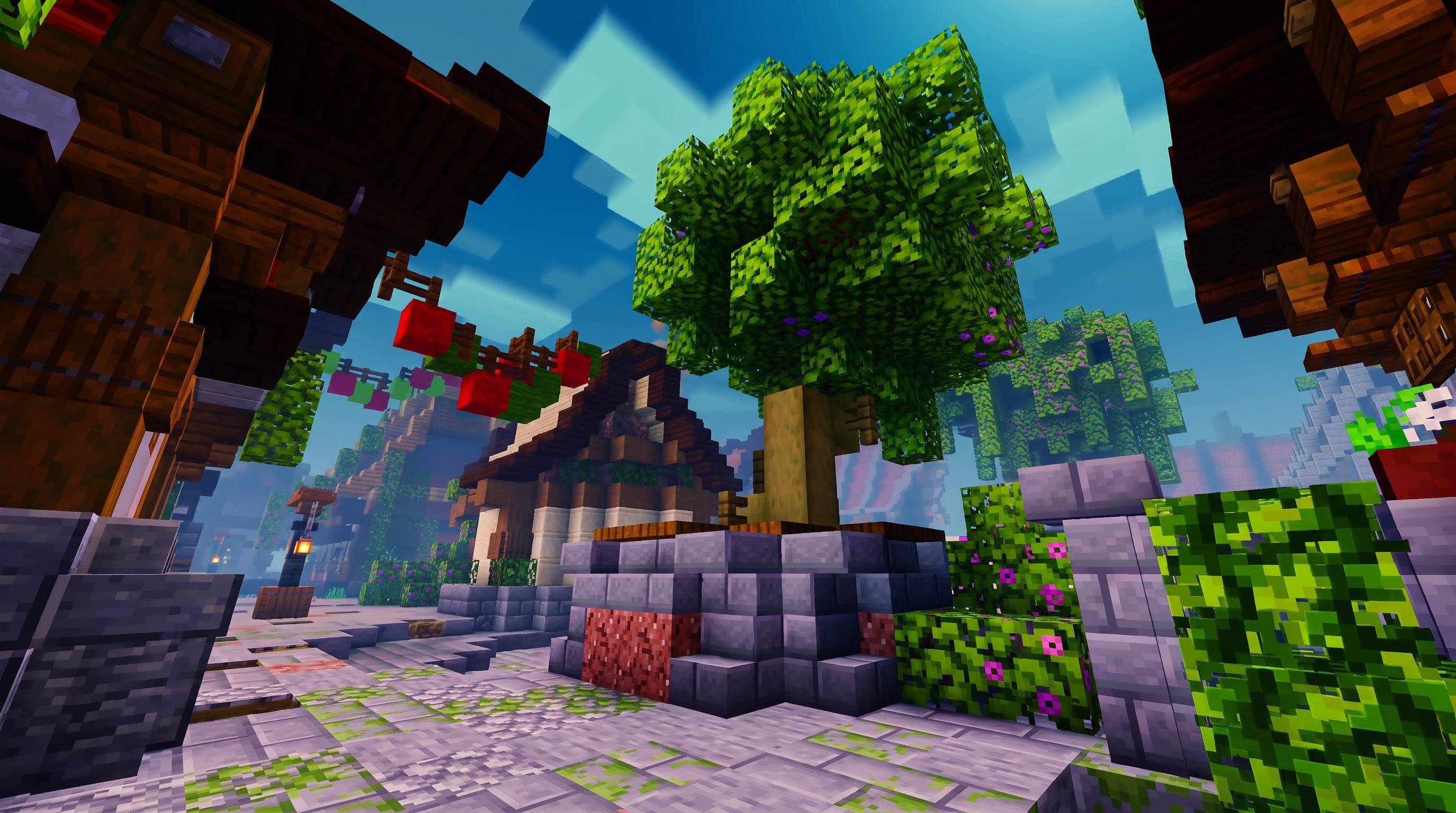
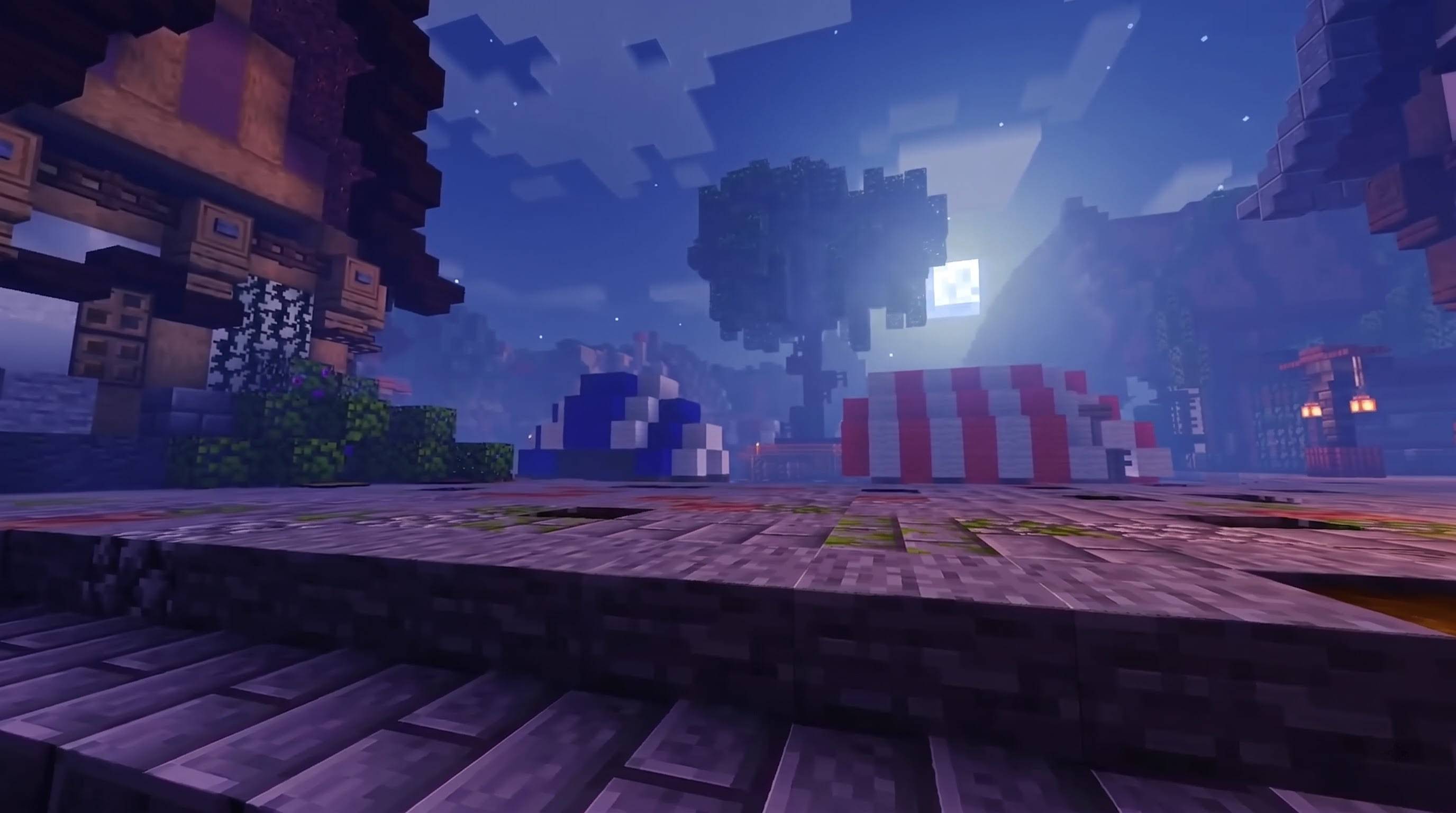
RELAX VISUALS: Calm Skies, Clear Water, Quiet Nights
RELAX VISUALS is a lighting and atmosphere pack for Minecraft Bedrock, built for Vibrant Visuals. It keeps the blocks, textures and feel of classic Minecraft and changes only the light around them. The result is relaxed and cinematic: cool teal-blue daytime skies, purple dusks with a glowing pale-gold sun, soft blue haze in the distance, clear turquoise water, and blue moonlit nights that stay bright enough to explore. Every biome gets its own colour of haze and sun rays, so each place has its own mood.
What You Get
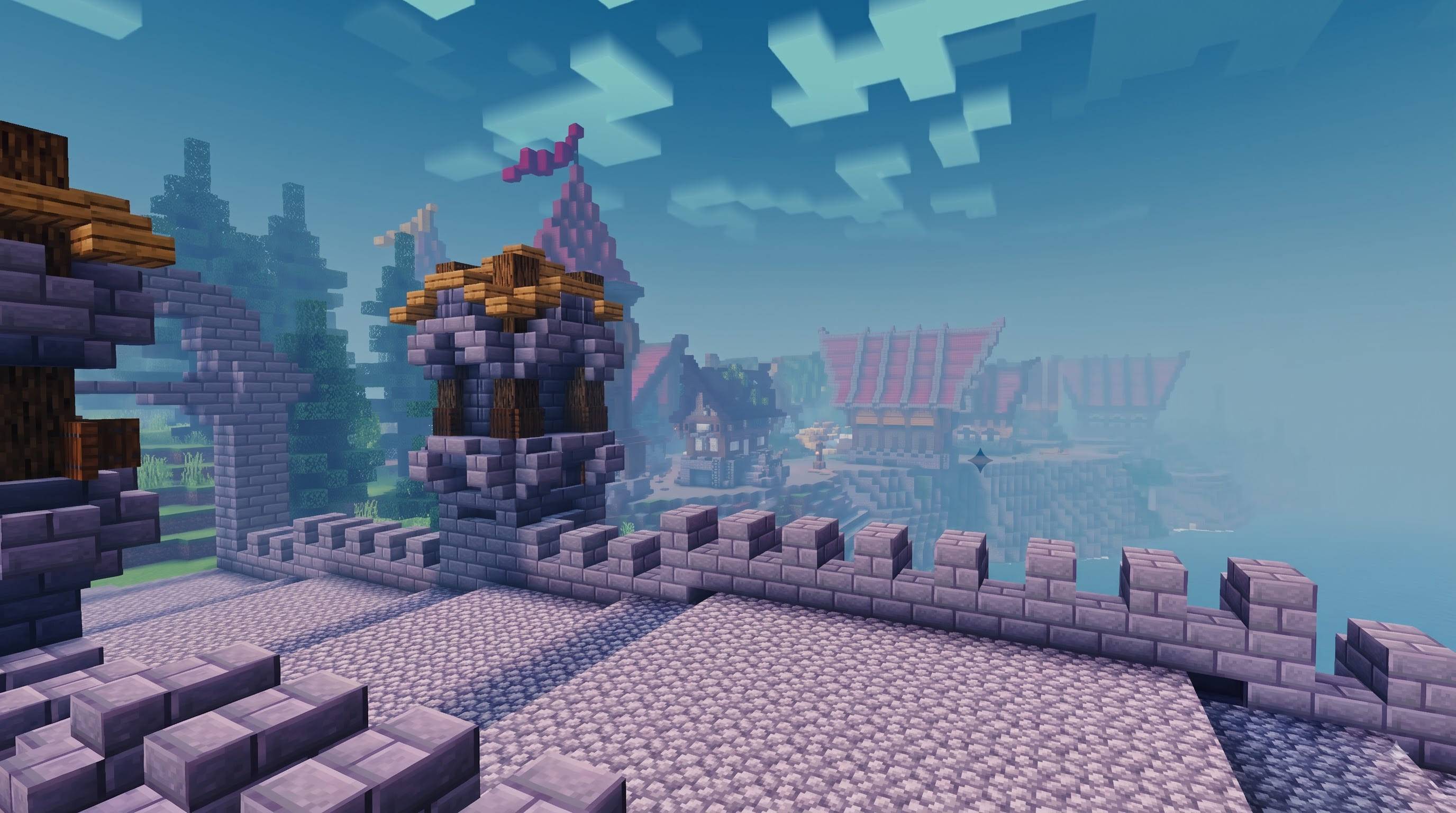
Cool, clear daytime skies. The sky moves from a deep teal-blue at the top to a pale blue-grey haze near the horizon. Distant terrain fades into a soft blue tint, giving landscapes a strong sense of depth. A colour-grading pass boosts contrast and colour so greens, reds and blues stand out.
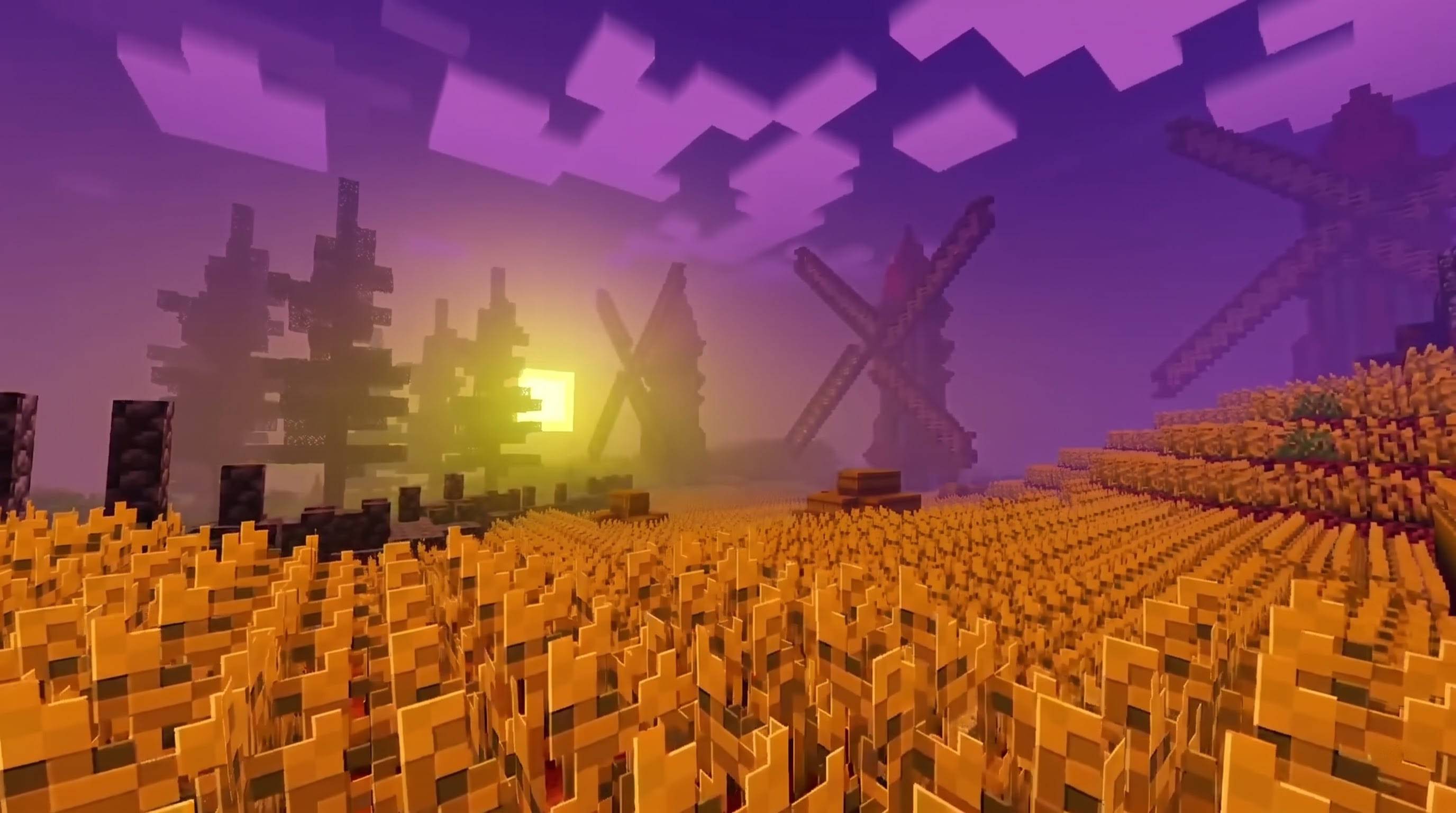
Purple sunsets and sunrises. At dusk and dawn the sky turns deep violet and mauve while the sun glows a pale warm gold. The contrast makes sunsets striking and helps light shafts through trees stand out.
Bright blue moonlit nights. Night skies are a soft blue-violet rather than pure black, with cool moonlight and purple-blue shadows. Lanterns, torches, candles and campfires glow warmly against the blue.
Clear turquoise water. Water is tuned to be clean and bright, with a gentle tint from the surrounding biome, finer waves, and sharper, animated caustic patterns on the floor of shallow water. The caustics texture was created from scratch for this pack.
Biome-coloured sun rays and haze. The pack tints the volumetric fog that carries the light shafts, so rays and haze take on the colour of the biome around you. It covers all 89 biomes with 39 hand-tuned light themes, including caves, oceans and the other dimensions.
A few examples:
- Plains, Savanna and Desert: warm amber haze softened by cool distance tones
- Birch Forest and Flower Forest: soft peach mist
- Jungle and Bamboo Jungle: cool grey-green mist with green light shafts
- Swamp and Mangrove: thick yellow-green fog
- Taiga: gentle sage-green mist
- Snowy and Mountain Biomes: cool blue-lavender haze
- Oceans: aqua and deep blue
Warm, coloured local lights. Torches, lanterns, campfires, candles, glowstone, lava and other light sources cast their own coloured light on nearby blocks. Soul torches glow blue, copper torches glow green, and amethyst glows violet.
A violet End and a darker Nether. The End has a rich violet sky with a lavender glow. Each Nether biome has its own sky and glow, and Crimson Forest is deep red with a nearly black ceiling.
Soft shadows and cinematic colour. Soft-edged shadows and a vivid colour-grading pass add depth without crushing shadows or blowing out highlights.
Two Versions
- RELAX VISUALS: the main pack, with rich haze and colour.
- RELAX VISUALS (Soft): the same look with lighter haze and gentler rays, for a more natural feel.
How to Use It
- Import the .mcpack file by tapping or double-clicking it. Do not unzip it into a folder.
- Go to Settings, then Global Resources, and activate RELAX VISUALS.
- Turn on Vibrant Visuals in Video Settings.
- For the best rays and dusk colours, explore at sunrise or sunset, among trees, hills and mist.
Tips
- Use only one Vibrant Visuals pack at a time to avoid conflicts.
- If the effect feels too strong, switch to the Soft version.
- This pack changes light, colour, sky, haze and water. Block textures and cloud shapes come from the game or from other packs you use.
Compatibility
Built for Minecraft Bedrock Edition and Pocket Edition, with Vibrant Visuals enabled. Vibrant Visuals pack features require version 1.21.120 or later. Vibrant Visuals does not exist in older versions of the game, so this pack’s lighting effects will not appear there. It needs a device that supports Vibrant Visuals, and performance depends on your hardware and render distance.
Originality
All configuration files, colour values, the caustics texture and the pack icon in this pack were made from scratch. It uses no textures, files or assets from other packs.
Creator and Credits
- Pack name: RELAX VISUALS
- Author / Creator: Baku_Studio
- Version: 1.1.0
- Platform: Minecraft Bedrock Edition and Pocket Edition (Vibrant Visuals)
- Minimum engine version: 1.21.120
- Credits: Concept, direction and reference screenshots by Baku_Studio.
- Not affiliated: This is an unofficial community creation. It is not made by, endorsed by, or associated with Mojang Studios or Microsoft. Minecraft is a trademark of Mojang Studios.
- Usage: Free for personal play and content creation. Please credit Baku_Studio, and do not re-upload or sell this pack as your own work.
- Edition: Minecraft Bedrock
- File type: .mcpack
- Minecraft versions listed: 1.21.100, 26.0
- How to install: Download the .mcpack. → Open it — Minecraft imports it under Resource Packs. → Activate it in Global Resources, or for one world under Resource Packs → Available.
- Where to get it: Opens on CurseForge — not every file is mirrored on our own servers.
Install steps are the general flow for this file type — How to install Minecraft Bedrock texture packs walks through it step by step.
- Pack type: .mcpack — a single pack
- Manifest requires Minecraft 1.21.100 or newer
- Complete pack — everything it depends on is inside the file
- Download size: 2.1 MB
- Download link checked 16 Oct 2026 — working
These come from our own check of the pack file, not from the source page.