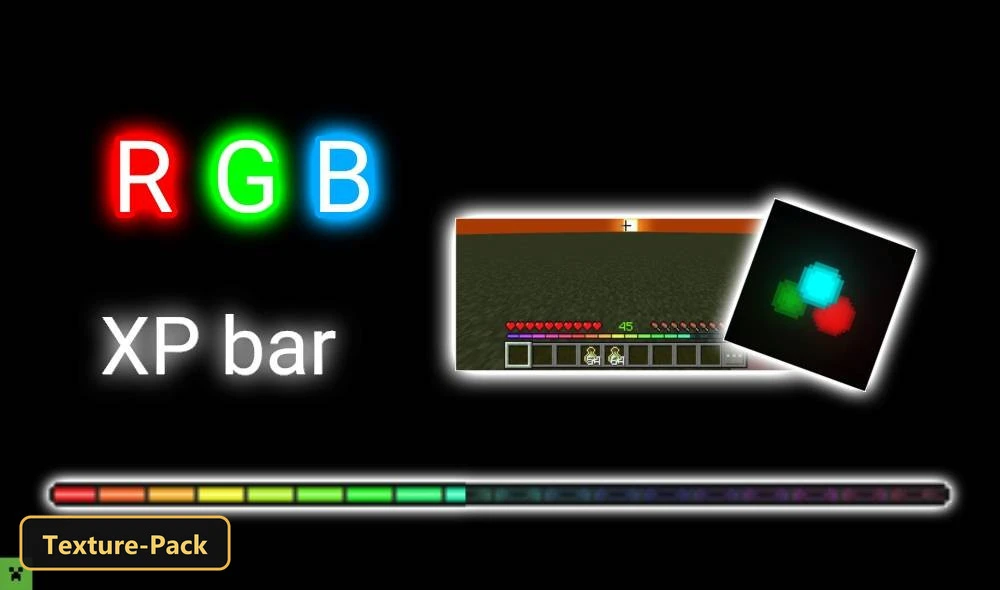
RGB XP GS (26+, 1.21) – MCPE/Bedrock Texture Pack
Bedrock texture pack listed for Minecraft 1.21–26.x. File opened and checked on 17 Oct 2026; installs from the MC Bedrock Mods app on Android.
⬇ Download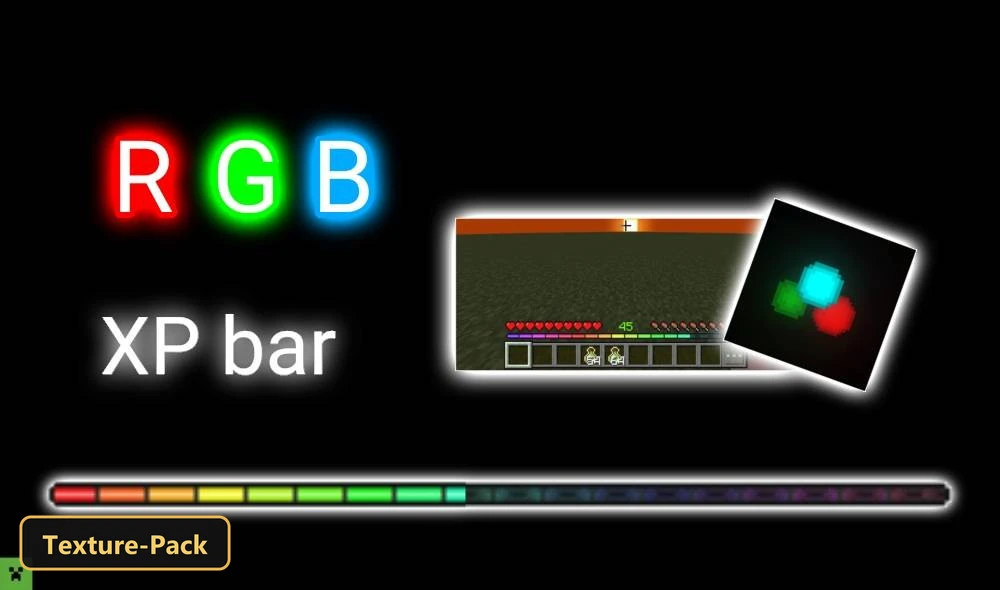
RGB XP GS gives the experience bar a smoothly animated RGB display that cycles through a rainbow of colors.
This texture pack is purely visual and needs no behavior packs, so achievements keep working on servers, Realms and personal worlds. 3 in-game options are offered: RGB Java Textures, RGB X Action & Stuff Textures and RGB Default Textures, and the Java one is recommended on a computer. When a player switches to Creative mode the animated bar disappears so it does not get in the way of building. The pack also retextures the UI and adds UI tweaks, and its lightweight design runs on phones, tablets, Windows PCs and consoles.
Requirements:
- MCPE/Bedrock 1.21.132 – 26.20
all 9 versions26.20, 26.13, 26.12, 26.11, 26.10, 26.3, 26.0.02, 26.0, 1.21.132

Features:
- 3 in-game options: RGB Java Textures's Minecraftjava Recommendation: It is recommended to play on a computer for a more realistic experience., RGB X Action & Stuff Textures's Oreville Studio, RGB Default Textures's Minecraft
- Retextures the UI
- Also includes custom UI tweaks
Screenshots:

- Edition: Minecraft Bedrock
- File type: .mcpack
- Minecraft version listed: 1.21
- How to install: Download the .mcpack. → Open it — Minecraft imports it under Resource Packs. → Activate it in Global Resources, or for one world under Resource Packs → Available.
- Where to get it: In MCModsHub, or directly above on this page.
Install steps are the general flow for this file type — How to install Minecraft Bedrock texture packs walks through it step by step.
- Save it as 528215.mcaddon before opening — it downloads as .mcpack, but it is a .mcaddon pack
- Manifest requires Minecraft 1.26.0 or newer
- Complete pack — everything it depends on is inside the file
- Download size: 277 KB
- Download link checked 17 Oct 2026 — working
- Mirrored on our own servers — the download does not depend on the original host
These come from our own check of the pack file, not from the source page.