Dark-GUI
Bedrock texture pack listed for Minecraft 1.21–26.x. Download on the author's site.
Dark GUI transforms Minecraft Bedrock’s interface into a clean, modern dark theme with black menus, buttons, inventory, and HUD.
⬇ Download on CurseForge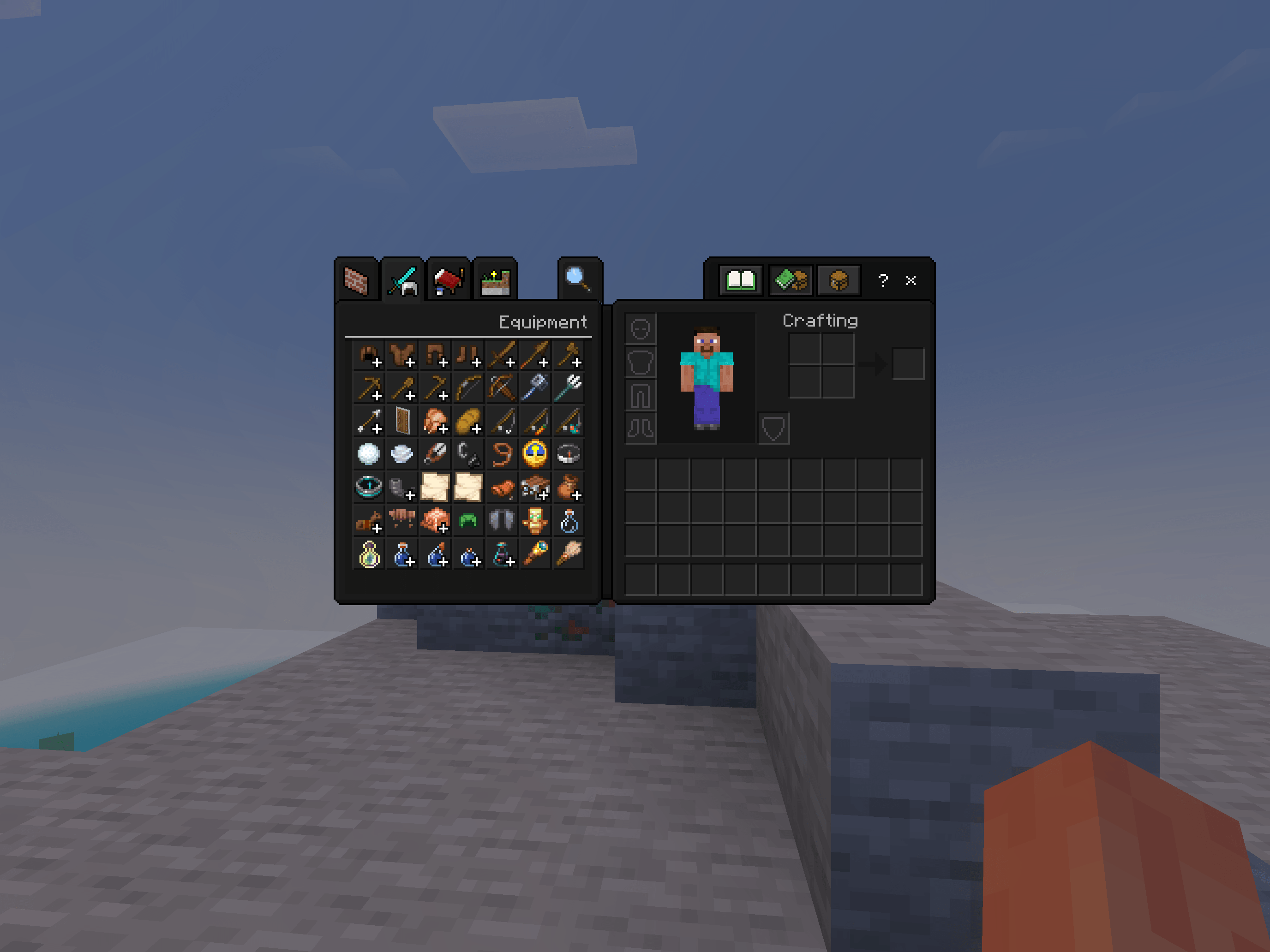
🖤 Dark GUI — Minecraft Bedrock Edition
Dark GUI is a resource pack that transforms Minecraft’s default interface into a sleek, modern black theme.
Enjoy a darker and cleaner Minecraft experience without changing the original gameplay, blocks, or items!
✨ Features
- 🖤 Black main menu and buttons
- 🎮 Dark HUD and hotbar
- 📦 Dark inventory and creative inventory
- 🔨 Dark crafting tables, furnaces, and chests
- 🌍 Dark world creation and settings menus
- 🌐 Dark world and server selection screens
- 👤 Dark character customization interface
- 🎨 Minimalist black and dark-gray design
📥 Installation
- Download the .mcpack file.
- Open the file with Minecraft.
- Go to Settings → Global Resources.
- Activate Dark GUI.
- Enjoy your new dark interface!
⚙️ Compatibility
Minecraft Bedrock Edition
Some interface elements may vary depending on the Minecraft version.
Enjoy Minecraft in dark mode! 🖤
- Edition: Minecraft Bedrock
- File type: .mcpack
- Minecraft versions listed: 1.21.30, 1.21.50, 1.21.81
- How to install: Download the .mcpack. → Open it — Minecraft imports it under Resource Packs. → Activate it in Global Resources, or for one world under Resource Packs → Available.
- Where to get it: Opens on CurseForge — not every file is mirrored on our own servers.
Install steps are the general flow for this file type — How to install Minecraft Bedrock texture packs walks through it step by step.
Dark-GUI is a free Minecraft Bedrock texture pack. Compatible with Minecraft 1.21.30, 1.21.50, 1.21.81, 1.21.2 and newer. Downloaded 164 times (via CurseForge). Download it and open it directly in the game.