LowFire: Different Colours
Bedrock texture pack listed for Minecraft 26.x. Download on the author's site.
⬇ Download on CurseForge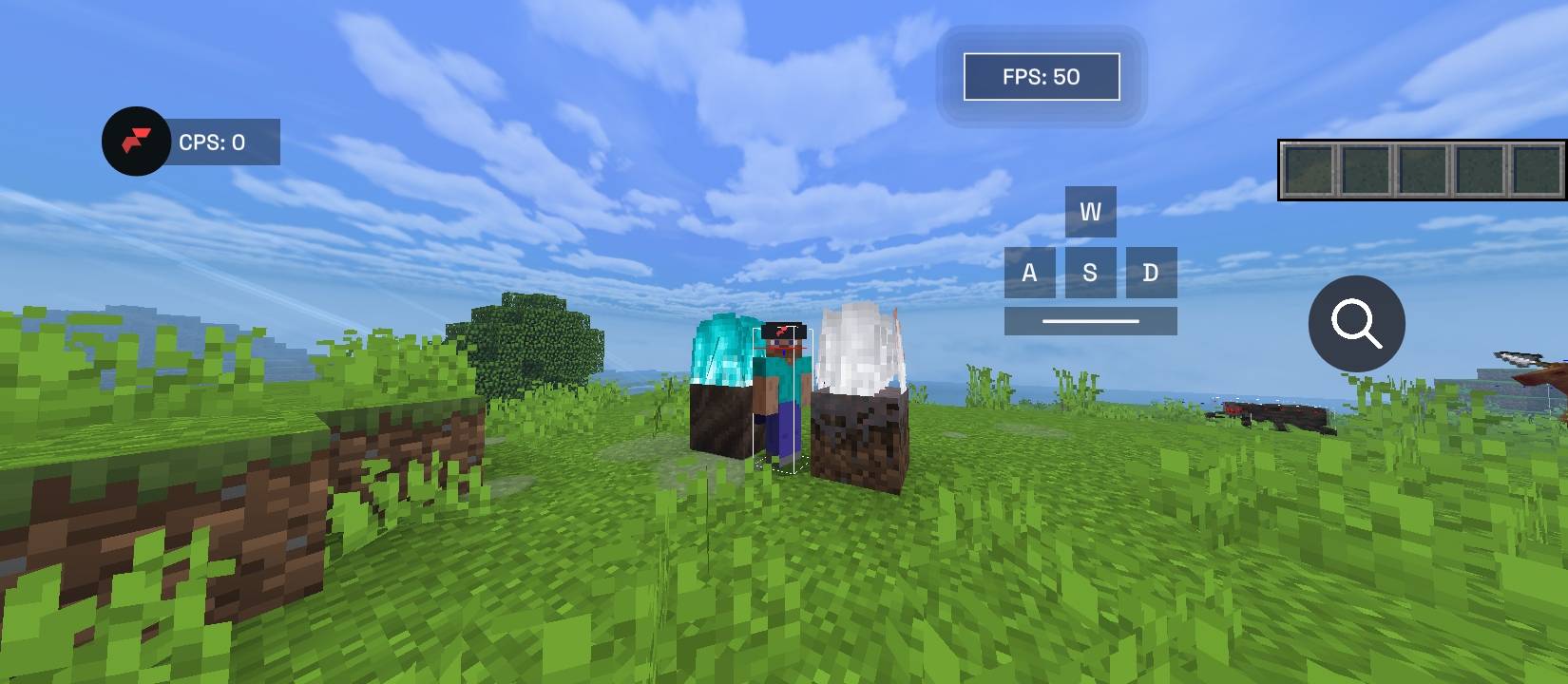
🔥 LOWFIRE: DIFFERENT COLOURS
⚔️ THE FLAMES ARE YOURS. OWN THE FIGHT.
See less fire. Fight smarter. Stand out.
Tired of getting your entire screen covered in flames during intense Minecraft PvP fights? It's time for a change.
Introducing LowFire: Different Colours — a fire-focused resource pack for Minecraft Bedrock Edition, built for players who want a cleaner view, a unique style, and a little more personality in their gameplay.
Whether you're grinding PvP, surviving against mobs, or exploring your world, make every flame match your style.
━━━━━━━━━━━━━━━━━━━━
⚡ FEATURES THAT HIT DIFFERENT
🔥 LOW FIRE, BETTER VISIBILITY Keep those flames lower and make it easier to see what's happening around you.
🌈 COLOUR YOUR FLAMES Give your fire a different look with vibrant colour variations.
⚔️ BUILT FOR THE BATTLE A visual style suited to PvP players who want less intrusive fire.
🎮 MADE FOR BEDROCK Created for the Minecraft Bedrock Edition community.
✨ CLEAN. SIMPLE. DIFFERENT. No unnecessary visual clutter. Just a fresh take on Minecraft fire.
━━━━━━━━━━━━━━━━━━━━
💀 THIS IS YOUR FIRE. YOUR RULES.
Every fight matters. Every second counts.
Make your gameplay look different with LowFire: Different Colours and bring your own style to the battlefield.
No complicated setup. Just install the pack, activate it, and jump into your world.
Installation and compatibility depend on your Minecraft version.
━━━━━━━━━━━━━━━━━━━━
🌿 ABOUT LEAFYSTUDIO
We're LeafyStudio, an independent Minecraft Bedrock content studio focused on creating unique resource packs and addons for the community.
This is just the beginning. More ideas. More creativity. More projects to come.
ONE STUDIO. ENDLESS POSSIBILITIES. 💚
━━━━━━━━━━━━━━━━━━━━
🔥 LOWFIRE: DIFFERENT COLOURS
Developed by LeafyStudio
⚔️ LESS FIRE. MORE FIGHT.
- Edition: Minecraft Bedrock
- File type: .mcpack
- Minecraft versions listed: 26.20, 26.30, 26.40
- How to install: Download the .mcpack. → Open it — Minecraft imports it under Resource Packs. → Activate it in Global Resources, or for one world under Resource Packs → Available.
- Where to get it: Opens on CurseForge — not every file is mirrored on our own servers.
Install steps are the general flow for this file type — How to install Minecraft Bedrock texture packs walks through it step by step.
LowFire: Different Colours is a free Minecraft Bedrock texture pack. Compatible with Minecraft 26.20, 26.30, 26.40, 26.50. Downloaded 14 times (via CurseForge). Download it and open it directly in the game.