
Hardcore PVP skins
Bedrock skin pack listed for Minecraft 1.21–26.x. Download on the author's site.
Hardcore PvP Skins brings a powerful collection of competitive Minecraft Bedrock skins made for SkyWars, BedWars, PvP battles and multiplayer. ⚔️🔥…
⬇ Download on CurseForge
Hardcore PvP Skins ⚔️🔥
Get ready for intense Minecraft Bedrock battles with Hardcore PvP Skins!
This skin pack includes a collection of strong, stylish and competitive-looking skins made for players who enjoy SkyWars, BedWars, PvP, survival battles and multiplayer servers.
⚔️ PvP Style
The skins feature dark outfits, combat-inspired designs, strong color combinations and clean looks that fit perfectly into competitive game modes.
Whether you are rushing another team in BedWars, fighting on floating islands in SkyWars or simply playing survival with friends, these skins give your character a more serious PvP appearance.
🛏️ Perfect for BedWars
Choose a skin that matches your team and jump straight into fast-paced BedWars matches.
Build bridges, defend your bed and fight enemy teams while using a skin designed to fit the competitive atmosphere.
☁️ Great for SkyWars
Hardcore PvP Skins also fits perfectly into SkyWars.
Fight across floating islands, rush other players and show off your favorite PvP look while battling for the win.
🎮 Made for Competitive Players
Pick your favorite skin, enter the arena and show everyone your Hardcore PvP style. ⚔️🔥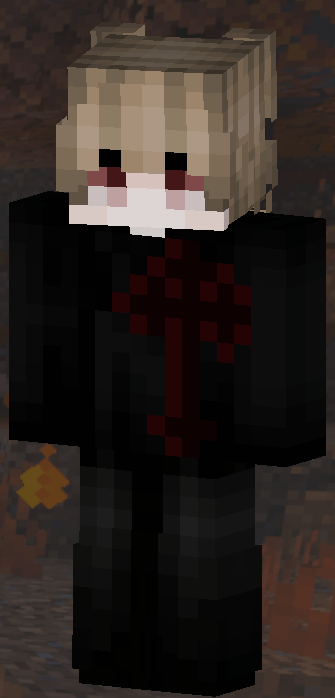
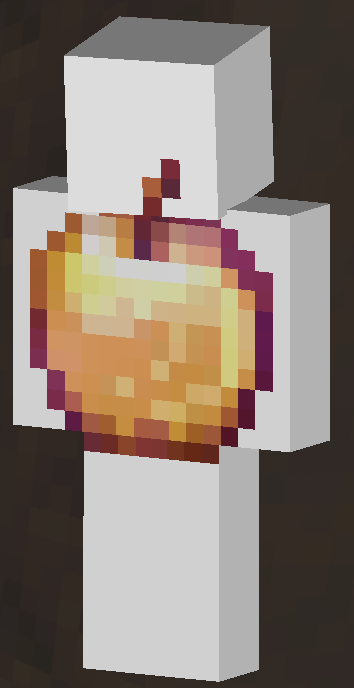
AND MOREE!!!!
- Edition: Minecraft Bedrock
- File type: .mcpack
- Minecraft versions listed: 1.21.124, 1.21.130, 1.21.131
- How to install: Download the .mcpack skin pack. → Open it — Minecraft imports it. → Open the Dressing Room and select the skin.
- Where to get it: Opens on CurseForge — not every file is mirrored on our own servers.
Install steps are the general flow for this file type — How to apply a custom Minecraft skin walks through it step by step.
Hardcore PVP skins is a free Minecraft Bedrock skin. Compatible with Minecraft 1.21.124, 1.21.130, 1.21.131, 1.21.132 and newer. Downloaded 25 times (via CurseForge). Download it and open it directly in the game.