Low Fire by PTL
Bedrock texture pack listed for Minecraft 1.20–26.x. File opened and checked on 24 Oct 2026; installs from the MC Bedrock Mods app on Android.
Description: Low Fire is a Minecraft Bedrock resource pack that lowers the fire overlay for better visibility in PvP and supports both PC and mobile…
⬇ Download on CurseForge
📌 About Low Fire
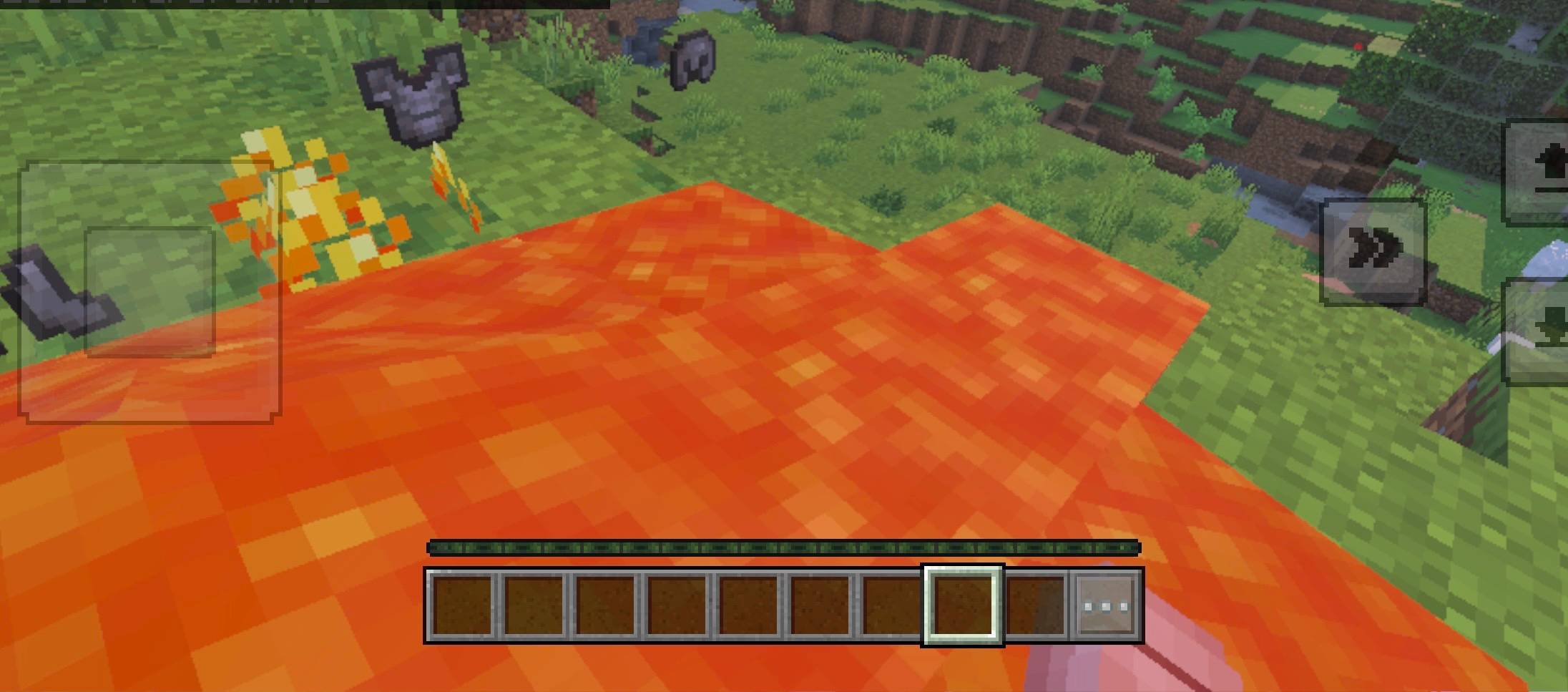
Low Fire is a Minecraft Bedrock Edition resource pack designed for PvP players who want better visibility during combat. The pack reduces the visual height of the fire overlay, allowing you to see more of your screen while your character is burning.
Whether you play competitive PvP, practice combos, fight on servers, or simply want a cleaner gameplay experience, Low Fire helps keep your view clearer during intense fights.
✨ Features
- 🔥 Reduced fire overlay for better visibility
- ⚔️ Ideal for PvP and competitive gameplay
- 👀 Less fire covering your screen while burning
- 📱 Designed for Minecraft Bedrock Edition on mobile devices
- 💻 Suitable for Minecraft Bedrock Edition on PC
- 📦 Lightweight resource pack
- 🎮 Easy installation and activation
- 💙 Made with care by PTL
Important: Low Fire changes the appearance of fire on your screen. It does not remove the actual burning effect, fire damage, or the camera shake caused by Minecraft’s built-in burning mechanics.
📥 Installation Guide
💻 Windows PC
- Download the Low_Fire.mcpack file.
- Open your Downloads folder.
- Double-click the .mcpack file.
- Minecraft Bedrock Edition should launch automatically and import the pack.
- Wait until Minecraft confirms that the import is complete.
- Open Minecraft and go to Settings → Global Resources.
- Find Low Fire under your available resource packs.
- Select the pack and activate it.
- Enter a world or server and check that the fire overlay looks correct.
If the file does not open automatically, right-click it and choose Minecraft if it is available as an opening option.
📱 Android
- Download the Low_Fire.mcpack file.
- Open your file manager and navigate to Downloads.
- Tap the downloaded file.
- Choose Minecraft to open it.
- Wait for the resource pack import to finish.
- Activate Low Fire under Settings → Global Resources, or open your world’s settings and select Resource Packs → My Packs → Low Fire → Activate.
- Join a world and test the pack.
📱 iPhone and iPad (iOS)
- Download the Low_Fire.mcpack file.
- Open the Files app and navigate to Downloads.
- Tap the downloaded file, or use the Share menu and select Minecraft if available.
- Wait for Minecraft to import the pack.
- Open Minecraft and activate Low Fire through Settings → Global Resources.
- Alternatively, activate it in an individual world’s resource pack settings.
- Enter a world and enjoy the reduced fire overlay.
🌍 Activating the Pack for a Single World
If you only want Low Fire in a specific world:
- Open Minecraft.
- Select Play.
- Tap the pencil icon next to your world.
- Open Resource Packs → My Packs.
- Select Low Fire and press Activate.
- Start the world.
❓ Troubleshooting
The pack does not import: Make sure the file ends in .mcpack and has not been renamed to .zip or .txt. Try opening it directly with Minecraft.
The pack does not appear: Check My Packs and Global Resources. Restart Minecraft if necessary.
The fire still covers too much of the screen: Make sure Low Fire is activated and that another resource pack is not overriding its fire textures. If multiple packs are active, move Low Fire above other packs when the game allows it.
The camera still shakes when burning: This pack changes fire visuals only. Minecraft Bedrock handles burning camera effects separately, and Low Fire does not claim to disable them.
💙 Credits
Created and maintained by PTL.
Coded with 💙 by PTL
If you enjoy Low Fire, feel free to share it with other Minecraft Bedrock PvP players. Please credit PTL when redistributing modified versions.
- Edition: Minecraft Bedrock
- File type: .mcpack
- Minecraft versions listed: 26.30, 26.40, 26.50
- How to install: Download the .mcpack. → Open it — Minecraft imports it under Resource Packs. → Activate it in Global Resources, or for one world under Resource Packs → Available.
- Where to get it: Opens on CurseForge — not every file is mirrored on our own servers.
Install steps are the general flow for this file type — How to install Minecraft Bedrock texture packs walks through it step by step.
- Pack type: .mcpack — a single pack
- Manifest requires Minecraft 1.20.0 or newer
- Complete pack — everything it depends on is inside the file
- Download size: 72 KB
- Download link checked 25 Oct 2026 — working
These come from our own check of the pack file, not from the source page.