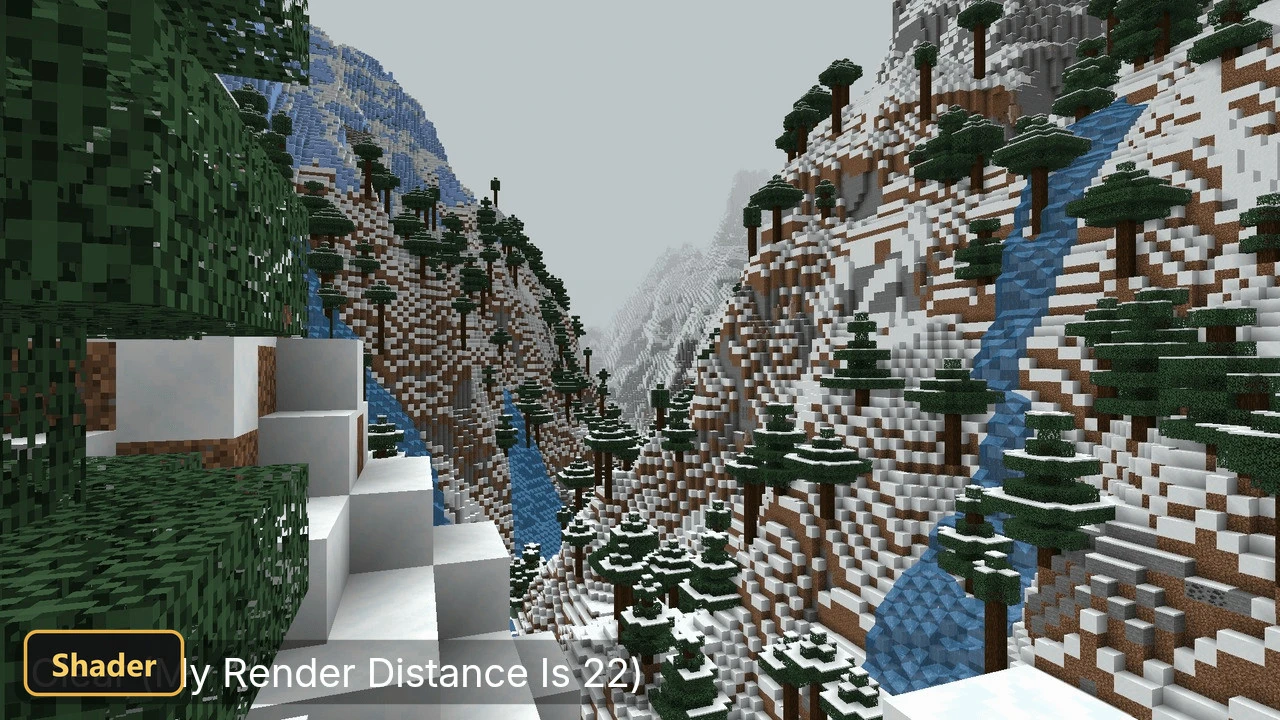
Winter Fog (26+, 1.21) – MCPE/Bedrock Shader
Bedrock shader pack for the Vibrant Visuals mode listed for Minecraft 1.21. File opened and checked on 17 Nov 2026; installs from the MC Bedrock Mods app on Android.
Heavy mist settles over snowy landscapes with Winter Fog, a shader that adds a dense fog to winter biomes and evokes a cold, foggy day.
⬇ Download


Heavy mist settles over snowy landscapes with Winter Fog, a shader that adds a dense fog to winter biomes and evokes a cold, foggy day. It works without Vibrant Visuals and needs no additional patch.
The fog limits visibility and adds depth to snowy scenery, and the pack includes four fog profiles for biomes and dimensions. Four in-game options set the fog distance: Big (3 Chunks), Medium (5 Chunks), Small (7 Chunks) and Clear, which follows your render distance. It is built for Minecraft Bedrock.
Requirements:
- MCPE/Bedrock 1.21.132

Features:
- 4 in-game options: Fog Distance: Big (3 Chunks), Fog Distance: Medium (5 Chunks), Fog Distance: Small (7 Chunks), Fog Distance: Clear (according to render distance settings)
- 4 fog profiles covering biomes and dimensions
Screenshots:


- Edition: Minecraft Bedrock
- File type: .mcpack
- Minecraft version listed: 1.21
- How to install: Download the .mcpack. → Open it — Minecraft imports it under Resource Packs. → Activate it in Global Resources, or for one world under Resource Packs → Available.
- Where to get it: In MCModsHub, or directly above on this page.
Install steps are the general flow for this file type — How to install Minecraft Bedrock texture packs walks through it step by step.
- Save it as 550413.mcaddon before opening — it downloads as .mcpack, but it is a .mcaddon pack
- Manifest requires Minecraft 1.21.70 or newer
- Complete pack — everything it depends on is inside the file
- Download size: 205 KB
- Download link checked 17 Nov 2026 — working
- Mirrored on our own servers — the download does not depend on the original host
These come from our own check of the pack file, not from the source page.