ApexCraft (26+) – MCPE/Bedrock Shader
Bedrock resource pack listed for Minecraft 26.x. File opened and checked on 17 Nov 2026; installs from the MC Bedrock Mods app on Android.
⬇ Download


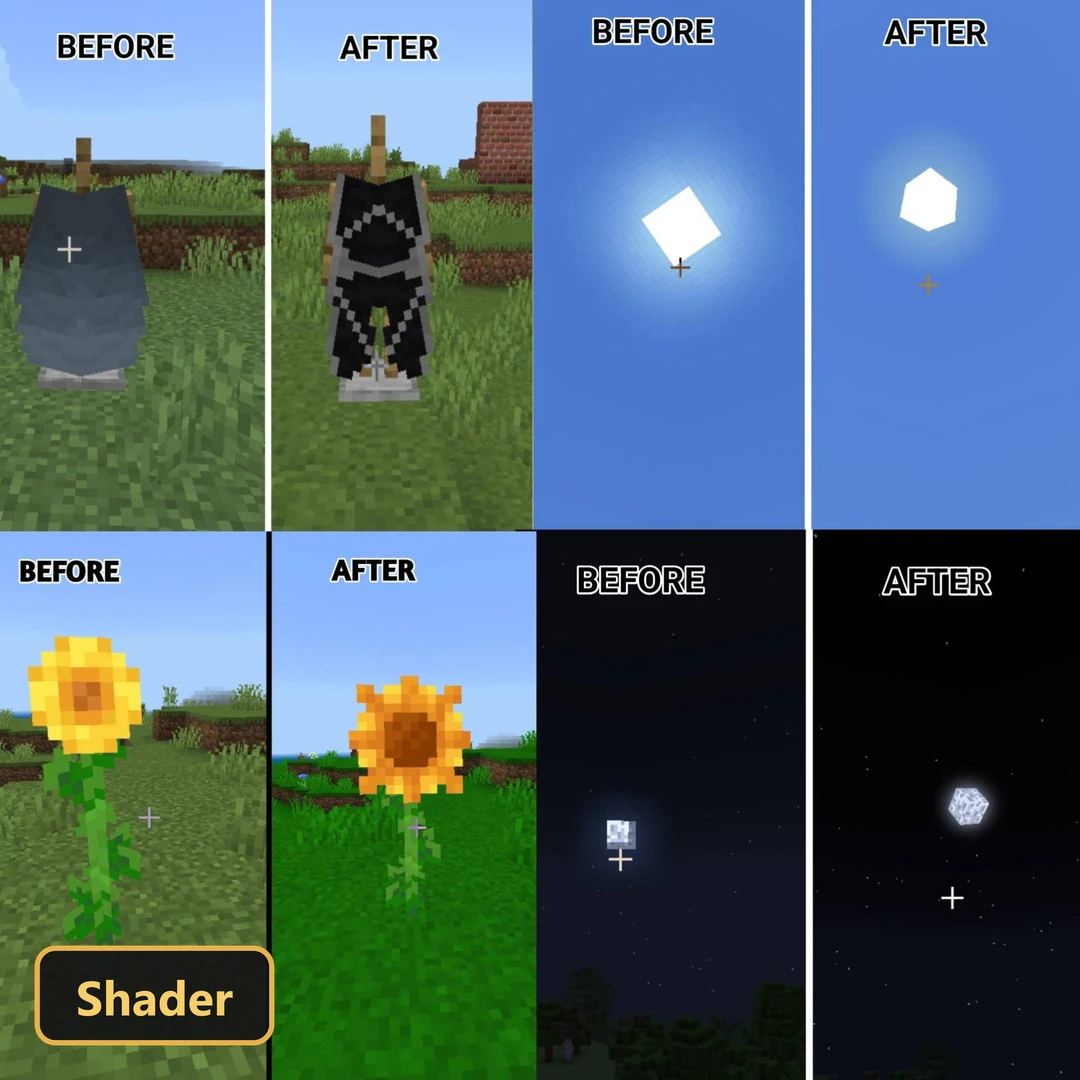
ApexCraft retextures the UI, blocks and entities at 16x resolution for a clean, smooth look that suits survival, PvP and speedruns. The pack needs Vibrant Visuals mode to work correctly.
Common blocks like dirt, grass and bricks get nuanced textures, glass is clean, and the fire animation sits lower for better visibility. The sky has 3D sun and moon models, and axolotls and pigs get meme-inspired designs. The UI is dark and clean, with a PvP-friendly crosshair and unique hunger and armor bars. Cave sounds and redstone dust noise are toned down, and a dragon elytra, fancy sunflowers and a red enchantment glint round it out, along with 34 custom sounds.
Requirements:
- MCPE/Bedrock 26.0 – 26.10
all 4 versions26.10, 26.3, 26.0.02, 26.0

Features:
- Retextures the UI, blocks, entities, items at 16x resolution
- Also includes custom UI tweaks, 34 custom sounds
Screenshots:


- Edition: Minecraft Bedrock
- File type: .mcpack
- How to install: Download the .mcpack. → Open it — Minecraft imports it under Resource Packs. → Activate it in Global Resources, or for one world under Resource Packs → Available.
- Where to get it: In MCModsHub, or directly above on this page.
Install steps are the general flow for this file type — How to install Minecraft Bedrock texture packs walks through it step by step.
- Pack type: .mcpack — a single pack
- Manifest requires Minecraft 1.26.0 or newer
- Complete pack — everything it depends on is inside the file
- Download size: 2.7 MB
- Download link checked 17 Nov 2026 — working
- Mirrored on our own servers — the download does not depend on the original host
These come from our own check of the pack file, not from the source page.