The Ty-el's Vietnamese Language Pack (26.x, 1.21) – Minecraft PE Tiếng Việt
Bedrock texture pack listed for Minecraft 1.21. File opened and checked on 19 Sep 2026; installs from the MC Bedrock Mods app on Android.
Are you Vietnamese? And when you're playing Minecraft, you have many troubles because you don't understand English. You're on the right way! The Ty-el's…
⬇ Download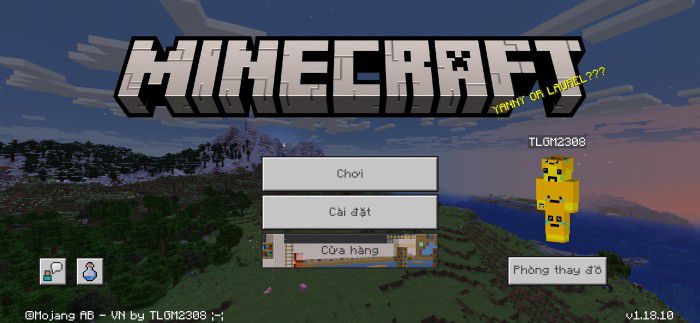
Are you Vietnamese? And when you’re playing Minecraft, you have many troubles because you don’t understand English. You’re on the right way! The Ty-el’s Vietnamese Language Pack helps your gameplay have more experience and no worry about not understanding English. (It mostly matches the Java version of Minecraft!) Credits to: @tlgm2308 (Twitter), @fromgate (Twitter), @CrisXolt (VDX UI translation supports).
Features:
- More than 10,000 translatable translation keys are mostly translated and match the Java version of Minecraft Vietnamese with more than 95% accuracy!
Images with descriptions
Start Screen
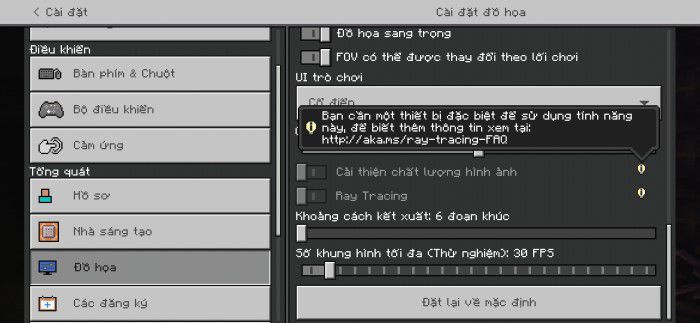
Video Settings screen, with RTX unsupported warning messages, translated
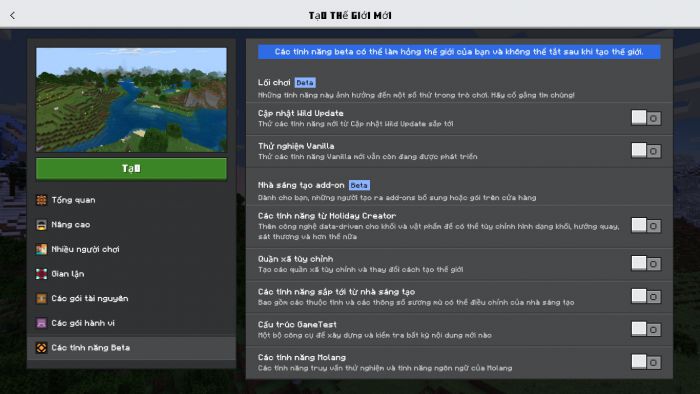
Ore UI Create New World/Beta Features screen (it’s impossible to fix font bugs using resource packs)
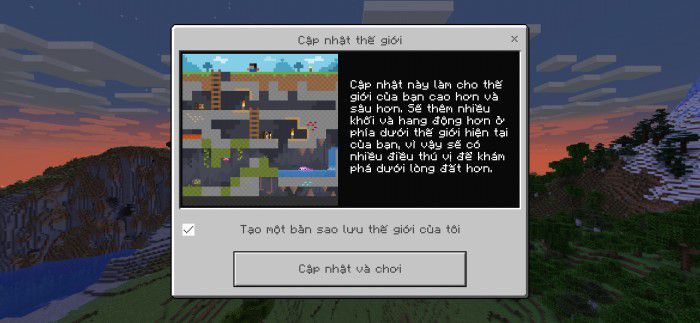
Update World screen
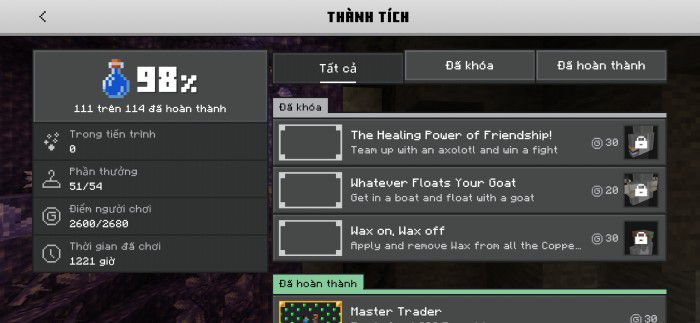
Achievements/All Tab screen (Notice: achievements are untranslatable)
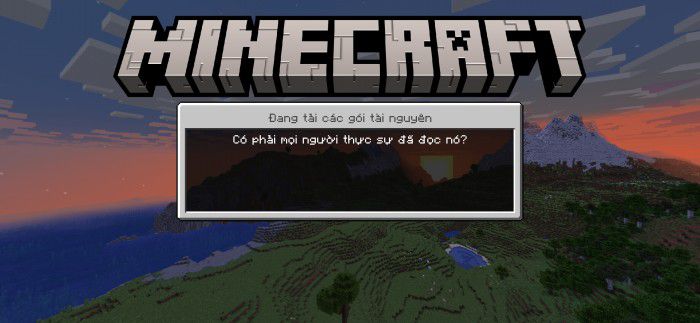
Loading screen with random loading messages translated
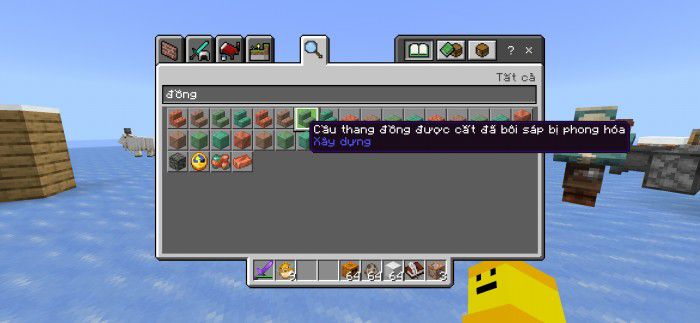
The longest item name in this pack, Waxed Weathered Cut Copper Stairs
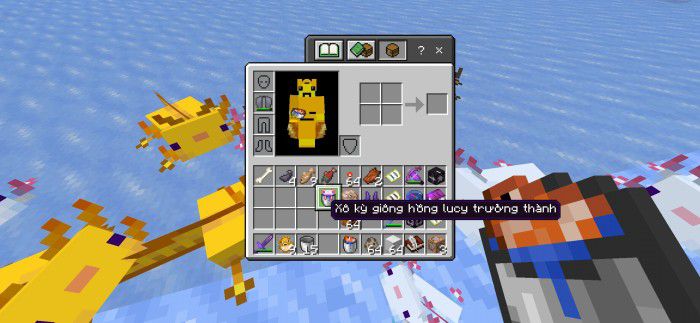
Bucket of Adult Leucistic Axolotl’ item name
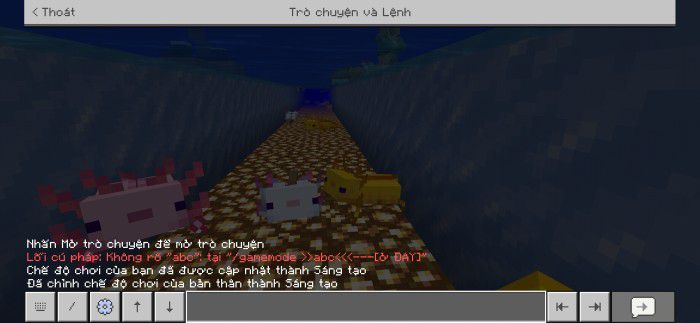
Chat screen, with wrong command syntax and executed command messages
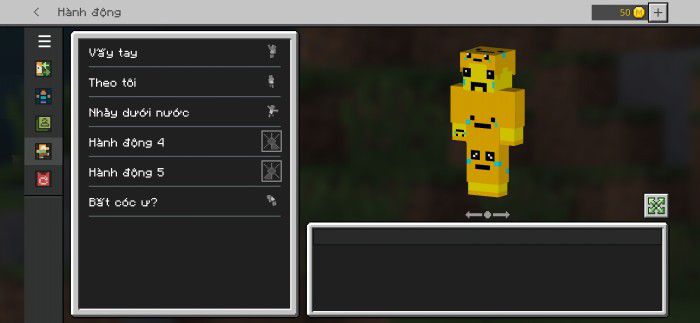
Dressing Room/Emotes screen
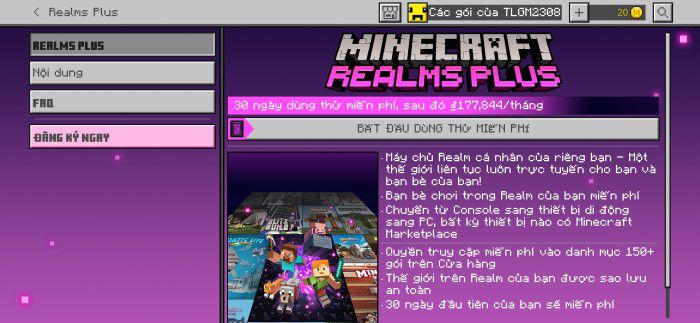
Realms Plus – Realms Plus screen
- Fully translated How to Play sections
How to Play sections images
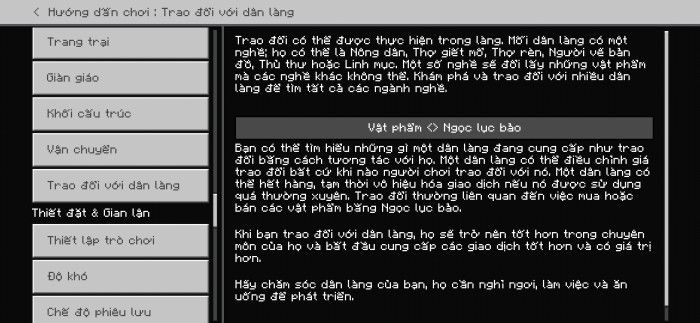
Villager Trading
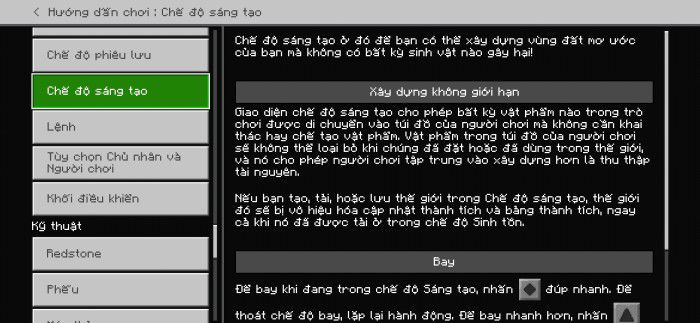
Creative Mode
- Supports Chemistry Mode (can be enabled by turning on Education Edition in World Settings)
Education Edition Chemistry mode images
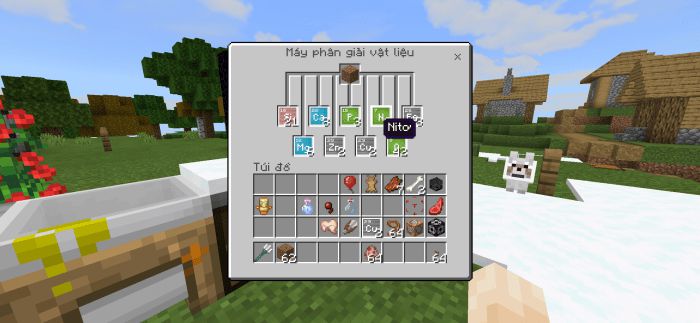
Material Reducer screen with Nitrogen name on the screen
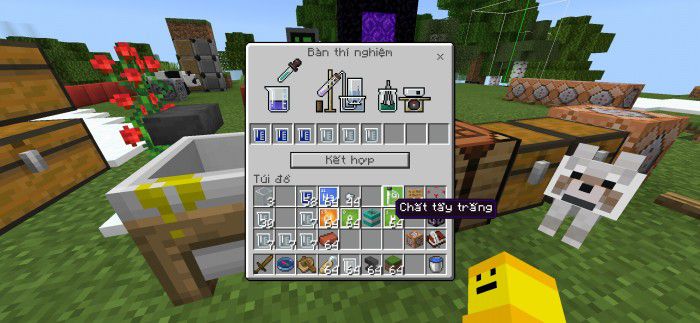
Lab Table screen with Bleach name on the screen
- Text-to-Speech supports!
And more!
Things that can’t be translated:
- Achievements
- Marketplace Contents
- Realms terms, EULA, purchase info
- Credits, Ending Messages
- Addons & custom translation key in different resource packs (that’s apparently)
This pack follows Minecraft translating rules, which means, special names like Creeper, Redstone, Realm(s), Ghast, Piglin… will not translate, and Minecraft Java Translation Project, but with some exceptions (like Axolotl, Chain (block name), etc.).
Fonts
This pack comes with 4 variants of font type (4 subpacks) you can edit it in pack settings.
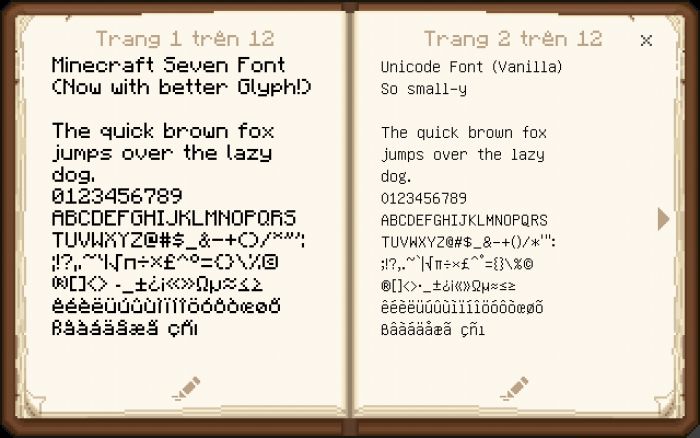
- Minecraft Seven Font (left page) and Unicode Font (right page)
Minecraft Seven font is remade from Minecraft Font Pack by @fromgate (Twitter), keep your Minecraft experiences nostalgic with some small changes.
Font Comparison
- Minecraft Seven (Smooth version)
This font is the smoother version of Minecraft Seven font, very good if you are using high-resolution texture packs or want cleaner PvP experiences.
Minecraft Seven Smooth font preview
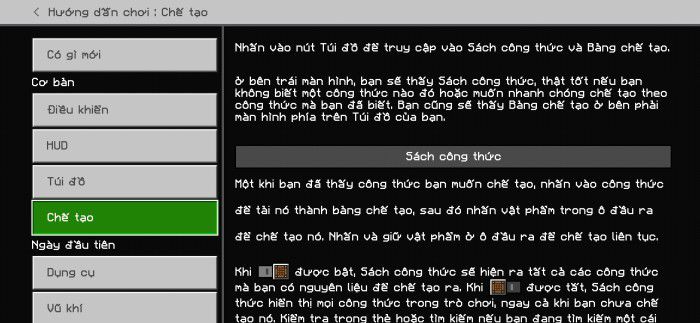
Crafting in How to Play section
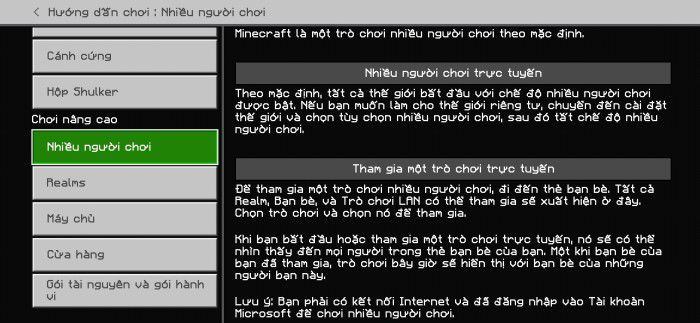
Multiplayer in How to Play section
- None (for custom font pack uses)
How to change the font (Restart the game to apply!)
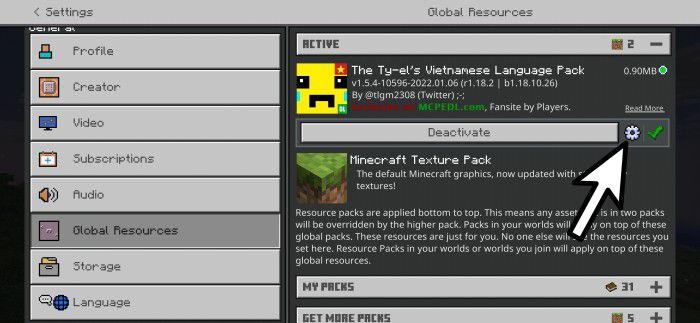
Step 1: Press Pack Settings ⚙ button next to the Deactivate button
Where’s the Pack Settings button?
Step 2: Change pack setting by swiping the slider

Swipe the slider to “mojangles” in Pack Settings to apply Minecraft Seven font (default subpack)

Swipe the slider to “mojangles_smooth” in Pack Settings to apply Minecraft Seven (Smooth) font

Swipe the slider to “unicode” in Pack Settings to apply Unicode (Remastered!) font

Swipe the slider to “none” in Pack Settings to apply “none”, and place your custom font pack on top of the Vietnamese Pack in the Global Resources screen if you have it
Step 3: Exit Settings and Restart the game!
Font Info
- Unicode Remastered font, supports all languages that use Latin characters
- Minecraft Seven Font supports mostly all vanilla languages available except: Japanese, Chinese and Korean.
Compatible with VDX UI
The Ty-el’s Vietnamese Language Pack now supports VDX UI (VDX Java UI) by @CrisXolt with a downloadable patch pack!
Make sure you placed this patch pack higher than the original Ty-el Vietnamese pack, it can be like this:
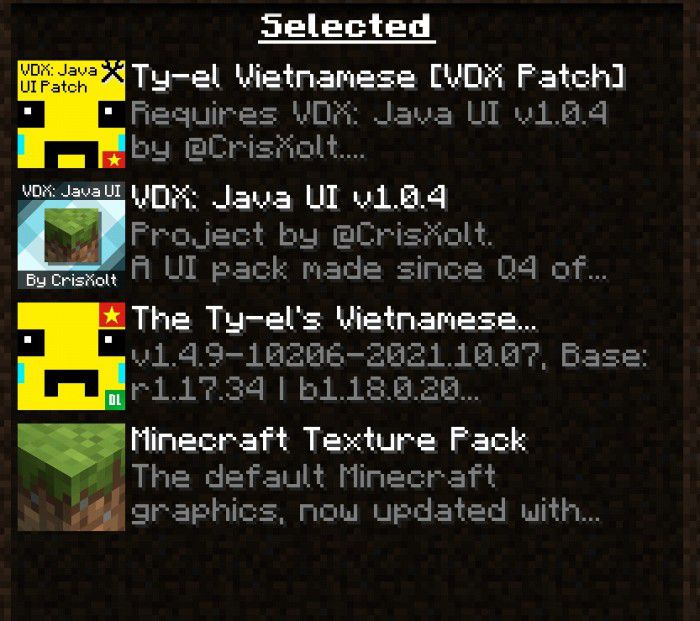
Known Bugs
- Minecraft Seven font in Unicode characters maybe get “smoother” or bolder/weird than normal, this can be fixed easily by changing the game’s GUI scale or switching back to “unicode” or “none” font.
- When using Minecraft Seven font (or Smooth) subpack, you may see the font in the chat screen (or chat in HUD) sometimes underlined or randomly bolder. To fix it, try changing line spacing to ×1.0, and/or changing Chat Font back to “Mojangles”.
- Contents (except Realms Plus) in Marketplace/My Content screen are not loading, that’s a Minecraft bug. To be able to view “My Content”, please change the game language to any Vanilla language. If you have done that, to continue using the pack, just change the game language to Vietnamese again.
The Ty-el’s Vietnamese Language Pack Download Links
- Edition: Minecraft Bedrock
- File type: .mcpack
- Minecraft version listed: 1.21
- How to install: Download the .mcpack. → Open it — Minecraft imports it under Resource Packs. → Activate it in Global Resources, or for one world under Resource Packs → Available.
- Where to get it: In MCModsHub, or directly above on this page.
Install steps are the general flow for this file type — How to install Minecraft Bedrock texture packs walks through it step by step.
- Pack type: .mcpack — a single pack
- Manifest requires Minecraft 1.21.100 or newer
- Complete pack — everything it depends on is inside the file
- Download size: 770 KB
- Download link checked 22 Jul 2026 — working
- Mirrored on our own servers — the download does not depend on the original host
These come from our own check of the pack file, not from the source page.