Stone D-pad Texture Pack (1.21, 1.20) – MCPE/Bedrock
Bedrock texture pack listed for Minecraft 1.20–1.21. File opened and checked on 30 Sep 2026; installs from the MC Bedrock Mods app on Android.
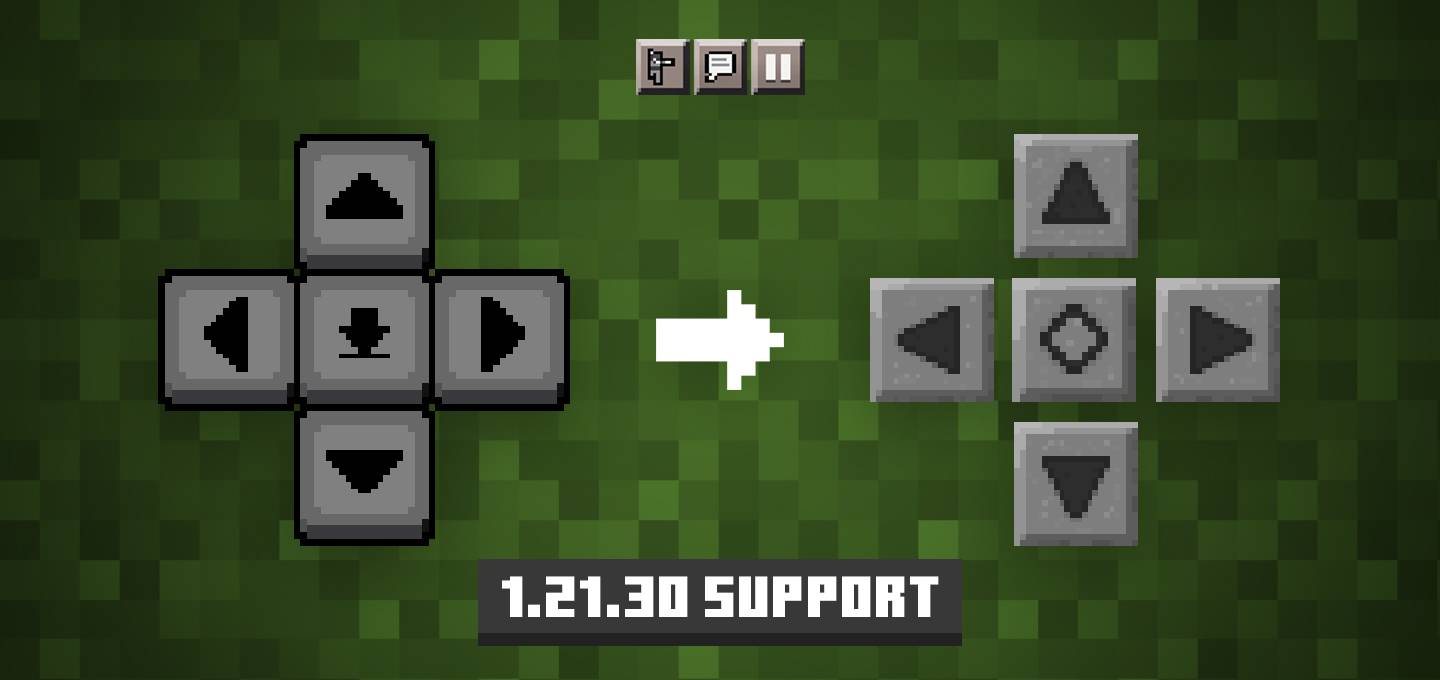
Don't like the recent changes to touch controls? This texture pack is just what you need. Stone D-pad Texture Pack brings back the classic D-pad look…
⬇ DownloadDon’t like the recent changes to touch controls? This texture pack is just what you need. Stone D-pad Texture Pack brings back the classic D-pad look along with other HUD elements! Plus, it offers an option to adjust button padding for newer versions.
Features:
How to use:
- Enabled:
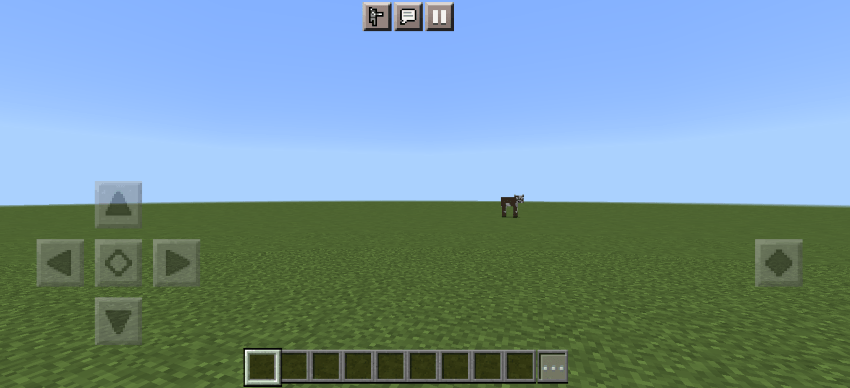
- Disabled:
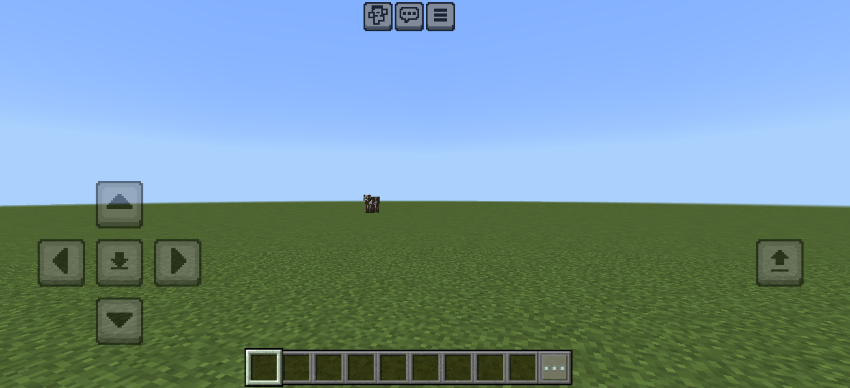
Options: Button size/Padding:
- The size of the D-pad buttons is increased in 1.21.30, meaning the gap between the buttons is removed. There is an option to either keep the original size or make them smaller, you can change them by clicking on the icon in Global Resources. Options:
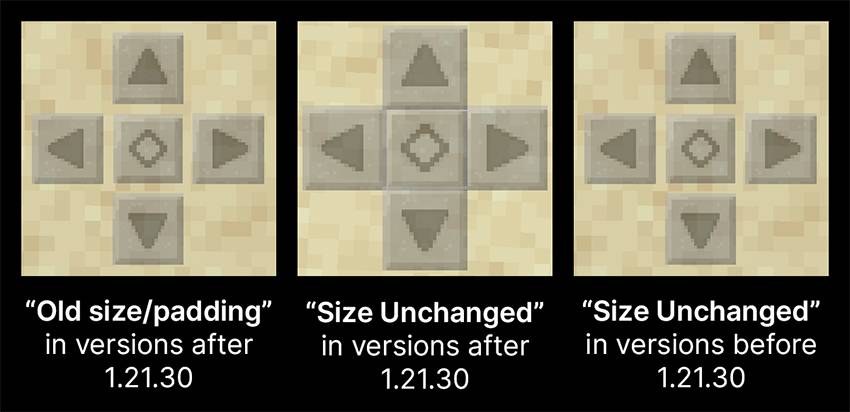
- Before 1.21.30: You should choose the “Size Unchanged” option. Before 1.21.30, the button size was still the same as the classic D-pad, if you choose the other option then the buttons may look too small.
- 1.21.30 or newer: Choose “Old size/padding” if you want the D-pad to look more like the classic one, or choose “Size Unchanged” if you prefer the newer bigger button size added in 1.21.30.
Note:
- It hides the back strafing buttons, those buttons are still there and work when pressed, it just doesn’t show to match the older controls better.
- If you want, you can customize the size, position, and opacity of the buttons from settings. You can do it by going to Touch settings, then enabling the experimental “Customize Controls” option, then tapping on “Customize Controls”.
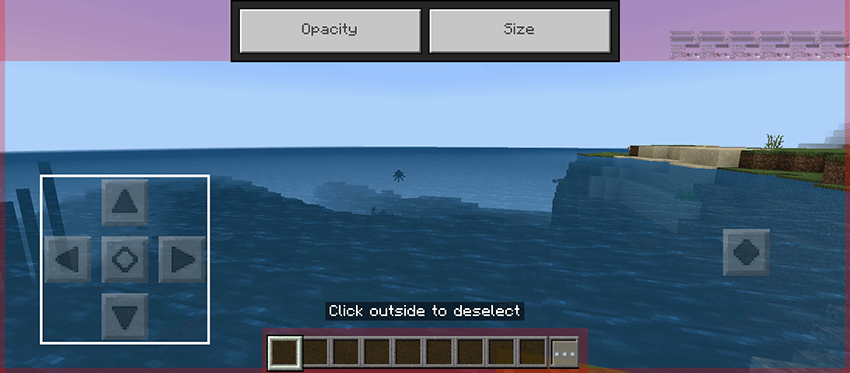
Warning:
- This texture pack can only change the look of the buttons, not their function. For example, previously, there were three buttons on the right when flying in creative mode, but after the update, there are only two. This pack cannot change that.
Stone D-pad Texture Pack Download Links
For Minecraft PE/Bedrock 1.21, 1.20
mcpack: Download from server 1 – Download from server 2
- Edition: Minecraft Bedrock
- File type: .mcpack
- Minecraft versions listed: 1.21, 1.20
- How to install: Download the .mcpack. → Open it — Minecraft imports it under Resource Packs. → Activate it in Global Resources, or for one world under Resource Packs → Available.
- Where to get it: In MCModsHub, or directly above on this page.
Install steps are the general flow for this file type — How to install Minecraft Bedrock texture packs walks through it step by step.
- Pack type: .mcpack — a single pack
- Manifest requires Minecraft 1.20.50 or newer
- Complete pack — everything it depends on is inside the file
- Download size: 74 KB
- Download link checked 17 Jun 2026 — working
- Mirrored on our own servers — the download does not depend on the original host
These come from our own check of the pack file, not from the source page.