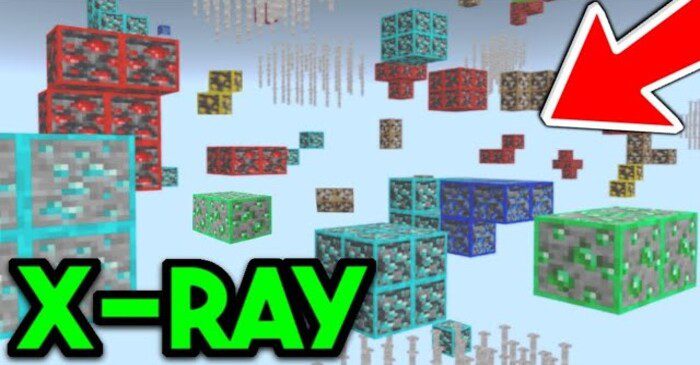
d6b's X-Ray Texture Pack (1.26, 1.21) – MCPE/Bedrock
Bedrock texture pack listed for Minecraft 1.8–26.x. File opened and checked on 24 Sep 2026; installs from the MC Bedrock Mods app on Android.
⬇ Download







Ever struggled to locate elusive diamonds or hidden caves in your Minecraft adventures? Or perhaps you’re on a server and can’t seem to find any bases? Fear not! Introducing X-Ray! d6b’s X-Ray Texture Pack is a handy mod that is easy to install and highly customizable, offering a plethora of options for all conceivable scenarios.
Features:
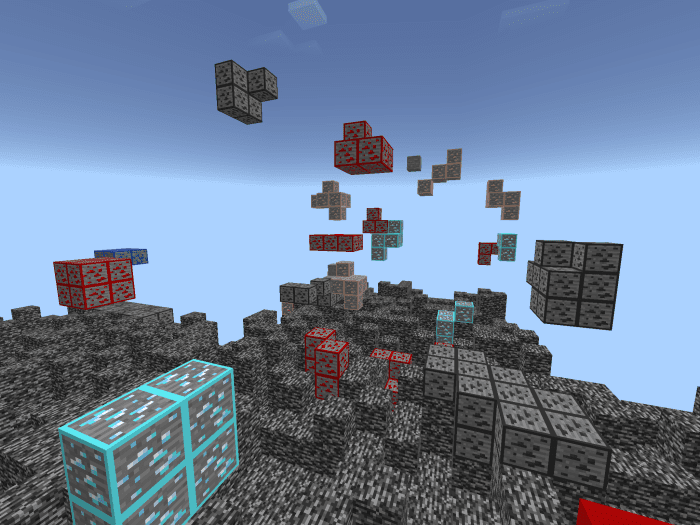
Setup: To utilize X-Ray, simply install and apply the pack (follow the installation guide and download link below). It will automatically configure itself to resemble the classic X-Ray experience. If you wish to switch modes, just click the little gear icon during the pack application for even more customization options.
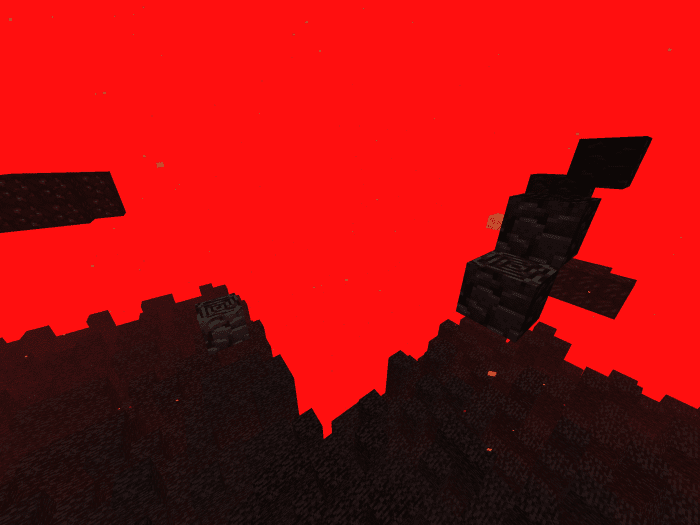
Now you can change the mode of X-Ray using the Slider. As of right now, there are 18 different modes, one for each ore individually as well as more for many other scenarios, with more coming in the Future!
Troubleshooting:
X-Ray doesn’t work/doesn’t change modes (All Platforms):
- Sometimes, you may have to restart your game for X-Ray to work/update properly after applying the pack or changing the mode.
Installation Guide (iOS/iPad):
- Download the X-Ray Texture Pack using one of the links below
- Once downloaded, open File Explorer and navigate to “Downloads”
- Tap the downloaded files icon
- Minecraft should automatically open and say “Successfully imported X-Ray 1.20 by d6b”
- If this does not happen, in File Explorer, press “Select” and select the downloaded file, then, press “Share” in the bottom left corner of the screen.
- Now select “Save to files”
- In the popup window that should open, select the path “My Device/Minecraft/games/com.mojang/resource_packs”
- Now press “Save”
Installation Guide (Windows):
- Download the X-Ray Texture Pack using one of the links below
- Execute the downloaded file
- Minecraft should open and say “X-Ray was successfully imported”
- If that doesn’t work, open File Explorer
- Navigate to “C:\Users\YOUR_USERNAME\AppData\Local\Packages\Microsoft.MinecraftUWP_8wekyb3d8bbwe\LocalState\games\com.mojang\resource_packs”
- Now move the downloaded file into this Folder
- Next time you open Minecraft, the X-Ray should appear in your Resource Packs
d6b’s X-Ray Texture Pack Download Links
For Minecraft PE/Bedrock 1.20, 1.19
mcpack: Download from server 1 – Download from server 2
- Edition: Minecraft Bedrock
- File type: .mcpack
- Minecraft versions listed: 1.26, 1.21
- How to install: Download the .mcpack. → Open it — Minecraft imports it under Resource Packs. → Activate it in Global Resources, or for one world under Resource Packs → Available.
- Where to get it: In MCModsHub, or directly above on this page.
Install steps are the general flow for this file type — How to install Minecraft Bedrock texture packs walks through it step by step.
- Pack type: .mcaddon — behaviour and resource pack in one file
- Manifest requires Minecraft 1.8.0 or newer
- Complete pack — everything it depends on is inside the file
- Download size: 262 KB
- Download link checked 17 Jun 2026 — working
- Mirrored on our own servers — the download does not depend on the original host
These come from our own check of the pack file, not from the source page.