The Ty-el’s UI Pack (1.21, 1.20) – Quick Loot, Quick Craft, Auto Inventory
Bedrock texture pack listed for Minecraft 1.19–1.21. File opened and checked on 13 Oct 2026; installs from the MC Bedrock Mods app on Android.
⬇ Download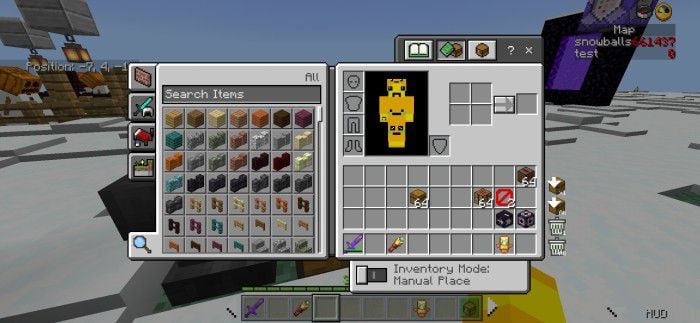
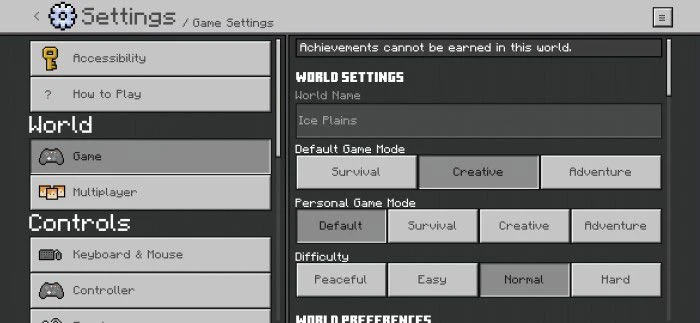
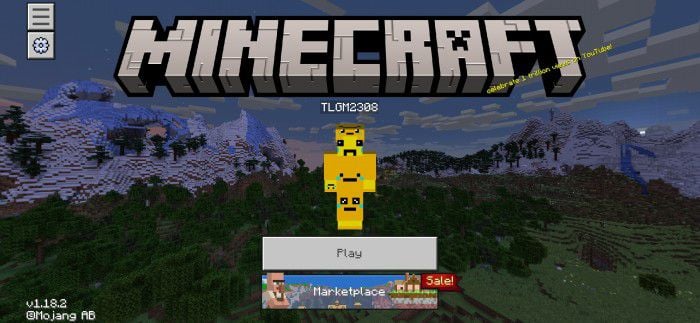
The Ty-el’s UI Pack is a user interface (UI) overhaul that injects freshness into the game’s visuals while ensuring an intuitive and immersive experience. If you’re seeking a change in aesthetics without compromising on usability, this UI pack is a commendable choice.
The pack significantly reimagines the game’s interface, bringing in clean, minimalist designs that are both aesthetically pleasing and easy on the eyes. It modifies various aspects of the UI, from the inventory screens and menus to the hotbar and in-game pop-ups. The alterations strike a balance between novelty and familiarity, ensuring the changes feel fresh without being disorienting.
Features:
- For the full experience, you need to set your UI Profile to Classic, because Inventory Buttons additions aren’t available in Pocket UI Profile yet, and avoid Utility layer bug when in HUD Screen.
- This pack may not compatible properly if you use this with other packs that have UI changed or modified.
- Currently supported languages: English (US), English (GB), Español (España), Español (México), Français (France), Français (Canada), Bahasa Indonesia (Indonesia), Português (Brasil), Português (Portugal), 日本語 (日本) and Vietnamese (Viet Nam).
Main Features
Inventory Screen
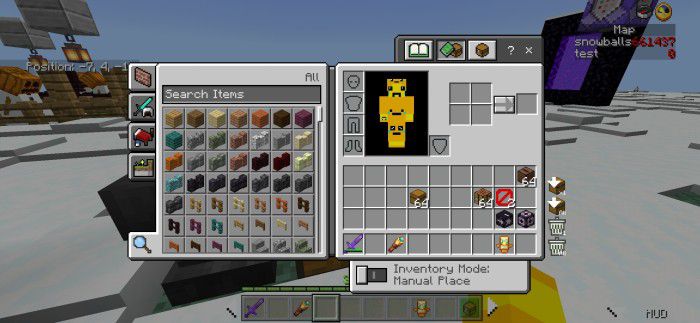
- Added Drop Items buttons to all container screens and Destroy Items buttons (only in Inventory Screen/Crafting Table Screen and in Creative Mode only).
- Choose any items in inventory you want to drop or destroy, then press the chest with the down arrow icon button to drop, or the trash bin icon button to destroy. “x1” for one item, “All” for a full slot you have chosen to be dropped or destroyed.
- Added Quick Craft button to inventory/crafting screen, crafting is now easier and faster than before!
- Added Inventory Mode toggle to Inventory Screen, another shift-holder for touch users but in Inventory Screen! This feature will help you equip armors/totems or place items from the main inventory to Hotbar and vice versa… faster, just only one tap!
- Moved the Creative/Recipe Book category toggle to the left side of the screen, looks similar to the recipe book on Java Edition.
Chest Screen
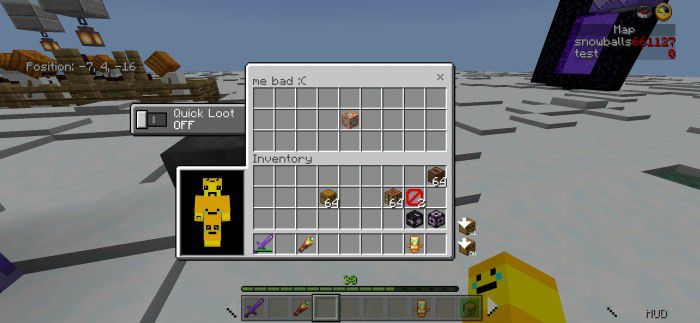
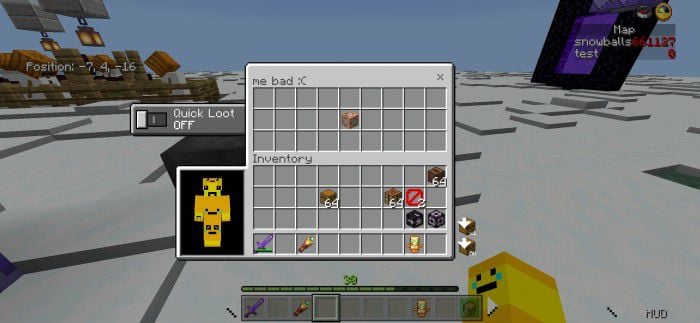
- Added Quick Loot toggle to Chest-related Screens and Redstone Screens (Hopper, Dispenser, and Dropper) for faster looting items from containers, best for PvP and for Touch users!
- To use this, just simply enable the Quick Loot toggle and tap any items (or Left Mouse Button if on PC) in containers, items will instantly go to your inventory! If you are on a PC, you don’t need to hold Shift when you enabled this toggle!
- Added Live Paper Doll Renderer to Chest Screens and Redstone Screens (Hopper, Dispenser, Dropper) to know which armors you’re equipping easier and faster than before!
HUD Screen
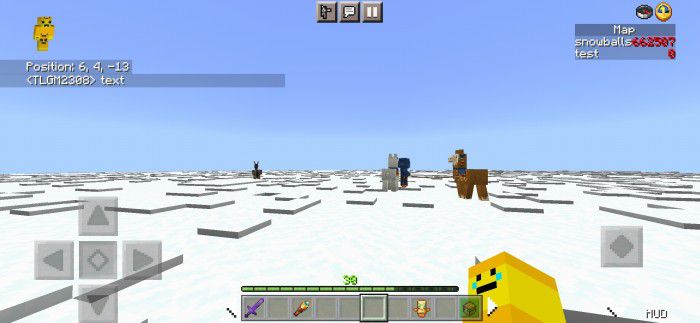
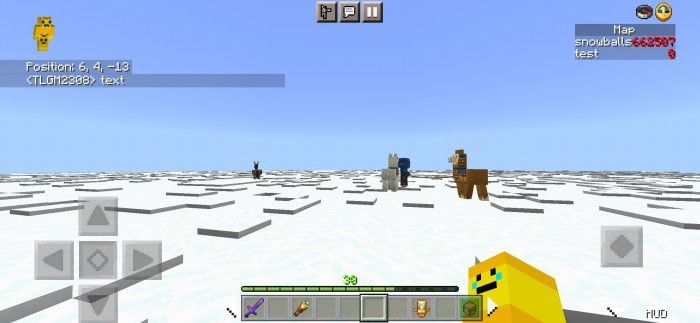
- Added Compass and Clock to HUD Screen to manage your game time easier and also, locate your original world spawn better than ever.
- For Touch users only, added the Hide HUD button at the bottom right of the screen to easily hide HUD without entering the settings screen, and 2 Hotbar controller buttons at the Hotbar to navigate your Hotbar better (or not?). Also added Hotbar Toggle to hide/show Hotbar for a temporary cleaner view when playing.
- If you play on Lefty Mode? Don’t worry, the Hide HUD button will be automatically located at the bottom left of the screen!
- XP bar is always visible even when in creative mode!
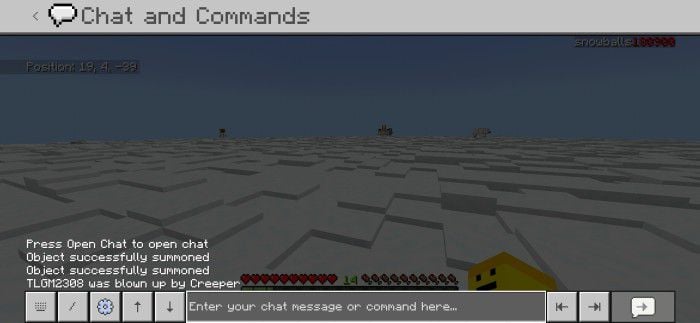
- Chat now has light animations.
- Also, titles and subtitles now have smaller font sizes, and never get out of the screen if the titles are too long!
- Scoreboard Sidebar Objective name now has a darker background, which matches Java!
Settings Screen
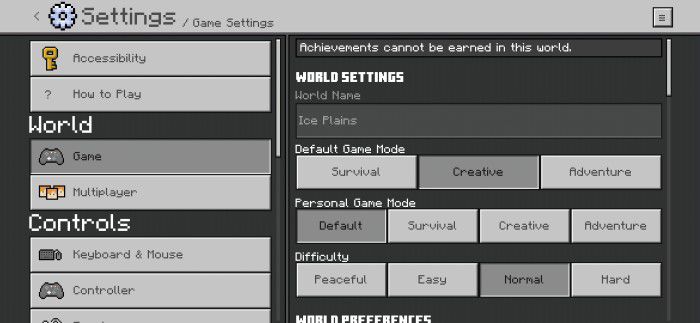
Settings Screen/World Settings
- Now mostly all dropdowns use button mode instead of the original dropdown!
- Small improvements
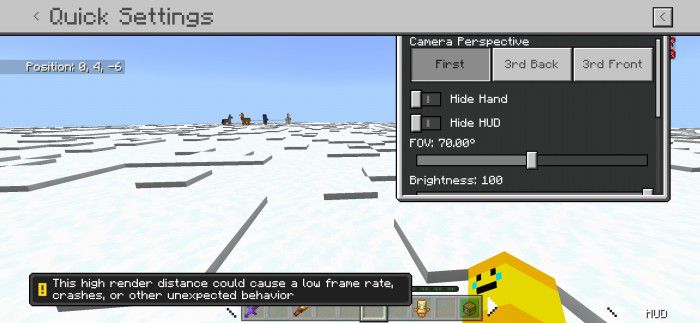
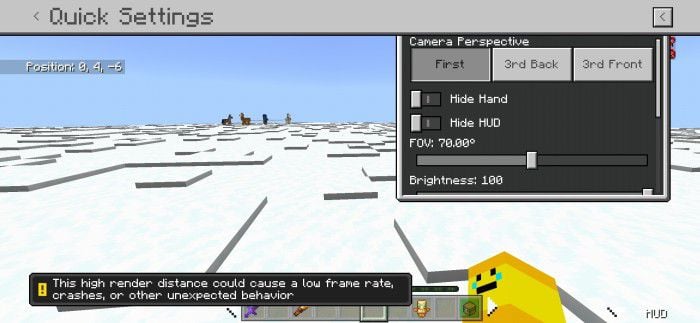
- Quick Settings screen: Go to Settings, and press ≡ the button at the top right of the screen. Here you can change Camera Perspective, Brightness, FOV, and more… with a fully clean live background!
- Note: The Render Distance warning only shows when you set Render Distance settings higher than the recommended render distance.
Start Screen
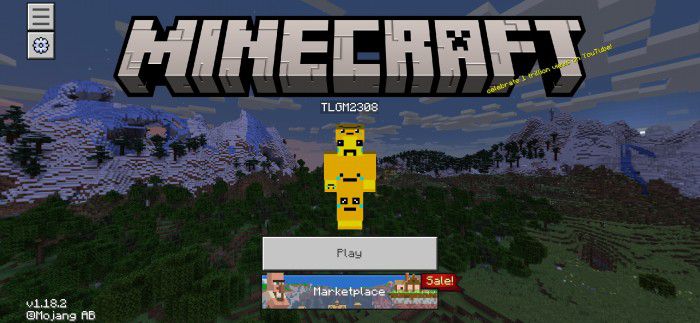
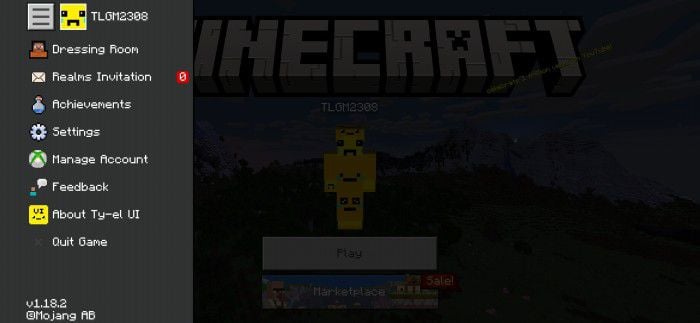
- Redesigned Start Screen, and added Marketplace-styled sidebar menu!
- These is some supported buttons in the sidebar menu:
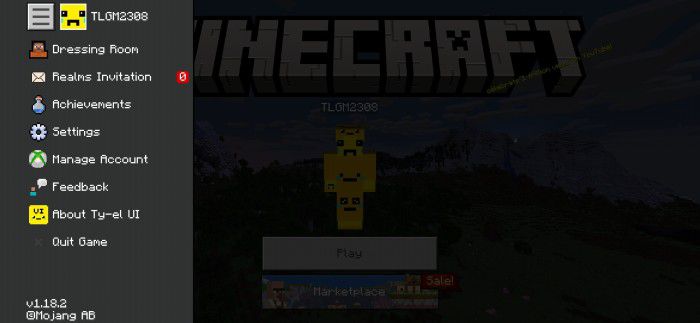
Start Screen Sidebar
Chat Screen
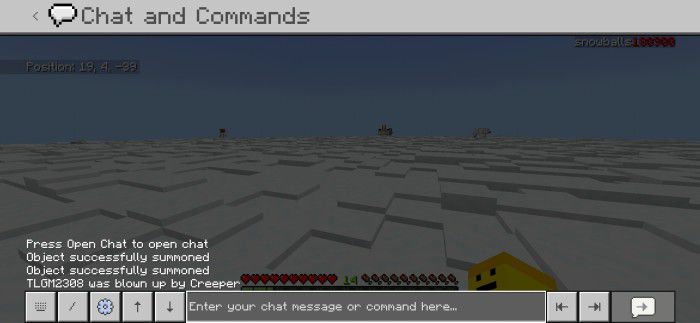
- Added 2 buttons to autocomplete chat commands and 2 buttons to undo or redo messages easily, best for Touch users.
Other Features
Redesigned some screens
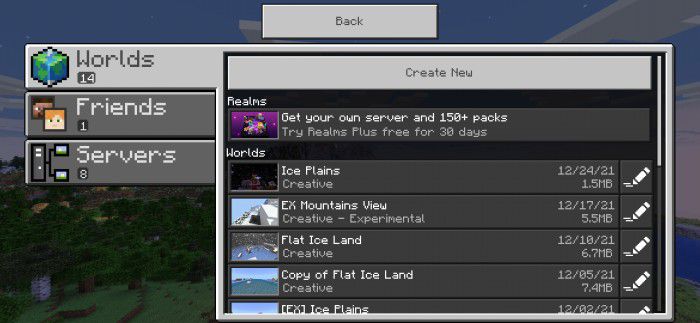
Play Screen, with vertical animations
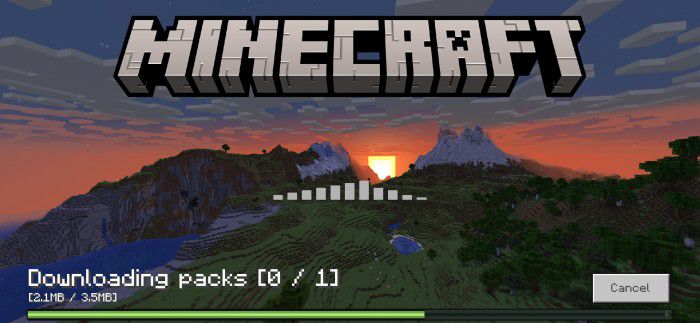
Progress Screen when downloading packs from the server
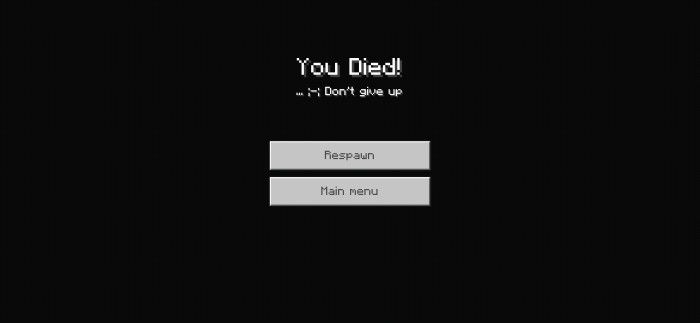
Death Screen (added subtitle and fading black background when screen animations enabled, changed buttons offsets)
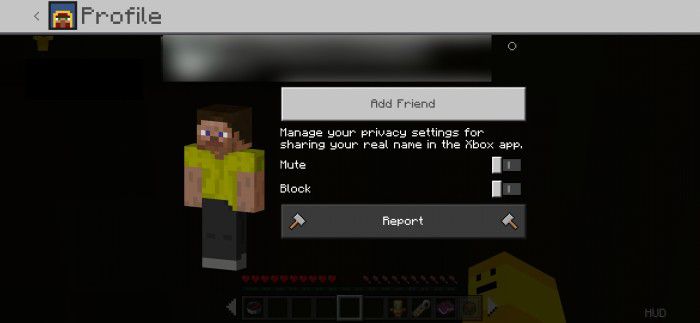
Profile Card is no longer a *card*! Skin Preview is now rotatable!
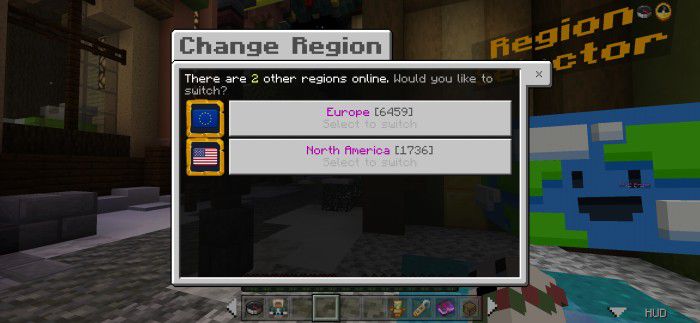
Redesigned Server Form Screen, inspired by The Hive’s Play Screen.
Others, Java Parity and Vanilla Fixes:
- New clicking sounds (inspired by Core UI sounds)
- Removed Touch circle (100% no content log errors when Content Log is enabled)
- Custom panorama supports (only visible when not in-game)
- Fixed 3×3 Crafting Output slot in Inventory/Crafting Table screen is not centered (4 pixels off)
- Java Parity: You can now rename any items in Anvil, or in Cartography Table, or search any items, up to 50 characters (was 30)!
- Java Parity: You can change language directly in-game!
- Added VSync toggle and Max Framerate slider in Settings/Video Screen!
- Other small vanilla improvements and fixes
How to add a custom panorama:
- 1. Add and replace the invisible /(this pack folder name)/textures/custom_panorama.png with your .png wallpaper (panorama) image file.
- 2. Open /ui/_custom_panorama_template.json and change line “$use_customizable_panorama”: false, and change false to true.
- 3. (Optional but Recommended) Open /ui/_global_variables.json file and modify: “$settings_gray_bg_visible”: true, change true to false.
- 4. Save all the files, open your game, activate the pack, and enjoy.
The Ty-el’s UI Pack Download Links
For Minecraft PE/Bedrock 1.19, 1.18
Ty-el UI: Download from Server 1
Ty-el UI – Quick Move Alone: Download from Server 1
For Minecraft PE/Bedrock 1.20
Ty-el UI: Download from Server 1 – Download from Server 2
Ty-el UI Standalone Quick Move: Download from Server 1 – Download from Server 2
- Edition: Minecraft Bedrock
- File type: .mcpack
- Minecraft versions listed: 1.21, 1.20
- How to install: Download the .mcpack. → Open it — Minecraft imports it under Resource Packs. → Activate it in Global Resources, or for one world under Resource Packs → Available.
- Where to get it: In MCModsHub, or directly above on this page.
Install steps are the general flow for this file type — How to install Minecraft Bedrock texture packs walks through it step by step.
- Pack type: .mcpack — a single pack
- Manifest requires Minecraft 1.19.10 or newer
- Complete pack — everything it depends on is inside the file
- Download size: 671 KB
- Download link checked 17 Jun 2026 — working
- Mirrored on our own servers — the download does not depend on the original host
These come from our own check of the pack file, not from the source page.