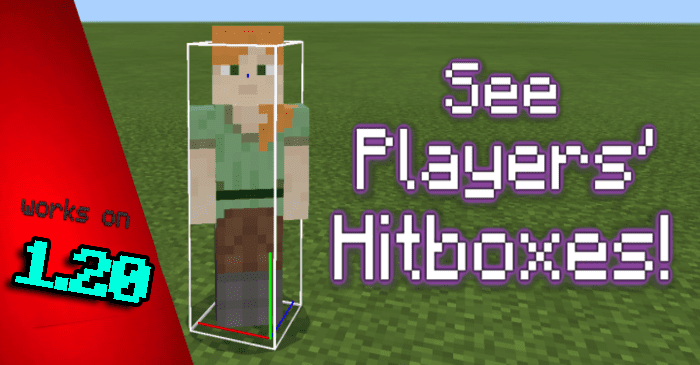
Player Hitbox Display Texture Pack (1.26+, 1.20) – Works Through Walls
Bedrock texture pack listed for Minecraft 1.16–26.x. File opened and checked on 21 Sep 2026; installs from the MC Bedrock Mods app on Android.
⬇ Download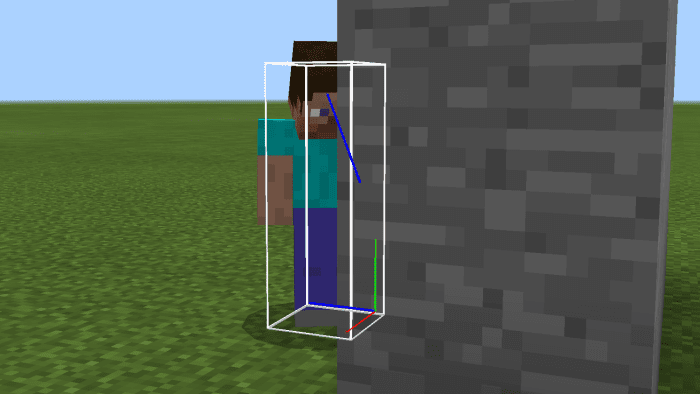
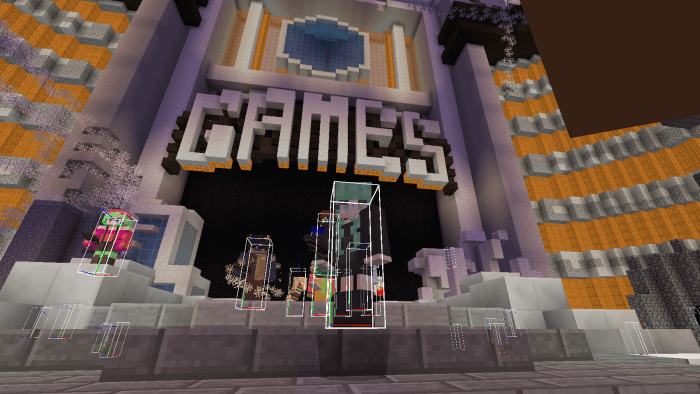
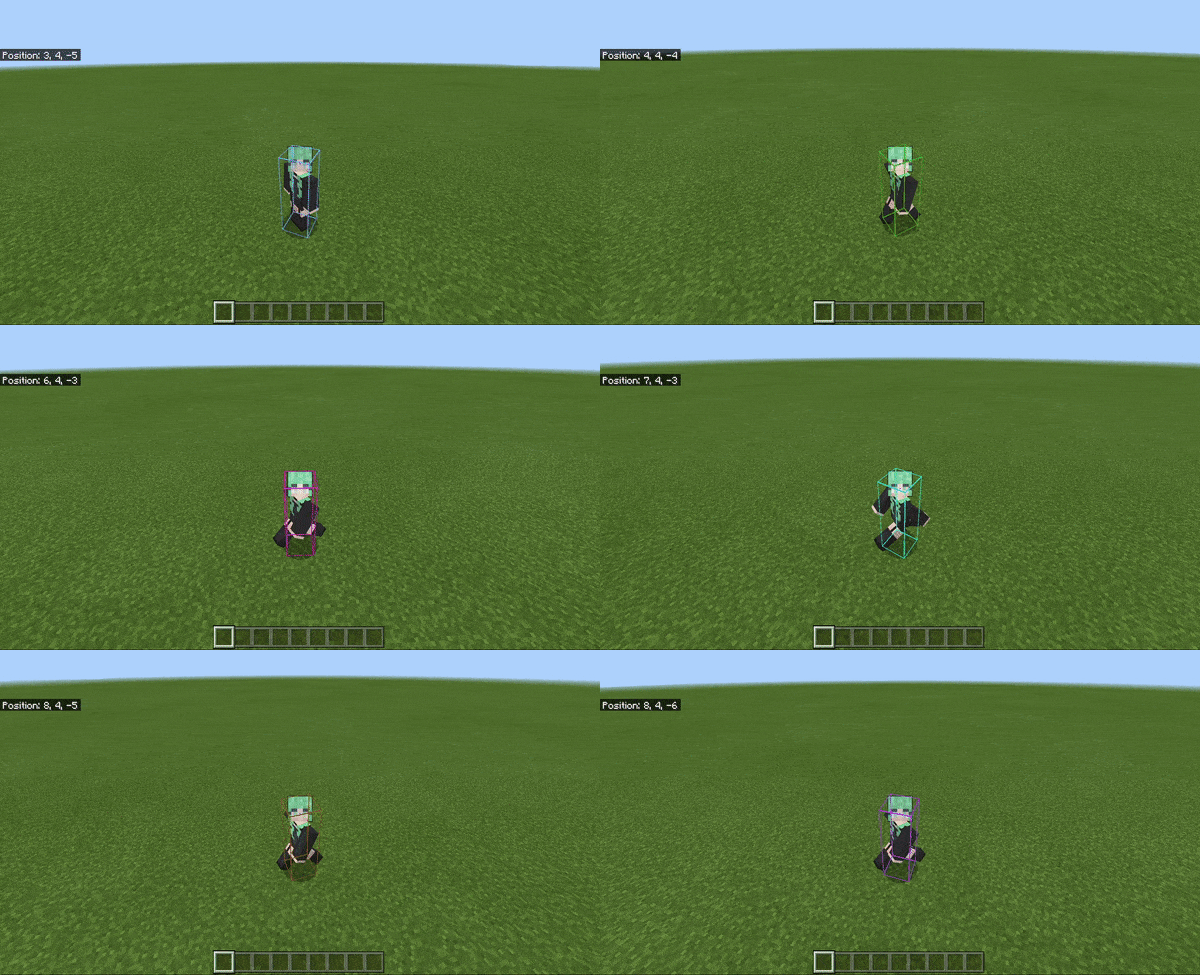
Have you ever wanted to see your own or another player’s hitbox? Player Hitbox Display Texture Pack allows you to do just that! You can also see player hitboxes through walls, view the XYZ axis position, and better visualize head rotation.
Supported Versions:
Minecraft Bedrock 1.26.30 and later. Resource pack only – no Experimental Features required.
Features:
Unlike some existing hitbox resource packs, this pack preserves player position and does not transform the hitbox along with player rotation, which is authentic to the real hitbox. The display acts similarly to Java Edition (0.6 x 1.8). Additionally, this pack comes with extra utilities and features.
You can see hitboxes and the head-ray cast of other players through walls. Additionally, the bottom corner of the hitbox shows an X-axis (red), Y-axis (green), and Z-axis (blue) reference with respect to player position.
This resource pack functions fully on servers, such as Cubecraft, The Hive, and more.
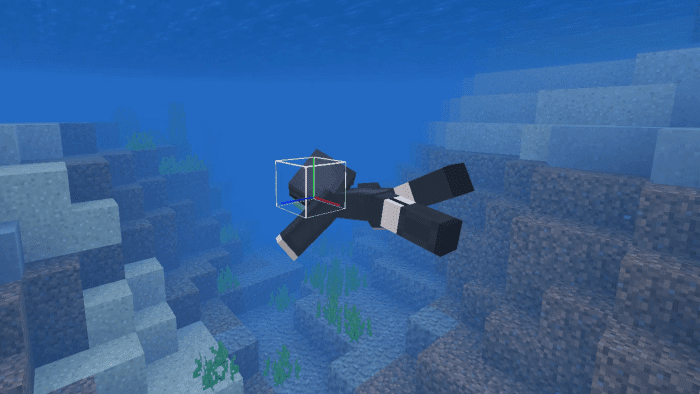
The hitbox display also accommodates for the shift in hitbox size when the player is swimming.
This new update now includes an RGB setting for the hitbox model.
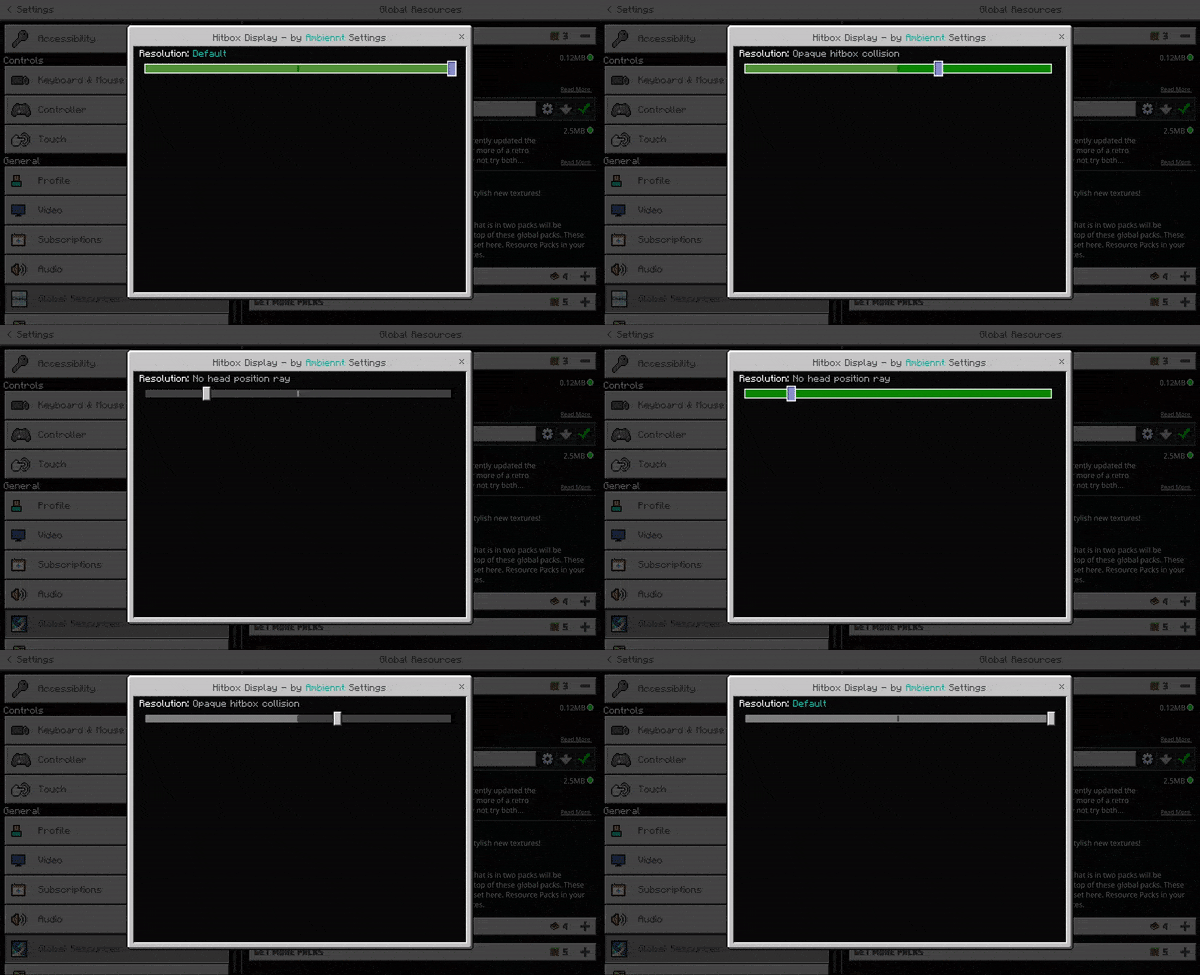
You can also choose different presets, the “Default” setting includes all features, the “Opaque hitbox collision” setting disables visibility through blocks, the “No head position ray” setting disables the head ray cast, and the “Rainbow hitbox” (new update) is self-explanatory, it makes the hitbox rainbow color.
Additional notes: The hitbox visibility becomes tinted when the player equips armor but still can be seen through solid surfaces.
Player Hitbox Display Texture Pack Download Links
For Minecraft PE/Bedrock 1.20, 1.19
mcpack: Download from server 1 – Download from server 2
- Edition: Minecraft Bedrock
- File type: .mcpack
- Minecraft versions listed: 1.26, 1.20, 1.26.30
- How to install: Download the .mcpack. → Open it — Minecraft imports it under Resource Packs. → Activate it in Global Resources, or for one world under Resource Packs → Available.
- Where to get it: In MCModsHub, or directly above on this page.
Install steps are the general flow for this file type — How to install Minecraft Bedrock texture packs walks through it step by step.
- Pack type: .mcpack — a single pack
- Manifest requires Minecraft 1.16.0 or newer
- Complete pack — everything it depends on is inside the file
- Download size: 117 KB
- Download link checked 17 Jun 2026 — working
- Mirrored on our own servers — the download does not depend on the original host
These come from our own check of the pack file, not from the source page.