Texture packsBedrock
Food Icons Texture Pack (1.21, 1.20) – MCPE/Bedrock
Bedrock texture pack listed for Minecraft 1.16–1.21. File opened and checked on 1 Oct 2026; installs from the MC Bedrock Mods app on Android.
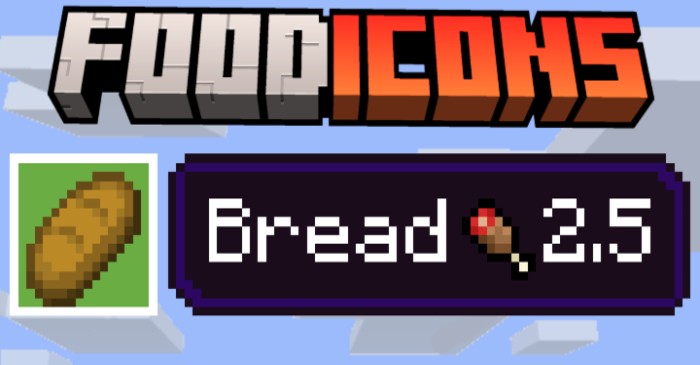
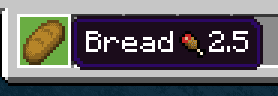
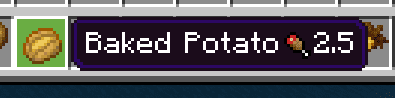
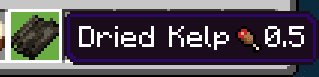
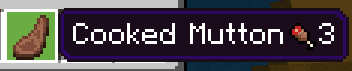
⬇ DownloadIn Minecraft, it can be tricky to determine which food is the most beneficial. Food Icons Texture Pack simplifies things by adding custom icons that display how much hunger each food item restores, helping players stay organized and make better choices.
Features:
- Added custom icon to foods.
- Over 40 food names changed.
Screenshots:




Food Icons Texture Pack Download Links
For Minecraft PE/Bedrock 1.21, 1.20
mcpack: Download from server 1 – Download from server 2
Quick facts
- Edition: Minecraft Bedrock
- File type: .mcpack
- Minecraft versions listed: 1.21, 1.20
- How to install: Download the .mcpack. → Open it — Minecraft imports it under Resource Packs. → Activate it in Global Resources, or for one world under Resource Packs → Available.
- Where to get it: In MCModsHub, or directly above on this page.
Install steps are the general flow for this file type — How to install Minecraft Bedrock texture packs walks through it step by step.
File checked by MCModsHub
- Pack type: .mcaddon — behaviour and resource pack in one file
- Manifest requires Minecraft 1.16.0 or newer
- Complete pack — everything it depends on is inside the file
- Download size: 20 KB
- Download link checked 17 Jun 2026 — working
- Mirrored on our own servers — the download does not depend on the original host
These come from our own check of the pack file, not from the source page.