
Human Era Villagers & Illagers Texture Pack (26.x, 1.21) – MCPE/Bedrock
Bedrock texture pack listed for Minecraft 1.13–1.21. File opened and checked on 4 Nov 2026; installs from the MC Bedrock Mods app on Android.
Human Era Villagers & Illagers Texture Pack includes assets from the Player Mob Models Pack. It transforms villagers into player models while retaining…
⬇ Download

Human Era Villagers & Illagers Texture Pack includes assets from the Player Mob Models Pack. It transforms villagers into player models while retaining the vanilla style, blended with my personal touch. The pack covers 70 villager textures, showcasing the diversity and subtle variations while maintaining the same overall style. Notably, the illagers receive unique treatment: instead of their original jackets or coats, they now wear medieval armor and hoodies (for illusioners and witches). While this pack may be somewhat biased, it still incorporates key elements from the original illager textures, including colors and other intricate details.
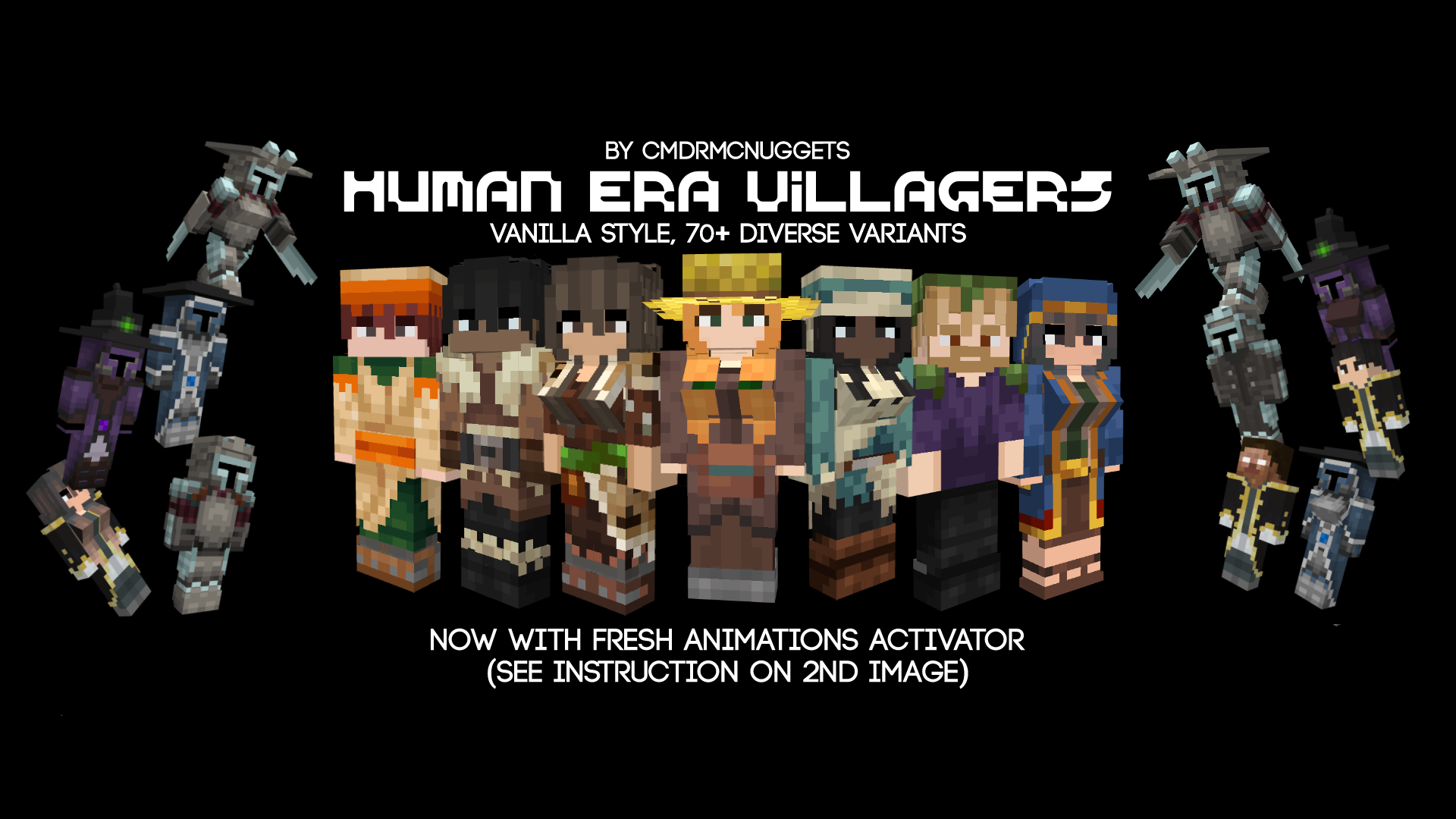
Features:
How To Remove Certain Mobs:
This is very technical for Bedrock users, especially when they are on mobile or console, but if there is an app where you can transfer files from mobile to console, or if you are just on mobile, it should go well if you follow these steps:
- 1. Download the WinRar app.
- 2. Open WinRar App.
- 3. Go to the Downloads folder, the pack should be there.
- 4. Rename the pack’s extension from .mcpack to .zip
- 5. Open the pack file and do the following:
(Note: in subpacks, the same process in all 4 folders inside the subpacks folder)
-subpacks/no ravager + chest/models/entity folder, delete the mobs you want to delete
-subpacks/no ravager + chest/render_controllers folder, same process
-entity folder, the same process
- 6. You go back to the Downloads folder and then rename .zip to .mcpack
- 7. Open your phone file manager, and then tap the pack and that should open Minecraft.
- 8. If there is such thing as an app that can move mobile files to consoles, open whatever that app is and move the pack to the console
Screenshots:
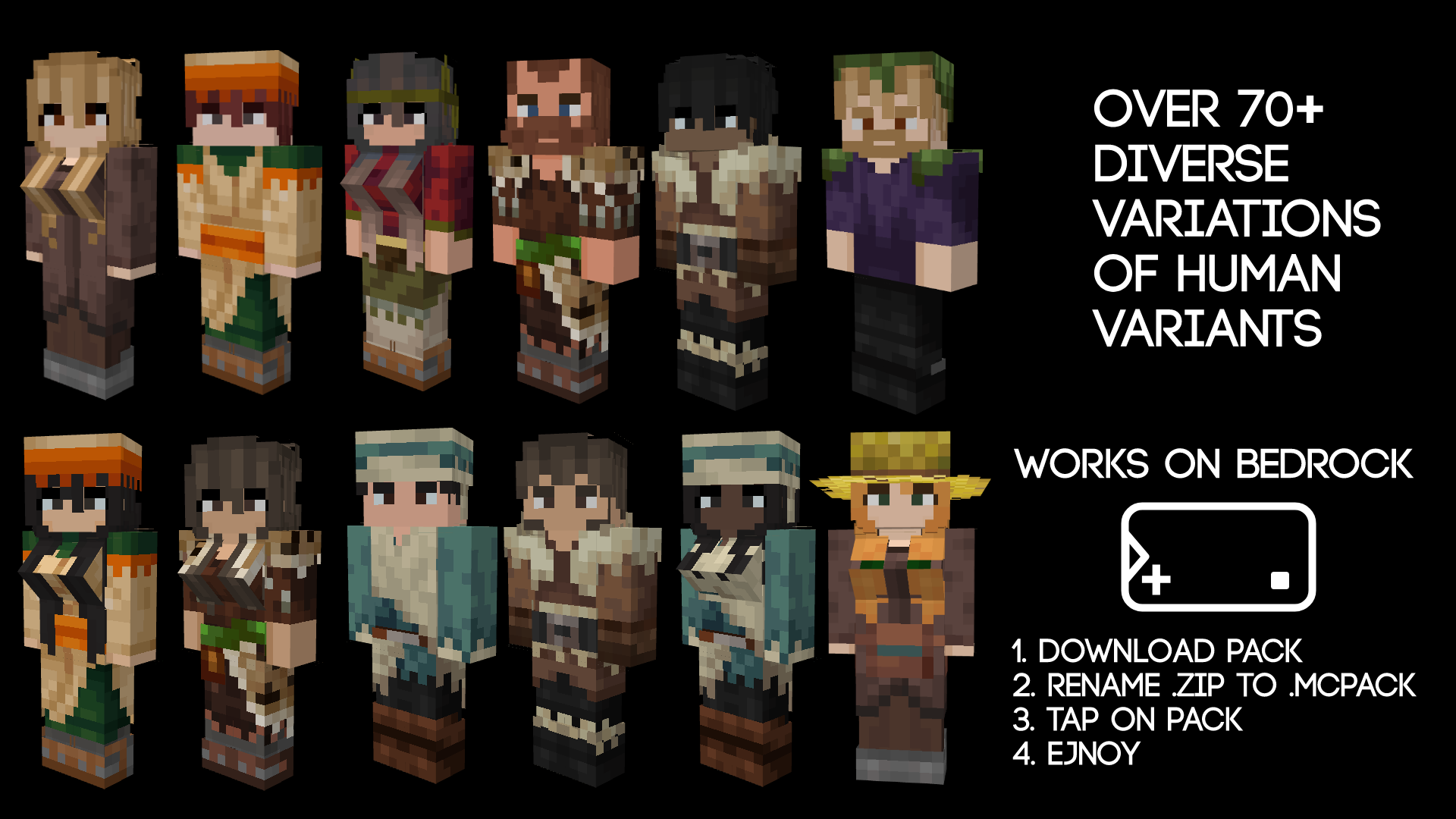
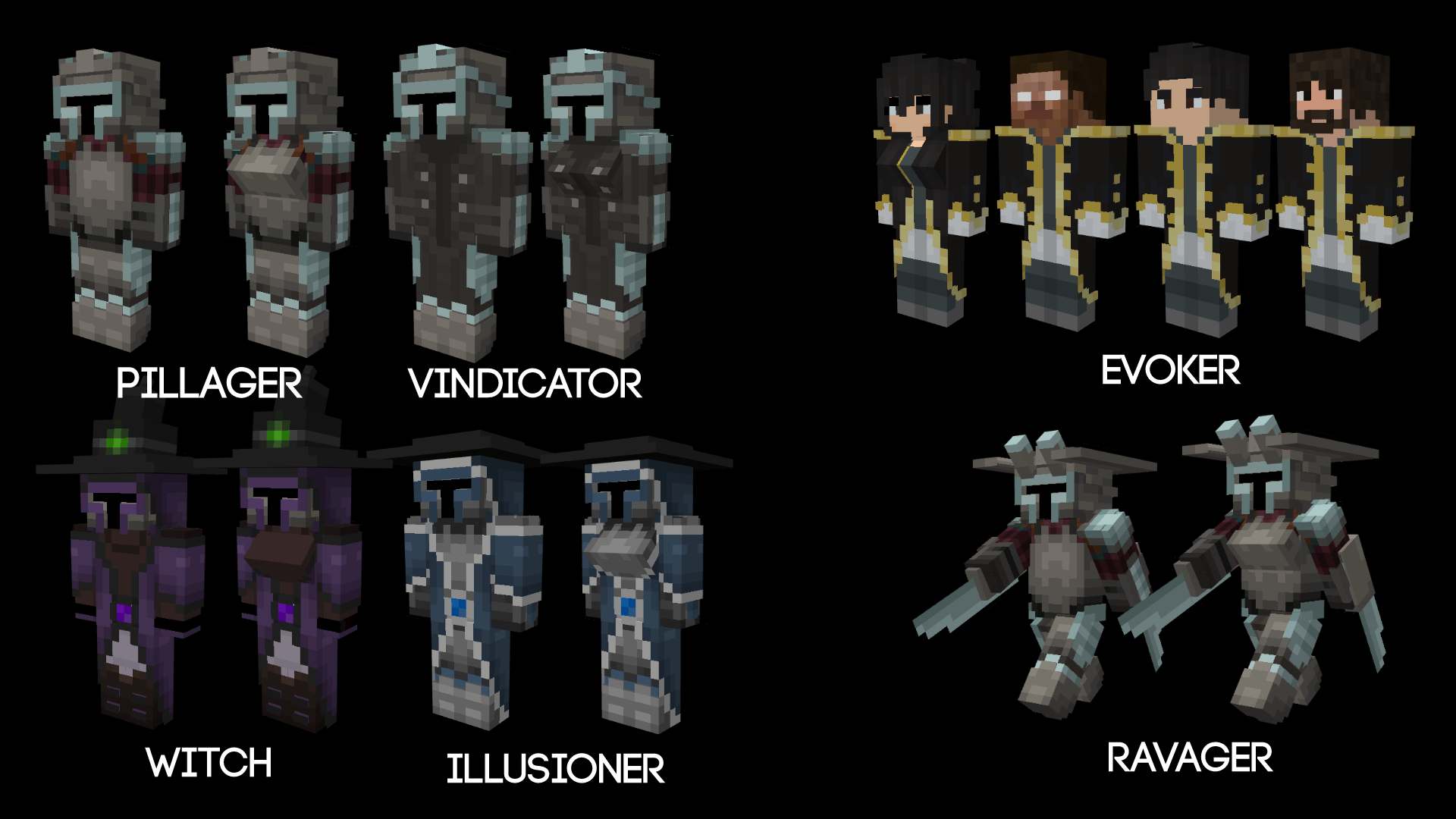
Human Era Villagers & Illagers Texture Pack Download Links
For Minecraft PE/Bedrock 1.21
mcpack: Download from server 1 – Download from server 2
- Edition: Minecraft Bedrock
- File type: .mcpack
- Minecraft version listed: 1.21
- How to install: Download the .mcpack. → Open it — Minecraft imports it under Resource Packs. → Activate it in Global Resources, or for one world under Resource Packs → Available.
- Where to get it: In MCModsHub, or directly above on this page.
Install steps are the general flow for this file type — How to install Minecraft Bedrock texture packs walks through it step by step.
- Pack type: .mcpack — a single pack
- Manifest requires Minecraft 1.13.0 or newer
- Complete pack — everything it depends on is inside the file
- Download size: 1.2 MB
- Download link checked 17 Jun 2026 — working
- Mirrored on our own servers — the download does not depend on the original host
These come from our own check of the pack file, not from the source page.