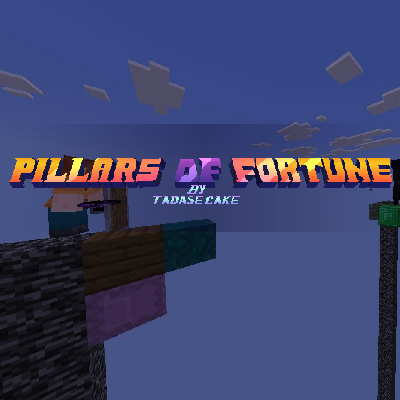
Pillars of Fortune (TadaseCake's version)
I don't know my version

Overview
Spawn on the void, every five seconds you will receive random items and blocks to fight another players (max .10). Be the last alive, do not fall!
Translations
The map is translated to spanish, english and partially to russian.
Manage Game & Settings
Operators can access to the game management menu at the lobby, using the "Manage Game" item (Right click on PC, hold on mobile)
You can customize your experience, there are these settings you can access:
- Heal on kill
- Number of special events per game
- Special event time interval
- Special items
- Start delay
- Random spawns

Maps
You can access the map selection menu at the lobby using the "Maps" item (Right click on PC, hold on mobile)
There are 10 maps that you can play on. Either randomly or choose one before starting the game.
- Classic
- Circle
- Island
- Slime Floor
- The end
- Snowy circle
- Nether
- Jump Playground

Cosmetics
You can access the cosmetics menu in the lobby using the "Cosmetics" item (Right click on PC, hold on mobile)
Available cosmetics:
- Spawn Boxes (Glass Colors)

Gameplay
At the lobby an operator can start the game. The map will load and the players will be teleported to a spot. You can play up to 10 players, players joined after the party is full or, after the game is started will be teleported to the game as spectators.
When the game starts everyone will receive, every 5 seconds, a random item or block.
Special events can happen every a certain random amount of time.
Losing sets you as spectator, giving one point to the oponent.
Pushing a player to the void counts as a point.
Once theres just one player alive, the game will end.
After the match, please wait a moment for the area to be cleared! Operatros will not be able to start the game during that process.
Credits
Programming, texturing & modeling:
TadaseCake
Translations:
TadaseCake (english, spanish), myxahd (russian)
Join to discord to be up to date, send suggestions or bug reports!
- Edition: Minecraft Bedrock
- File type: .mcworld
- Minecraft versions listed: 26.0.02, 26.0, 26.3
- How to install: Download the .mcworld file. → Open it — Minecraft imports it as a new world. → Find it in your Worlds list and play.
- Where to get it: Opens on CurseForge — not every file is mirrored on our own servers.
Install steps are the general flow for this file type — How to install Minecraft Bedrock maps walks through it step by step.
- Pack type: .mcworld — a ready-made world
- Manifest requires Minecraft 1.21.132 or newer
- Complete pack — everything it depends on is inside the file
- Download size: 948 KB
- Download link checked 25 Aug 2026 — working
These come from our own check of the pack file, not from the source page.