![Food Simulation 2! [Fast Food]](https://pub-2ae937f770284535a96c3330f91236aa.r2.dev/img/curseforge/72563.png)
Food Simulation 2! [Fast Food]
Serve food to customers and earn money! Cook and plate four different types of fast food and serve them to customers! How many customers can you serve…
⬇ Download on CurseForge![Food Simulation 2! [Fast Food] — screenshot 1](https://pub-2ae937f770284535a96c3330f91236aa.r2.dev/img/curseforge/72563_s330704.jpg)
![Food Simulation 2! [Fast Food] — screenshot 2](https://pub-2ae937f770284535a96c3330f91236aa.r2.dev/img/curseforge/72563_s330705.png)
![Food Simulation 2! [Fast Food] — screenshot 3](https://pub-2ae937f770284535a96c3330f91236aa.r2.dev/img/curseforge/72563_s330706.png)
![Food Simulation 2! [Fast Food] — screenshot 4](https://pub-2ae937f770284535a96c3330f91236aa.r2.dev/img/curseforge/72563_s330707.png)
![Food Simulation 2! [Fast Food] — screenshot 5](https://pub-2ae937f770284535a96c3330f91236aa.r2.dev/img/curseforge/72563_s330708.png)
![Food Simulation 2! [Fast Food] — screenshot 6](https://pub-2ae937f770284535a96c3330f91236aa.r2.dev/img/curseforge/72563_s330709.png)
![Food Simulation 2! [Fast Food] — screenshot 7](https://pub-2ae937f770284535a96c3330f91236aa.r2.dev/img/curseforge/72563_s330710.png)
![Food Simulation 2! [Fast Food] — screenshot 8](https://pub-2ae937f770284535a96c3330f91236aa.r2.dev/img/curseforge/72563_s330711.png)
Food Simulation 2!!
Are you looking for a simple, easy, and fun mini-game?
Food Simulation is back with a new twist in Food Simulation [Fast Food]!
Serve your customers with new foods, new locations, and new cooking methods.
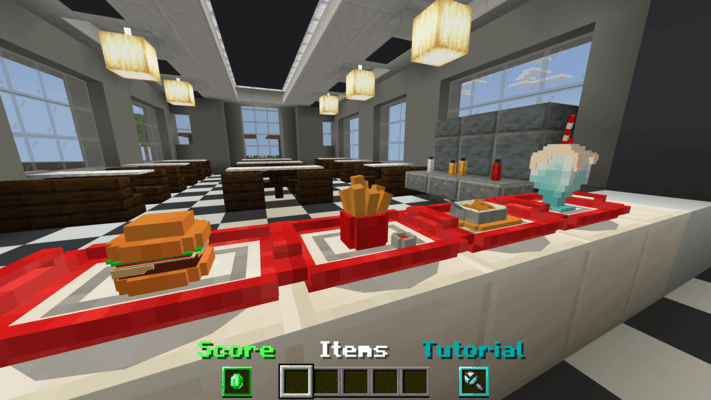
Food Simulation [Fast Food] features four types of food: hamburgers, French fries, chicken, and milkshakes.
Use different cooking methods to prepare and serve the food to your customers!
※Food Simulation [Fast Food] is available in three languages: English, Spanish, and Korean. If you encounter any translation issues, please leave a comment!※
How do I play?
◆ First, left-click (or tap on mobile) the open sign to start the game.
Once the game starts, customers will order food at random intervals.
You can receive up to three orders at a time. (Orders are received automatically, so you don't have to do anything else!)
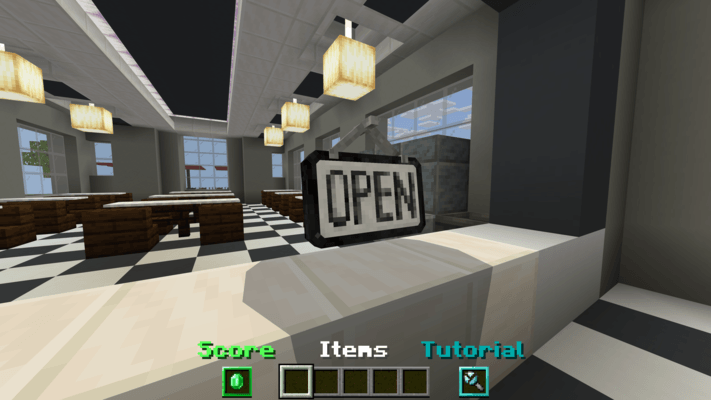
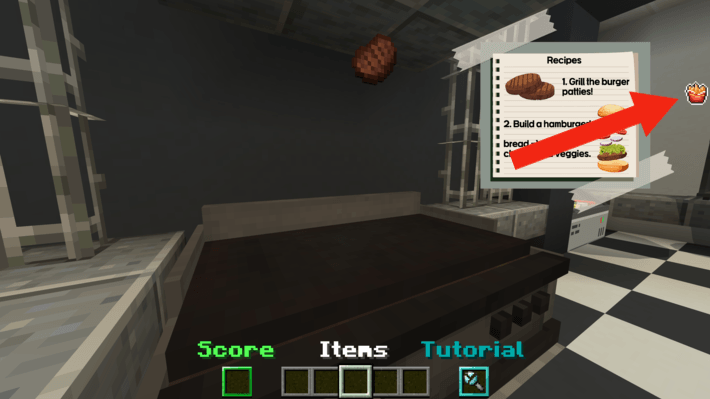
◆ The first order received will display a simple recipe in the top right corner of the screen. (For more detailed recipes, check out the in-game tutorial. The recipe is introduced in three languages supported by the title command! However, the language in the recipe UI is only available in English...)
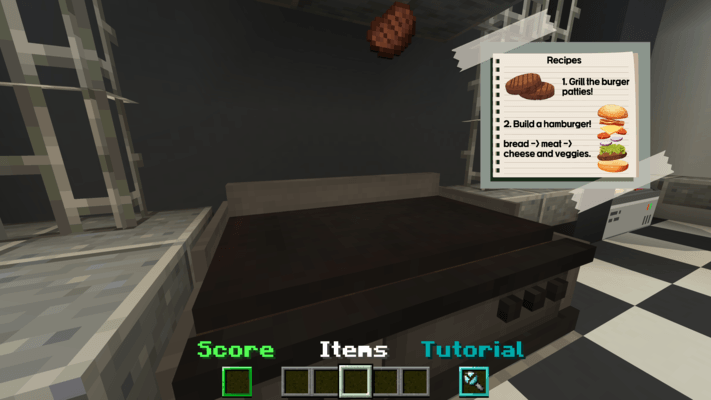
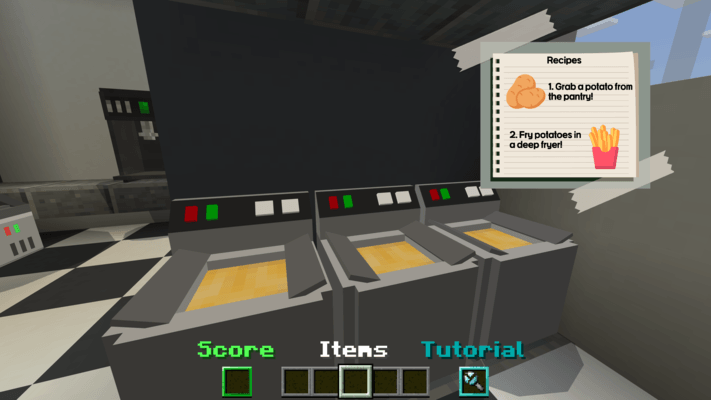
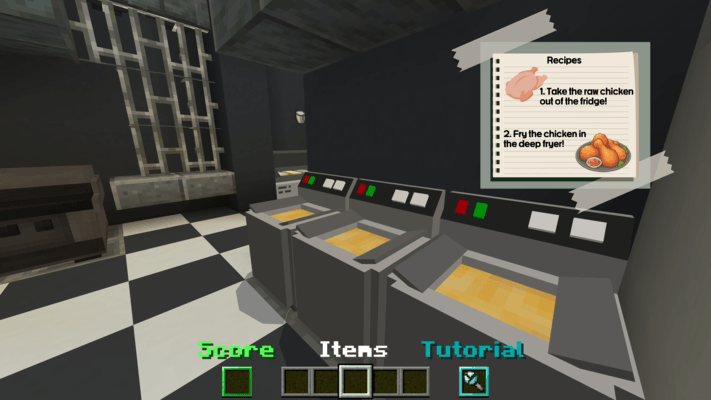
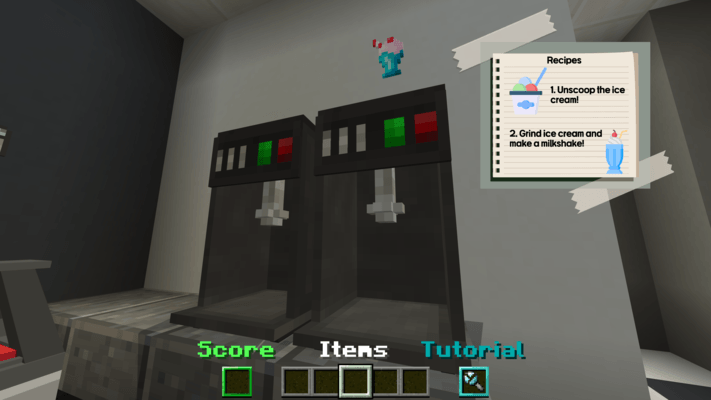
◆ The small icon next to the recipe shows the next order in advance. This will help you save cooking time!
◆ Once you've finished cooking the food, pick it up and place it on the customer's tray!
If you serve the ordered food properly, the customer will give you points. (Try to get as many as possible!)
If you fail to serve the correct food, points will be deducted, so be careful when handing over the food!
Please leave a comment if you have any additional questions or encounter any bugs!
Have fun cooking! Thank you!
- Edition: Minecraft Bedrock
- File type: .mcworld
- Minecraft version listed: 1.21.82
- How to install: Download the .mcworld file. → Open it — Minecraft imports it as a new world. → Find it in your Worlds list and play.
- Where to get it: Opens on CurseForge — not every file is mirrored on our own servers.
Install steps are the general flow for this file type — How to install Minecraft Bedrock maps walks through it step by step.
- Pack type: .mcworld — a ready-made world
- Manifest requires Minecraft 1.21.0 or newer
- Complete pack — everything it depends on is inside the file
- Download size: 22.0 MB
- Download link checked 25 Aug 2026 — working
These come from our own check of the pack file, not from the source page.