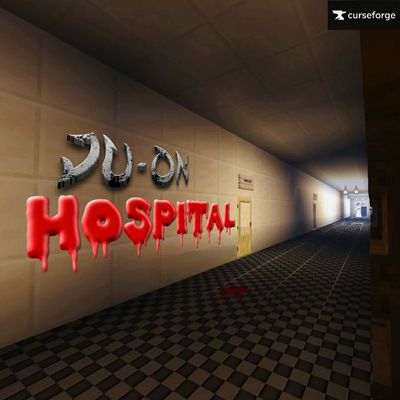
Ju-on Hospital Chapter 1 Horror Map
Welcome to Ju-on Hospital, a Minecraft horror map. After a mysterious incident while driving home, you become trapped inside an abandoned hospital where…
⬇ Download


JU-ON HOSPITAL FULL WALKTHROUGH
SUBSCRIBE TO MY YOUTUBE CHANNEL TO SUPPORT ME! THANK YOU SO MUCH EVERYONE
https://www.youtube.com/@Bert_official2026
📦 Resources and Behavior Packs Required
This horror map uses a custom resource pack for models, sounds, textures, and visual effects. Because of this, Minecraft may not automatically activate the resource pack on some devices or versions.
If the map looks broken or you see missing textures, please follow these steps:
-
Open the world settings.
-
Go to Resource Packs and Behaviour also
-
Select Available.
-
Activate JU-ON HOSPITAL RESOURCES AND BEHAVIOR
-
Return to the game and enjoy!
Why does this happen?
This is not a bug with the map.
Minecraft Bedrock sometimes doesn't automatically enable imported resource packs after downloading or updating a map. This can happen because of:
- Minecraft version differences
- Device compatibility
- Resource pack import issues
- Minecraft Bedrock's own loading behavior
Since this is controlled by Minecraft itself, the resource pack may need to be activated manually.
Thank you for your understanding, and I hope you enjoy the horror experience! ❤️
HOW TO ACTIVATE THE RESOURCES AND BEHAVIOR PACKS TUTORIAL;
Welcome to the Ju-on Hospital. This is a Minecraft Horror Map based on the famous Name Japanese Horror movie franchise, The Grudge.
while driving going home and talking to your mom you found yourself into some dark situation and might turn into madness then, you saw a hospital then break in, and you can't get out, so you gotta help yourself
OFFICIAL THANKS AND CREDITS TO ; ItsDarkwolf6, @Wiskyslow,JmCgamer774
JmCgamer774 - OWNER OF SC RESOURCES
ItsDarkwolf6 - BEHAVIOUR PACKS (THE CRAFT 2)
Wiskyslow - SKY SHADER AND RS & BP
- credit thanks to their BP RP
-i do not own this resources and behaviours packs so CREDITS TO THEM.
to do:
FIND CLUES
SEARCH FOR KEYS
TURN UP SOME LEVERS
READ SOME CREEPY NOTES (BOOK)
HIDE UNDER THE FLOORS ALSO SIDE OF THE WALLS (EXCEPT BASEMENT)
ESCAPED!
REPORT SOME BUGS (FEEL FREE TO COMMENT)
- Edition: Minecraft Bedrock
- File type: .mcworld
- Minecraft version listed: 26.30
- How to install: Download the .mcworld file. → Open it — Minecraft imports it as a new world. → Find it in your Worlds list and play.
- Where to get it: In MCModsHub, or directly above on this page.
Install steps are the general flow for this file type — How to install Minecraft Bedrock maps walks through it step by step.
- Pack type: .mcworld — a ready-made world
- Manifest requires Minecraft 1.19.50 or newer
- Ships one half — this pack asks for another pack that is not included
- Download size: 38.9 MB
- Download link checked 17 Jul 2026 — working
These come from our own check of the pack file, not from the source page.