![[ENG] Dig and Hide and Seek](https://pub-2ae937f770284535a96c3330f91236aa.r2.dev/img/curseforge/73114.png)
[ENG] Dig and Hide and Seek
This map is created by YGM Studios, with the helps of the creators Yohei0904, TrussedGarlic07, ubababababa5016 and Atando.
⬇ Download on CurseForge![[ENG] Dig and Hide and Seek — screenshot 1](https://pub-2ae937f770284535a96c3330f91236aa.r2.dev/img/curseforge/73114_s332594.png)
ENG version is available now !!!
Credit
This map is created by YGM Studios, with the helps of the creators Yohei0904, TrussedGarlic07, ubababababa5016 and Atando.
The creation of this map was inspired by the concepts of 飯桶工作室 and 哈記, and these ideas have been adapted and implemented into Minecraft Bedrock Edition so that more players can play.
The Glowing Addon from the map was created by TrayePlays.
Update
- Solved the problem of not being able to see the items in the store
- Bug fixes
- Correcting grammatical errors in the text
Gameplay
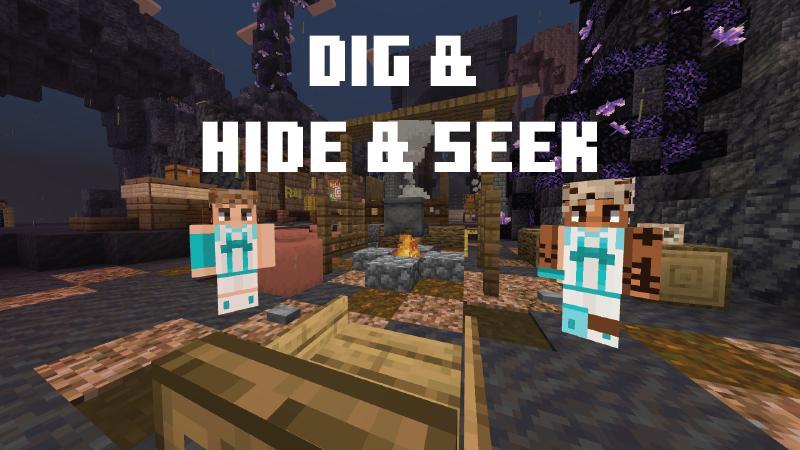
Map: Dig & Hide & Seek
Recommended Players: 2 or more
Playtime: 2~13 minutes / round
Recommended Version: 26.10+
Introduction
Players will be divided into the Carriers and Survivors.
The carriers must capture all survivors within the time limit.
Meanwhile, the survivors must avoid being caught by mining blocks and hiding from the carriers.
Notes
*After the game starts, ores will spawn randomly across the map.
Players must mine ores to earn coins.
Once a player collects 100 coins, they will be granted a ability purchase item.
*All items and skills are activated by right-click (PC) / long press (mobile).
*If you enter the map and do not spawn in the lobby, please teleport manually :
/tp @a 237 -48 438
*Before each game starts and after each game ends, please make sure to:
- Select a map
- Select the game time
- Select the starting coins
*Game Start Procedure
-
All players are assigned to Carriers and Survivors.
-
All players purchase their skills.
3. Start the game (Creative mode only).
*Important Rules
- Each player can purchase up to a maximum of 5 for each abilities.
- Do not adjust the starting coins while players are purchasing abilities.
- Do not use any abilities before the game starts, as this may cause bugs.
Settings
- Disable player name tags.
- Text background opacity to 0%.
Summary
- This is YGM Studios 2nd map. We welcome your feedback and any bug reports!
- We encourage players to stream their gameplay of this map (you can leave your stream link in the comment)
- Any questions or suggestions are welcome!
Contact
Discord : lelelehei
YT : YGM Studios
- Edition: Minecraft Bedrock
- File type: .mcworld
- Minecraft version listed: 26.10
- How to install: Download the .mcworld file. → Open it — Minecraft imports it as a new world. → Find it in your Worlds list and play.
- Where to get it: Opens on CurseForge — not every file is mirrored on our own servers.
Install steps are the general flow for this file type — How to install Minecraft Bedrock maps walks through it step by step.
- Pack type: .mcworld — a ready-made world
- Manifest requires Minecraft 1.21.114 or newer
- Needs Beta APIs switched on in the world settings
- Complete pack — everything it depends on is inside the file
- Download size: 1.1 MB
- Download link checked 25 Aug 2026 — working
These come from our own check of the pack file, not from the source page.