![Distant Horizons [Unofficial Port]](https://pub-2ae937f770284535a96c3330f91236aa.r2.dev/img/curseforge/74235.png)
![Distant Horizons [Unofficial Port] — screenshot 1](https://pub-2ae937f770284535a96c3330f91236aa.r2.dev/img/curseforge/74235_s0.png)
![Distant Horizons [Unofficial Port] — screenshot 2](https://pub-2ae937f770284535a96c3330f91236aa.r2.dev/img/curseforge/74235_s1.png)
![Distant Horizons [Unofficial Port] — screenshot 3](https://pub-2ae937f770284535a96c3330f91236aa.r2.dev/img/curseforge/74235_s2.png)
![Distant Horizons [Unofficial Port] — screenshot 4](https://pub-2ae937f770284535a96c3330f91236aa.r2.dev/img/curseforge/74235_s3.png)
I have been waiting for years for Distent Horizons to come to bedrock edition. Eventually I thaught "What if I just make it myself?" Litterally everyone in the bedrock community says it is impossable. I didn't figure out how to make it until I got a bug in one of my other resource packs. I hope all of you enjoy this mod!
This pack does not require any patches to the game.
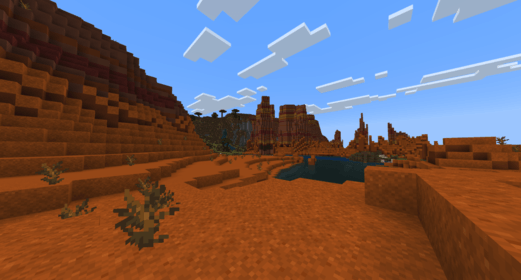
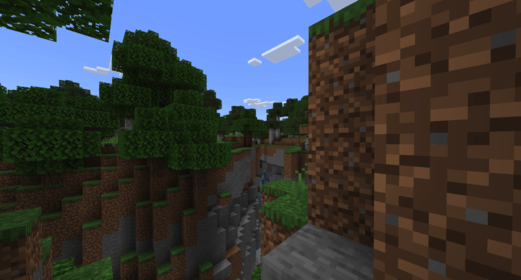
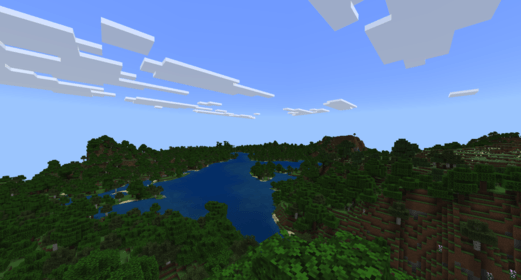
About this mod:
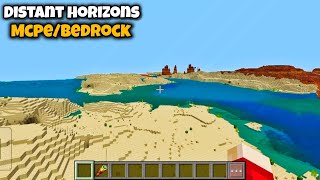
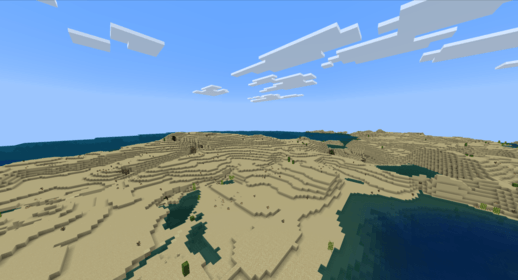
This mod will allow you to set your render distence as high as you can without the extreme lag. This mod works by downscaling far away textures into smaller, low resulution textures to reduce lag. This now will have more resource pack compatibility.
DISCLAIMER!
Unlike the original, this mod does NOT extend render distence. It is to help reduce lag on low tear PCs or mobile devices.
Here is the original java edition mod Distant Horizons by James_Saibel:
https://www.curseforge.com/minecraft/mc-mods/distant-horizons
You may not copy or distribute any content or code from this mod without my permision first. All content used must have credit to me.
Thank You!
- Edition: Minecraft Bedrock
- File type: .mcpack
- Minecraft versions listed: 1.21, 26.0
- How to install: Download the .mcpack. → Open it — Minecraft imports it under Resource Packs. → Activate it in Global Resources, or for one world under Resource Packs → Available.
- Where to get it: In MCModsHub, or directly above on this page.
Install steps are the general flow for this file type — How to install Minecraft Bedrock texture packs walks through it step by step.
- Pack type: .mcpack — a single pack
- Complete pack — everything it depends on is inside the file
- Download size: 247 KB
- Download link checked 18 Jun 2026 — working
These come from our own check of the pack file, not from the source page.