Texture packsBedrock
Realism Visuals
Bedrock texture pack listed for Minecraft 1.21–26.x. File opened and checked on 15 Oct 2026; installs from the MC Bedrock Mods app on Android.
Realism Visuals Enhances Minecraft visuals with realistic lighting, shadows, sky colors, and smooth atmospherics for a more immersive and cinematic…
I don't know my version
Open Minecraft and look at the bottom-left corner of the main screen — the version is printed there, like v1.26.30.
The game writes a 1. in front; the buttons above leave it off. v1.26.30 in the game is 26.30 here.
Realism Visuals Shader
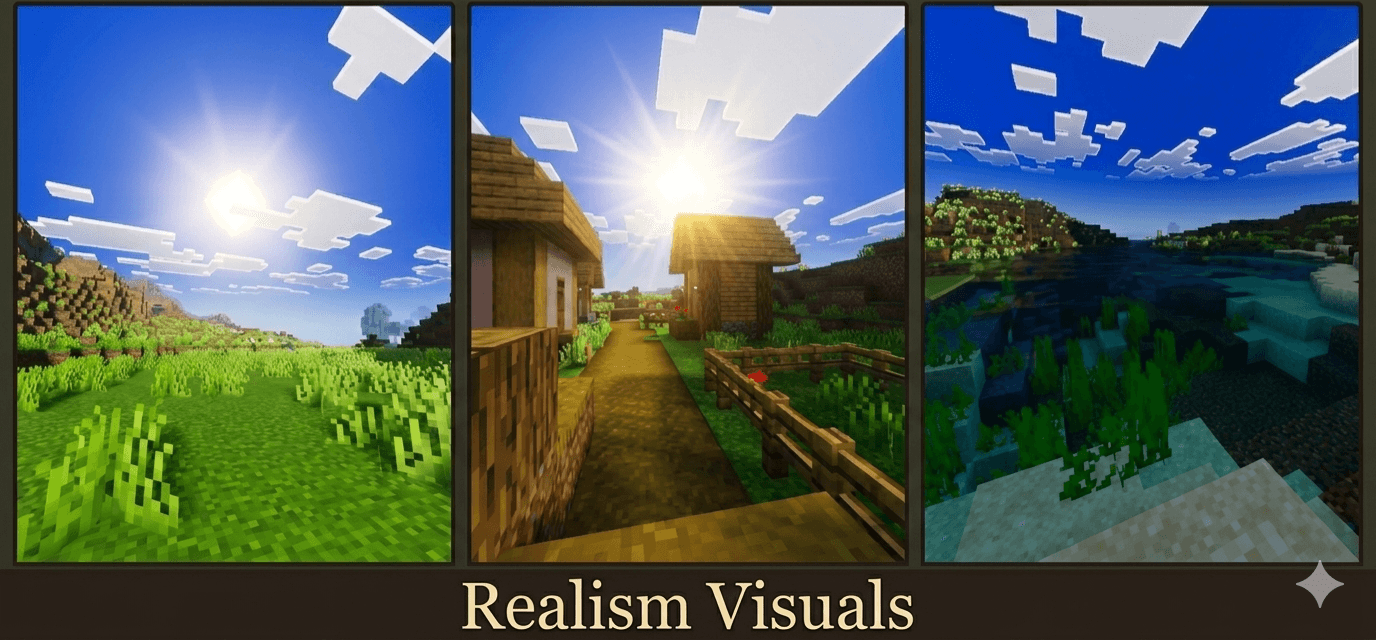
Realism Visuals Shader enhances Minecraft Bedrock with realistic lighting, smooth sky colors, better shadows, vibrant atmosphere, and immersive environmental effects. It creates a cinematic and natural visual experience while keeping performance stable and smooth.


Important: For the shader to work properly, make sure to turn ON Vibrant Visuals in your game settings.
Comment Down Your Suggestions and Bugs
📢 Join Our Community!
Want early access to beta versions, updates, or help with installation? Join our growing community of creators and players!
👉 Click Here To Join Our Discord Community
Quick facts
- Edition: Minecraft Bedrock
- File type: .mcpack
- Minecraft versions listed: 26.40, 26.10, 26.3
- How to install: Download the .mcpack. → Open it — Minecraft imports it under Resource Packs. → Activate it in Global Resources, or for one world under Resource Packs → Available.
- Where to get it: Opens on CurseForge — not every file is mirrored on our own servers.
Install steps are the general flow for this file type — How to install Minecraft Bedrock texture packs walks through it step by step.
File checked by MCModsHub
- Pack type: .mcpack — a single pack
- Manifest requires Minecraft 1.21.0 or newer
- Complete pack — everything it depends on is inside the file
- Download size: 455 KB
- Download link checked 5 Oct 2026 — working
These come from our own check of the pack file, not from the source page.


