
Texture packsBedrock
Vibrant VSL Shader
Bedrock texture pack listed for Minecraft 1.21–26.x. File opened and checked on 19 Sep 2026; installs from the MC Bedrock Mods app on Android.
Vibrant VSL Shader transforms your world with cinematic golden daylight, deep atmospheric bluish nights, and hyper-visible God-rays. Experience ultra-soft…
I don't know my version
Open Minecraft and look at the bottom-left corner of the main screen — the version is printed there, like v1.26.30.
The game writes a 1. in front; the buttons above leave it off. v1.26.30 in the game is 26.30 here.
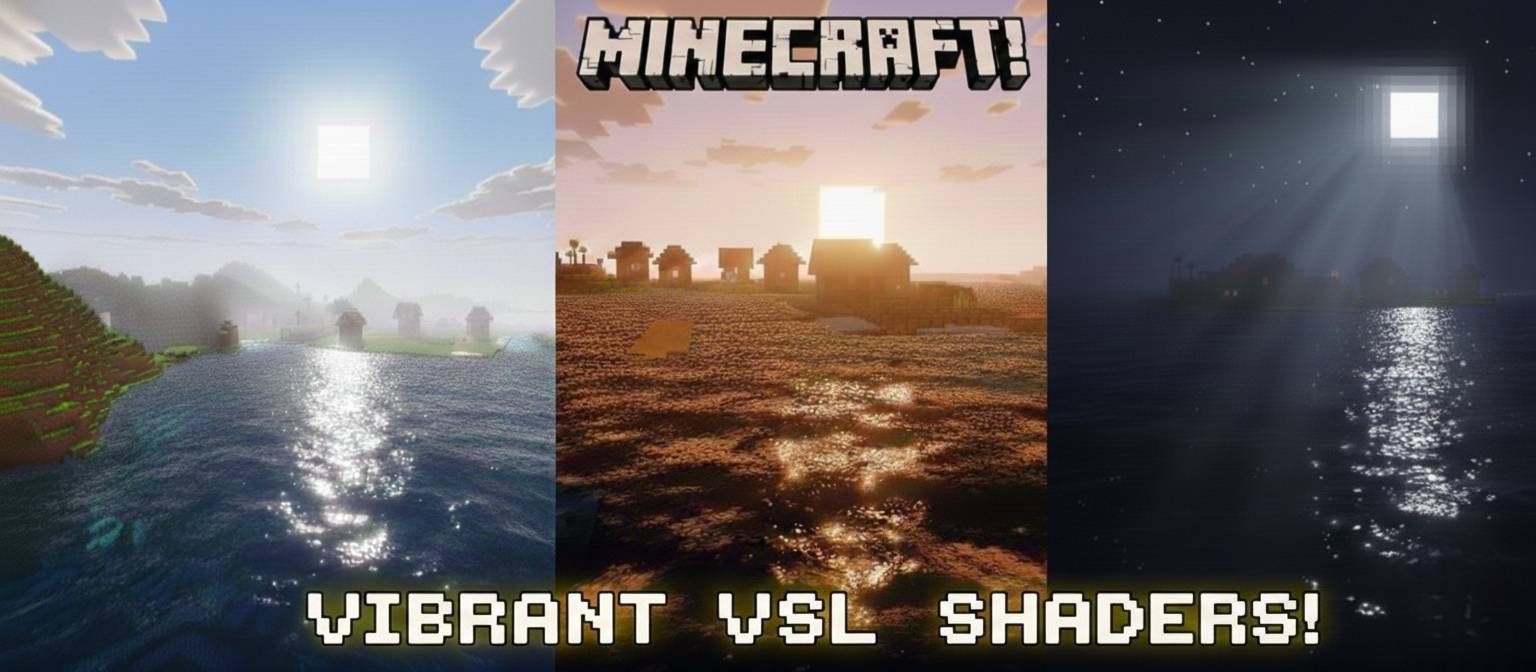
Vibrant VSL Shader
Vibrant VSL Shader brings a cinematic touch to your Minecraft world. Experience soft golden daylight, deep atmospheric bluish nights, and hyper-visible God-rays. This shader is the perfect balance of performance and high-end visuals, making every block look smooth and vibrant.


Important: To ensure the shader works correctly, make sure to turn ON Technical Preview/Deferred Rendering in your game settings and keep the "Vibrant VSL" pack at the top of your active resources.
Share your suggestions and report bugs in the comments below!
📢 Join Our Community!
Join our Discord server for early access to beta versions, high-quality textures, and direct support!
👉 [Click Here To Join Our Discord Community]
Quick facts
- Edition: Minecraft Bedrock
- File type: .mcpack
- Minecraft versions listed: 26.10, 26.3, 26.0
- How to install: Download the .mcpack. → Open it — Minecraft imports it under Resource Packs. → Activate it in Global Resources, or for one world under Resource Packs → Available.
- Where to get it: In MCModsHub, or directly above on this page.
Install steps are the general flow for this file type — How to install Minecraft Bedrock texture packs walks through it step by step.
File checked by MCModsHub
- Pack type: .mcpack — a single pack
- Complete pack — everything it depends on is inside the file
- Download size: 495 KB
- Download link checked 3 Aug 2026 — working
These come from our own check of the pack file, not from the source page.