Inventory Organizer
Bedrock texture pack listed for Minecraft 1.21. File opened and checked on 20 Sep 2026; installs from the MC Bedrock Mods app on Android.
⬇ Download on CurseForge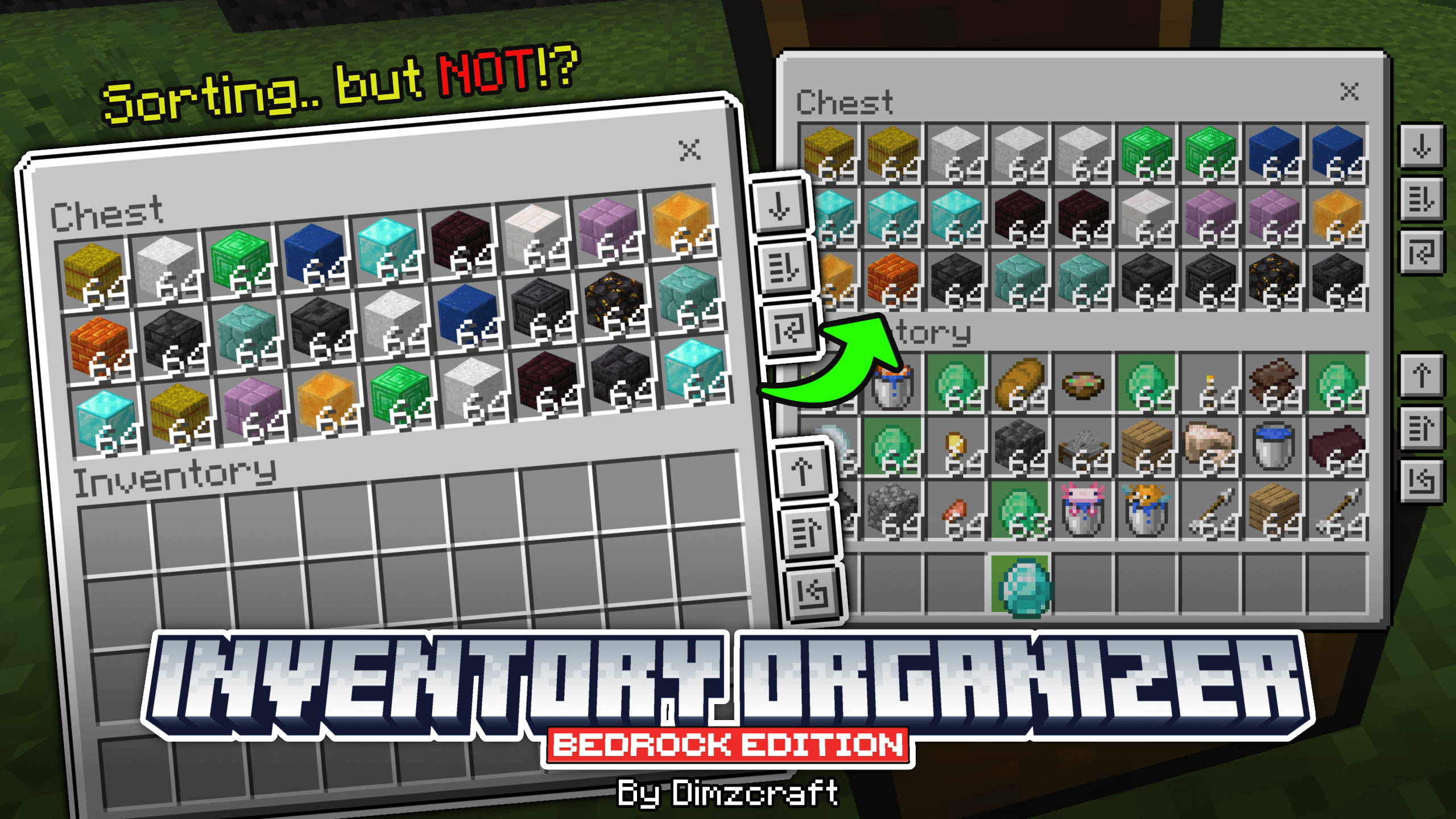
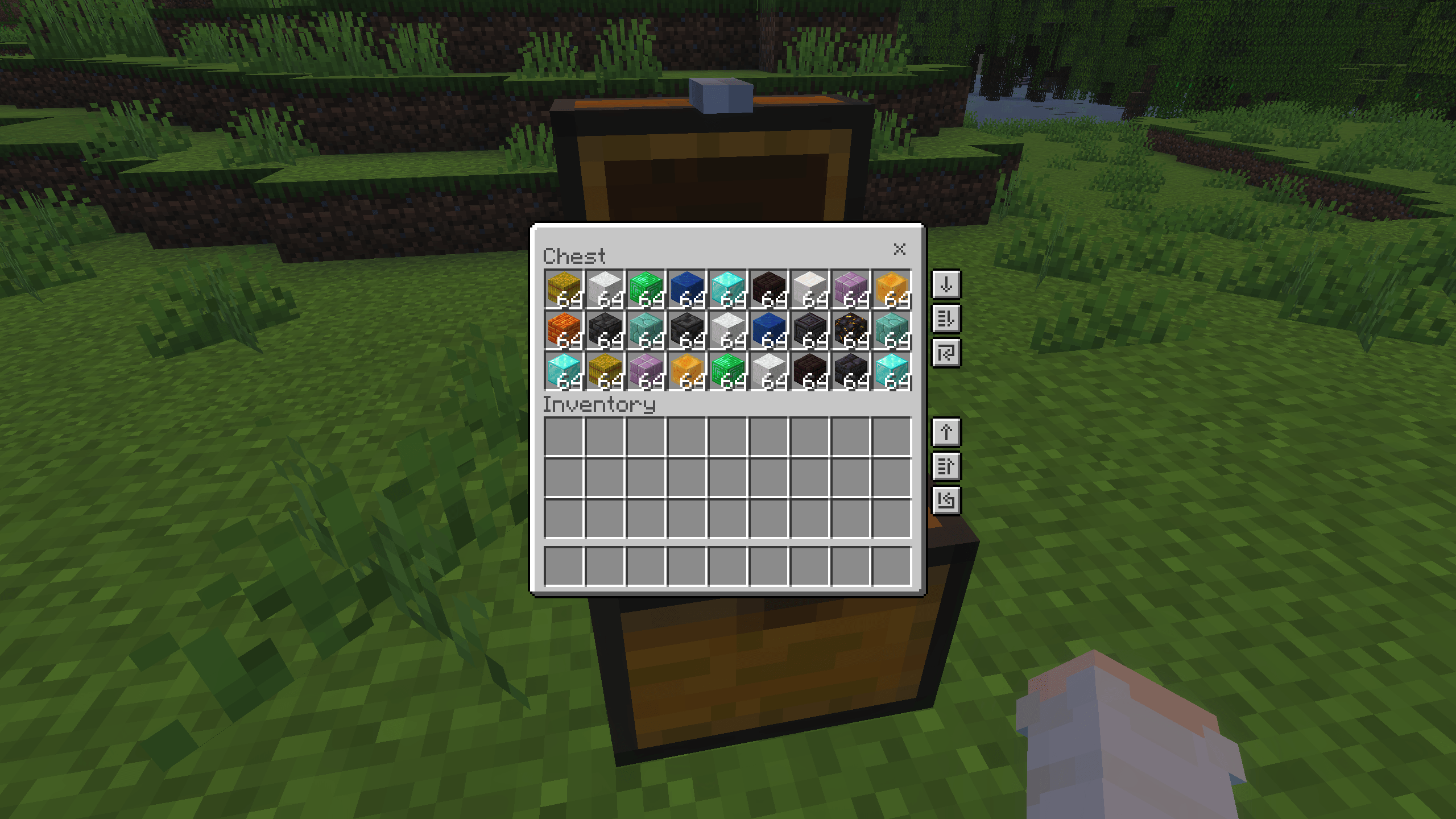


jhahahah, that’s right Wok.., this is the solution for you who’s tired of moving items or searching items manually!
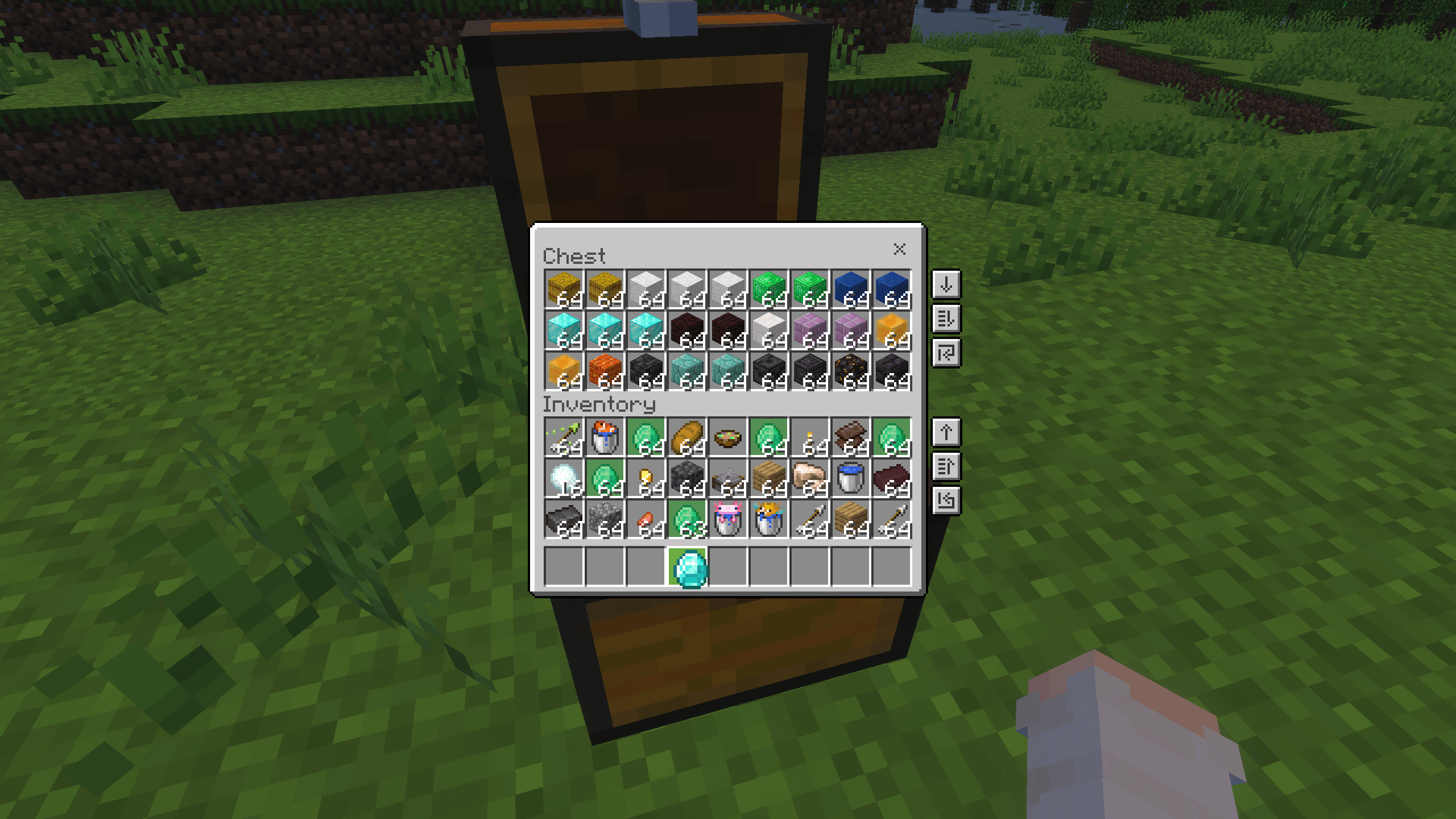
So what does this resource pack actually do? Well, here’s how it works, when you open a chest, you’ll see some buttons on the right side (check the screenshot), there are two sections there, container buttons and inventory buttons, okay so the first button is used to transfer all items, then the second button is a dynamic transfer that moves items closest to slot 0, you could call it a sorter but not really, hmm just think of it as a semi-sorter :v, alright then the third button is for refilling items, for example if you have a dispenser and want to refill arrows, you just press this button, and if you’re still confused you can check the showcase video below!
Showcase Video
Extra feature: selected item highlight, when you select an item, all matching item slots will be highlighted in green, this is useful if you’re too lazy to search for items.
Note: the buttons and item highlight are only available in all chests, hoppers, dispensers, and droppers.
Okay mina-san, let’s move on to the Q&A section.
Does this support other UI packs? Well, it depends, if another UI pack completely changes the entire UI, then this resource pack most likely won’t be supported.
Dark mode? Nope, not yet, I’ll add it in a future update.
Known issue:
The dynamic transfer button sometimes doesn’t work if you click the same spot while using touch or mouse, the workaround is to press Enter if you’re using a keyboard, or click the button then move slightly and click again.
Join Our Community
discussions, submit suggestions, report bugs and more
Discord Server | Telegram Group | Whatsapp Group(+62 only)
Reference: Inventory Management
- Edition: Minecraft Bedrock
- File type: .mcpack
- Minecraft versions listed: 1.21.130, 1.21.131, 1.21.132
- How to install: Download the .mcpack. → Open it — Minecraft imports it under Resource Packs. → Activate it in Global Resources, or for one world under Resource Packs → Available.
- Where to get it: Opens on CurseForge — not every file is mirrored on our own servers.
Install steps are the general flow for this file type — How to install Minecraft Bedrock texture packs walks through it step by step.
- Save it as Inventory Organizer v1.0.0.mcaddon before opening — it downloads as .mcpack, but it is a .mcaddon pack
- Manifest requires Minecraft 1.21.130 or newer
- Complete pack — everything it depends on is inside the file
- Download size: 59 KB
- Download link checked 26 Oct 2026 — working
These come from our own check of the pack file, not from the source page.


