![Celestia Visuals [ v1.8 ]](https://files.mcmodshub.com/img/curseforge/74354.png)
Texture packsBedrock
Celestia Visuals [ v1.8 ]
Bedrock texture pack listed for Minecraft 1.21–26.x. File opened and checked on 18 Oct 2026; installs from the MC Bedrock Mods app on Android.
Celestia Visuals adds a warm, saturated look to your world, enhancing colors, lighting and atmosphere for a richer, smoother visual experience. It creates…
I don't know my version
Open Minecraft and look at the bottom-left corner of the main screen — the version is printed there, like v1.26.30.
The game writes a 1. in front; the buttons above leave it off. v1.26.30 in the game is 26.30 here.
![Celestia Visuals [ v1.8 ] — screenshot 1](https://files.mcmodshub.com/img/curseforge/74354_s2669282.jpg)
Celestia Visuals
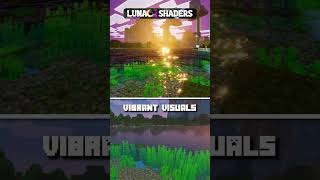
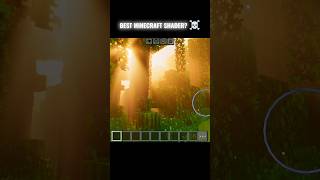
Celestia Visuals adds a warm, saturated look to your world, enhancing colors, lighting and atmosphere for a richer, smoother visual experience. It creates a soft, vibrant tone that makes the game feel more alive and visually appealing.
![Celestia Visuals [ v1.8 ] — Minecraft Bedrock texture pack, screenshot 1](https://blogger.googleusercontent.com/img/b/R29vZ2xl/AVvXsEgDNAenWRm4vQ6PXTbToXMPbpMUQ0EZ-4vM70bgVNfdEiDi1kGkRMClDTUnXnLRVn96Li47TlZgGnWBYmdjIp4YYnLj4YSjDuFncadyzYtv85q2Fxw_d9F8eelaoNY89kUj0b4oGoLq3JF3SRMlhAAsIDHJq-Czp2q5g4qYeAKz4k2Th2VT3Yh6f5p-Npc/s2400/1000437202.jpg)
![Celestia Visuals [ v1.8 ] — Minecraft Bedrock texture pack, screenshot 2](https://blogger.googleusercontent.com/img/b/R29vZ2xl/AVvXsEiGSjvb1CevQJQ2W4NCa4x6bVyMv2Vb2M_uFKxGncSHOjrOkoGcS3bpULhuI9If5k5tjko3KQXXla2F25c_fdYB93seoBr9KsjRyvGFNlYzovS6Qq2k-PdK6k4x3wNyyo1mJAyMj9b_OkdIWwNlJLOBe5dKOjWWyuvGtusFIUmGBvb1866N2sF2lbRIKv4/s2400/1000437203.jpg)
![Celestia Visuals [ v1.8 ] — Minecraft Bedrock texture pack, screenshot 3](https://blogger.googleusercontent.com/img/b/R29vZ2xl/AVvXsEiQOQ2xscYC2a3MZ8N3wDtKK0GKhfkfCH1yKHQURXIdR-Jg1ngb9OFKIf9JKJDkqLVZppWjYTxQ4gdjd-ZQo5Odi4HlmVzxAqG9akB4ai45XEYINnNjzqGTixjnoMTiTdOUyRsGlepxD773eClMkN-CgbbO37sA0E6D62Sq_yKYYIEd9hMo_Dd8u82TF7s/s2400/1000437198.jpg)
![Celestia Visuals [ v1.8 ] — Minecraft Bedrock texture pack, screenshot 4](https://blogger.googleusercontent.com/img/b/R29vZ2xl/AVvXsEhN-p2sLdXXXmAomSSyPQFJZTqIxvrvbwHvVJpqpFBnqWTbT9s2kmPO-U11rWXbCAJ1FwPsIkoiIZMyFjGXDeI4AV7ZPjkStnbCBx8YjTP5Y84MdTTyvGfDIk3gyE9OHwj6vTSOjMXsyEBaMheXewo15tPtJdQZl1CSbJc8o1BVw2qU9MoDXxc967ox048/s2400/1000437204.jpg)
![Celestia Visuals [ v1.8 ] — Minecraft Bedrock texture pack, screenshot 5](https://blogger.googleusercontent.com/img/b/R29vZ2xl/AVvXsEimj_xtAfArUCY05MROZPUAyBC8jUQKXL2K_7kpwWrE5Pd3oZjgBFoNENzAEUQZa1slZ9H4t0dpo0WwfEPeS9AADHgZRDCis-Rlwq0TaHbBee0BPg1c-GBa1UvilCSEx2D7Ig9FyAzwGpKNoyYrHn_5IuulrHgaRg_O26SpbAp8mAdFdrNz6Mq7yl5GXUE/s2400/1000437201.jpg)
![Celestia Visuals [ v1.8 ] — Minecraft Bedrock texture pack, screenshot 6](https://blogger.googleusercontent.com/img/b/R29vZ2xl/AVvXsEgZFD1OidWU4sPOIWGvNcHdqQ0X6kqE91Ts0IorJzjpDjf6Q856uad68bphfTbBFhHdBl81d1bAH3Y0PfrpS4rhgEnsda6yDJ6fl-xcCxLUA5LzK_Ykwh8ayBViPd4N3qtFUspYn89GxD00Vb2XjdltU9998PHbx0Mt9PmoVwAiX-H-EFjw_fum_ry88G0/s2400/1000437197.jpg)
![Celestia Visuals [ v1.8 ] — Minecraft Bedrock texture pack, screenshot 7](https://blogger.googleusercontent.com/img/b/R29vZ2xl/AVvXsEjWCPZr_OT1-cDCiXYepOE5ISsXrX21NbYGyXHP8KBuqs0dZ9fB_Punhjh8tEL3ErsC4JF7TsAQTVsRSAe9tKqyEp9cNPU6KOCn7KpQzC0N5cpoyFvfsepjj-flvRLDjitgljy27NqZAW2YLeLDVtZa7-cNRONLAYisajJycbJw8LAehTzUZlL2djDwAVU/s2400/1000437199.jpg)
Important:For the shader to work properly, make sure to turn ON Vibrant Visuals in your game settings.
Comment Down Your suggestions and Bugs
💬 Join Our Discord Server!
● Be a part of the Aetheris journey! By joining our Discord community, you get:
● 🚀 Early Access: Get beta versions of new updates before anyone else.
● 🛠️ Support: Get help with installation or report any bugs directly.
● 📸 Showcase: Share your best Celestia screenshots and get featured.
● 🎁 Exclusives: Exclusive sneak peeks at upcoming projects and add-ons.
[ Click Here To Join Our Discord community ]
Quick facts
- Edition: Minecraft Bedrock
- File type: .mcpack
- Minecraft versions listed: 26.10, 26.3, 26.0
- How to install: Download the .mcpack. → Open it — Minecraft imports it under Resource Packs. → Activate it in Global Resources, or for one world under Resource Packs → Available.
- Where to get it: Opens on CurseForge — not every file is mirrored on our own servers.
Install steps are the general flow for this file type — How to install Minecraft Bedrock texture packs walks through it step by step.
File checked by MCModsHub
- Save it as Celestia Visuals [ v2.6 ].mcaddon before opening — it downloads as .mcpack, but it is a .mcaddon pack
- Manifest requires Minecraft 1.21.0 or newer
- Complete pack — everything it depends on is inside the file
- Download size: 2.1 MB
- Download link checked 26 Oct 2026 — working
These come from our own check of the pack file, not from the source page.