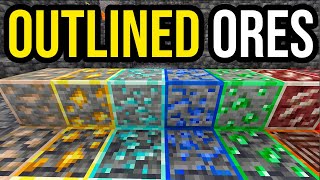
Ore Highlighter | Ore Outline & Glowing Ores
Bedrock texture pack listed for Minecraft 1.20–26.x. File opened and checked on 18 Oct 2026; installs from the MC Bedrock Mods app on Android.
Better Ore Outlines adds clean, colored borders to every mineral! 💎 Find ores easily in deep caves with emissive textures. Fully optimized for 1.26 and…
⬇ Download on CurseForgeThe author built this one for Minecraft 1.20–26.40. On other versions it may install and then do nothing.
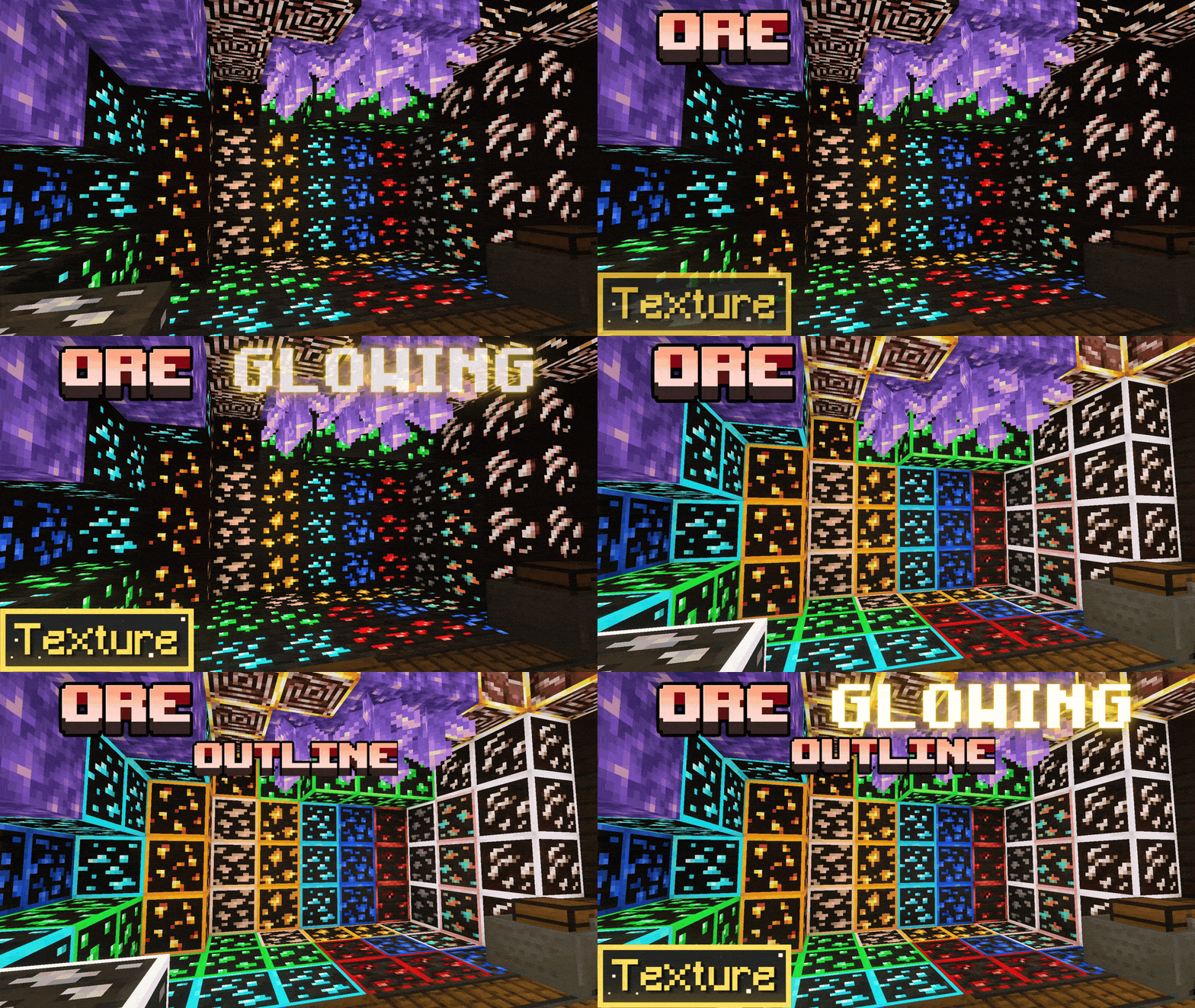
Ore Highlighter (also known as Ore Outline Border) is the ultimate lightweight survival utility texture pack for Minecraft Bedrock. Easily spot diamonds, netherite, and ancient debris in the deepest caves with clean, high-visibility colored outlines.
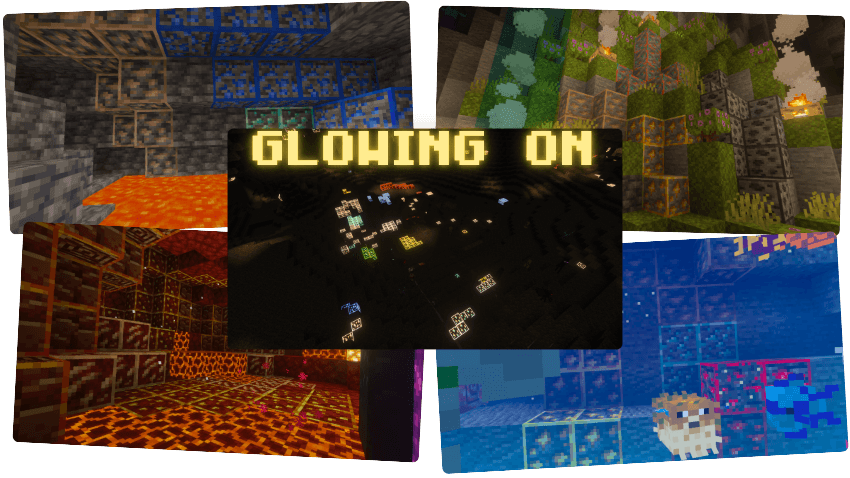
⚙️ NEW: IN-GAME SUBPACK SELECTOR! (Classic & Animated Glow)
Now you can fully customize your mining experience! Click the gear icon in your global resources to switch between:
- 🔹 Classic Outline Mode: Clean, static colored borders around every ore block. Perfect for a traditional vanilla+ aesthetic.
- 🔥 Animated Glowing Mode: Features smooth, animated glowing borders that make valuable minerals pulse and stand out instantly, even in pitch-black caves or underwater!
🌟 KEY FEATURES & GRAPHICS SUPPORT:
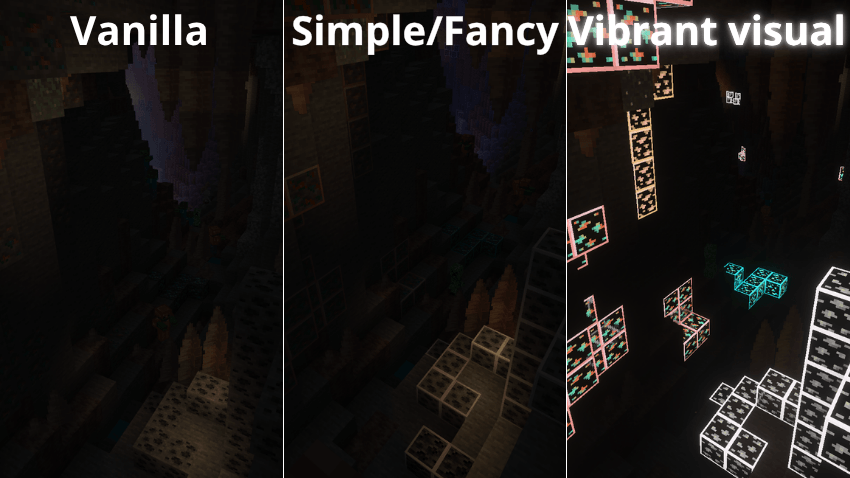
- ✨ Vibrant Visuals Shader Support: 100% compatible with Minecraft Bedrock's new Deferred Technical Preview! Ores emit a brilliant, realistic emissive glow when using vibrant visuals or PBR shaders.
- ❌ No X-Ray Needed: Keep your survival playthrough fair and square while boosting your mining efficiency.
- 🏆 Achievement Friendly: Does not disable Xbox/PlayStation achievements or world trophies. No experimental toggles required!
- 🌐 Realms & Multiplayer Ready: Works flawlessly on servers, local multiplayer, and official Bedrock Realms without causing performance drops or server tick lag.
- 📦 Universal Compatibility: Blends perfectly with other texture packs, custom UIs, and major add-ons like Action and Stuff.
⚠️ LATEST NEWS ⚠️
The texture pack works for all players, whether they use simple graphics or vibrant visuals. However, to use Glowing Mode, Vibrant Visuals must be enabled.

📜 Terms of Use & Credits
✅ You are ALLOWED to:
- Modify this pack for personal use only.
- Review or showcase this pack, as long as you provide the original download link.
❌ You are NOT ALLOWED to:
- Claim this pack or its files as your own.
- Distribute or publish modified versions of this pack.
- Reupload this pack to other websites (9Minecraft, ModBay, etc.).
- Share unofficial download links. Always use the original source.

🧡SUPPORT THE CREATOR🧡
If you'd like to support my work, you can complete a quick ad step through Linkvertise. It takes just a few seconds and directly supports future project updates!
This is completely optional — no downloads are required here, just a simple way to show your support if you appreciate the content.

- Edition: Minecraft Bedrock
- File type: .mcpack
- Minecraft versions listed: 1.20, 1.21, 26.10
- How to install: Download the .mcpack. → Open it — Minecraft imports it under Resource Packs. → Activate it in Global Resources, or for one world under Resource Packs → Available.
- Where to get it: Opens on CurseForge — not every file is mirrored on our own servers.
Install steps are the general flow for this file type — How to install Minecraft Bedrock texture packs walks through it step by step.
- Pack type: .mcpack — a single pack
- Manifest requires Minecraft 1.21.100 or newer
- Complete pack — everything it depends on is inside the file
- Download size: 286 KB
- Download link checked 5 Oct 2026 — working
These come from our own check of the pack file, not from the source page.