Easter Eggs Rename A&S
Bedrock texture pack listed for Minecraft 1.19–26.x. File opened and checked on 22 Oct 2026; installs from the MC Bedrock Mods app on Android.
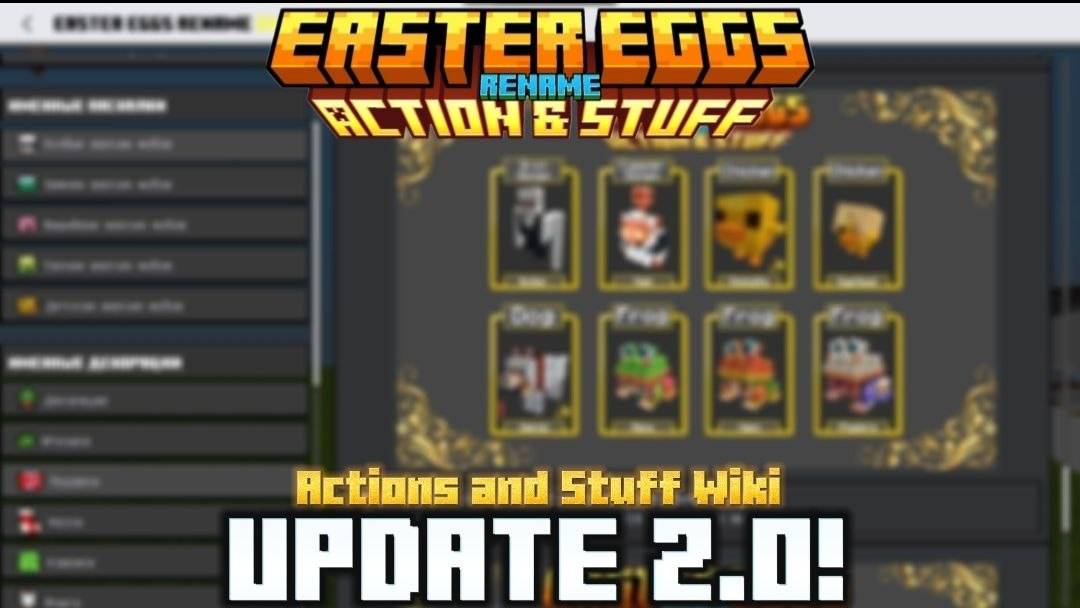
This texture pack adds a pause menu hint. It lists all the named Easter eggs from the "Actions And Stuff" texture pack.
I don't know my version
Easter Eggs Rename A&S
A resource pack that replaces the useless "How to Play" button in the pause menu with a complete guide to named easter eggs in the Actions & Stuff texture pack.
No more guessing what name to give a mob or which item to put on an armor stand! Just open the pause menu and get all the information you need: names, items, versions, and facts.
> ⚠️ Important: This pack does not add any new animations or easter eggs. It only displays what is already included in Actions & Stuff.
---
✨Features
- 🔍 Full list of named easter eggs — special mobs: snowy, cherry, sulfur, autumn, and baby variants.
- 🎨 Named decorations — custom decors, toys, gifts, stockings, rugs, flags, and blocks/cubes.
- 🧩 Secret blocks, transformations, hats, clothing, and poses.
- 📋 One-click name copying — just click on a name and paste it right into the anvil!
- ⚙️ Flexible customization — hide unwanted tabs or entire categories to clean up your UI.
Open Menu
---
Standard Nametags
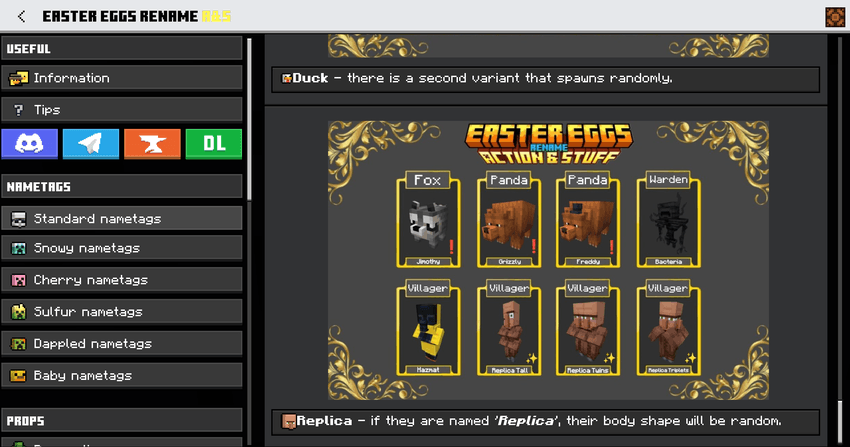
Props
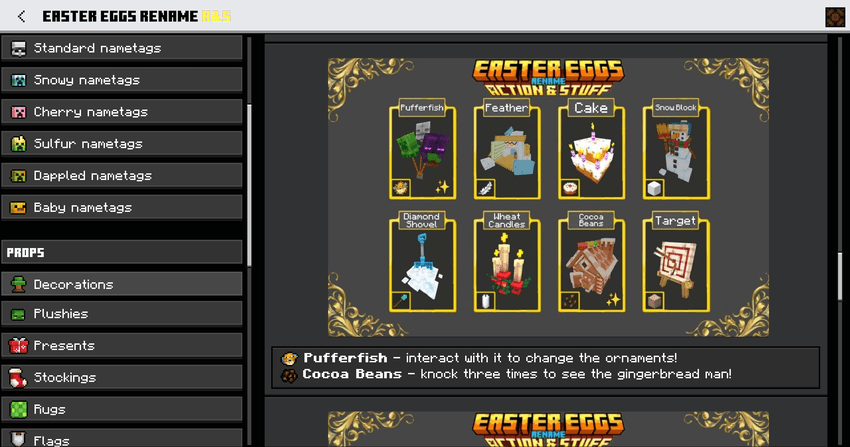
---
Plushies
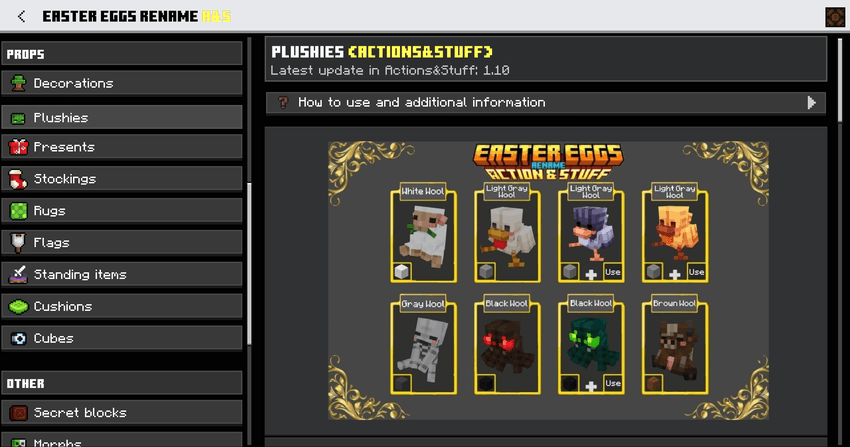
---
Couches
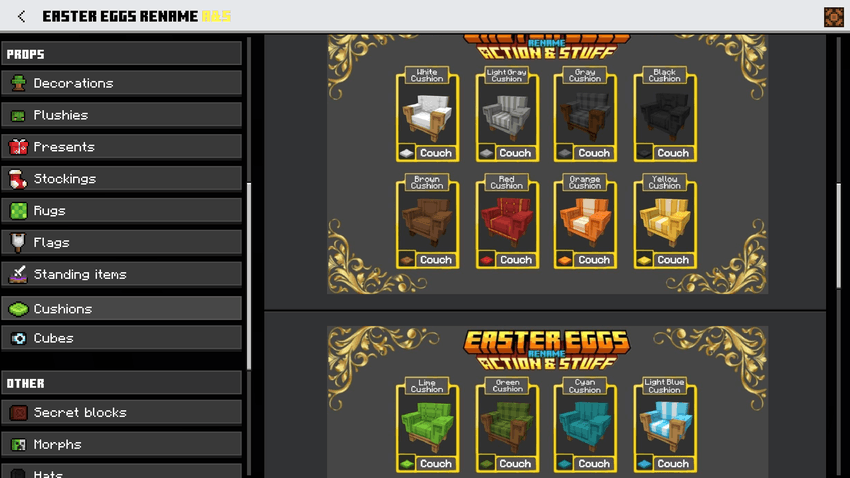
Costumes
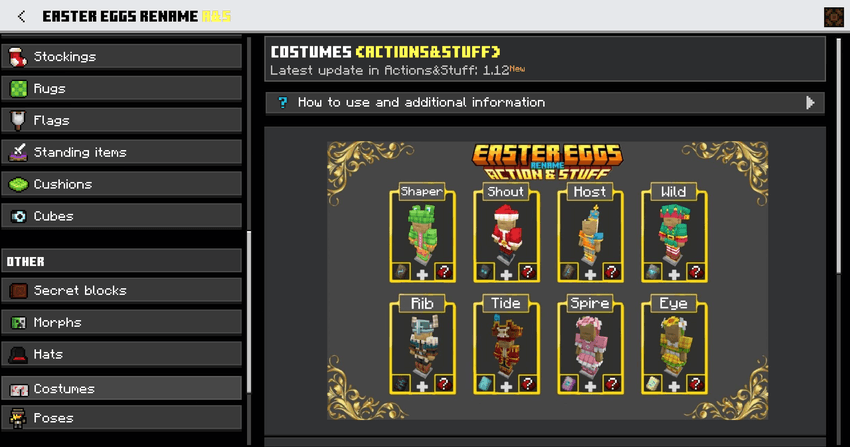
---
Poses
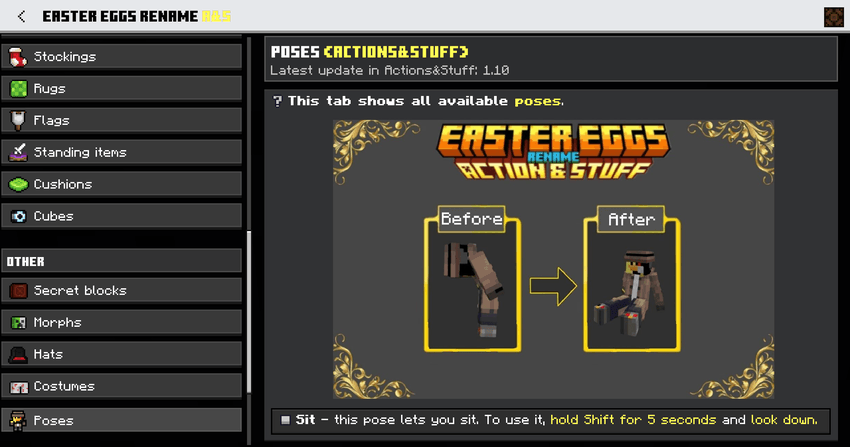
---
🌍 Supported Languages
| Language | Region / Country | Translator |
|------|--------|------------|
| Русский | Россия | Milka & Nikita |
| English | United States | Milka & ChatGPT |
| Español | España | ChatGPT |
| Español | México | ChatGPT |
| Português | Brasil | ChatGPT |
| 中文 | 简体 / 繁體 | MIMI_HK98 |
---
⚙️ Setting
> You can hide unwanted tabs or entire categories in the `ui/_global_variables.json` file. For more details, check the "Tips" tab → "How to hide unwanted tabs".
---
🔗 Links
- Telegram: https://t.me/Easter_Team
- Discord: https://discord.gg/N8szypQqTR
---
🙏 Credits & Special Thanks
- ItzRiyo157 — for permission to use the text copying feature from the Déesse UI Pack.
- Oreville Studios — for providing early updates of Actions & Stuff.
- Nikita218000 — testing.
- MIMI_HK98 — Chinese translation.
---
Usage rules:
✅ Allowed:
- Edit textures for personal use only.
- Create video content for any platform.
❌ Prohibited:
- Distribute the pack via third-party links. Always use the official pages: MCPEDL or CurseForge.
- Reupload or publish modified versions of the pack.
Important note: This texture pack does not add the animations or the actual mob textures from Actions&Stuff—it is merely a guide. All Easter eggs work only if Actions&Stuff is installed.

A&S | Actions And Stuff | Action & Stuff | Action&Stuff | Action n Stuff | Ans | ActionsAndStuff | ActionnStuff
- Edition: Minecraft Bedrock
- File type: .mcpack
- Minecraft versions listed: 26.10, 1.21.120, 1.19
- How to install: Download the .mcpack. → Open it — Minecraft imports it under Resource Packs. → Activate it in Global Resources, or for one world under Resource Packs → Available.
- Where to get it: Opens on CurseForge — not every file is mirrored on our own servers.
Install steps are the general flow for this file type — How to install Minecraft Bedrock texture packs walks through it step by step.
- Save it as EasterEggs.mcaddon before opening — it downloads as .mcpack, but it is a .mcaddon pack
- Manifest requires Minecraft 1.21.120 or newer
- Complete pack — everything it depends on is inside the file
- Download size: 14.4 MB
- Download link checked 5 Oct 2026 — working
These come from our own check of the pack file, not from the source page.