Dynamic Wave
Bedrock texture pack listed for Minecraft 1.20–26.x. File opened and checked on 15 Oct 2026; installs from the MC Bedrock Mods app on Android.
⬇ Download on CurseForgeThe author built this one for Minecraft 26.10–26.50. On other versions it may install and then do nothing.


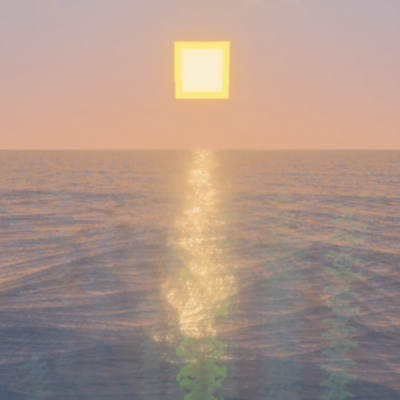
Dynamic Wave makes the sea look more realistic and natural by adding smooth, dynamic wave movements that react more naturally in the environment. It also enhances visual detail with improved water motion and adds light reflections on the surface, making oceans and large bodies of water feel more alive and immersive in your world
The waves may make you feel sleepy if you watch them for too long
Make sure to enable VS for this to work properly
- Edition: Minecraft Bedrock
- File type: .mcpack
- Minecraft versions listed: 26.10, 26.20, 26.30
- How to install: Download the .mcpack. → Open it — Minecraft imports it under Resource Packs. → Activate it in Global Resources, or for one world under Resource Packs → Available.
- Where to get it: Opens on CurseForge — not every file is mirrored on our own servers.
Install steps are the general flow for this file type — How to install Minecraft Bedrock texture packs walks through it step by step.
- Save it as dynamic wave 1.7.mcaddon before opening — it downloads as .mcpack, but it is a .mcaddon pack
- Manifest requires Minecraft 1.20.30 or newer
- Complete pack — everything it depends on is inside the file
- Download size: 215 KB
- Download link checked 5 Oct 2026 — working
These come from our own check of the pack file, not from the source page.