Texture packsBedrock
Mouse Wheel Tweaks
Bedrock texture pack listed for Minecraft 1.21–26.x. File opened and checked on 14 Sep 2026; installs from the MC Bedrock Mods app on Android.
⬇ Download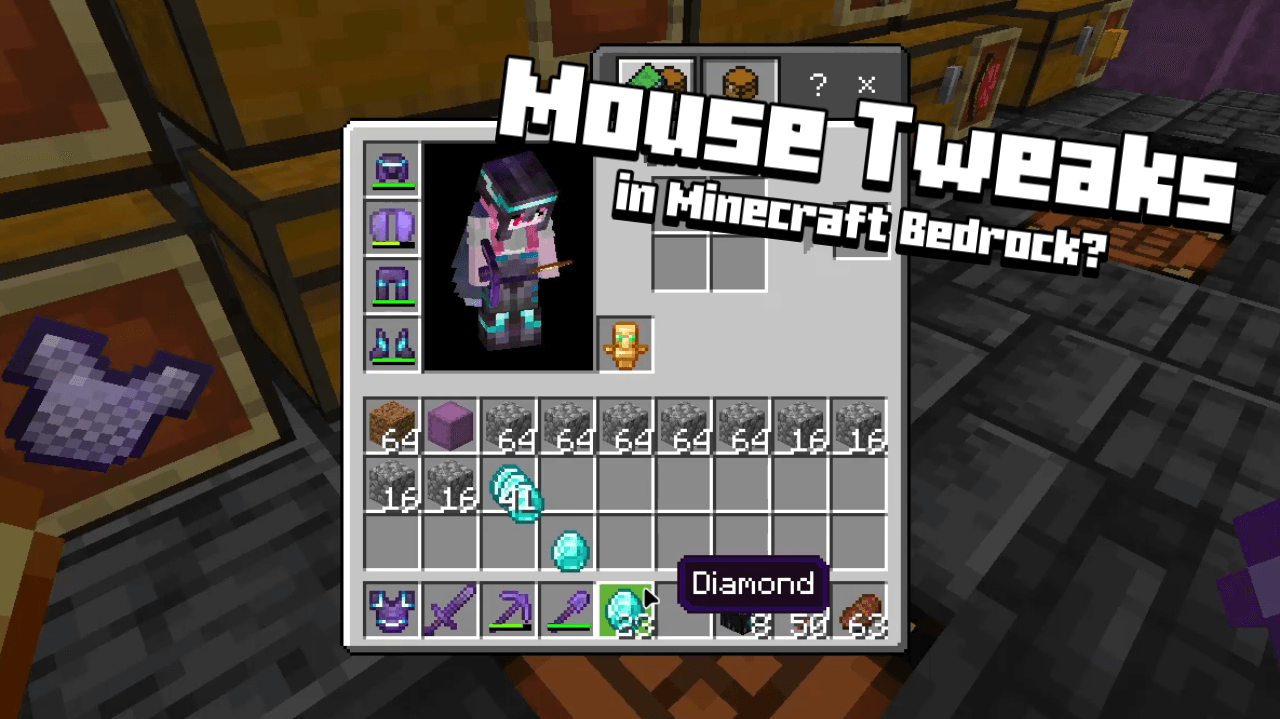
Mouse Wheel Tweaks is a texture pack that adds functions to the mouse scroll wheel for inventory management. You can move items by scrolling the mouse wheel, just like the mods in Minecraft Java.
How To Use:
- Hover over a slot to start moving items with the mouse scroll wheel.
- It also works on output slots like crafting output slot or furnace output slot, but only Move One mode that works.
- There are two modes for moving items: Move One and Move All. You can switch between them with the TAB key.
- You can also move items by dragging them while scrolling the mouse wheel.
- There are subpacks to select the default mode when opening the screen.
reference: https://www.curseforge.com/minecraft/mc-mods/mouse-tweaks
NOTICES:
- This pack does not support bundle items because it conflicts with mouse scrolling to select items within the bundle.
Terms Of Use:
You are ALLOWED to:
- Modify this pack only for personal uses.
- Make a review about this pack, as long as you put original download link in description (Curseforge or Mcpedl).
You are NOT ALLOWED to:
- Distribute the modified pack to public.
- Redistribute this pack to other sites (9minecraft, modbay and etc.)
- Share links that are not from original sources (Curseforge or Mcpedl).
Quick facts
- Edition: Minecraft Bedrock
- File type: .mcpack
- Minecraft versions listed: 1.21.30, 1.21.50, 1.21.20
- How to install: Download the .mcpack. → Open it — Minecraft imports it under Resource Packs. → Activate it in Global Resources, or for one world under Resource Packs → Available.
- Where to get it: In MCModsHub, or directly above on this page.
Install steps are the general flow for this file type — How to install Minecraft Bedrock texture packs walks through it step by step.
File checked by MCModsHub
- Pack type: .mcpack — a single pack
- Complete pack — everything it depends on is inside the file
- Download size: 47 KB
- Download link checked 25 Aug 2026 — working
These come from our own check of the pack file, not from the source page.