Classic Texture Fix
Bedrock texture pack listed for Minecraft 1.21–26.x. File opened and checked on 16 Sep 2026; installs from the MC Bedrock Mods app on Android.
I don't know my version
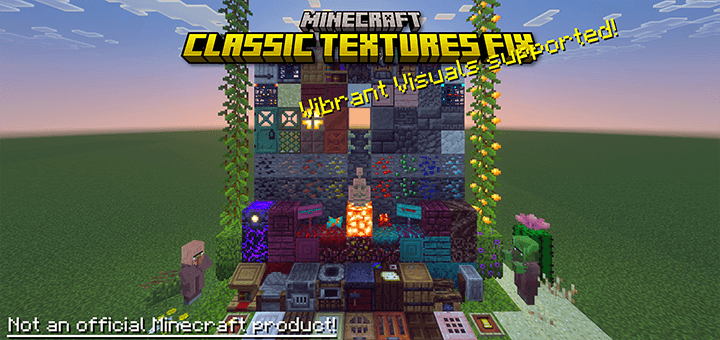
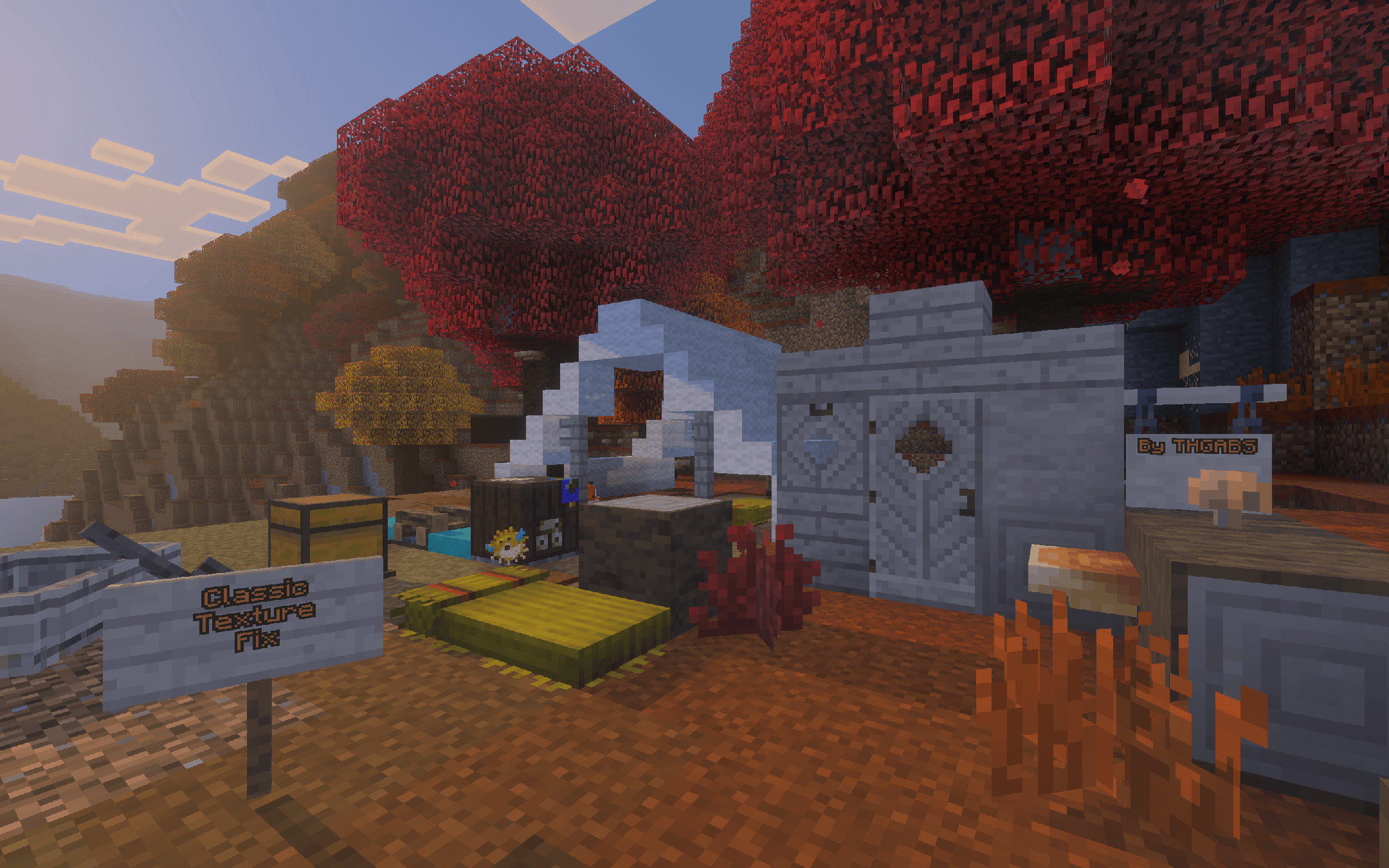
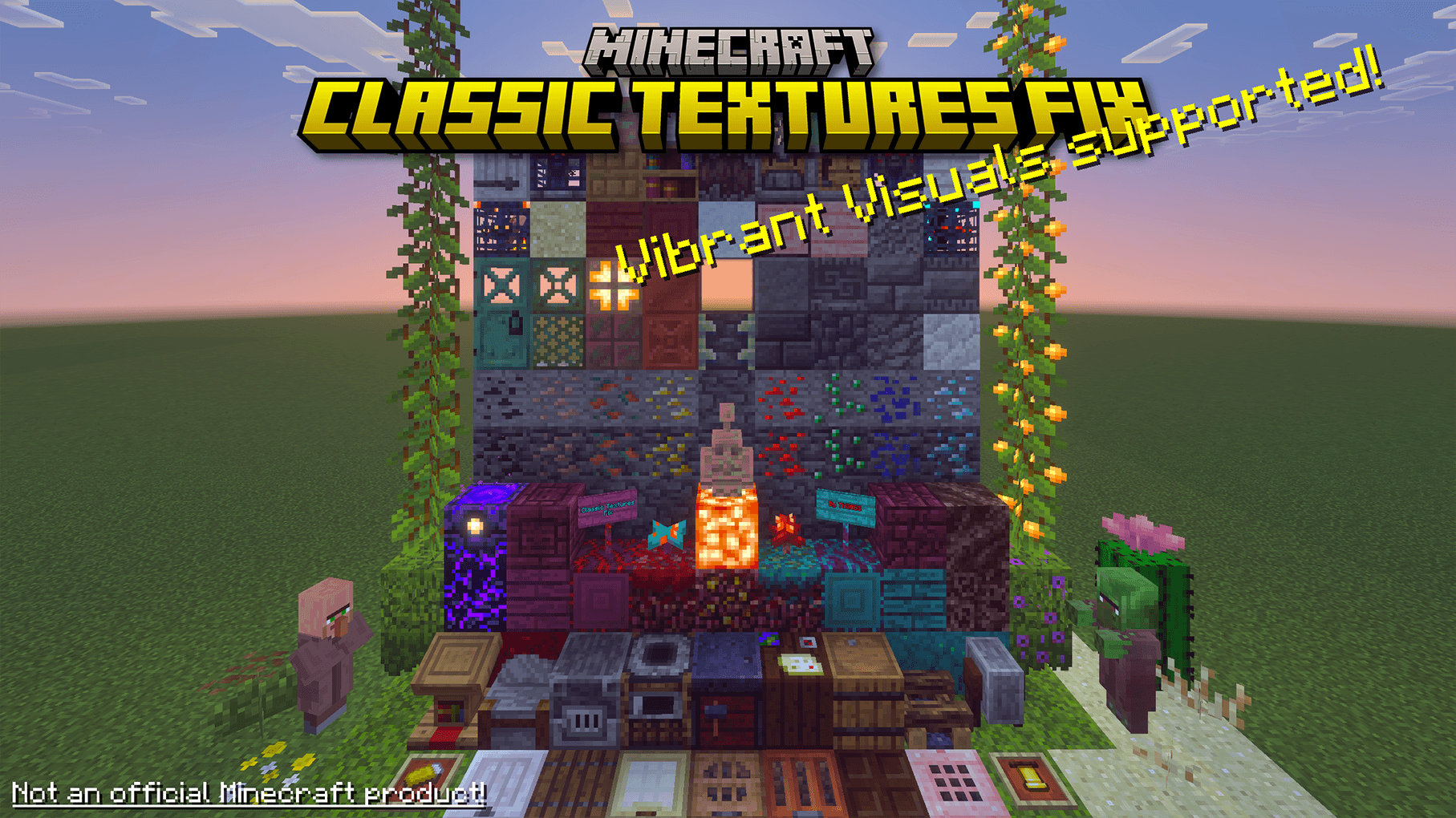
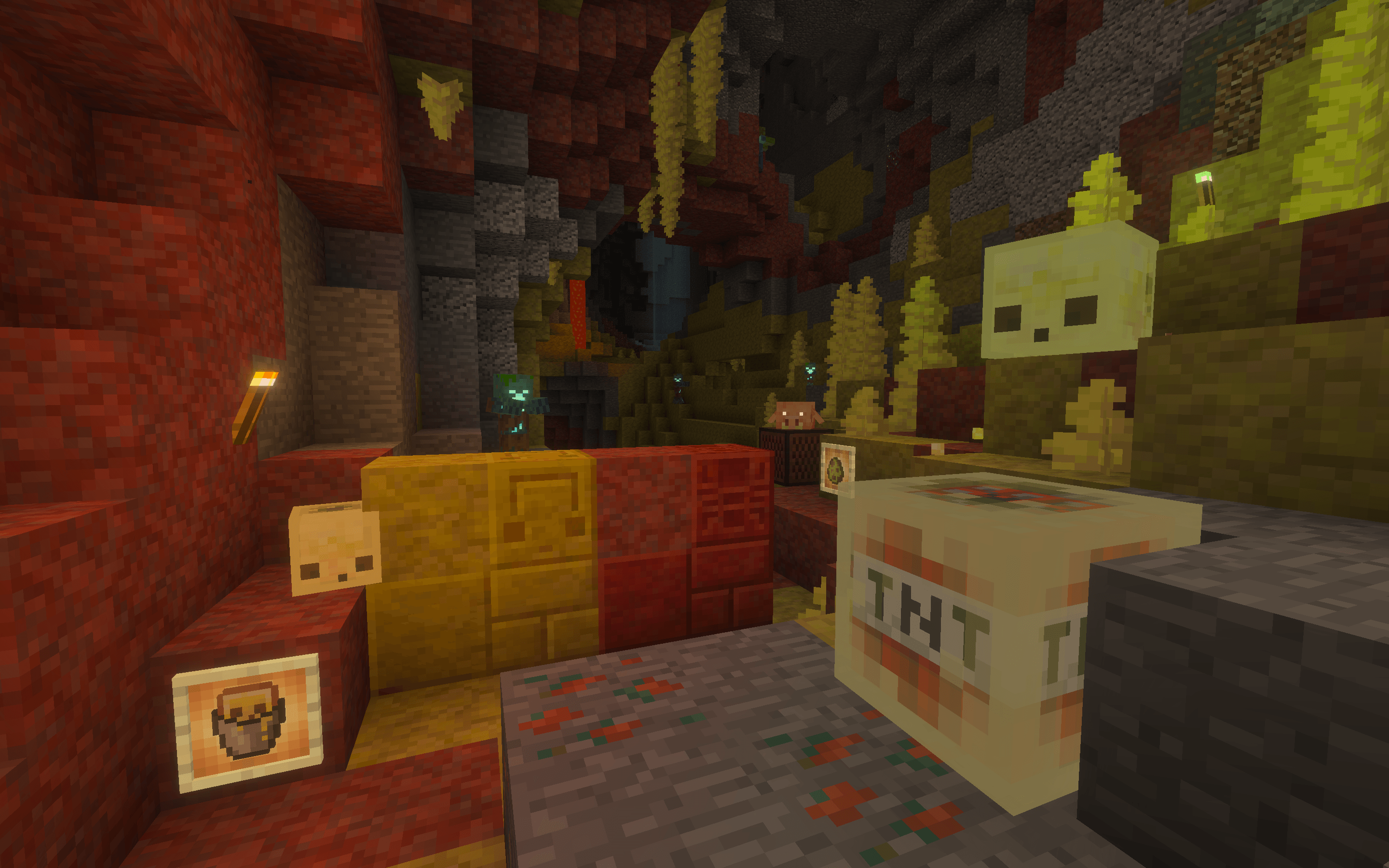
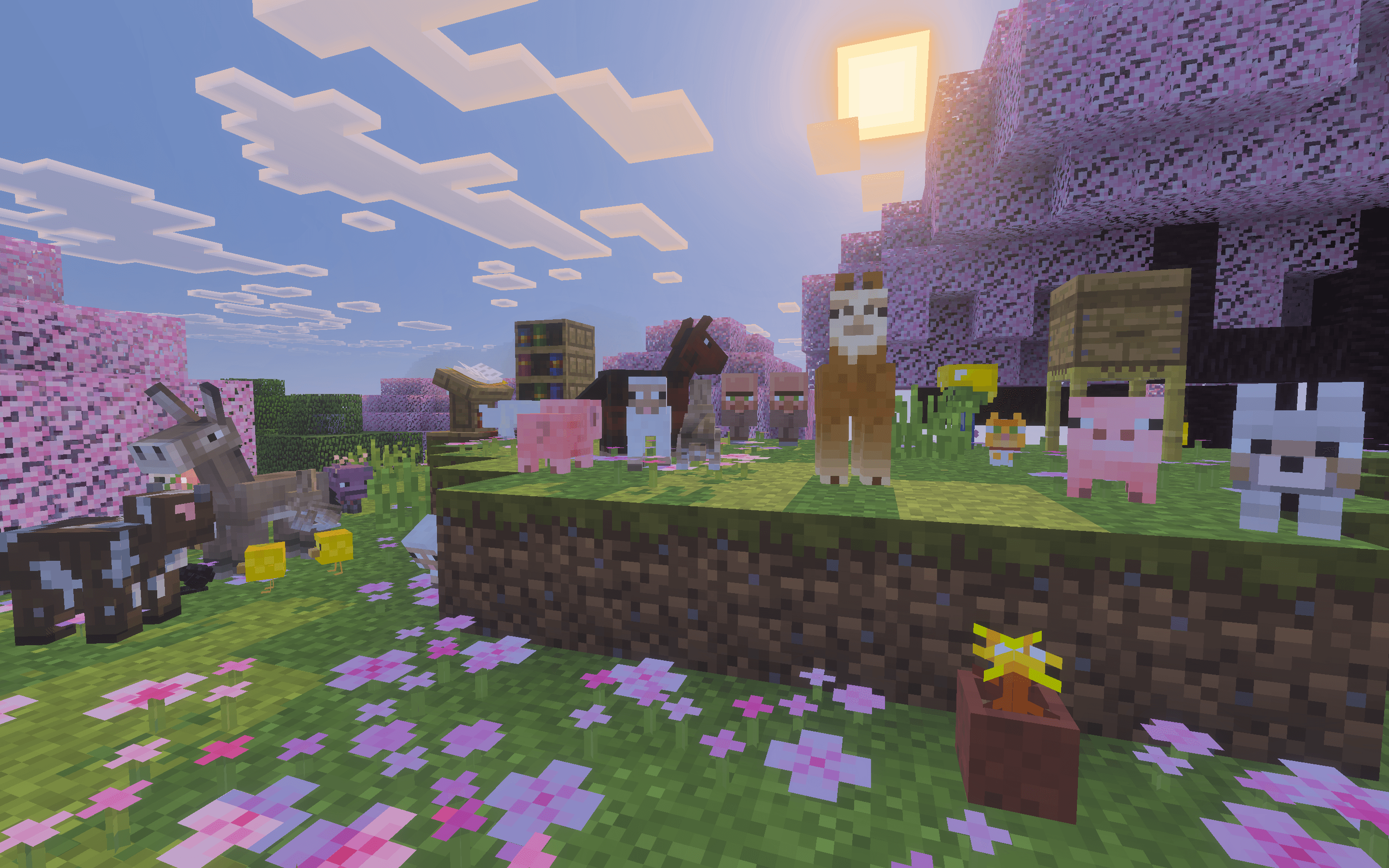
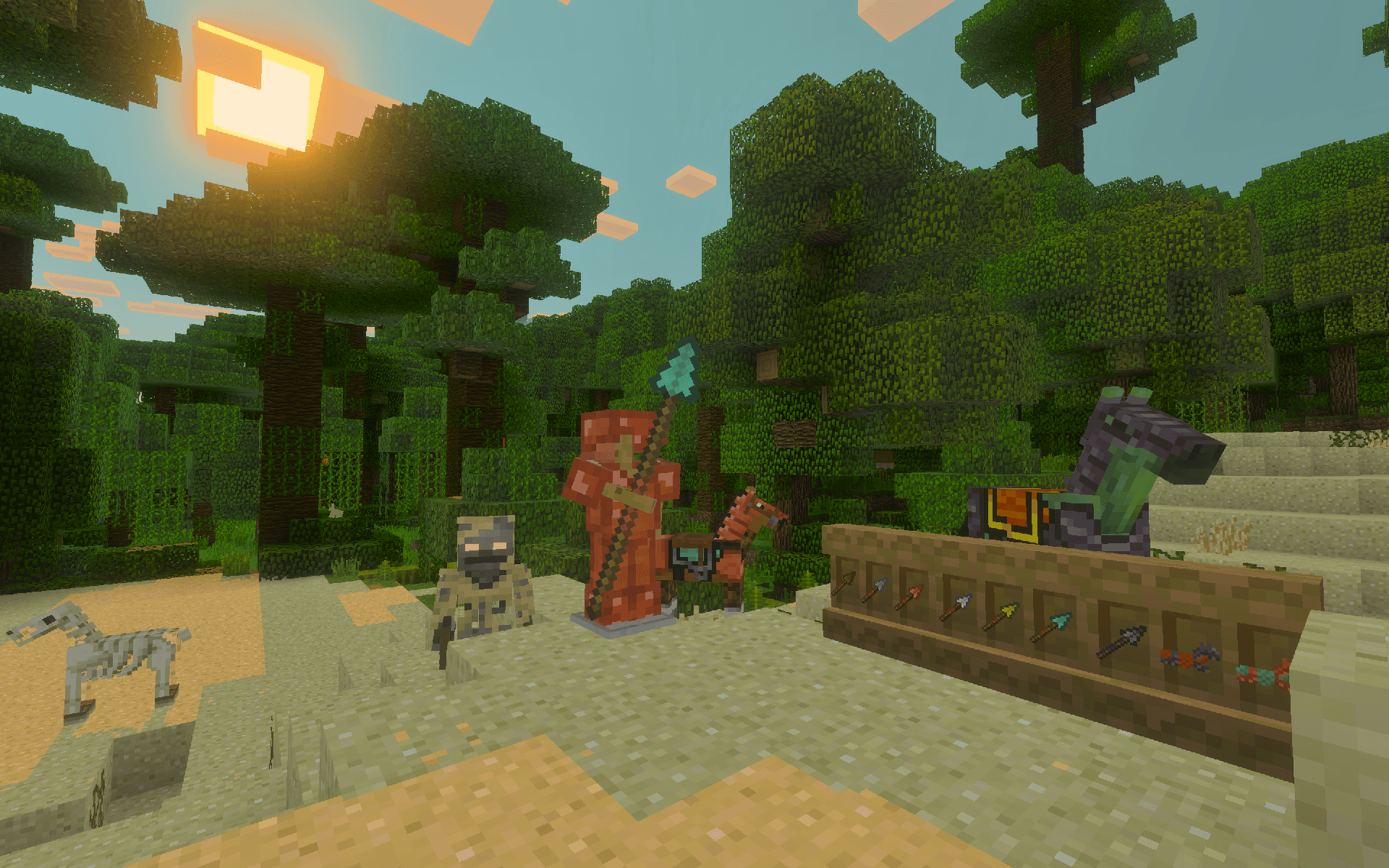
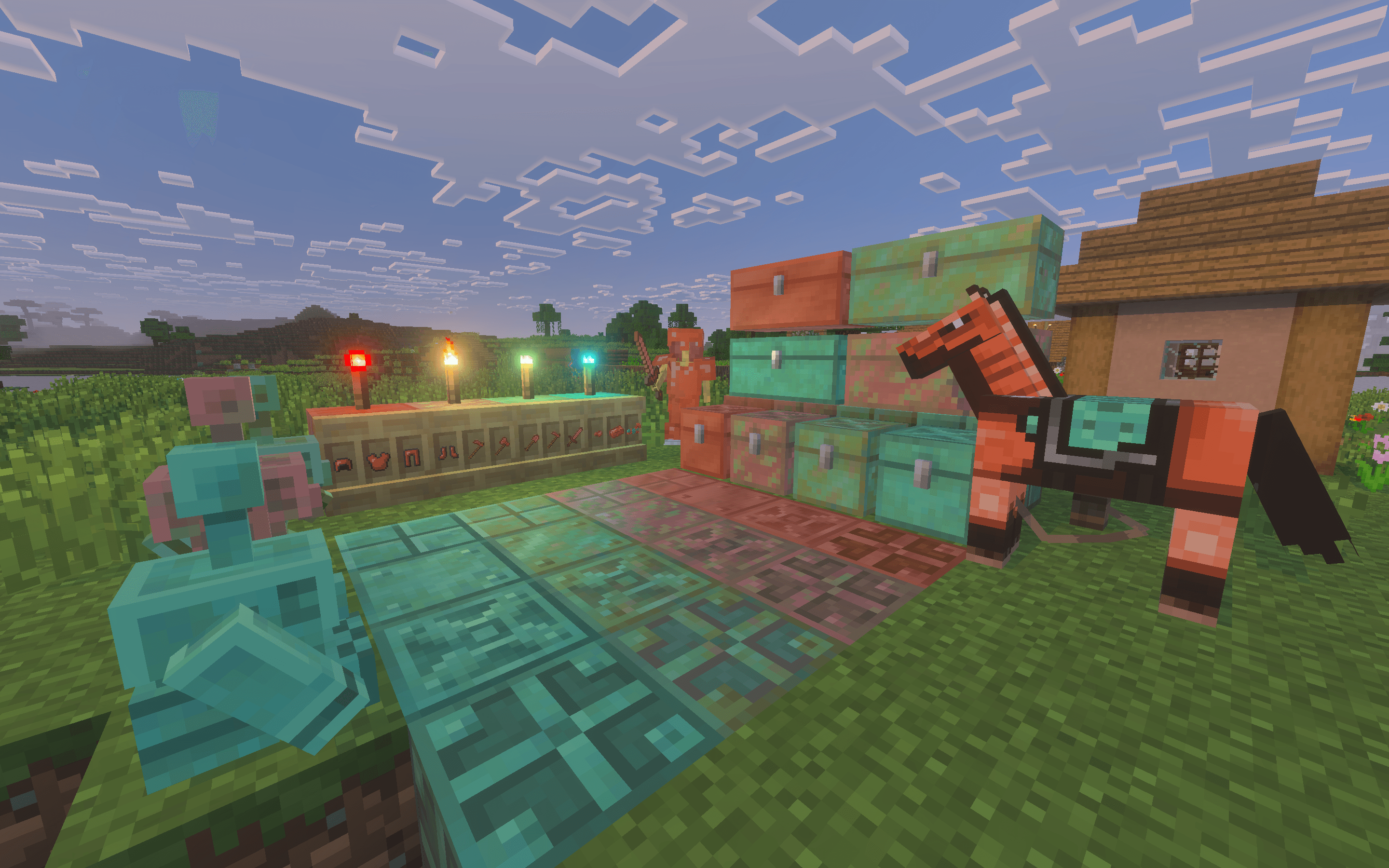
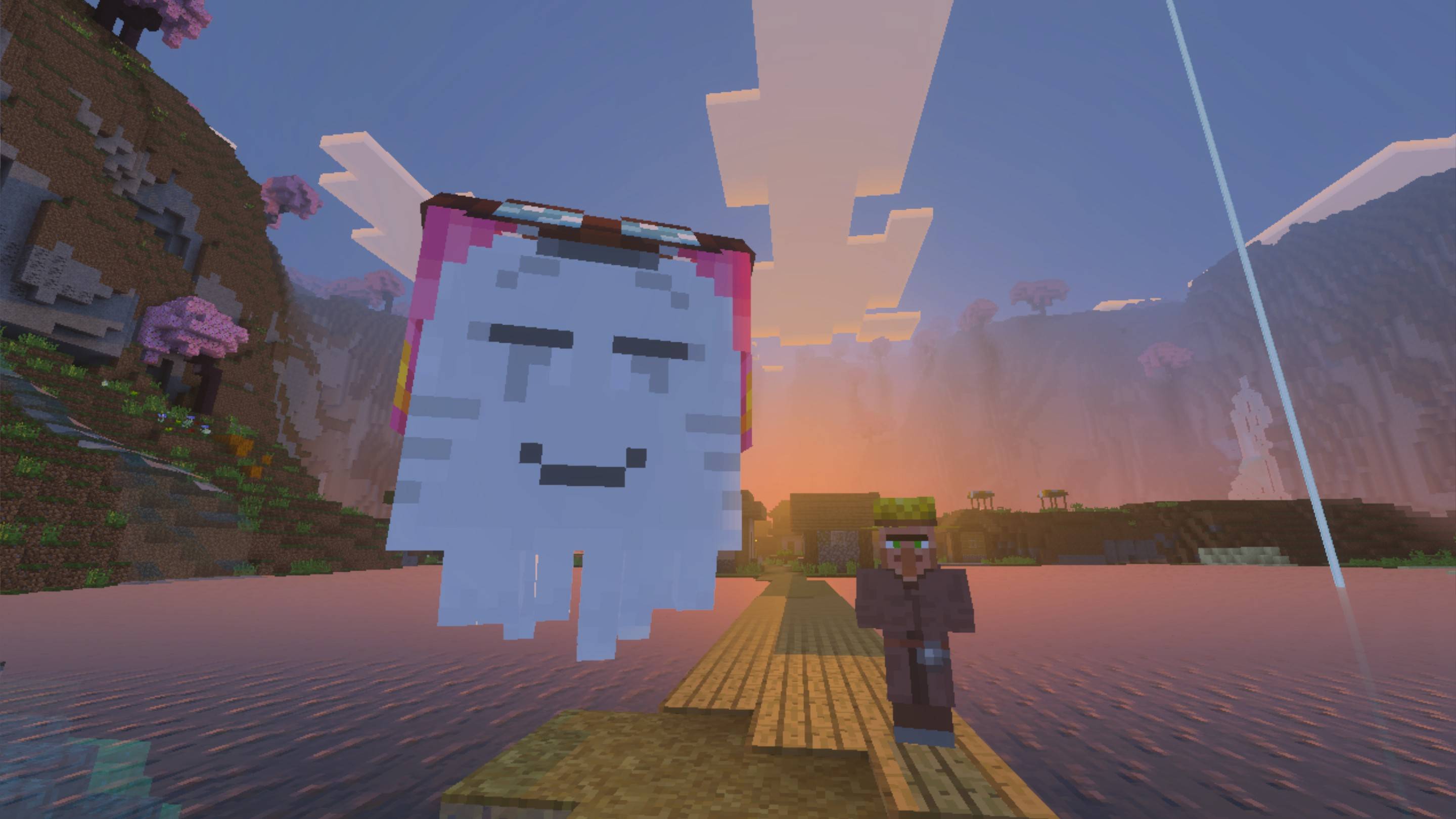

The Texture Update has been officially released for years, while some of us still prefer the old textures. However, the Minecraft Classic Texture Pack from Minecraft's official Marketplace is now delisted, which is exactly what this pack aims to fix. With this pack, you can easily enjoy the classic textures, with Vibrant Visuals support and even more things fixed!
Additional Features
Extra features compared to the original Classic Texture Pack.
Vibrant Visuals Support
- Vibrant Visuals can be enabled with this pack
- Include MERS (PBR) textures for many blocks, items and entities
- Include static colored light support for lighting blocks
Blocks
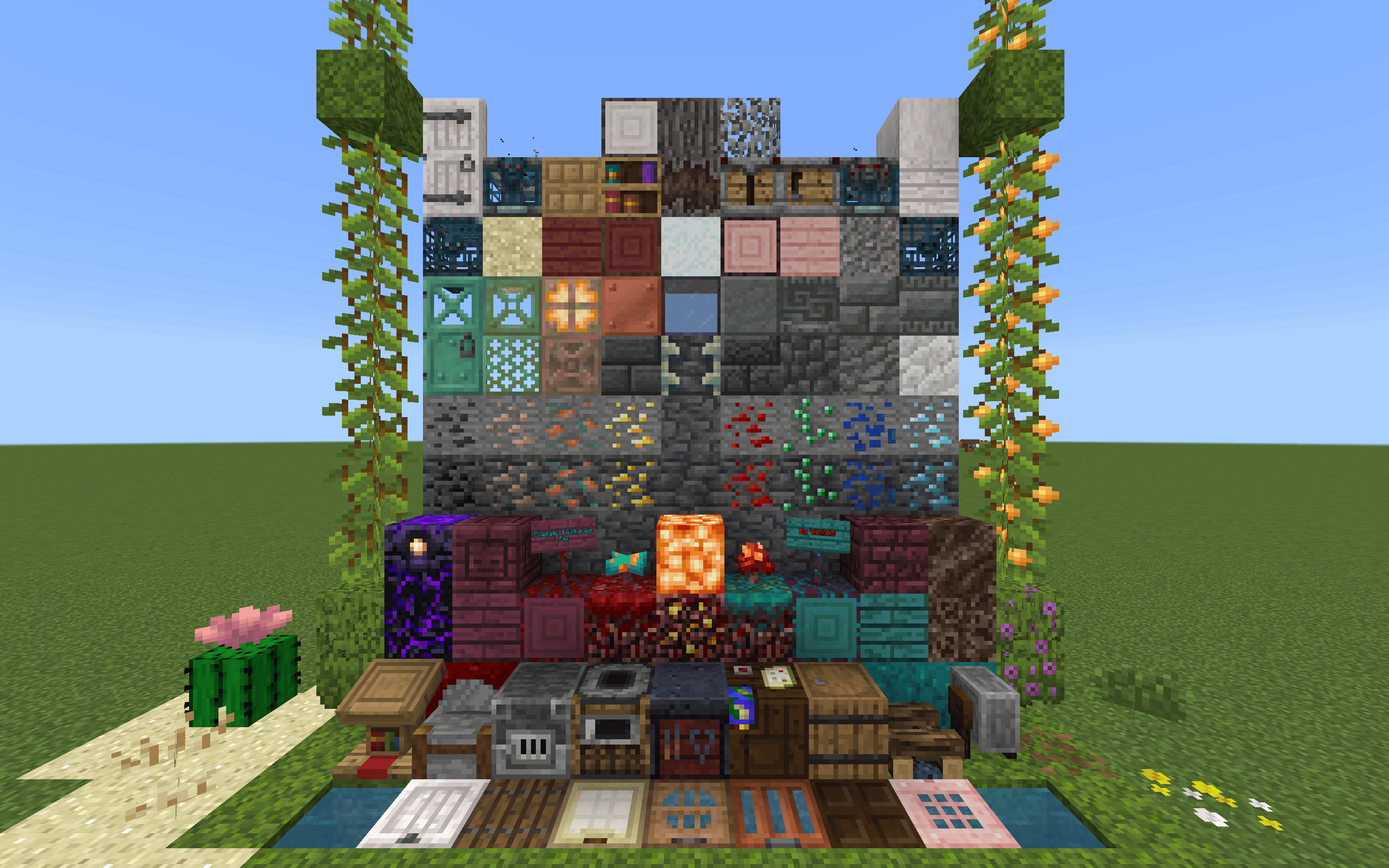
- Spruce, Birch, Jungle, Acacia, Dark Oak, and Copper Doors/Trapdoors
- Mangrove, Cherry & Pale Oak Log, Leaves, Planks, Signs, and Doors/Trapdoors
- Water
- Dried Kelp Block
- Blast Furnace
- Smoker
- Campfire logs
- Cartography Table
- Grindstone
- Barrel
- Composter
- Stonecutter
- Lectern
- Loom
- Wither Rose
- Beehive
- Smooth Quartz
- Nether Wart Blocks (both, 1.16+)
- Red Nether Bricks
- Chiseled & Cracked Nether Bricks
- All the Overworld wooden Trapdoors, except oak trapdoor
- Crimson Nylium, Planks, Log tops, Sign and Door
- Warped Nylium, Planks, Log tops, Sign and Door
- Nether Gold & Quartz Ore (1.16+)
- Crying Obsidian
- Soul Soil
- Soul Torch
- Quartz Bricks
- Respawn Anchor
- Blackstone, Gilded Blackstone
- Polished Blackstone, Chiseled Polished Blackstone
- Polished Blackstone Bricks, Cracked Polished Blackstone Bricks
- Copper Ores
- Copper: All Copper blocks, Cut Coppers, Chiseled Coppers, Copper Bulbs, Copper Grates
- Tinted Glass
- Powder Snow
- Glow Item Frame
- Moss/Pale Moss Block & Carpet
- Azalea
- Azalea Leaves
- Cave Vines
- Deepslate: Deepslate, Cobbled Deepslate, Deepslate Bricks (normal and cracked), Deepslate Tiles, Chiseled Deepslate, & Reinforced Deepslate
- All Deepslate Ores
- Coal, Iron, Gold and Redstone Ore (can be switched with Classic Ore Patterns add-on)
- Calcite
- Tuff: Tuff, Polished Tuff, Chiseled Tuff, Tuff Bricks, & Chiseled Tuff Bricks
- Mud
- Chiseled Bookshelf
- Suspicious Sand & Gravel
- Crafter
- Trial Spawners, normal & ominous
- Vault & Ominous Vault
- Creaking Heart
- Short & Tall Dry Grass
- Cactus Flower
- Bush
- Firefly Bush
- Leaf Litter
- Dried Ghast
- Copper Torch
- Copper Chests
- Copper Golem Statues
- Golden Dandelion
- Sulfur, Potent Sulfur, Polished Sulfur, Chiseled Sulfur & Sulfur Bricks
- Cinnabar, Polished Cinnabar, Chiseled Cinnabar & Cinnabar Bricks
- Poplar Log, Stripped Log, Leaves, Planks, Sign, Hanging Sign, Door, Trapdoor, and Shelf
- Straw Bed
- Red Shurb
Items
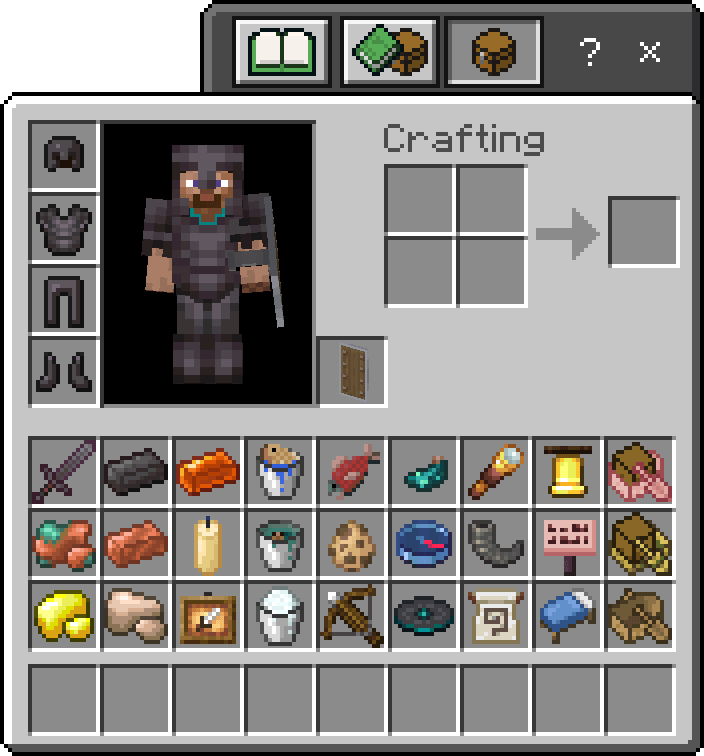
- Shield
- Trapped Chest in inventory (MCPE-48879)
- All the fish & fish buckets
- Kelp
- Dried Kelp
- Phantom Membrane
- Nautilus Shell
- Heart of the Sea
- Turtle Shell
- Turtle Scute
- Campfires
- Crossbow
- Leather Horse Armor (from Bedrock Edition)
- All the Banner Patterns
- All the Signs
- Bell
- Suspicious Stew
- Honey Bottle
- Honeycomb
- New Dyes (black, brown, blue, and white)
- All the Banner Patterns
- All the Signs
- All the Netherite armors
- Netherite Ingot
- All the Netherite tools & Sword
- Warped Fungus on a Stick
- Copper Ingot
- Spyglass
- Raw Metals
- Amethyst Shard
- Candle
- Powder Snow Bucket
- Bucket of Axolotl
- Glow Ink Sac
- Glow Item Frame
- Goat Horn
- Bucket of Tadpole
- All the Boats/Raft with Chest
- Mangrove, Cherry & Pale Oak Boats
- Bamboo Raft
- Music Discs: Pigstep, otherside, 5, Relic, Precipice, Creator, & Creator (Music Box)
- Disc Fragment (5)
- Recovery Compass
- Some of the item shapes and palettes of armor trims
- All the Potions & Tipped Arrows (1.20+)
- Trial Keys
- Trial Chambers Map
- Resin Brick
- Resin Clump
- Brown/Blue Chicken Eggs
- All copper armors
- All copper tools/weapons
- Copper Nugget
- Copper/Netherite Horse Armor
- Spear (all tiers)
- Nautilus Armor (all tiers)
- Sulfur Cube Bucket
- Maps to:
- Buried Mineshaft
- Desert Pyramid
- Jungle Pyramid
- Swamp Hut
- Warm Ocean Ruins
- Abandoned Camp
- Buried Ancient City
Mobs
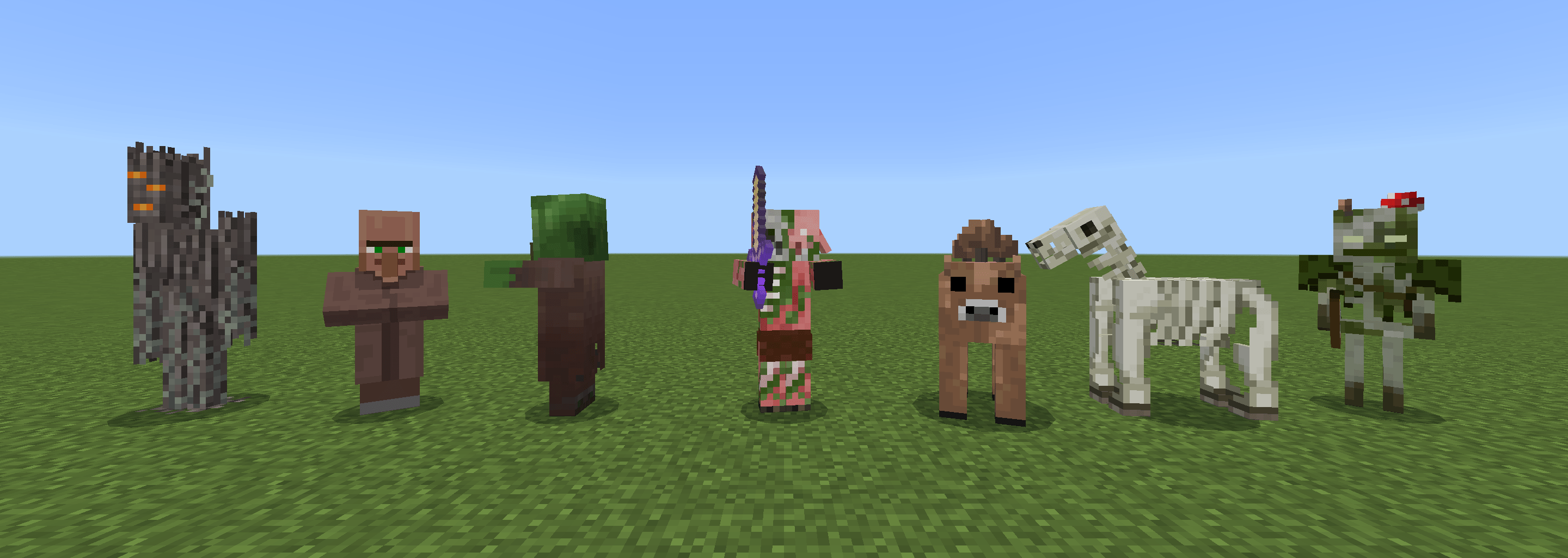
- Cat
- Angry Wolf (MC-265004)
- Drowned
- Villager
- Zombie Villager
- Pillager
- Wandering Trader
- Iron Golem
- Brown Mooshroom
- Piglin
- Zombified Piglin
- Piglin Brute
- Hoglin
- Zoglin
- Vex (updated model, 1.19.50+)
- Bat (updated model, 1.20.50+)
- Magma Cube (MCPE-188547, 1,21.50+)
- Temperate Cow & red/brown Mooshroom (updated model, 1.20.70+)
- Wolf variants: woods, ashen, black, chestnut, rusty, and snowy
- Glow Squid
- Bogged
- Creaking
- Cold/Warm Pigs, Chickens, and Cows
- Happy Ghast
- Ghastling
- Copper Golem
- Skeleton Horse
- Zombie Horse
- Parched
- Rabbit (26.1+)
- Baby mobs
- Piglet
- Calf
- Mooshroom Calf
- Chick
- Lamb
- Wolf Pup
- Kitten
- Baby Ocelot
- Foal
- Baby Donkey/Mule
- Undead Foal
- Bunny
- Baby Llama
- Baby Fox
- Baby Zombie
- Baby Husk
- Gurgle
- Baby Zombie Villager
- Baby Zombified Piglin
- Baby Villager
- Baby Strider
- Baby Hoglin/Zoglin
- Sulfur Cube
Mob Effect Icons
- Conduit Power
- Slow Falling
- Hero of the Village
- Darkness
- Bad Omen
- Raid Omen
- Trial Omen
- Weaving
- Oozing
- Infested
- Wind Charged
- Breath of the Nautilus
UI
- All Sign UIs
- Potion icon & brewing fuel pipes in Pocket UI (1.20.40+)
- Illustrations for item selecting, mining, crafting table using, and shelter building in How to Play screen (1.20.50+)
- Icon for empty chestplate slot
- Icons for all 3 Furnace Recipe Book categories
- Icon for Furnace Recipe Book smeltable toggle
- Map icons for villages, swamp hut and jungle pyramid
- Classic player pointer (on-map, 26.50+)
- Off-map and off-limits pointers stay the same as vanilla
Sounds
- Bee nest and Beehive now play the correct sound (MCPE-53577)
- Chiseled & Cracked Nether Bricks now play the correct sound (MCPE-74879)
- The new Splash sound is now much louder
- The volumes of get in/out from water sound now become quieter
- The volume of Swimming sound now become louder
- The Cauldron-Bucket interacting sounds now match Java Edition
- The Cauldron-Bottle interacting no longer play two separate sounds (MCPE-174867)
- The Zombie-Drowned Conversion, Pillager Celebration and Crossbow Charged sounds now play properly (MCPE-53297, MCPE-121058)
- Vines now use the sound of Cave Vines instead of the Nether Vines (MCPE-93577)
- The Nether Vines now use the sound of Nether Roots instead of Vines (MCPE-188001)
- Rebalanced the volume of some 1.20/1.21 blocks' step sounds (Cherry Wood, Bamboo Wood, Chiseled Bookshelf, Monster Spawner, Trial Spawner, and Vault)
Built-in Subpacks
These built-in subpacks can be switched in the Resource Pack Setting screen, and multiple subpacks can be applied at the same time.
(Tip: Use the gear button below a pack to open its Setting screen)
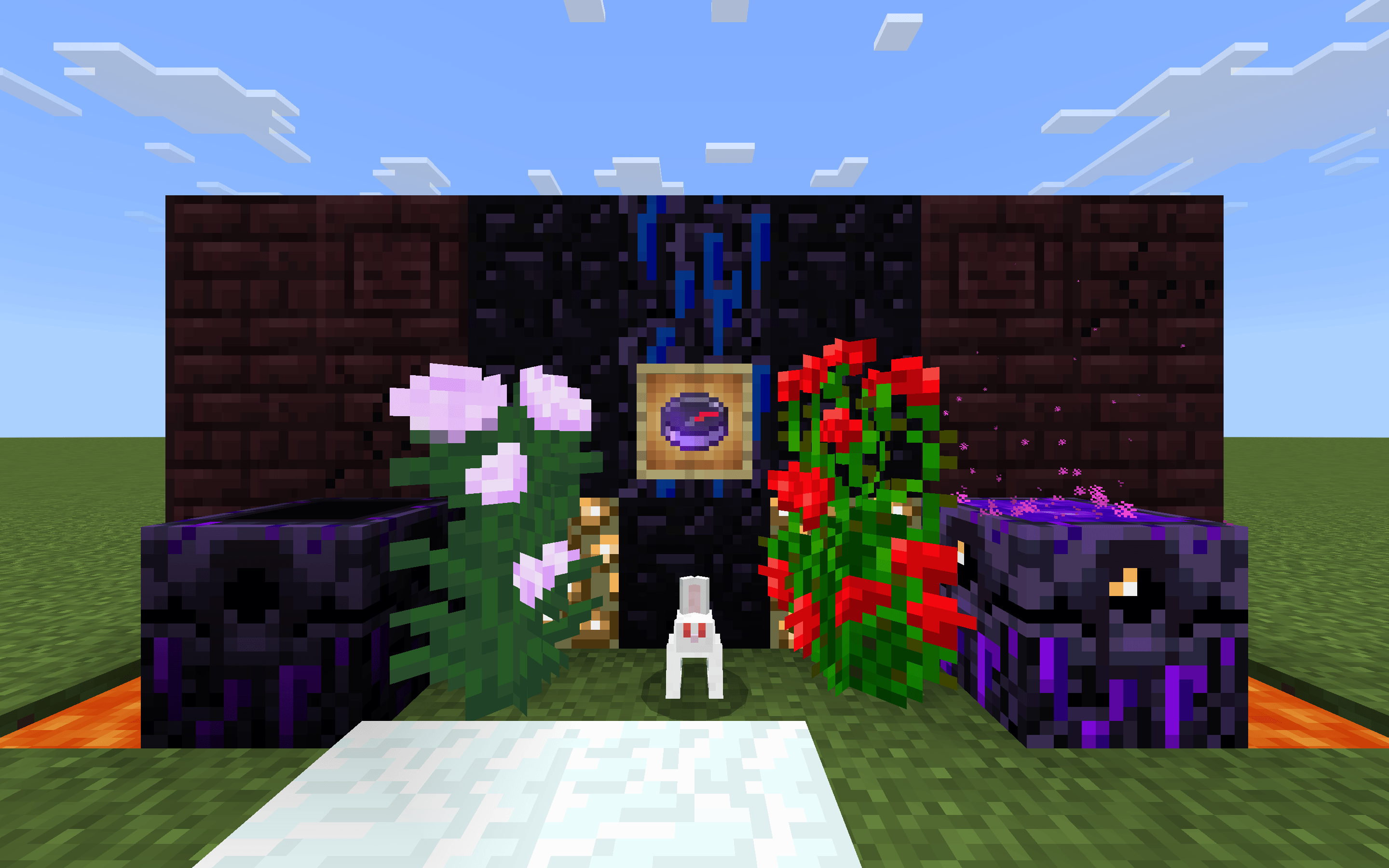
Java Parity
Making some old textures to be consistent with those in Java Edition, including Lava (animate speed fixed!), Peony, Rose Bush, all Nether Bricks, Lodestone Compass, Locked Map, and Diamond Chestplate model.
It also prevents more block textures from random rotation, including Terracotta, Obsidian, Crying Obsidian, Leaves, Snow and Glowstone.
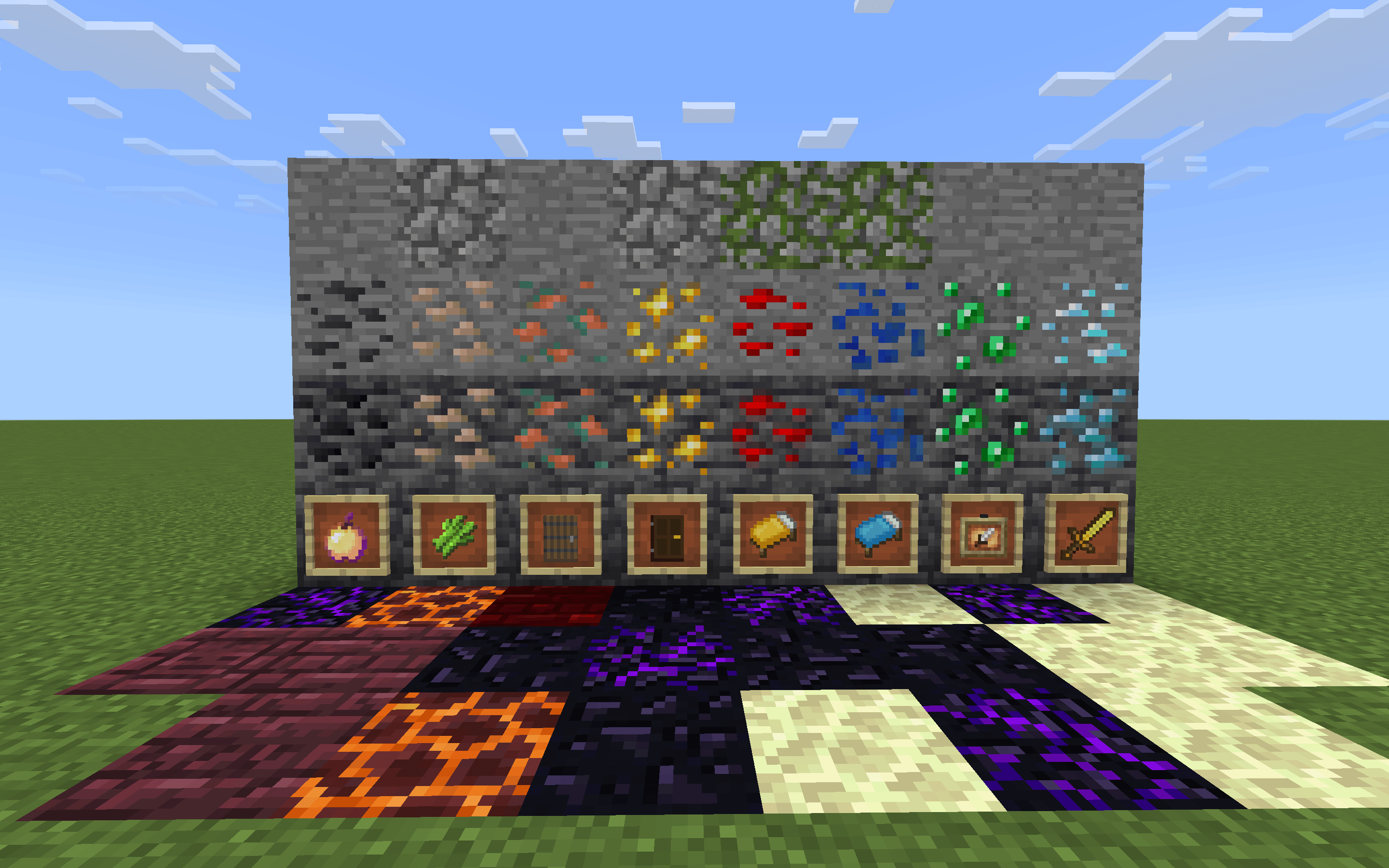
Classic Improved
Moderately update/improve some textures, but still in classic art style.
Installation Instruction
- Open the
.mcpackfile you have downloaded; your Minecraft will be launched and import it automatically. - With this pack, you don't have to download the Minecraft Classic Textures Pack from Marketplace.
- Before you import a newer version of this pack, it's recommended to delete the old one first.
- Edition: Minecraft Bedrock
- File type: .mcpack
- Minecraft versions listed: 26.3, 26.10, 26.11
- How to install: Download the .mcpack. → Open it — Minecraft imports it under Resource Packs. → Activate it in Global Resources, or for one world under Resource Packs → Available.
- Where to get it: Opens on CurseForge — not every file is mirrored on our own servers.
Install steps are the general flow for this file type — How to install Minecraft Bedrock texture packs walks through it step by step.
- Pack type: .mcpack — a single pack
- Manifest requires Minecraft 1.26.1 or newer
- Complete pack — everything it depends on is inside the file
- Download size: 2.0 MB
- Download link checked 26 Oct 2026 — working
These come from our own check of the pack file, not from the source page.