Renewed Enhanced World - Settings Version
Bedrock texture pack listed for Minecraft 26.x. File opened and checked on 24 Oct 2026; installs from the MC Bedrock Mods app on Android.
This is a pack that highlights the atmosphere of your worlds and elements within them, giving them a more stylized and warm appearance for a more peaceful…
⬇ Download on CurseForgeThe author built this one for Minecraft 26.0. On other versions it may install and then do nothing.
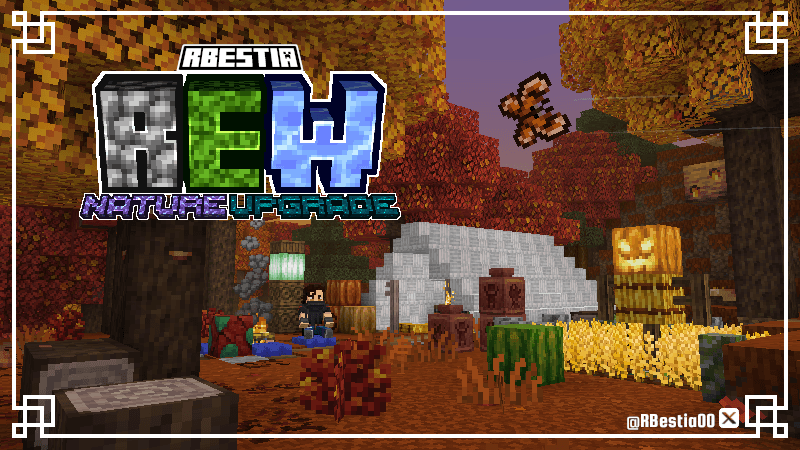
This new Beta 3.72 (Settings Version) focuses on important bug fixes, texture updates and adjustments, and other visual improvements. It does not yet include content from the 4th drop of the year.
Read the entire article to get full details on the new content and the changes made for this new version.
Please keep in mind that this texture pack is completely free and created without any monetary compensation, so I would greatly appreciate your support in helping my work reach more people who can enjoy it. Also, feel free to follow me on social media, especially Twitter/X, to stay updated on future releases and news.
Reminder:
This package is still in beta, and is therefore subject to constant changes. You can report any errors you encounter in the comments section, as well as share any opinions, positive or negative, you may have. You can also help improve this project.
If you are a content creator on platforms like YouTube or TikTok, please don't forget to credit my work, which is completely free. Thank you for your attention, and enjoy the pack.
Texture Improvements:
- Doors and Trapdoors (Including those made of iron, copper, and their respective items)
- New Carved Wood (Created by combining 2 slabs of the same wood)
- Crops (Related blocks and items. Carrots and melons have a new golden variant with a very low chance of appearing, as do pumpkins, which now have new green and white variants.)
- Food items (including those from hostile mobs)
- Bee Nests and Beehives (feature new animations when filled with honey)
- Honey Blocks, Honeycomb Blocks, and Slime Blocks
- Froglights
- Dyes
- Sniffer Egg (Emits particles when cracking)
- Turtle Eggs (Release dust while incubating)
- Decorated Pots (Including all their ceramic designs)
- Banners
- Cactus and desert plants
- Water lilies (with new animations)
- Improved compatibility with shaders
New Visual Effects:
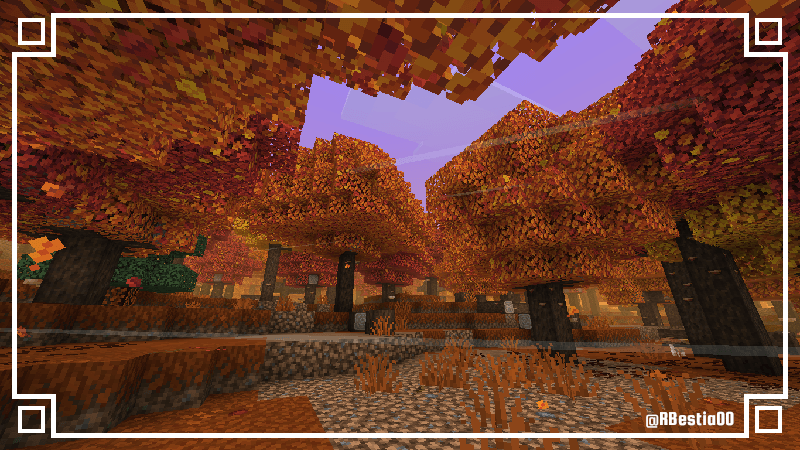
- Wind:
Occurs in most biomes, including caves, and rarely in the Nether. Replication: The more trees and general vegetation present in an area, the more frequent and intense the effect will be. Vegetation can be replaced with Podzol or Coarse Dirt.
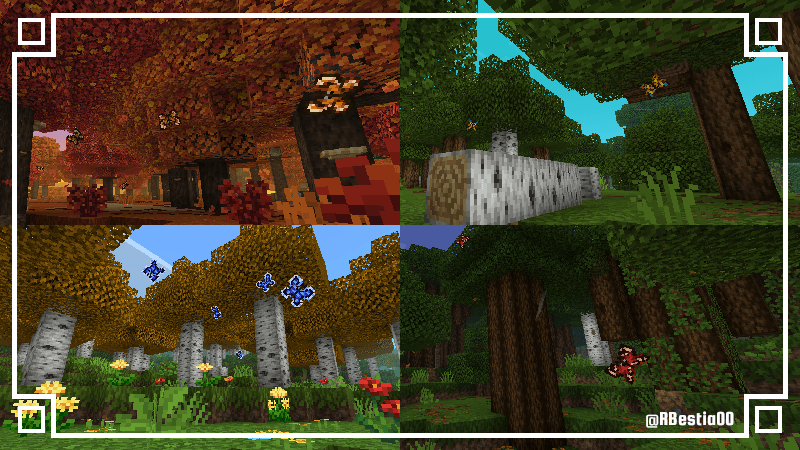
- Butterflies:
They appear in certain biomes depending on their species, with varying degrees of frequency. You can hear the fluttering of their wings when they are very close by.
- Dappled: These are generated in Dappled Forests. They can be replicated by placing Red Shrubs beneath Poplar Leaves.
- Blue Eyes: They spawn in Forests, Flower Forests, Savannas, Dark Forests, and Wooded Badlands. They can be replicated by placing Birch Leaves or Birch Logs beneath Oak Leaves.
- Sapphires: They spawn in Birch Forests, Flower Forests, and Meadows. They can be replicated by placing almost any flower beneath Birch Leaves. This does not work with Dandelions, Poppies, Eyeblossoms, or flowers found by the Sniffer.
- Strawberry: These spawn in Dark Forests. They can be replicated by placing Oak or Birch leaves beneath Dark Oak leaves.
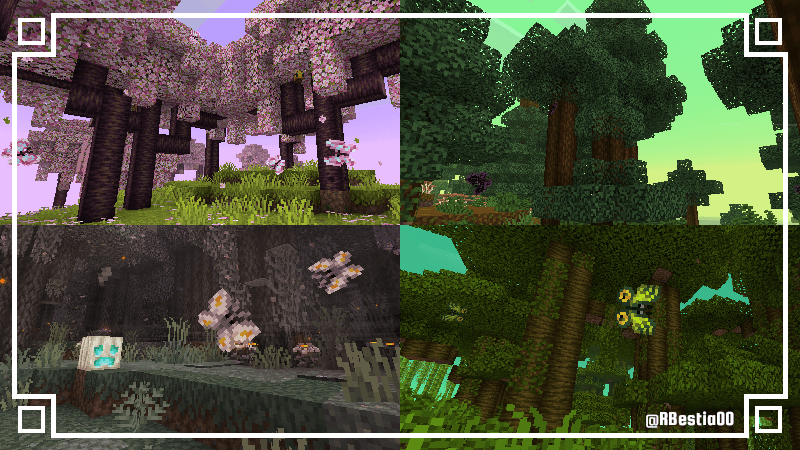
- Butterflies:
- Pink Heart: These spawn in Cherry Blossom. They can be replicated by placing pink petals beneath Cherry leaves.
- Dark: These spawn in all Taiga biomes. They can be replicated by placing short or tall ferns beneath Spruce leaves.
- Ghost Moth: These spawn in PaleGardens during the night. They can be replicated by placing open Eyeblossoms beneath Pale Oak Leaves.
- Green Mask: These spawn in jungles. They can be replicated by placing short ferns beneath jungle leaves.
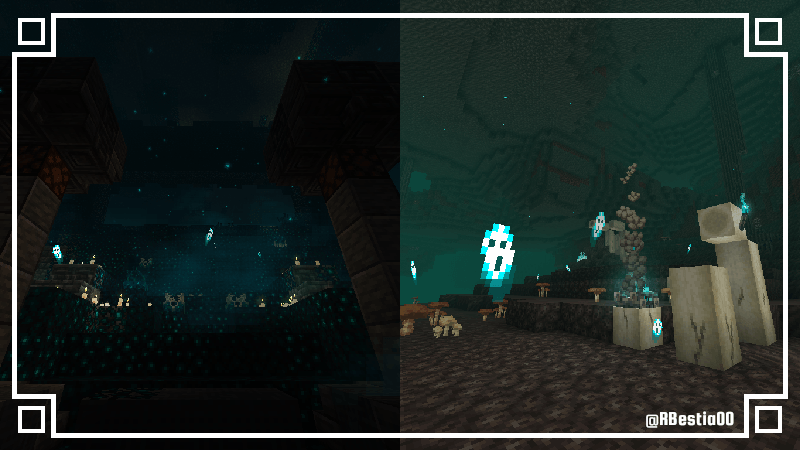
- Soul Flow:
Soul Torches and Soul Campfires interact with Soul Sand and nearby Sculk, releasing the souls trapped within them.
This effect occurs naturally in certain parts of Ancient Cities.
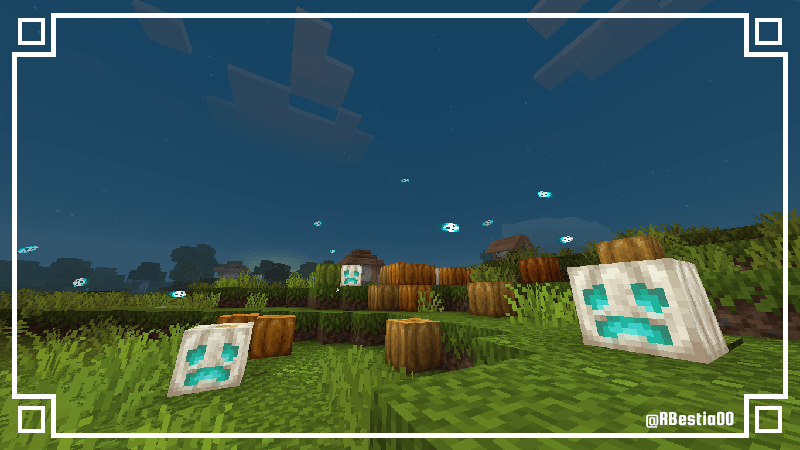
- Wandering Souls:
Placing Active Redstone Dust beneath a Glowing Pumpkin will generate souls that will fly around you.
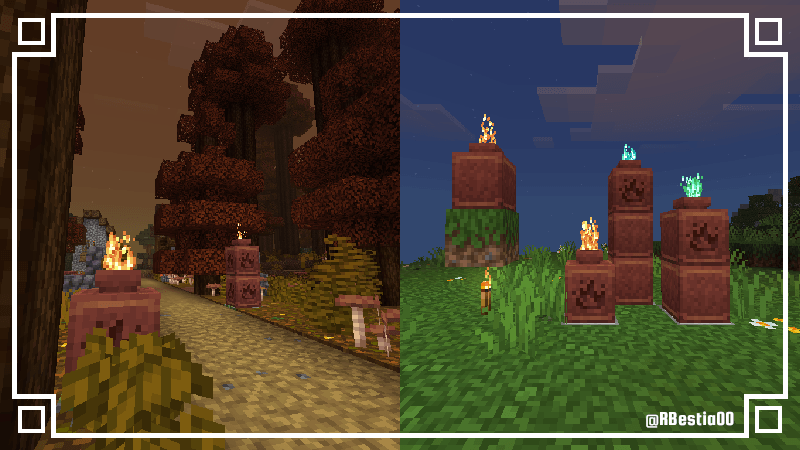
- Pot Fire Torch:
Placing a torch two blocks below a Decorated Pot causes flames to emerge from its openings. Up to three Decorated Pots can be stacked to achieve this effect; it also works with Soul Torches and Copper Torches.
Vanilla Mode:
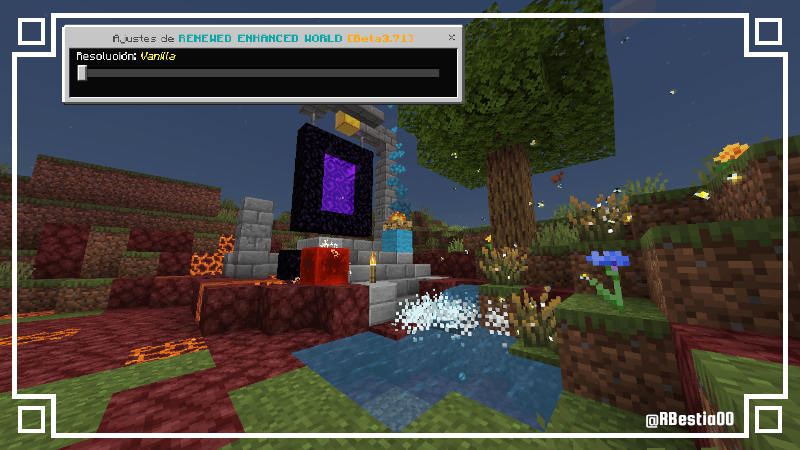
Vanilla Mode and Enhanced Mode have been added, allowing you to choose a Vanilla experience while still enjoying the visual effects included in the texture pack.
Enhanced Mode is active by default; it includes the pack's full content, featuring textures, effects, and atmospheric elements.
Visual Effects Log:
Atmospheric and Natural Effects:
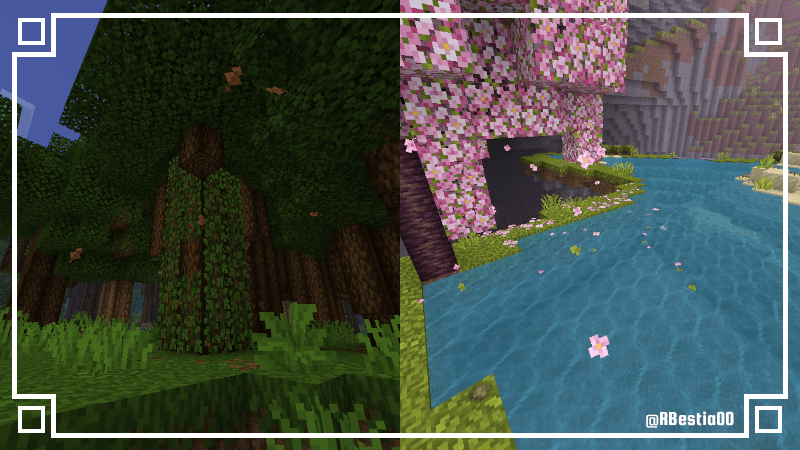
- Deciduous Leaves: Trees drop withered leaves, varying by tree type, featuring realistic physics for block collisions, floatage, and combustion. Some trees also tend to drop small branches.
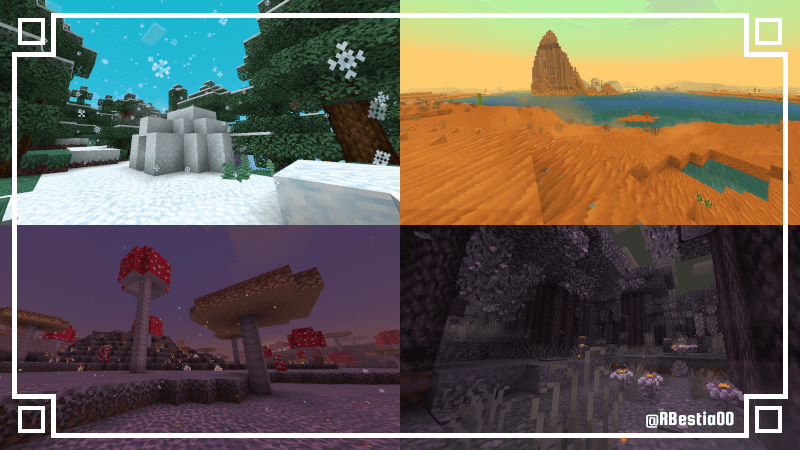
- Light snowfall: This type of snowfall occurs in snowy forest biomes, and freezing winds are generated in the presence of ice or snow. It can be replicated by covering tree leaves with layers of snow.
- Sand Clouds: These dust clusters form in deserts and badlands in areas with unstable sand; tumbleweeds can also be seen there. They cannot be replicated.
- Mushroom Spores: The small and giant mushrooms on the Mushroom Islands release spores into the air if they are situated on mycelium.
- Pale Garden: This biome features a dense mist that drifts through it, as well as glowing spores constantly released by Eyeblossoms at night. The mist can be replicated by placing Pale Moss beneath Pale Oaks.
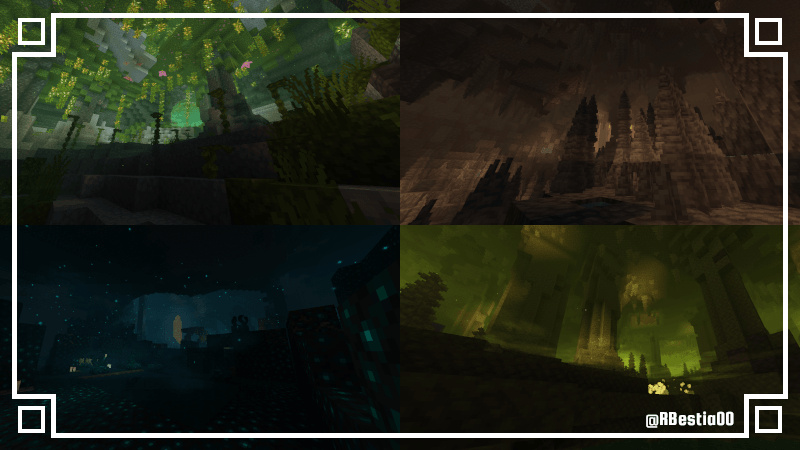
- Caverns: Underground biomes feature their own unique atmospheric effects.
In Lush Caves, a humid mist forms due to the interaction between Spore Blossoms and moss.
In Dripstone Caves, a humid mist also occurs, caused by long stalactites dripping onto rocky ground.
In Sulfur Caves, a dense mist forms around pools of Potent Sulfur that have sulfur deposits beneath them; the toxic gases cause nearby lichens to release their glowing spores into the air.
In the Deep Dark, a very dense haze appears when Sculk Sensors detect movement, which in turn generates small, glowing, descending particles.
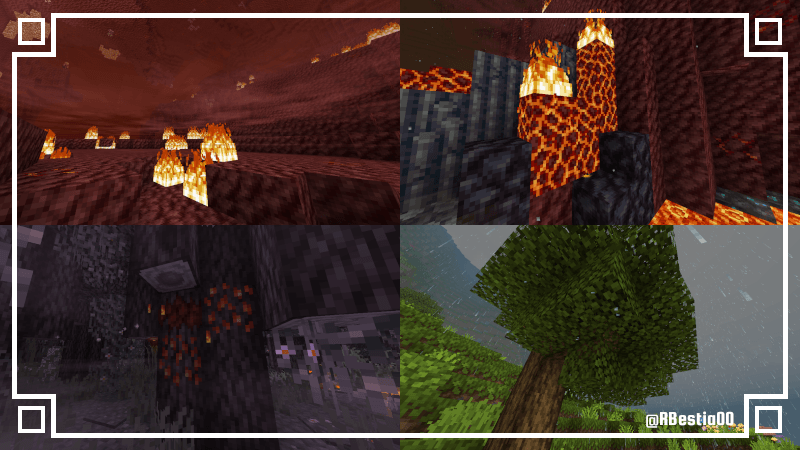
- Nether Mist: In areas of Netherrack where fire is present, this dense, reddish mist will appear.
- Magma Drip: Magma blocks with fire on top will drip lava from their sides.
- Resin Drip: The Creaking Heart and the Pale Oak containing it will ooze resin from their sides when the Creaking is struck.
- Leaf Drip: Tree leaves exposed to rain will drip water from below.
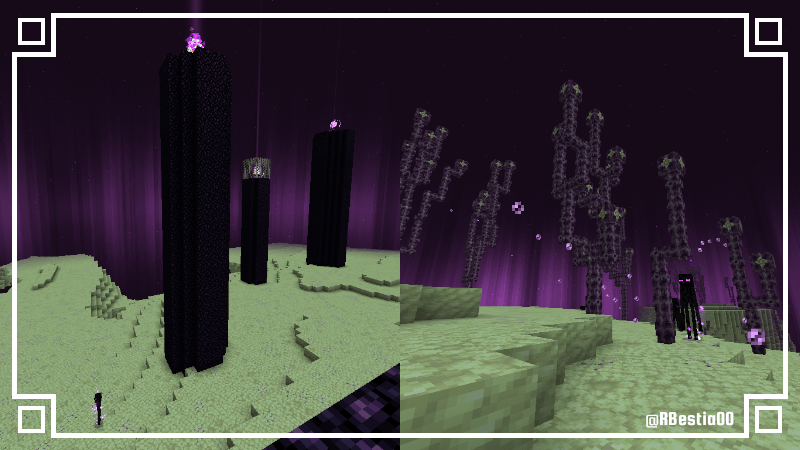
- The End: In the End dimension, purple auroras will appear in the distance, and Chorus Plants will release bubbles that float over the void. The auroras cannot be replicated, but the bubbles can be produced by having an Endermite near the Chorus Plants.
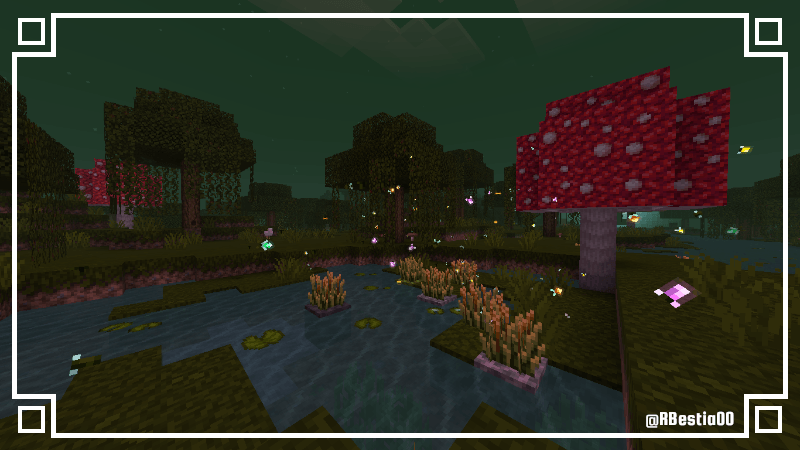
- Fireflies: There are 5 types of fireflies that appear depending on where their shrub is planted.
On Grass or Dirt, standard fireflies appear; they can interact with nearby lanterns.
On Mud, Royalflies appear; they are green, spawn in Mangrove Swamps, and interact with propagules and copper lanterns.
On Moss, Berryflies appear; they are plump and interact with Glow Berries and Spore Blossoms from Lush Caves.
On Pale Moss, Creakflies appear; they are eye-shaped, make "creaking" sounds, and interact with Resin and the Creaking Heart.
On Mycelium, Mushflies appear; they are small and purple, interacting with mushroom blocks, including those from the Nether.
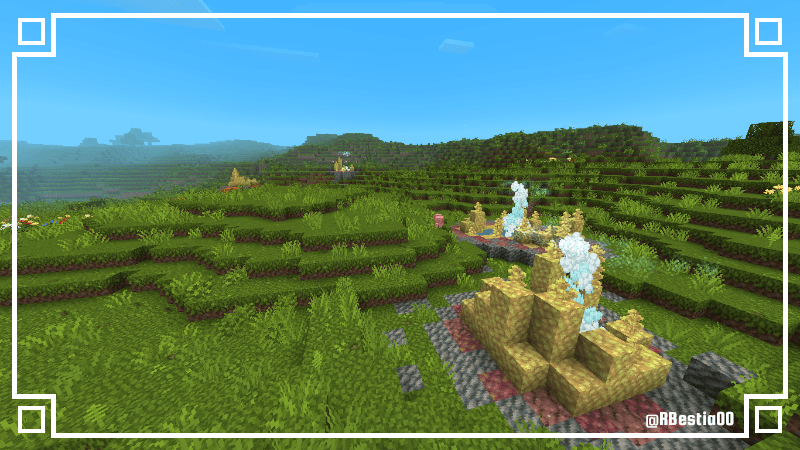
- Geysers: The geysers at sulfur springs feature a better-looking water effect.
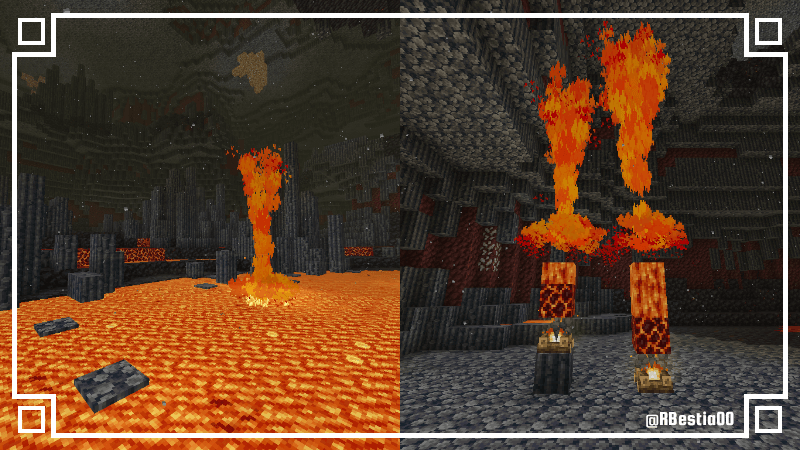
- Lava Geysers: These occur in almost all regions of the Nether, especially in Basalt Deltas, as well as in Overworld lava lakes near Bedrock. They can be triggered randomly by placing magma beneath lava, or continuously by placing a campfire beneath the magma block.
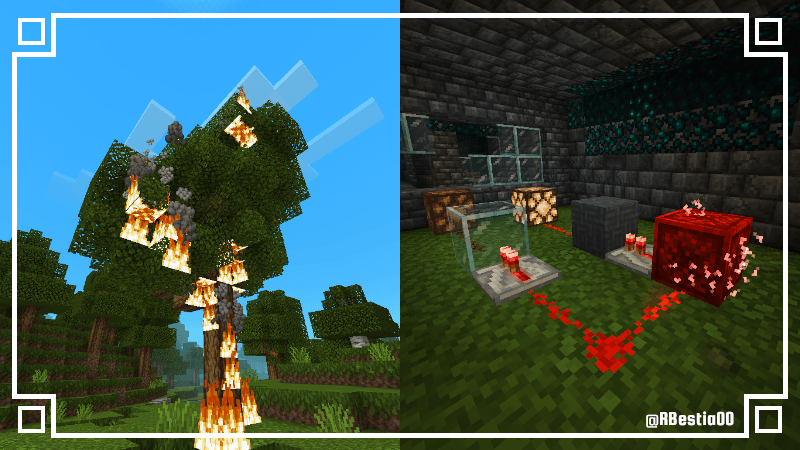
- Fires: As fire spreads across flammable blocks, it will release columns of smoke and embers.
- Redstone Discharge: Redstone blocks will release energy discharges when connected to other Redstone blocks.
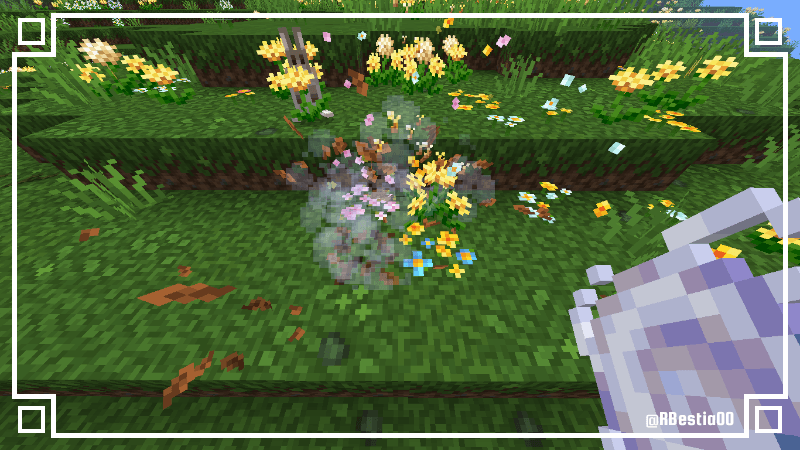
- Leaf Breeze: When running or using WindCharge on leaf litters, pink petals, wildflowers, or dandelions, they will release particles that scatter into the air.
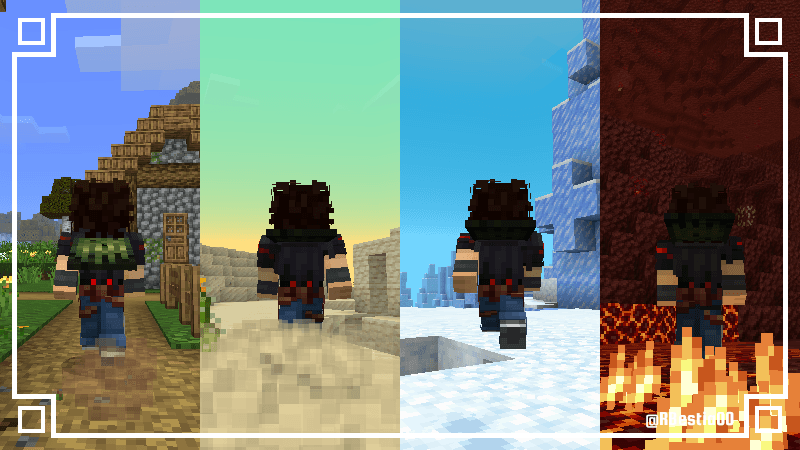
- Interactive Footsteps: Running on dry blocks kicks up dust; on snow or mud, you leave footprints; on mycelium or nylium, spores are released; on soul sand and soul soil, souls glow; and on magma blocks, burning embers are released.
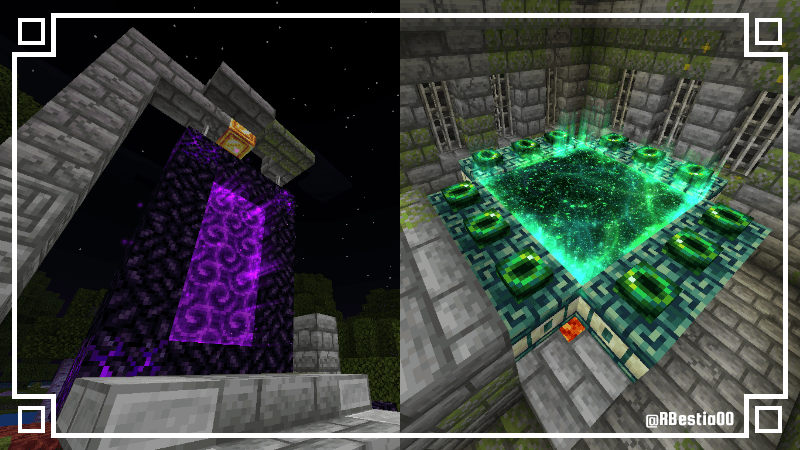
- Portals: Nether and End portals feature a glowing border.
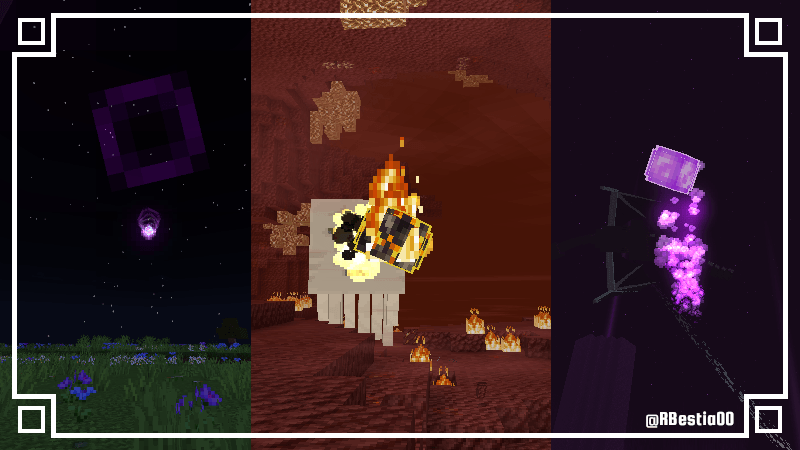
- Projectiles: Ender Pearls, Fire Charges, Dragon's Breath, Snowballs, eggs, and Eyes of Ender will be 3D and have their own unique particle effects.
Artificial Effects:
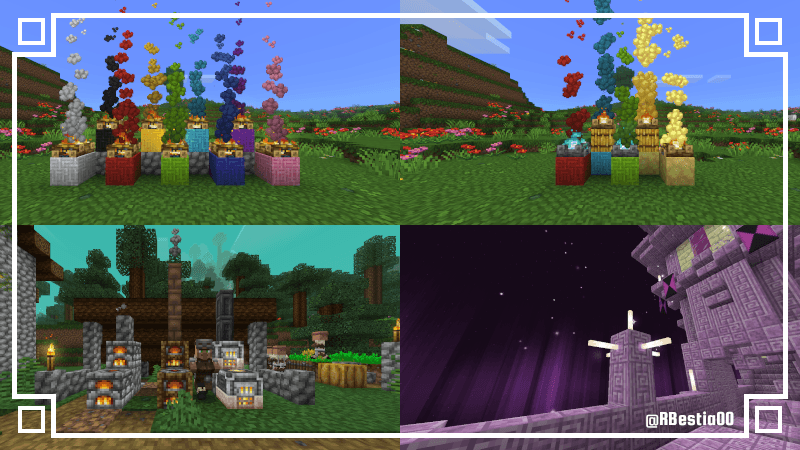
- Rainbow smoke: campfire smoke takes on the color of the wool placed beneath it. The smoke's height can be increased by placing hay between the campfire and the wool.
If a Potent Sulfur Block is placed instead of wool, the smoke will be yellowish and glow in the dark. - Furnaces: When lit, furnaces release smoke from the top. Placing any type of wall above them creates the appearance of a functional chimney.
- End sparkles: Placing an End Rod on any face of a Purpur Block causes bright sparkles to appear and float in the surrounding area.
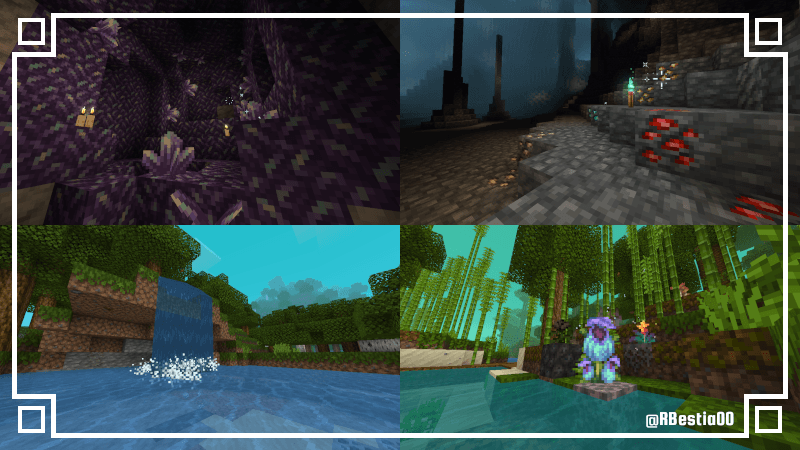
- Amethyst Glimmer: Amethyst crystals (medium to large) will emit a glimmer when near burning blocks such as torches, campfires, lit furnaces, End Rods, lava, and others.
- Detector Torch: Copper Torches can detect ores within a 30-block radius, causing them to glimmer.
- Waterfalls: With the "Sophisticated Bubbles" feature enabled, you can create a waterfalls foam effect by placing Soul Sand beneath flowing water. The deeper the Soul Sand is placed, the more intense the effect will be.
- Special flowers:
Placing a Torchflower on mycelium causes it to release glowing embers.
Placing a Pitcher Plant on mycelium attracts giant flies.
Placing a Wither Rose on Soul Sand attracts small flies.
Compatibility with other Texture Packs:
- Vanilla Mode: 80%
- Enhanced Mode: 45%
- Gradually, the resource package will become less compatible with others
Compatibility with Vibrant Visuals and Shaders:
- Vanilla Mode: 90%
- Enhanced Mode: 15%
- The resource pack will gradually become more compatible with shaders with each update.
- Edition: Minecraft Bedrock
- File type: .mcpack
- Minecraft version listed: 26.0
- How to install: Download the .mcpack. → Open it — Minecraft imports it under Resource Packs. → Activate it in Global Resources, or for one world under Resource Packs → Available.
- Where to get it: Opens on CurseForge — not every file is mirrored on our own servers.
Install steps are the general flow for this file type — How to install Minecraft Bedrock texture packs walks through it step by step.
- Save it as REW[B3.72].mcaddon before opening — it downloads as .mcpack, but it is a .mcaddon pack
- Manifest requires Minecraft 1.26.20 or newer
- Complete pack — everything it depends on is inside the file
- Download size: 6.9 MB
- Download link checked 5 Oct 2026 — working
These come from our own check of the pack file, not from the source page.