
Bedrock UI Fix Pack – Settings & Pause Menu
Bedrock texture pack listed for Minecraft 1.21. File opened and checked on 19 Sep 2026; installs from the MC Bedrock Mods app on Android.
A simple but powerful Minecraft Bedrock UI fix pack that repairs the Settings menu gap, Pause Menu button swap, removes the Marketplace icon, and restores…
⬇ Download on CurseForge


Bedrock UI Fix Pack – Settings & Pause Menu
If you're searching for a way to fix the broken UI in Minecraft Bedrock, this resource pack provides a complete solution.
The Bedrock UI Fix Pack – Settings & Pause Menu corrects the most commonly reported UI issues, including:
- The Settings menu extra spacing / padding bug
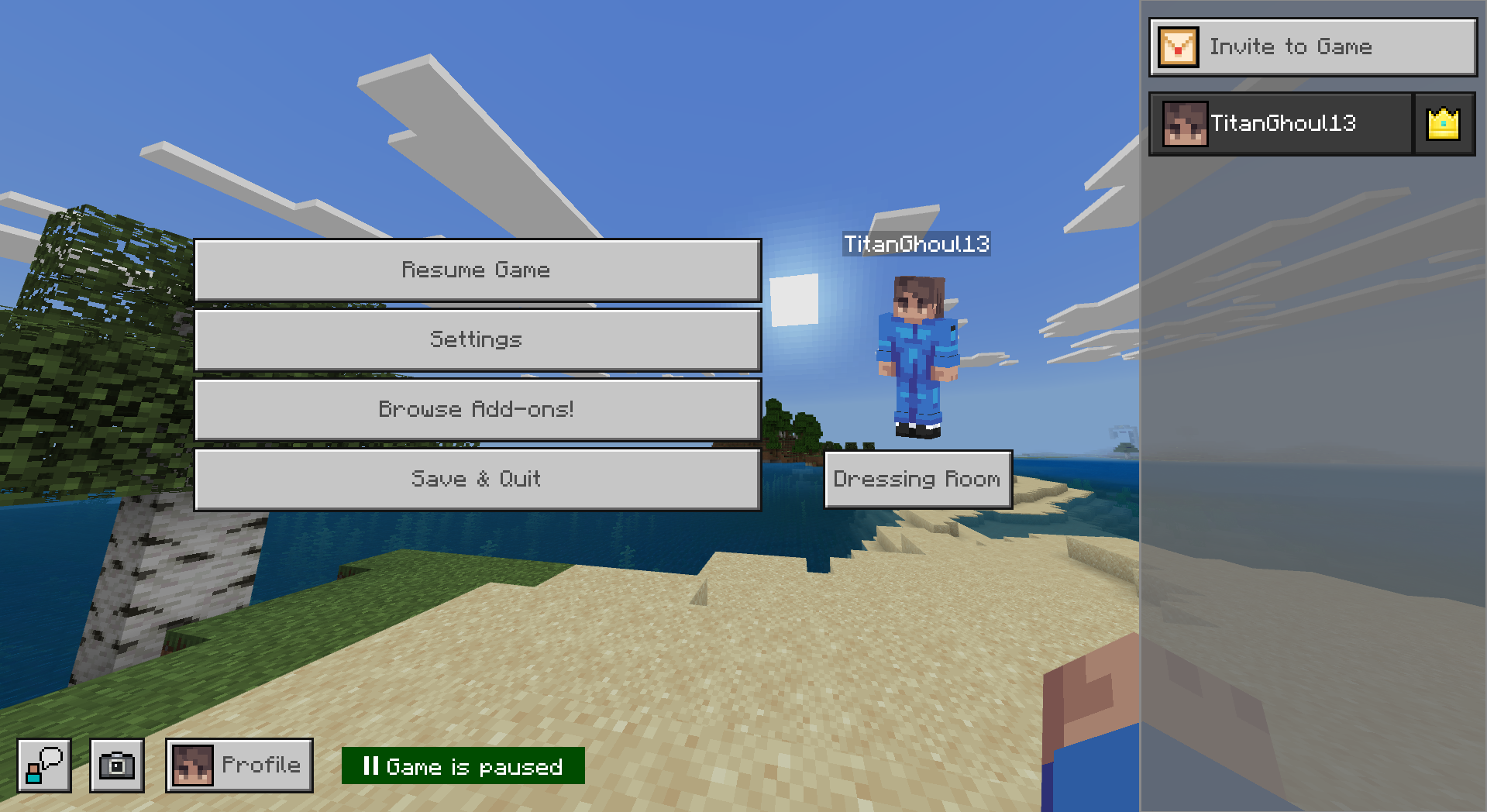
- The swapped Store and Settings buttons in the Pause Menu
- The Marketplace button replacing the Settings icon
- The confusing new Pause Menu layout
- Missing option for the old classic Pause Menu
Compatible with Minecraft Bedrock 1.21.100+, this pack restores a cleaner and more intuitive UI.
🔍 What This Minecraft Bedrock UI Fix Pack Fixes
This pack directly solves the most searched Bedrock UI problems:
✔ Fixes the Settings Menu Gap
Removes the unnecessary vertical spacing between options in the Settings screen.
✔ Fixes the Pause Menu Button Swap
Restores the correct position of the Settings and Marketplace buttons.
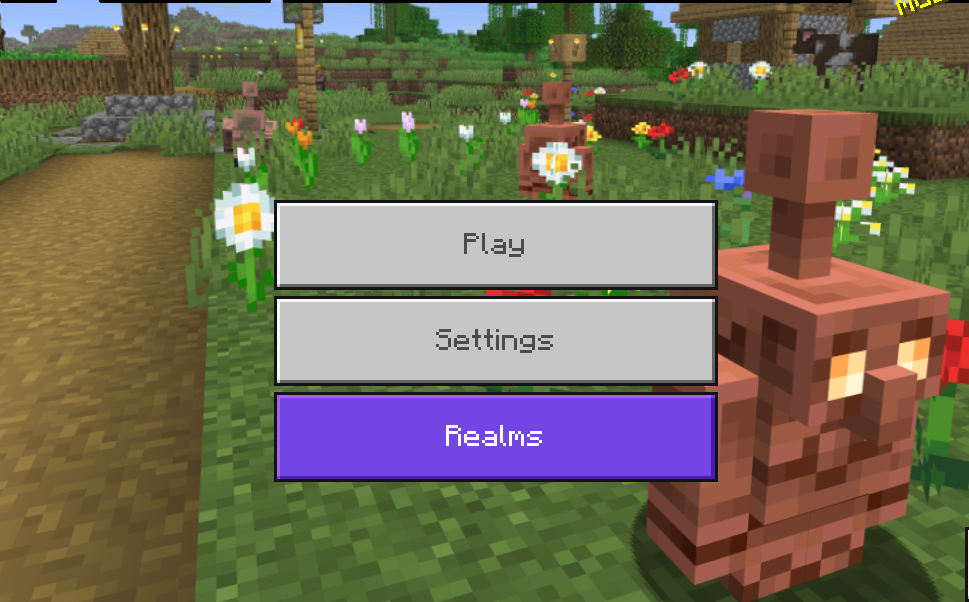
✔ Remove Marketplace Button (Optional)
Ideal for players searching “remove marketplace button minecraft bedrock”.
✔ Restore Old Pause Menu (Optional)
Brings back the classic Pause Menu layout many players prefer.
🎚️ 4 Subpack Modes Included
Switch between modes using the subpack slider:
🔸 1. Default Mode — Standard UI Fix

- Fixes Settings menu spacing
- Fixes Pause Menu icon swap
🔹 2. No Marketplace Mode

- Removes Marketplace button from the Main Screen and the Pause Menu
- Fixes Settings spacing
Perfect for players who want a cleaner Pause Menu.
🟣 3. Old Pause Menu Mode

- Restores the older Pause Menu layout
- Fixes Settings menu spacing
Great for users searching for “Minecraft Bedrock old pause menu”.
🟢 4. Old Pause Menu + No Marketplace

- Removes Marketplace from the Main Screen and the Pause Menu
- Restores old Pause Menu
- Fixes Settings spacing
The cleanest and most classic UI option.
🖼️ Before & After – UI Fix Showcase
Pause Menu Button Fix

Settings Menu Gap Fix

Old Pause Menu
No Marketplace Button
📥 How to Install the Pack
Works on: Windows 10/11, iOS, Android, Xbox, PlayStation, Nintendo Switch.
- Download the
.mcpackfile - Open it
- Minecraft will import the pack automatically
You should see: “Import started…” → “Import successful.”
🚀 How to Activate (With Subpack Selection)
- Open Minecraft Bedrock
- Go to Settings
- Select Global Resources
- Find “Bedrock UI Fix Pack – Settings & Pause Menu”
- Click Activate
- Choose your preferred mode using the subpack slider
💬 Why This Pack Exists
Players constantly report issues such as:
- “Why is there a huge gap in Minecraft Bedrock settings?”
- “How do I fix the swapped Pause Menu buttons?”
- “How do I remove the Marketplace button?”
- “Can I get the old Pause Menu back?”
Since these UI problems remain unfixed, this pack restores a clean, functional, and classic-feeling UI, while also giving players the customization options they want.
- Edition: Minecraft Bedrock
- File type: .mcpack
- Minecraft versions listed: 1.21.101, 1.21.100, 1.21.111
- How to install: Download the .mcpack. → Open it — Minecraft imports it under Resource Packs. → Activate it in Global Resources, or for one world under Resource Packs → Available.
- Where to get it: Opens on CurseForge — not every file is mirrored on our own servers.
Install steps are the general flow for this file type — How to install Minecraft Bedrock texture packs walks through it step by step.
- Pack type: .mcpack — a single pack
- Manifest requires Minecraft 1.21.100 or newer
- Complete pack — everything it depends on is inside the file
- Download size: 97 KB
- Download link checked 26 Oct 2026 — working
These come from our own check of the pack file, not from the source page.