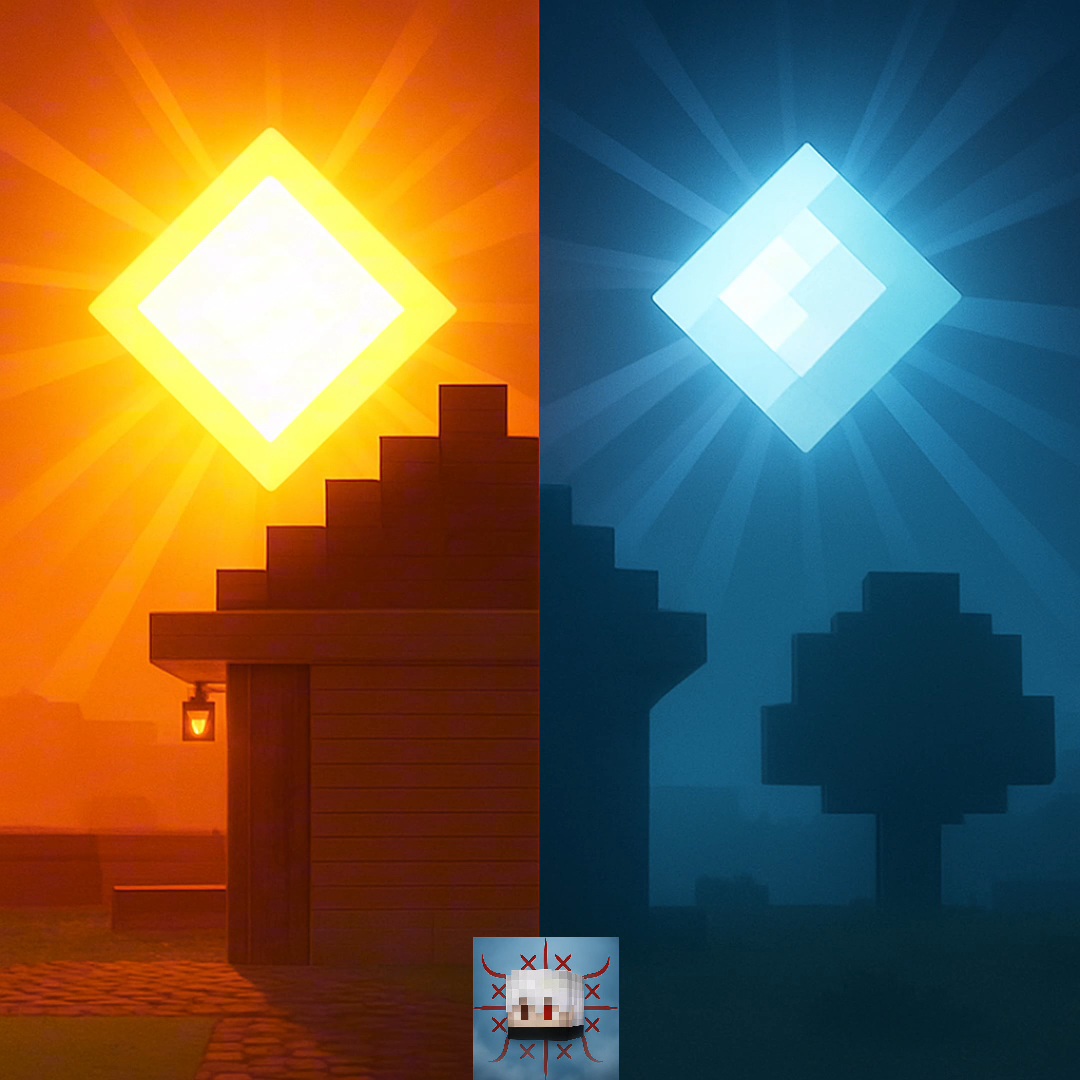
Texture packsBedrock
Sun & Moon Path
Simula a posição/caminho do sol e da lua, pelos shaders BSL da Java. Compatível com o Minecraft original e patch
⬇ Download on CurseForge


New subpackage adding Cubic Sun and Moon.
🎯 Objective
1. Emulate the ~23.5° tilt of the axis (BSL effect) in the apparent path of the sun and moon.
2. Deliver diagonal sunsets and laterally displaced moonrises, with atmospheric gradients and a golden hue.
3. Maintain lightweight performance (resource pack only), compatible with mobile phones and consoles.
Compatible with Minecraft original and patch
Fine-Tuning (Optiona)
Cloud Compatibility: Volumetric cloud packs can overlay the glow; place them below this texture.
- Honest technical note: In Bedrock, resource packs do not alter the actual trajectory of celestial bodies (this is engine-specific). This texture simulates the effect through skybox art, sun/moon sprites, and carefully rotated gradients. Visually, the player perceives the same "atmosphere" as in BSL, with the sun/moon appearing to rise/fall diagonally.
🔧 How it works (in simple terms)
Slightly rotated skybox: Sky layers (horizon, scattering, twilight bands) are drawn at an angle to suggest the BSL diagonal.
Sun and moon sprites: Sun/moon textures have offset brightness and halo markers, creating visual parallax that "tricks" the eye about the axis.
Temporal gradients: Different palettes for morning/noon/afternoon/twilight, with transitions that reinforce the lateral path.
Painted bloom (fake): A subtle glow at the edges of the sun in late afternoon enhances the sensation of grazing light.
⚙️ Installation
Download the texture .mcpack file.
Tap/open it to import into Minecraft Bedrock.
In Settings → Global Resources or World → Resource Packs, apply BSL Sun & Moon Path.
Quick facts
- Edition: Minecraft Bedrock
- File type: .mcpack
- Minecraft versions listed: 1.21, 26.0
- How to install: Download the .mcpack. → Open it — Minecraft imports it under Resource Packs. → Activate it in Global Resources, or for one world under Resource Packs → Available.
- Where to get it: Opens on CurseForge — not every file is mirrored on our own servers.
Install steps are the general flow for this file type — How to install Minecraft Bedrock texture packs walks through it step by step.
Verified by MCModsHub
- Pack type: .mcpack — a single pack
- Manifest requires Minecraft 1.21.40 or newer
- Complete pack — everything it depends on is inside the file
- Download size: 12.9 MB
- Download link checked 25 Aug 2026 — working
These come from our own check of the pack file, not from the source page.