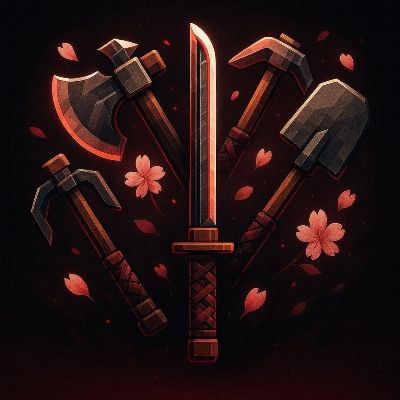
Minecraft Japanese Tools
A clean and stylish Japanese katana-inspired sword texture pack for Minecraft. Designed with sharp details and aesthetic visuals to enhance your gameplay…
⬇ Download on CurseForge


Minecraft Japanese Sword ⚔️ is a high-quality texture pack that transforms the default Minecraft swords into beautifully crafted Japanese katana-style weapons 🇯🇵✨. This pack is designed for players who want a clean, sharp, and aesthetic combat experience while maintaining smooth performance 🚀.
Add Minecraft Japanese style shovel for amazing color and style to best your performing gaming

Shovel collection
Inspired by traditional Japanese katanas 🗡️, each sword features a slim blade design, detailed handle, and balanced color tones that give a modern yet classic look 🎨. The textures are carefully optimized to ensure they look visually stunning without causing any lag ⚡, making it perfect for both low-end and high-end devices 📱💻.
Whether you are playing survival 🌍, PvP ⚔️, or exploring your world 🧭, this pack enhances your gameplay by giving your weapons a more stylish and premium feel 💎. The clean design ensures better visibility during combat 👀, helping players react faster in intense situations🔥.
New Update Pickaxe - Japanese version


Special update v. 1.0.1 **Mace to convert special Sword ()


✨ Key Features:
• Japanese katana-style sword designs ⚔️
• Clean, slim, and sharp blade textures ✨
• Aesthetic and modern visual style 🎨
• Improved visibility for PvP gameplay 👁️
• Smooth and optimized performance ⚡
• Works perfectly on mobile devices 📱
• Lightweight and easy to use 🚀
🎮 This pack is perfect for players who love:
• PvP gameplay ⚔️
• Aesthetic texture packs 🌌
• Clean and minimal designs ✨
• Japanese-themed visuals 🇯🇵
With its perfect balance of style 💎 and performance ⚡, Minecraft
Japanese Sword delivers a unique and immersive experience 🎮 without overcomplicating the visuals.
Upgrade your swords ⚔️ and bring a touch of Japanese elegance 🇯🇵✨ to your Minecraft world 🌍.
Created by Sco Studio 🛠️
- Edition: Minecraft Bedrock
- File type: .mcpack
- Minecraft versions listed: 26.0.02, 26.0, 26.3
- How to install: Download the .mcpack. → Open it — Minecraft imports it under Resource Packs. → Activate it in Global Resources, or for one world under Resource Packs → Available.
- Where to get it: Opens on CurseForge — not every file is mirrored on our own servers.
Install steps are the general flow for this file type — How to install Minecraft Bedrock texture packs walks through it step by step.
- Pack type: .mcpack — a single pack
- Manifest requires Minecraft 1.26.0 or newer
- Complete pack — everything it depends on is inside the file
- Download size: 271 KB
- Download link checked 25 Aug 2026 — working
These come from our own check of the pack file, not from the source page.