
World Porter
Bedrock texture pack listed for Minecraft 1.18–26.x. File opened and checked on 28 Sep 2026; installs from the MC Bedrock Mods app on Android.
⬇ Download on CurseForge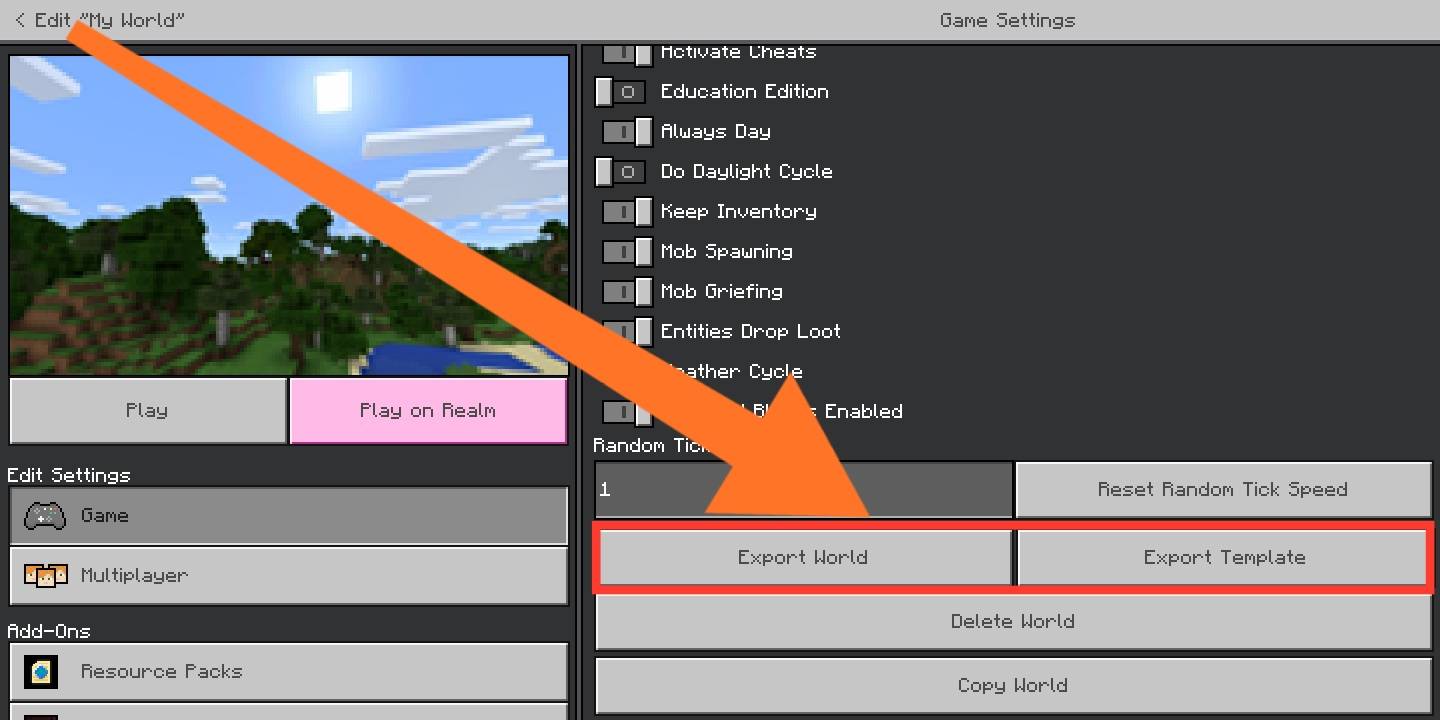
Unfortunately, due to recent changes to Minecraft: Bedrock's Ore UI in version 26.10, this pack is no longer guaranteed to work. If you have found a workaround, please let us know so we can inform the users on this page.
World Porter
A simple texture pack to reveal the hidden world import and export buttons.
For mobile players who don't get a proper world import/export button.
If you're on the recent Minecraft versions, you might have to open the world first (with this pack already enabled in Global Resources) then go to world settings, in order to access the Export World and Export Template buttons.
Features
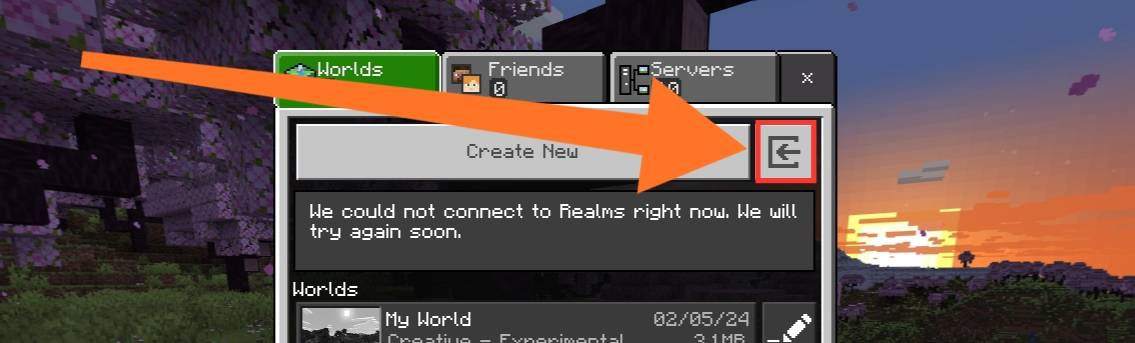
This pack is useful when you're transferring your worlds from "Application" to "External Storage". This pack will show the following buttons:
- Import world button
- Export world button
- Export template button
This add-on has been tested and functions correctly with Minecraft: Bedrock Edition 1.20.50 and above, expected to work with 1.18 and above.
Screenshots
Import button (no longer visible after OreUI):

Export world and template button:

Installation
Follow these steps:
- Download the texture pack.
- Import to Minecraft.
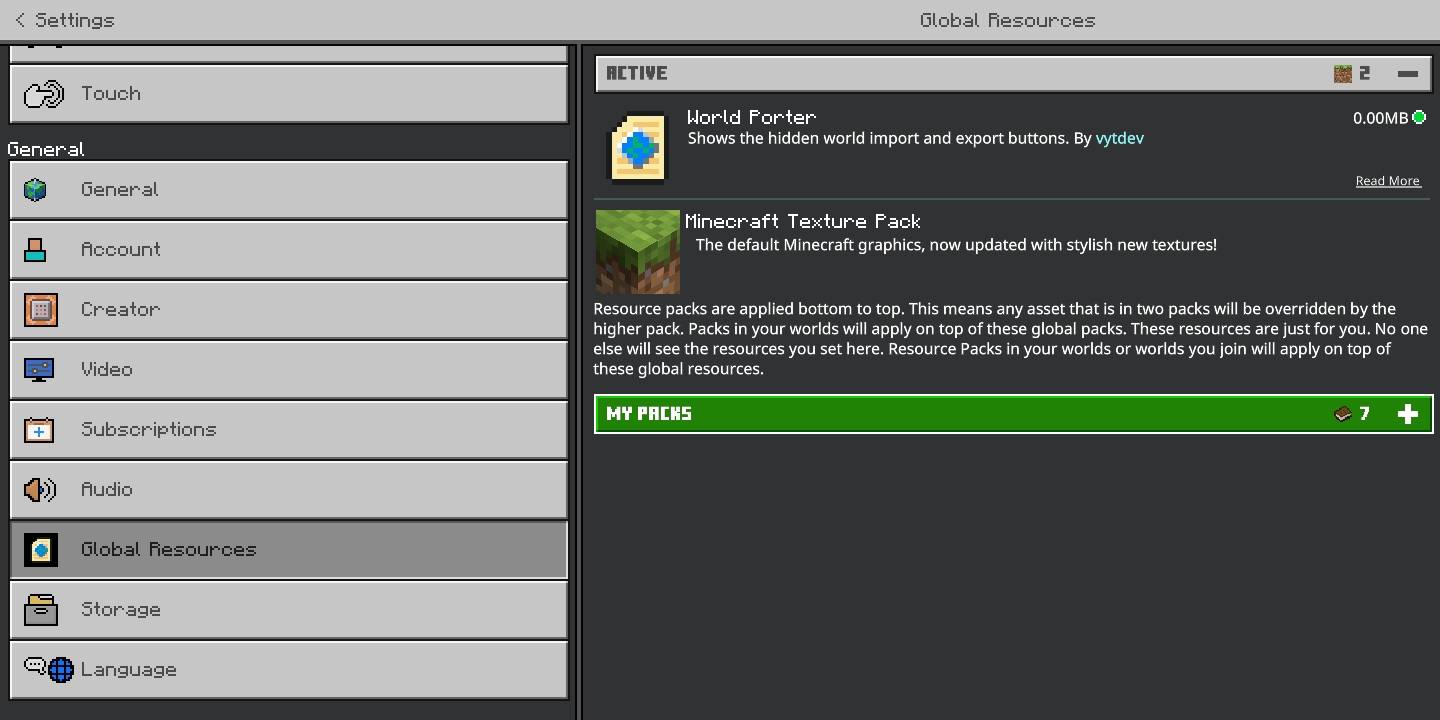
- Open Settings » Global Resources, and activate the pack.

Now you're done setting it up!
License
Copyright © 2024-2026 Vincent Yanzee J. Tan. Licensed under the MIT License. See LICENSE for more details. You can view the source code here.
[alt1]: https://mcpedl.com/import-export-button-unhider-for-mcpe/
- Edition: Minecraft Bedrock
- File type: .mcpack
- Minecraft versions listed: 1.21.30, 1.21.50, 1.21.81
- How to install: Download the .mcpack. → Open it — Minecraft imports it under Resource Packs. → Activate it in Global Resources, or for one world under Resource Packs → Available.
- Where to get it: Opens on CurseForge — not every file is mirrored on our own servers.
Install steps are the general flow for this file type — How to install Minecraft Bedrock texture packs walks through it step by step.
- Pack type: .mcpack — a single pack
- Manifest requires Minecraft 1.18.0 or newer
- Complete pack — everything it depends on is inside the file
- Download size: 3 KB
- Download link checked 5 Oct 2026 — working
These come from our own check of the pack file, not from the source page.