
Optimized Skyboxes
Bedrock texture pack listed for Minecraft 1.14–1.21. File opened and checked on 3 Oct 2026; installs from the MC Bedrock Mods app on Android.
⬇ Download on CurseForge


🌌 Optimized Skyboxes – by Jelly
Please read the notes (Beautiful Skies=Toggled On)
A clean, aesthetic cubemap/skybox pack for Minecraft Bedrock
Featuring ESO imagery - Credit: ESO/José Francisco (josefrancisco.org)
Experience Minecraft with beautifully optimized and seamless space-themed skies
✨ Features
-
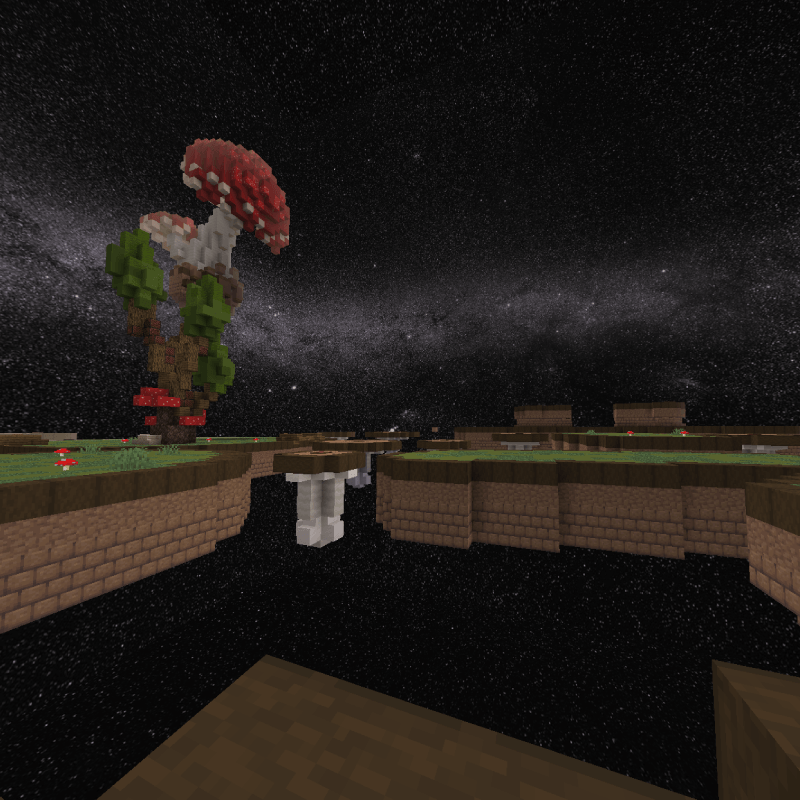
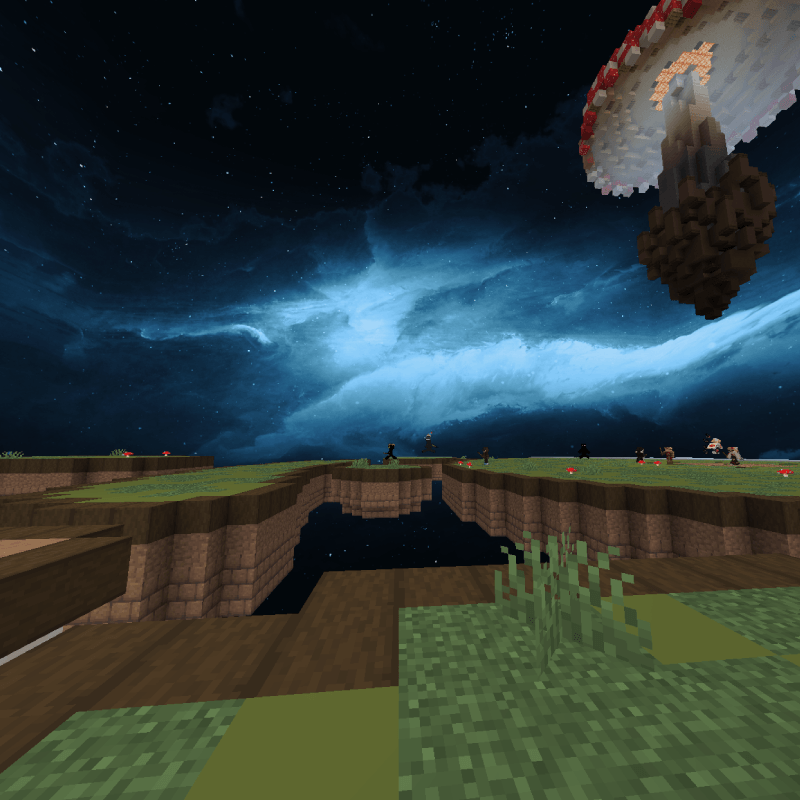
Two 6-side cubemap skyboxes with a sleek cosmic theme and more coming soon...
-
Compatible with Bedrock Edition (iOS, MacOS, Windows, Android)
-
Lightweight and optimized: under 1,500kb per skymap perfect for PvP
-
Great for creators, screenshots, and immersive night skies
-
Easily swappable: Settings allows for diiferent skies like "Milkyway" or "Jelly Night"
- Modular Design: Ensures seemless compatibility with other genre texture packs.
Milkyway
Jelly Night
📥 Installation
-
Download the
.mcpackfile -
Open it on your Bedrock device (double-click or tap)
-
Minecraft will launch and import the resource pack
-
Enable it in your world or global resources
- Make sure you do not already have any other copies of it in your resource packs folder. You can check in your actual resource packs folder or in minecraft settings in game in storage.
📌 Notes
- This pack changes the sky-visual only
- It needs "Beautiful Skies" TOGGLED ON
- Edition: Minecraft Bedrock
- File type: .mcpack
- Minecraft versions listed: 1.18.2, 1.20.40, 1.21.30
- How to install: Download the .mcpack. → Open it — Minecraft imports it under Resource Packs. → Activate it in Global Resources, or for one world under Resource Packs → Available.
- Where to get it: Opens on CurseForge — not every file is mirrored on our own servers.
Install steps are the general flow for this file type — How to install Minecraft Bedrock texture packs walks through it step by step.
- Pack type: .mcpack — a single pack
- Manifest requires Minecraft 1.14.0 or newer
- Complete pack — everything it depends on is inside the file
- Download size: 2.9 MB
- Download link checked 26 Oct 2026 — working
These come from our own check of the pack file, not from the source page.