Texture packsBedrock
Remove Control Pad
Bedrock texture pack listed for Minecraft 1.20–1.21. File opened and checked on 23 Sep 2026; installs from the MC Bedrock Mods app on Android.
⬇ Download on CurseForge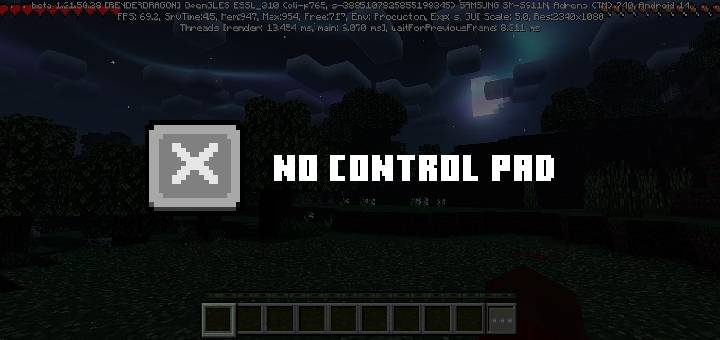
Remove Control Pad
This resource pack hides the control pad and the three buttons at the top.
It was created to resolve the issue of buttons obstructing the view when using a controller in a touchpad environment
How to Use
Import the .mcpack file into Minecraft and apply it as a resource pack.
Known Issues
- The position of the inventory button on the right side of the inventory hotbar is slightly misaligned.
( This is a bug in the oldgui.pngfile. ) - In the
Joystick & Aim Crosshairtouch mode, the attack button does not disappear.
If you know how to resolve the above issues, please contact me via Discord.
Dominokorean Official Discord Server
Quick facts
- Edition: Minecraft Bedrock
- File type: .mcpack
- Minecraft versions listed: 1.20.40, 1.21.30, 1.21.50
- How to install: Download the .mcpack. → Open it — Minecraft imports it under Resource Packs. → Activate it in Global Resources, or for one world under Resource Packs → Available.
- Where to get it: Opens on CurseForge — not every file is mirrored on our own servers.
Install steps are the general flow for this file type — How to install Minecraft Bedrock texture packs walks through it step by step.
File checked by MCModsHub
- Save it as remove control pad.mcaddon before opening — it downloads as .mcpack, but it is a .mcaddon pack
- Manifest requires Minecraft 1.21.50 or newer
- Complete pack — everything it depends on is inside the file
- Download size: 53 KB
- Download link checked 5 Oct 2026 — working
These come from our own check of the pack file, not from the source page.