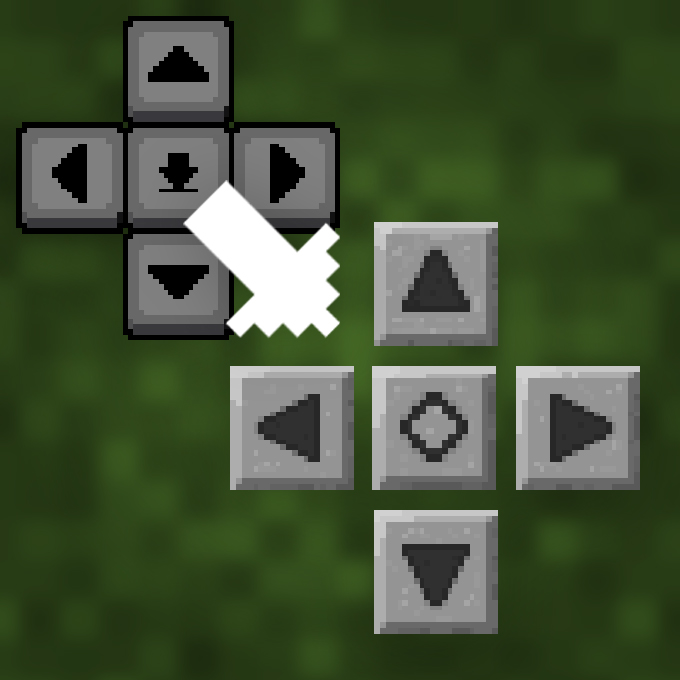
Stone D-pad - old touch control and GUI buttons
Bedrock texture pack listed for Minecraft 1.20–26.x. File opened and checked on 19 Sep 2026; installs from the MC Bedrock Mods app on Android.
⬇ Download on CurseForge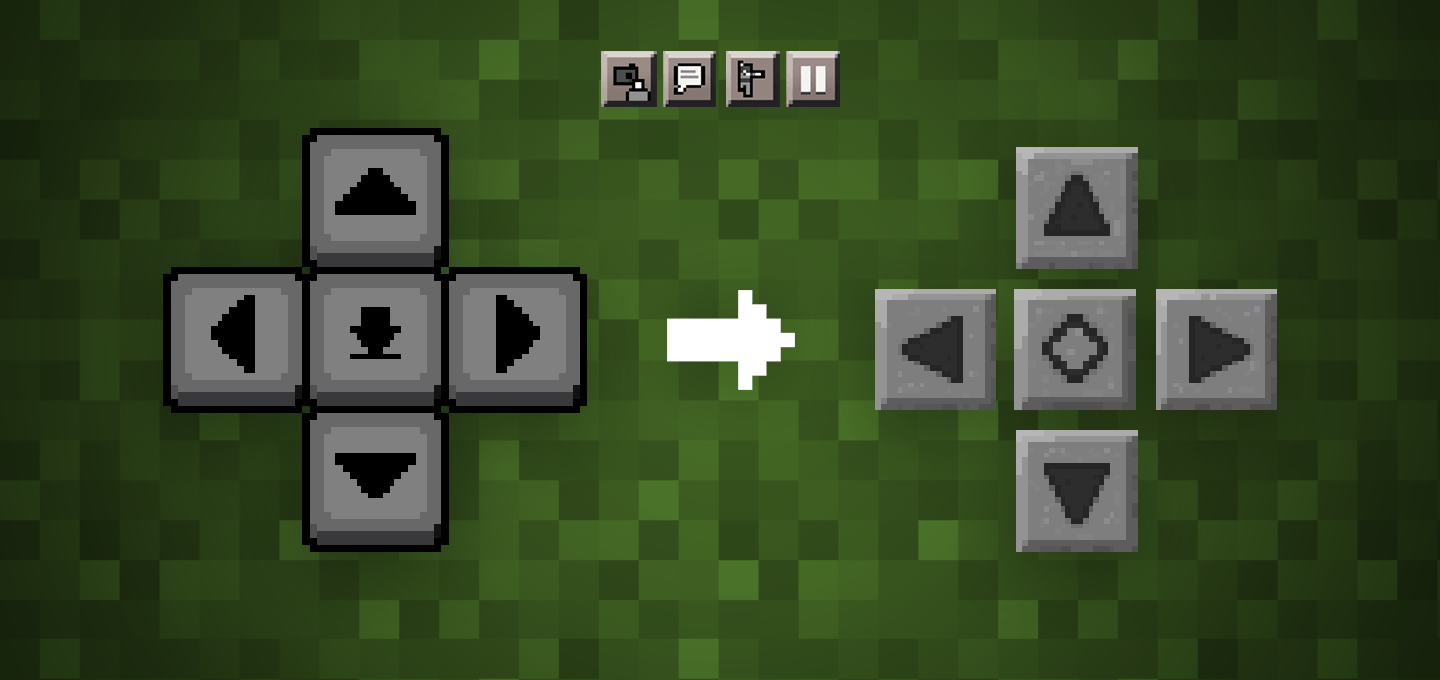
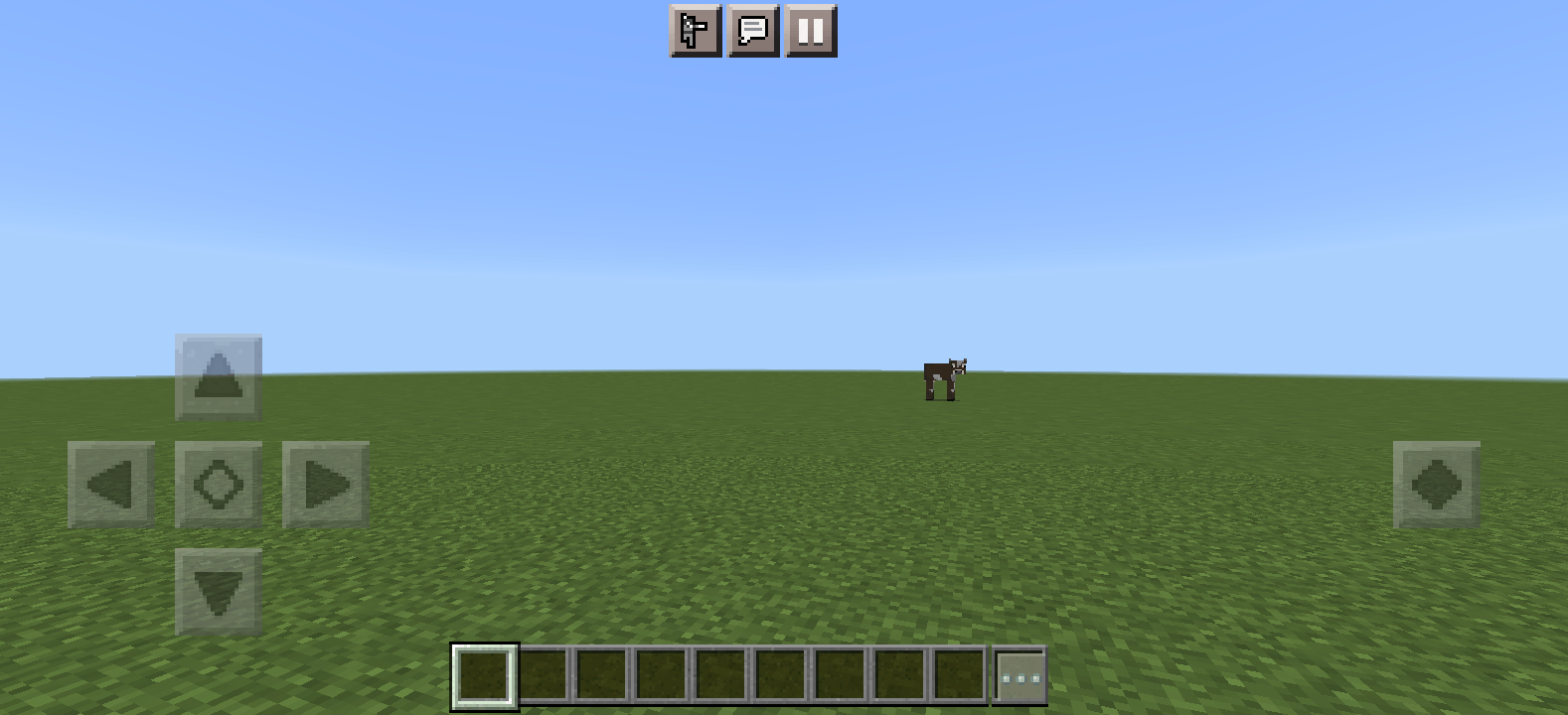

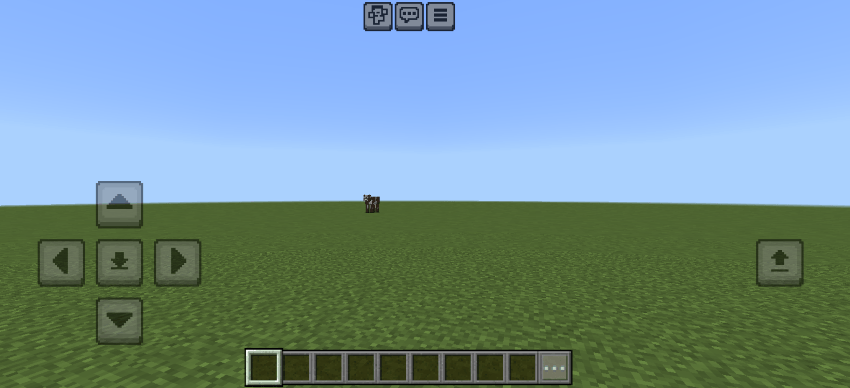
If you liked the old style of Minecraft touch controls, this texture pack is for you. This texture pack brings back the classic D-pad look and other HUD elements, and some newer buttons are manually created by me that matches the old style!
Enabled:
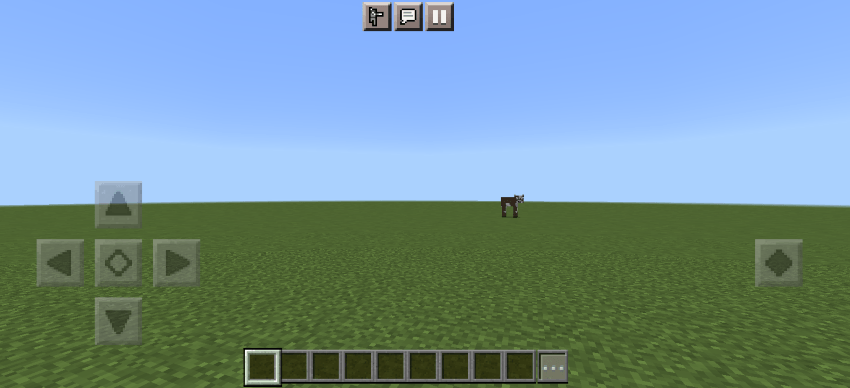
Disabled:
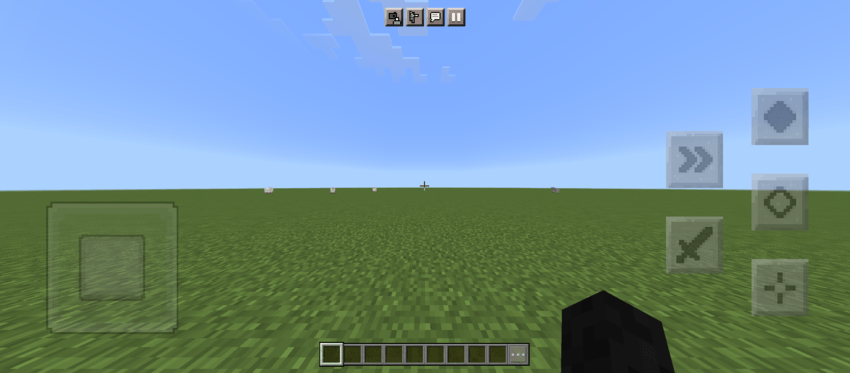
Joystick controls (✨New)
In the latest update, the joystick control buttons are also skinned. Make sure you select the right option to make it look as intended (see Options section below).
Options
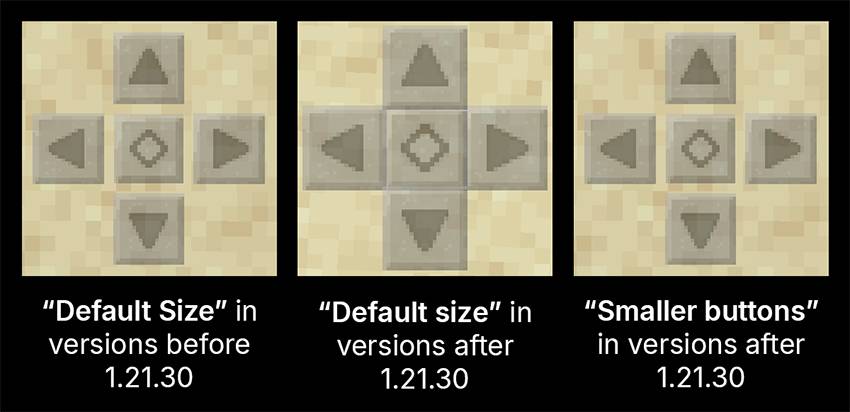
The size of the D-pad buttons is increased in version 1.21.30, meaning the gap between the buttons is removed. There is an option to either keep the original size or make them smaller, you can change them by clicking on the ⚙️ icon in Global Resources. Options:
⚠️ (Important) Choose the right option:
- If your Minecraft version is older than 1.21.30, you should choose the Default Size option. The buttons may look too small with the Smaller buttons option if you're using an older version. If not, see below.
- If you're using the D-pad control mode, choose Smaller Buttons if you want the buttons to look more like the old controls, or choose Default Size if you prefer the newer, bigger buttons with no gaps (see image above).
- If you're using one of the Joystick control modes, choose Default Size. Otherwise, the buttons may look too small.
Notes
It hides the back strafing buttons, those buttons are still there and work when pressed, it just doesn’t show them to match the older controls better.
More Customizations
If you want, you can customize the size, position, and opacity of the buttons from settings. Go to Touch settings, enable Resizable UI, and tap on Customize Controls.
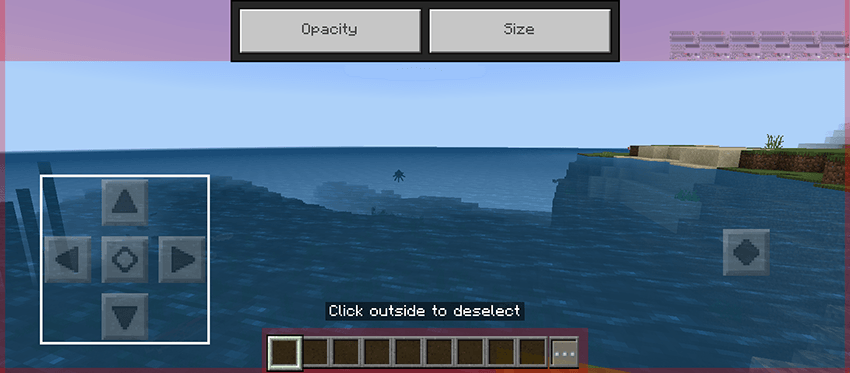
Warning
This texture pack can only change the look of the buttons, not their function. For example, previously, there were three buttons on the right when flying in creative mode, but after the update, there are only two. This pack cannot change that.
Issues
Since I don't play Minecraft on a phone, there can be issues caused by updates that I don't notice. If you find inconsistencies or a button that isn't changed, or find any other issue, please let me know (see email below) (you could also comment if you're on MCPEDL).
Help
Here’s a guide if you need help installing: https://adib3700.notion.site/ThreeSeven0Zero-Minecraft-Resource-Pack-Installation-tutorial-1ac9ff516372807ca61cf8ad8afd5339
giptala6@gmail.com - If you need any help, you can email me (say that you need help with Stone D-pad)
- Edition: Minecraft Bedrock
- File type: .mcpack
- Minecraft versions listed: 1.21.30, 1.21.50, 1.20.60
- How to install: Download the .mcpack. → Open it — Minecraft imports it under Resource Packs. → Activate it in Global Resources, or for one world under Resource Packs → Available.
- Where to get it: Opens on CurseForge — not every file is mirrored on our own servers.
Install steps are the general flow for this file type — How to install Minecraft Bedrock texture packs walks through it step by step.
- Pack type: .mcpack — a single pack
- Manifest requires Minecraft 1.20.50 or newer
- Complete pack — everything it depends on is inside the file
- Download size: 130 KB
- Download link checked 26 Oct 2026 — working
These come from our own check of the pack file, not from the source page.