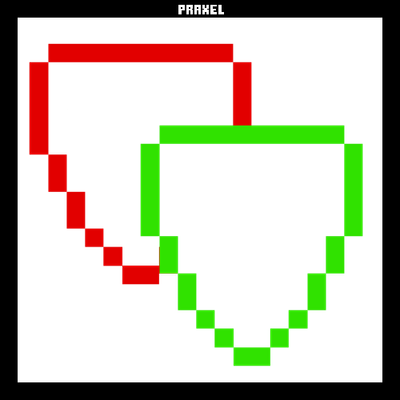
Shield Checker
Bedrock texture pack listed for Minecraft 1.21–26.x. File opened and checked on 10 Oct 2026; installs from the MC Bedrock Mods app on Android.
This resource pack visually indicates shield status by displaying active shields in green and disabled shields in red.
⬇ Download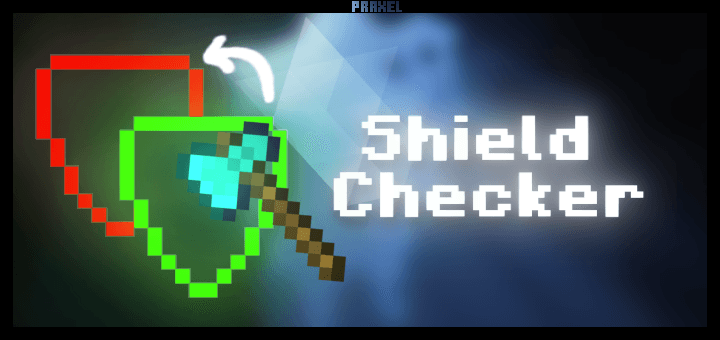
Shield Checker
 Shield Checker is a lightweight resource pack for Minecraft Bedrock Edition that gives your shield a visual status indicator, letting you instantly see whether your shield is active or on cooldown.
Overview
Shield Checker overrides the default shield texture with two distinct states. When your shield is ready and blocking, it displays a green texture. When it has been disabled by an attack, it switches to a red texture for the duration of the cooldown, then returns to green automatically.
Features
- Real-time shield status visualization
- Green texture while shield is active and blocking
- Red texture during the 5-second cooldown after being disabled
- Automatically returns to green once cooldown expires
- Powered by native Molang cooldown queries, no scripts or behavior pack required
How It Works
- Green (stable): Your shield is ready. You are currently blocking or able to block.
- Red (disabled): Your shield has been knocked out by an attack. It will recover after 5 seconds.
Pack Information
- Resource Pack Version: 1.0.0
- Minimum Engine Version: 1.21.0
LICENSE

- Edit this pack and redistribute it as your own work.
- Remove the LICENSE file from the pack.
- Claim yourself as the original creator of this pack.
- Reupload this pack to other platforms without permission.

- Take inspiration from this pack.
- Edit it for personal use only.
- Share edited versions ONLY if you provide proper credit and link to my CurseForge page.
Notes
This is a client-side Resource Pack. No server-side installation is required. Compatible with Minecraft Bedrock Edition 1.21.0 and above. Working on compatibility with Blurry's Java PVP mod. Can be stacked with other resource packs. For best results, place this pack above others in the load order.
Bug reports and feedback are welcome in the comments.
- Edition: Minecraft Bedrock
- File type: .mcpack
- Minecraft versions listed: 1.21.30, 1.21.50, 1.21.81
- How to install: Download the .mcpack. → Open it — Minecraft imports it under Resource Packs. → Activate it in Global Resources, or for one world under Resource Packs → Available.
- Where to get it: In MCModsHub, or directly above on this page.
Install steps are the general flow for this file type — How to install Minecraft Bedrock texture packs walks through it step by step.
- Pack type: .mcpack — a single pack
- Complete pack — everything it depends on is inside the file
- Download size: 12 KB
- Download link checked 5 Oct 2026 — working
These come from our own check of the pack file, not from the source page.