Texture packsBedrock
diamond vibrant
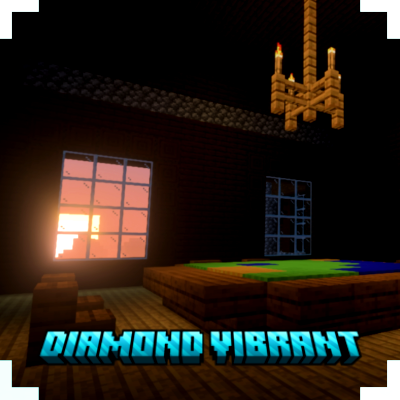
With the Diamond Vibrant Pack, you will transform your Minecraft world into a more diamonic visual experience.
I don't know my version
Open Minecraft and look at the bottom-left corner of the main screen — the version is printed there, like v1.26.30.
The game writes a 1. in front; the buttons above leave it off. v1.26.30 in the game is 26.30 here.


(no player.json)
(no experimental)
(achievement friendly)
(join discord for feedback)
Diamond Vibrant Visual gives a cool yet warm and dynamic experience to your Minecraft world.
i posted a pictures about how the texture will affects your minecraft world.
Quick facts
- Edition: Minecraft Bedrock
- File type: .mcpack
- Minecraft versions listed: 26.10, 26.30, 26.3
- How to install: Download the .mcpack. → Open it — Minecraft imports it under Resource Packs. → Activate it in Global Resources, or for one world under Resource Packs → Available.
- Where to get it: Opens on CurseForge — not every file is mirrored on our own servers.
Install steps are the general flow for this file type — How to install Minecraft Bedrock texture packs walks through it step by step.
Verified by MCModsHub
- Save it as diamond vibrant 1.2.mcaddon before opening — it downloads as .mcpack, but it is a .mcaddon pack
- Manifest requires Minecraft 1.17.0 or newer
- Complete pack — everything it depends on is inside the file
- Download size: 14.7 MB
- Download link checked 25 Aug 2026 — working
These come from our own check of the pack file, not from the source page.