Texture packsBedrock
Animated Menu: Sakura Street
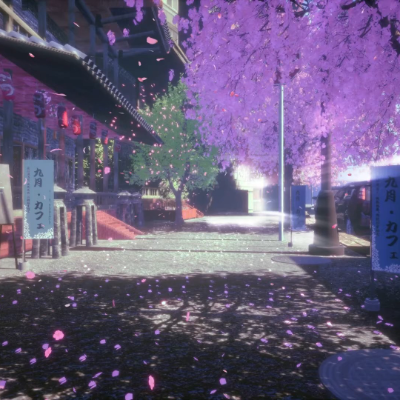
Walk through "Sakura Street!" Replace the boring panorama with a peaceful animated background of falling cherry blossoms. Featuring a soft pastel UI, it’s…
⬇ Download on CurseForge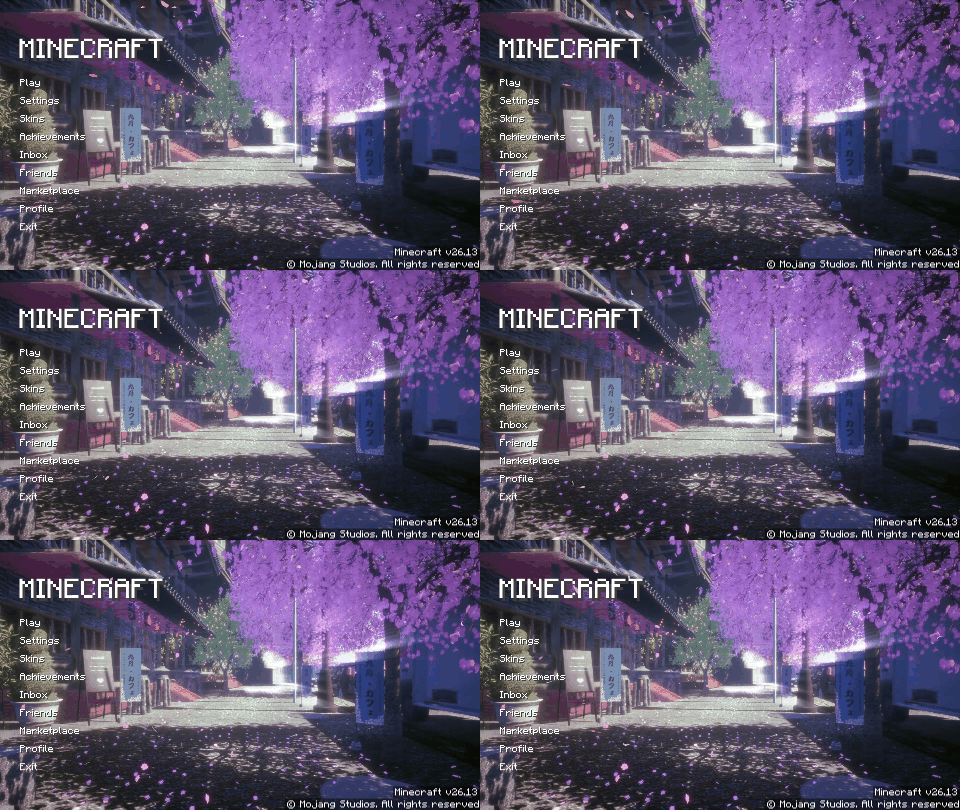
Animated Menu: Sakura Street
Step into a dreamlike world with the Sakura Street resource pack. Transform your main menu into a beautiful, pink-hued Japanese street lined with blooming cherry blossoms.
Key Features:
- Falling Petal Animation: Replaces the boring default panorama with a serene animated scene of cherry blossoms gently falling over a peaceful neighborhood street.
- Aesthetic Pastel UI: A clean, minimalist user interface designed with soft tones to match the ethereal and calming vibe of the spring season.
- Ultra-Light Optimization: Smooth particle animations and soft lighting effects that look premium while keeping your game’s launch fast and lag-free.
Experience the beauty of spring every time you play. Refresh your start screen today!
Quick facts
- Edition: Minecraft Bedrock
- File type: .mcpack
- Minecraft version listed: 26.10
- How to install: Download the .mcpack. → Open it — Minecraft imports it under Resource Packs. → Activate it in Global Resources, or for one world under Resource Packs → Available.
- Where to get it: Opens on CurseForge — not every file is mirrored on our own servers.
Install steps are the general flow for this file type — How to install Minecraft Bedrock texture packs walks through it step by step.
Verified by MCModsHub
- Pack type: .mcpack — a single pack
- Manifest requires Minecraft 1.21.0 or newer
- Complete pack — everything it depends on is inside the file
- Download size: 40.6 MB
- Download link checked 25 Aug 2026 — working
These come from our own check of the pack file, not from the source page.