Texture packsBedrock
DurabilityHUD by Tiny Keep
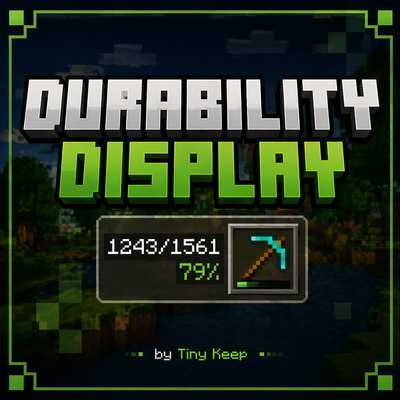
Displays the durability of the currently selected item next to the hotbar, showing current/total uses and a percentage. By Tiny Keep
⬇ Download on CurseForge


🔧 Durability HUD v2.1 — Changelog
New
- ⚠️ Critical durability warning: the HUD now alerts you with a sound + on-screen message when an equipped item (helmet, chestplate, leggings, boots, offhand, or your held item) drops to 15% durability or below, so you don't get caught off guard when it breaks mid-fight or mid-mining.
- The warning is smart: it only triggers once per item — repair it or swap it out and the warning resets, ready to fire again if it drops low once more.
Under the hood
- Memory optimization: the addon now clears warning state for players who disconnect, keeping performance solid on servers with a lot of player turnover.
Compatibility
- No changes to the HUD layout or glyphs — fully compatible with worlds already running v2.0.
- Requires Minecraft Bedrock 1.21+.
And for those who are interested, I have to tell you that we're now on Ko-fi. I'll be posting previews of future updates and new add-ons there—just click the link. Ko-FI
Quick facts
- Edition: Minecraft Bedrock
- File type: .mcpack
- Minecraft versions listed: 1.20.40, 1.21.30, 1.21.50
- How to install: Download the .mcpack. → Open it — Minecraft imports it under Resource Packs. → Activate it in Global Resources, or for one world under Resource Packs → Available.
- Where to get it: Opens on CurseForge — not every file is mirrored on our own servers.
Install steps are the general flow for this file type — How to install Minecraft Bedrock texture packs walks through it step by step.
Verified by MCModsHub
- Pack type: .mcaddon — behaviour and resource pack in one file
- Manifest requires Minecraft 1.21.0 or newer
- Complete pack — everything it depends on is inside the file
- Download size: 66 KB
- Download link checked 25 Aug 2026 — working
These come from our own check of the pack file, not from the source page.