Smooth Wool
Bedrock texture pack listed for Minecraft 26.x. File opened and checked on 6 Oct 2026; installs from the MC Bedrock Mods app on Android.
⬇ Download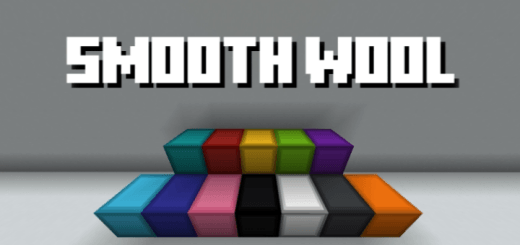
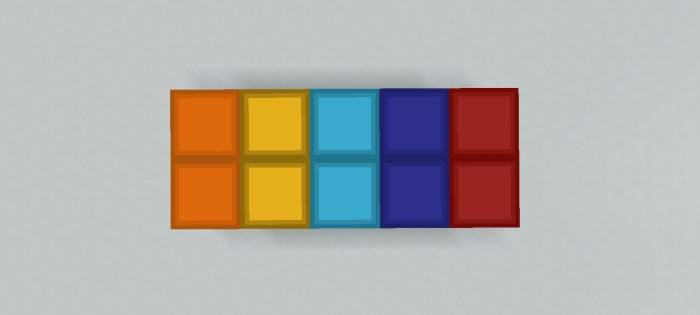

This texture pack enhances Minecraft’s wool blocks by giving them a smooth, uniform surface and adding a subtle but defined outline around each block. Every color of wool receives the same treatment, ensuring visual consistency across all variants. The smooth texture removes the default woven fabric look, replacing it with a clean, solid appearance, while the outline provides sharper edges for better contrast in builds.
For builders, this refinement allows wool to function more like modern construction materials, making it ideal for sleek designs, pixel art, or structured landscapes where clean lines matter. The outlines help wool stand out against other blocks, reducing visual clutter in complex structures. Survival players will also benefit, as colored wool remains instantly recognizable while gaining a more polished aesthetic. Since the pack only modifies wool textures, it maintains full compatibility with other resource packs, shaders, and mods.
By eliminating the noisy default texture and adding definition, this pack transforms wool into a versatile, visually pleasing block—perfect for detailed creations without altering gameplay mechanics or requiring additional resources.
- Edition: Minecraft Bedrock
- File type: .mcpack
- Minecraft versions listed: 26.3, 26.10, 26.11
- How to install: Download the .mcpack. → Open it — Minecraft imports it under Resource Packs. → Activate it in Global Resources, or for one world under Resource Packs → Available.
- Where to get it: In MCModsHub, or directly above on this page.
Install steps are the general flow for this file type — How to install Minecraft Bedrock texture packs walks through it step by step.
- Save it as SmoothWool.mcaddon before opening — it downloads as .mcpack, but it is a .mcaddon pack
- Complete pack — everything it depends on is inside the file
- Download size: 52 KB
- Download link checked 3 Aug 2026 — working
These come from our own check of the pack file, not from the source page.