Texture packsBedrock
No Pumpkin Blur
Bedrock texture pack listed for Minecraft 1.15–1.21. File opened and checked on 4 Oct 2026; installs from the MC Bedrock Mods app on Android.
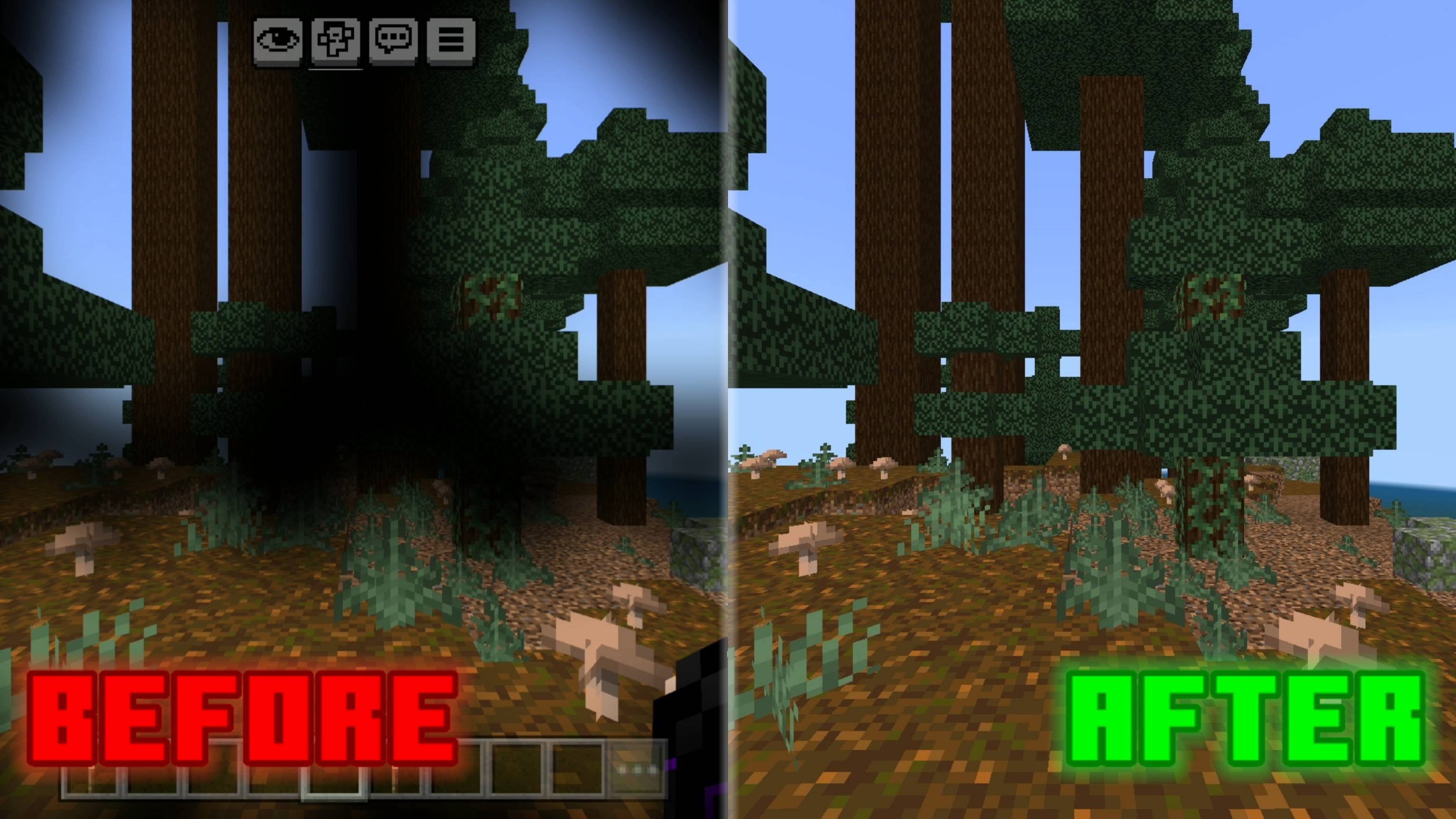
Removes the pumpkin blur overlay for clear vision while wearing a carved pumpkin. Clean, simple, and perfect for the End.
⬇ Download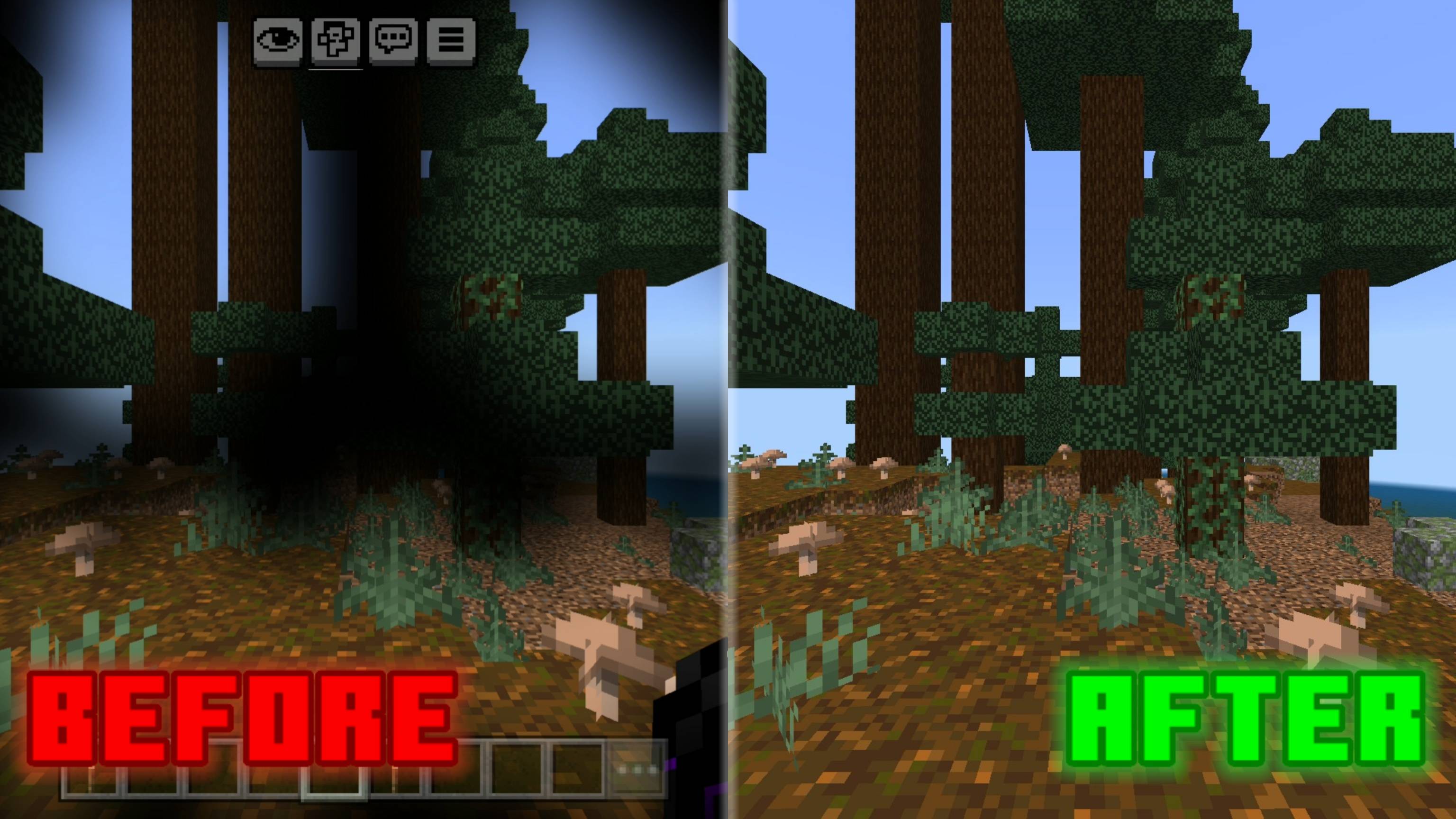
No Pumpkin Blur
Tired of that annoying overlay when wearing a carved pumpkin? This pack removes the blur entirely, giving you a crystal-clear view while keeping Endermen off your back. Perfect for exploring the End or going full stealth without the visual clutter. Lightweight and mobile-friendly.
Preview of Before & After
Quick facts
- Edition: Minecraft Bedrock
- File type: .mcpack
- Minecraft versions listed: 1.18.2, 1.20.40, 1.21.30
- How to install: Download the .mcpack. → Open it — Minecraft imports it under Resource Packs. → Activate it in Global Resources, or for one world under Resource Packs → Available.
- Where to get it: In MCModsHub, or directly above on this page.
Install steps are the general flow for this file type — How to install Minecraft Bedrock texture packs walks through it step by step.
File checked by MCModsHub
- Pack type: .mcpack — a single pack
- Complete pack — everything it depends on is inside the file
- Download size: 1 KB
- Download link checked 15 Sept 2026 — working
These come from our own check of the pack file, not from the source page.