Texture packsBedrock
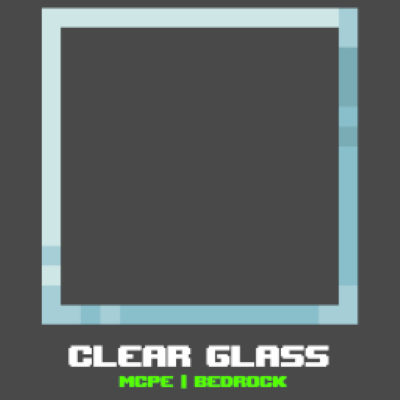
Clear Glass MCBE
Bedrock texture pack listed for Minecraft 1.20–1.21. File opened and checked on 24 Sep 2026; installs from the MC Bedrock Mods app on Android.
⬇ Download on CurseForge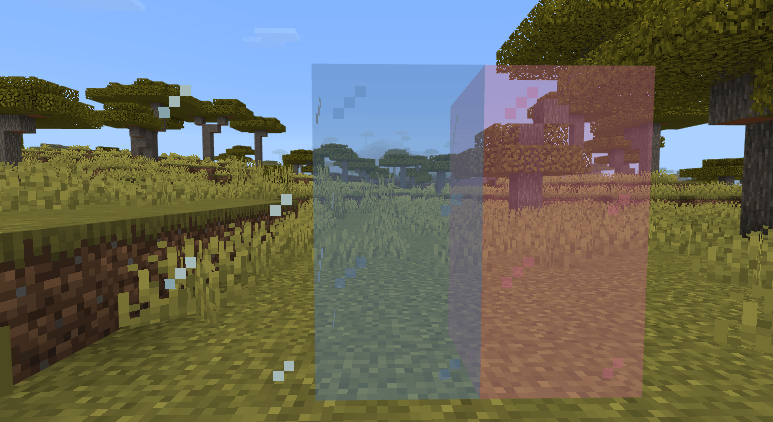
Clear Glass Texture Pack (with Borderless Subpack) for Minecraft Bedrock/MCPE
The Clear Glass Pack gives your Minecraft world a cleaner and more modern look by removing noisy streaks and pixel patterns from glass blocks. Windows become crystal clear, giving a better view of landscapes, bases, and interiors.
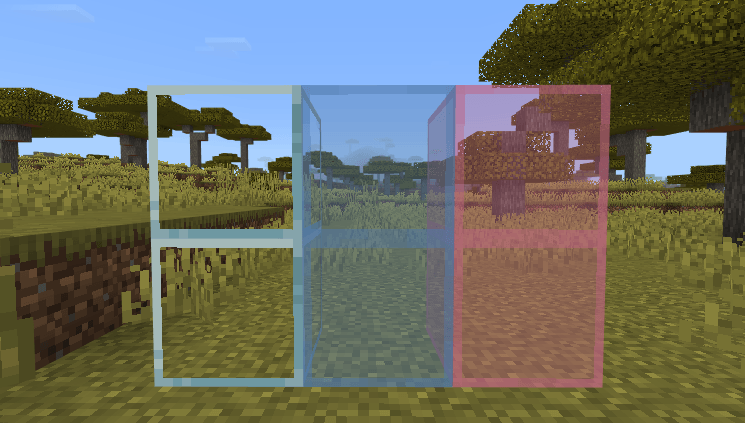
This pack also includes subpacks with a Borderless Glass option — perfect for seamless window designs, modern builds, and aesthetic screenshots.
✨ Features
- ✔️ Fully clear glass with no streaks
- ✔️ Smooth and transparent look
- ✔️ Optional Borderless mode via subpacks
- ✔️ Vanilla-friendly (no color changes)
- ✔️ Perfect for modern houses & aesthetic builds
- ✔️ Works on MCPE & Minecraft Bedrock
🧊 Why Builders Love It
| Benefit | Description |
|---|---|
| Better View | See through windows clearly without texture noise |
| Modern Look | Great for luxury builds and glass walls |
| Seamless Windows | Borderless mode removes frame lines |
| Screenshot Friendly | Cleaner visuals for video and photos |
📥 Subpacks Included
| Subpack Name | Description |
|---|---|
| Default Clear Glass | Keeps borders but removes streaks |
| Borderless Glass | No borders, perfect for seamless windows |
📥 How to Install
- Download the
.mcpackfile - Open it to import into Minecraft
- Go to Settings → Global Resources
- Activate the pack
- Click on Gear Icon to choose subpack (Bordered / Borderless)
- Restart the game if necessary
✅ Compatibility
| Version | Support |
|---|---|
| Minecraft Bedrock 1.19+ | ✅ |
| MCPE (Android/iOS) | ✅ |
| Windows 10/11 | ✅ |
| Consoles (Xbox/PS/Switch) | ✅ |
| Realms/Servers | ✅ |
Quick facts
- Edition: Minecraft Bedrock
- File type: .mcpack
- Minecraft versions listed: 1.21.81, 1.21.90, 1.21.101
- How to install: Download the .mcpack. → Open it — Minecraft imports it under Resource Packs. → Activate it in Global Resources, or for one world under Resource Packs → Available.
- Where to get it: Opens on CurseForge — not every file is mirrored on our own servers.
Install steps are the general flow for this file type — How to install Minecraft Bedrock texture packs walks through it step by step.
File checked by MCModsHub
- Pack type: .mcpack — a single pack
- Manifest requires Minecraft 1.20.0 or newer
- Complete pack — everything it depends on is inside the file
- Download size: 34 KB
- Download link checked 5 Oct 2026 — working
These come from our own check of the pack file, not from the source page.